
Introducing Signal by Smedian
Schedule your Medium articles to be shared to Twitter periodically — a better Buffer for Medium stories.
Why
Smedian is where thousands of Medium writers and editors grow together. The goal of Smedian is to increasingly help writers and editors succeed. Among other things, Smedian currently enables writers to find and become contributors to thousands of the largest and fastest growing Medium publications. Along with that, Smedian makes the job of hundreds of publication editors easier by streamlining the process of attracting, adding and managing writers and the content that they contribute. The goal of Signal is to make it easier for creators to share their articles with their audiences at schedules that work best for them.
Disclaimer: Smedian is not affiliated with A Medium Corporation in any way. TL;DR: Get started at pensignal.com or scroll down to “How Signal Works” to see how it works.
Signal
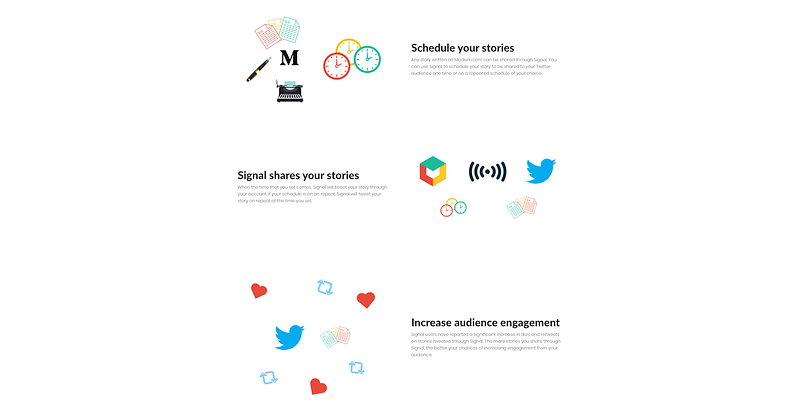
Signal enables you, a Medium writer or editor, to share your stories with your world on your schedule.
Writers are busy enough creating the content for their audiences to enjoy. Editors are busy enough making sure that content is of high enough quality for their readers. However, distributing the content is a necessary part of the content creation pipeline. Unfortunately, distributing the content can be more time consuming than it needs to be. Signal aims to make distributing your best content to your audience as easy as possible.
Why is it called signal? Well, let’s look at the dictionary definition of the word:
Signal— noun: a gesture, action, or sound that is used to convey information or instructions, typically by prearrangement between the parties concerned.
“the firing of the gun was the signal for a chain of beacons to be lit” synonyms: gesture, sign, wave, gesticulation, cue, indication, warning, motion “a signal to go”
With that, Signal is a means by which creators can convey their activity to their audiences. Think of it like the classic philosophical thought experiment, “If a tree falls in a forest and no one is around to hear it, does it make a sound?”. If a writer produces great content, but the writer doesn’t share it with her audience, did it make a mark? Well, on Medium, probably, because Medium makes it easier for your work to be found regardless of your own audience. However, if all of your audience isn’t here on Medium or they just don’t come across it on Medium, your content may not reach them as much as you would like.
If your audience doesn’t see your work, you may appear inactive to them. Thus, Signal gives you a way to routinely say, “Hey, I’m here and still publishing great content!”, without having to worry about it.
Types of Signals
There are many ways to send a signal to your audience these days. The popular means are tweeting on Twitter or posting on Facebook and LinkedIn. Signal currently only works with Twitter. Facebook and LinkedIn will follow at some point in the future.
Signal vs. Noise
Some might argue that giving people the ability to automate the sharing of their work can lead to a bunch of noise in the destination feed. However, I’d argue that noise already exists because the creators are using tools that encourage sharing everything as much and as often as possible. And if a creator doesn’t use a tool to share their work to social media, they might manually overshare all of their work as frequently as possible in hopes of achieving as much visibility as possible.
Signal encourages writers to share their best work at a comfortable interval that works for their audience.
To discourage oversharing, Signal’s lower bound on the frequency at which a post can be shared is a three-hour interval. We started at six hours, then twelve hours, but decided it’d be best to give the creators more freedom on how often they share their work. Furthermore, each Medium post can only belong to one Signal instance per user; this should discourage sending out unbounded variants of a tweet (a sort of signal) for a single post.
How Signal Works
From creating to sending, Signal is an extremely streamlined system. You could schedule a signal with just three clicks if you’d like. First, let me walk you through the process of creating a signal.

Navigate to pensignal.com. If you’re not logged in, you’ll be sent to Medium to login. Once you’re logged in, select the “Signal Posts” tab at the top of your profile. Next, click “Schedule a signal post”. If you don’t have your Twitter account connected yet, you will need to connect it before proceeding.
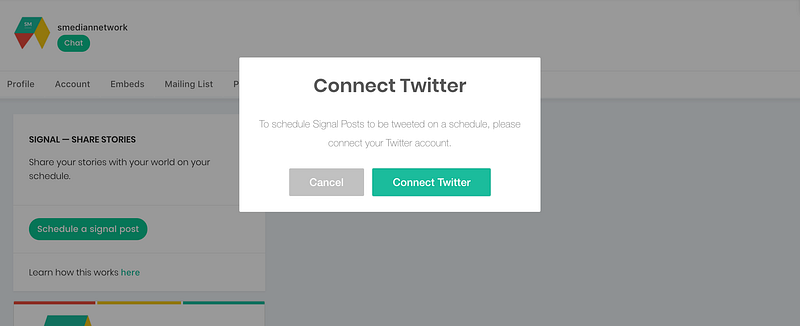
Once you’re all connected and ready to schedule your first signal, you will see this form:
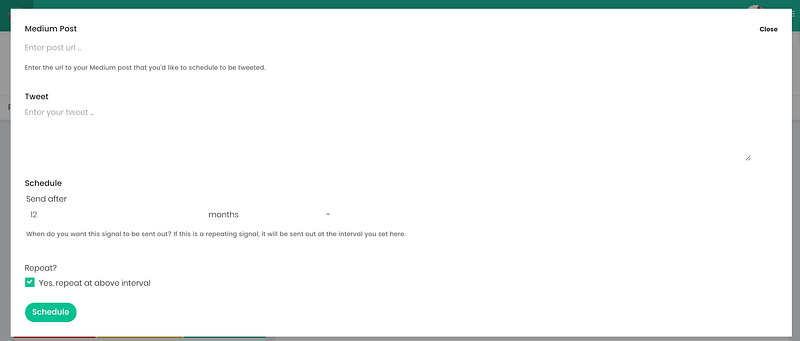
Enter the link (url) to one of your Medium articles and a tweet. After you enter the link, it will fetch your article’s information and suggest a tweet with hashtags (from the tags on your article) and the article link for you to use:
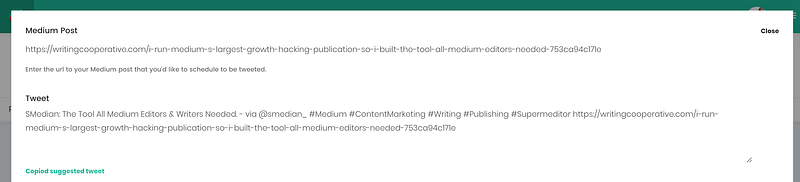
Note that your tweet should have the article link in it just as it would be if you were composing the tweet on Twitter. At the time of this writing a link takes up 24 characters of a tweet.
At that point, your signal is pretty much ready to be scheduled. However, you can continue to the bottom of the form to edit the schedule for the signal:
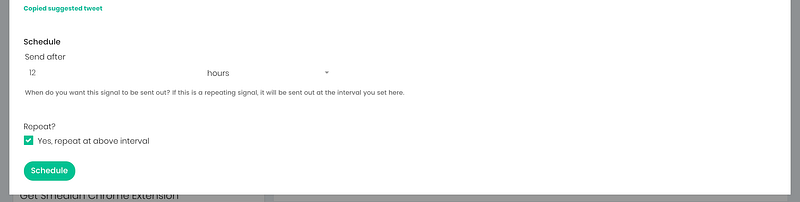
By default, your signal is set to be sent out every 12 hours. You can edit this as you wish. You can have it send out once, every three weeks, every five months, or however often you’d like between three hours and 12 months.
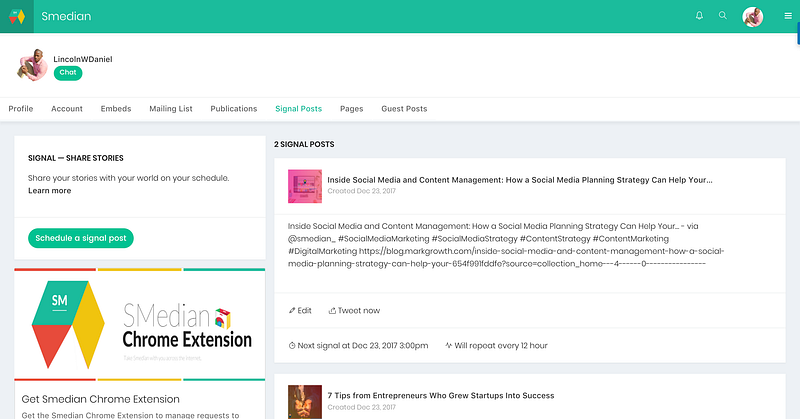
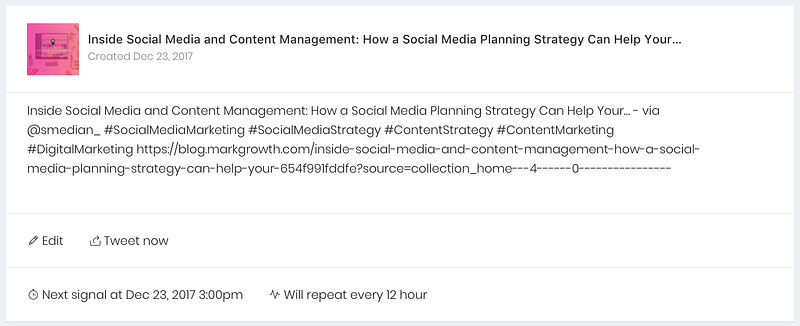
Once scheduled, it will display in your list of signals like this:
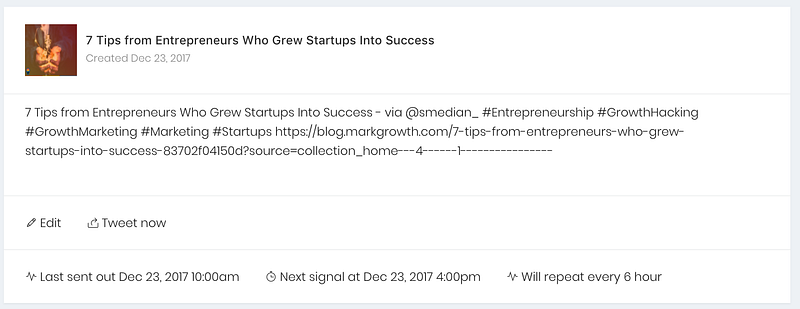
Your scheduled signal will be sent out on the schedule you chose in the form. Once it has been sent out for the first time, you will see “Last sent out …”. The next time it will be sent out is displayed as “Next signal at …”. Notice that there is an option to “Tweet now”. That means you can force the signal to be sent via Twitter whenever you’d like as often as you’d like. This is a good way to store tweets for later and send them when you’re ready.
How I’m Using Signal
As a writer, I’m using Signal to promote my own articles. I scheduled my signal before bed, and when I woke up, it was on Twitter and already had a healthy amount of engagement from my audience:
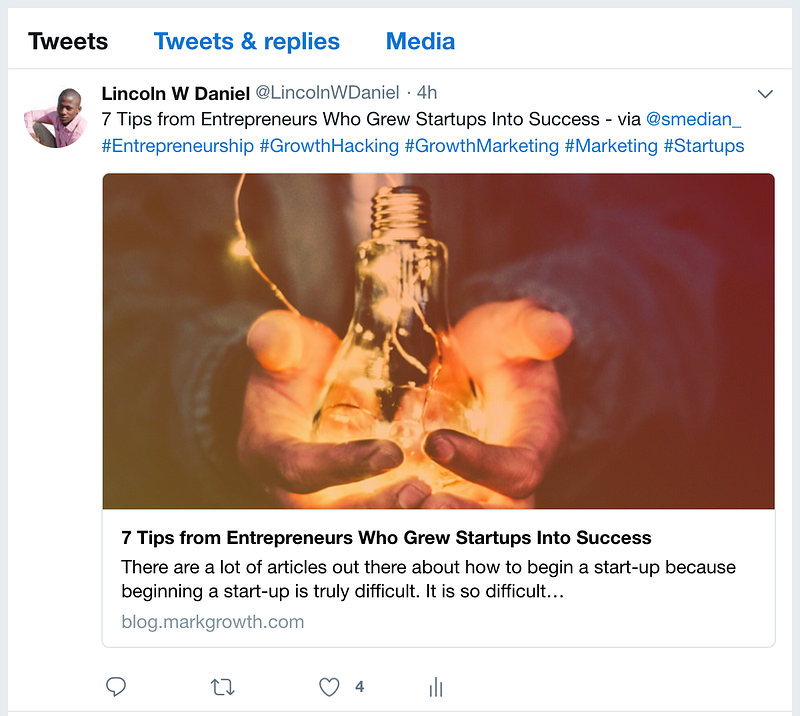
As an editor of the Marketing and Growth Hacking Publication, I use Signal to share the work of my contributing writers through Mark Growth’s Twitter profile (I need a separate Smedian account for this). Similarly, as the creator of Smedian, I use Signal to share release articles with our users on Smedian’s Twitter profile.
Price
As with all of Smedian, Signal is free. Happy holidays!
Known Limitations
- Can’t pick exact times to send signals; you can only choose an interval
Future Features
- Pick exact times to send signals
- Pick an exact first-send time
- Share to Facebook & LinkedIn
- The ability to create a signal when you publish a new story via the Smedian Chrome extension
Questions/Feedback/Suggestions
Thanks for reading and using Smedian. If you have any questions, feedback, or suggestions for Signal, I am always listening. You can respond to this article below, or chat with me in real-time via Smedian Chat.