
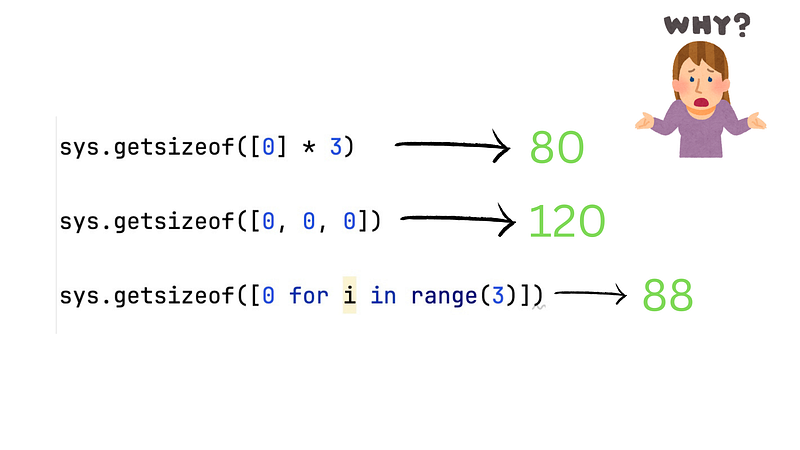
Interviewer: What is the difference between [0] * 3 and [0, 0, 0] in Python?
Only Senior developers know the right answer.
Okay, here is another interview question for senior Python developers.
We have three different ways to generate a list in Python:
list1 = [0] * 3

list2 = [0, 0, 0]

list3 = [0 for i in range(3)]
So, what is the difference between list1 , list2 and list3 ?
You may think they are the same list since all of them are equal to [0, 0, 0] :
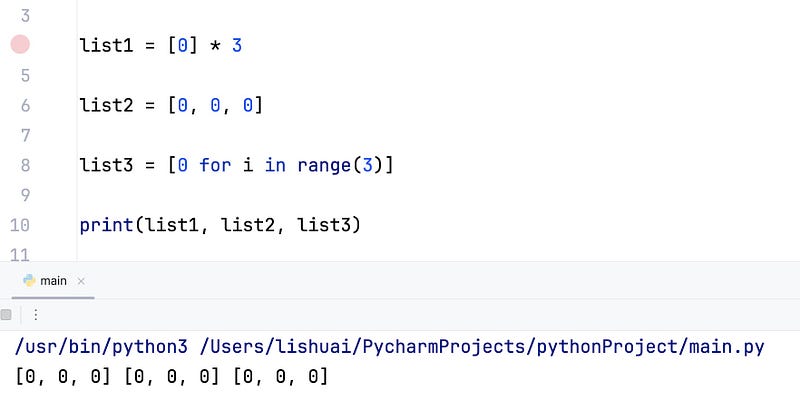
It’s right from the elements’ perspective, all of them are a list that contains three 0 .
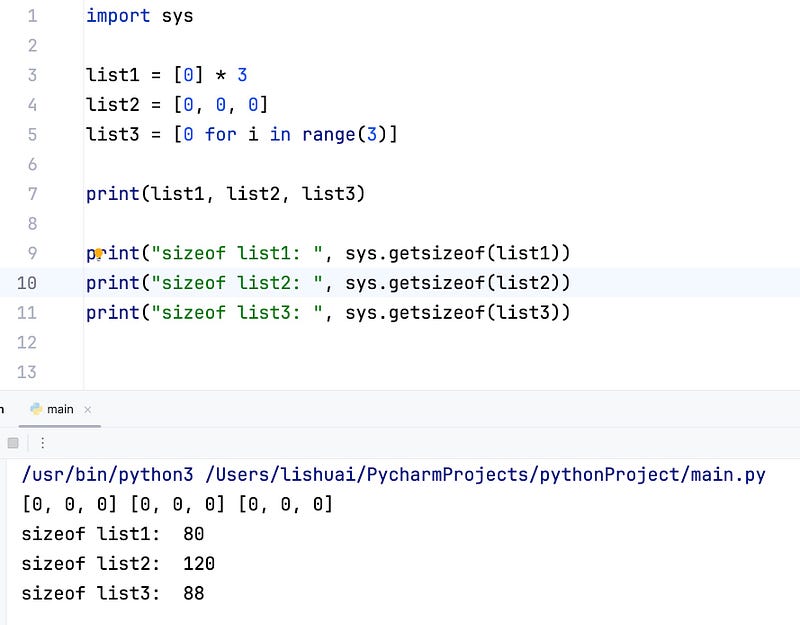
But, if you try to check their byte size, you will find a strange result:
Return the size of an object in bytes. The object can be any type of object. All built-in objects will return correct results, but this does not have to hold true for third-party extensions as it is implementation specific.
Only the memory consumption directly attributed to the object is accounted for, not the memory consumption of objects it refers to.
Wow, they have a different size!
Why? Why do they have a different size? Why do sizeof([0, 0, 0]) is bigger of sizeof([0] * 3) ?
To understand the result, we need to understand the process. We need to know what happened to the lists when we created them.
You know, Python is an interpreted programming language. All the Python code we wrote will be compiled to bytecode by a compiler for Python Virtual Machine.
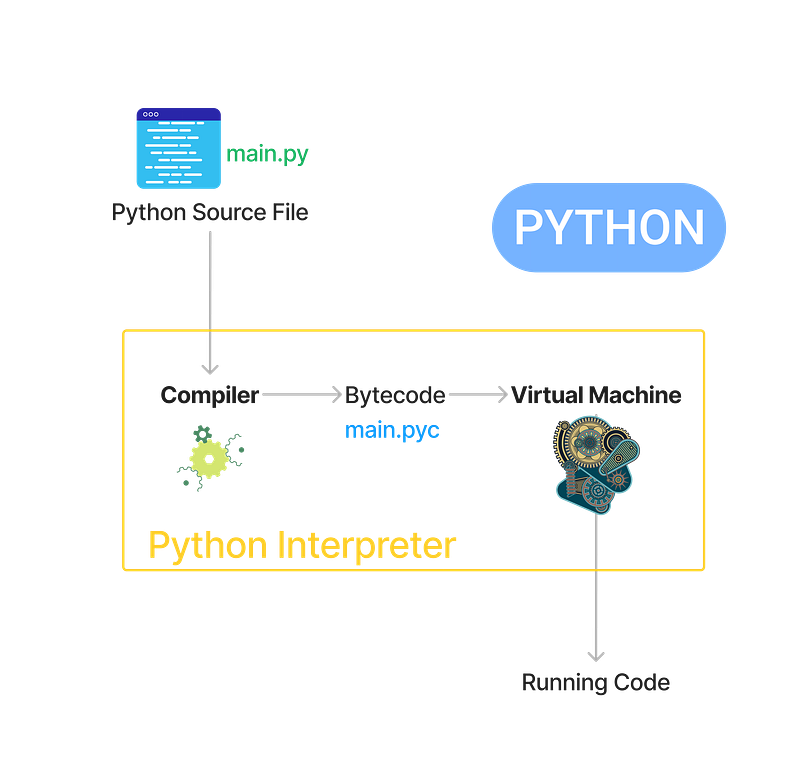
So, what are the corresponding bytecodes to [0] * 3 and [0, 0, 0] ?
The
dis module supports the analysis of CPython bytecode by disassembling it. The CPython bytecode which this module takes as an input is defined in the fileInclude/opcode.hand used by the compiler and the interpreter.
We can use this way:
import dis

print("disassemble [0] * 3")
dis.dis("[0] * 3")

print("disassemble [0, 0, 0]")
dis.dis("[0, 0, 0]")

print("disassemble [0 for i in range(3)]")
dis.dis("[0 for i in range(3)]")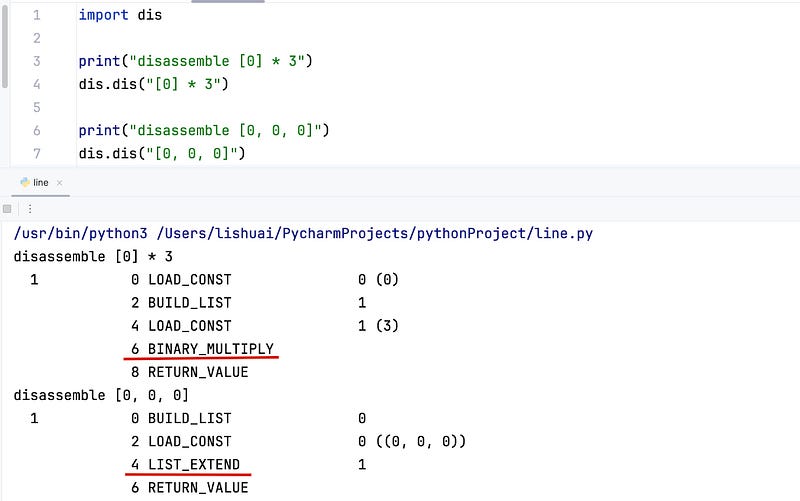
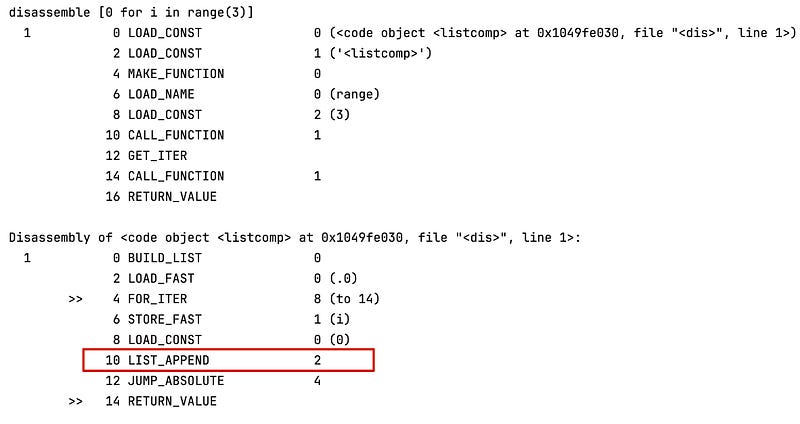
From their bytecode, they are obviously different!
You may not be familiar with the bytecode and Python virtual machine, but don’t worry, in this article, we will explore the basics of CPython together!
CPython
There are some different implementations of Python virtual machines, including CPython, PyPy, and Jython.
CPython is the original implementation by Guido van Rossum. When you download Python Interpreter from the official website, you are using CPython. So, in this article, we are talking about CPython.
You can find the source code of CPython from GitHub:
Python has different versions, from 2.x to 3.13, in this article, I’m using Python 3.9.
If you want to follow me step by step, please go to the Python 3.9 branch.
If you are reading other versions of CPython source code, although the principles are the same, there will be subtle differences in the function implementation.
All the list-related operation source code are located in Ojbects/listobject.c
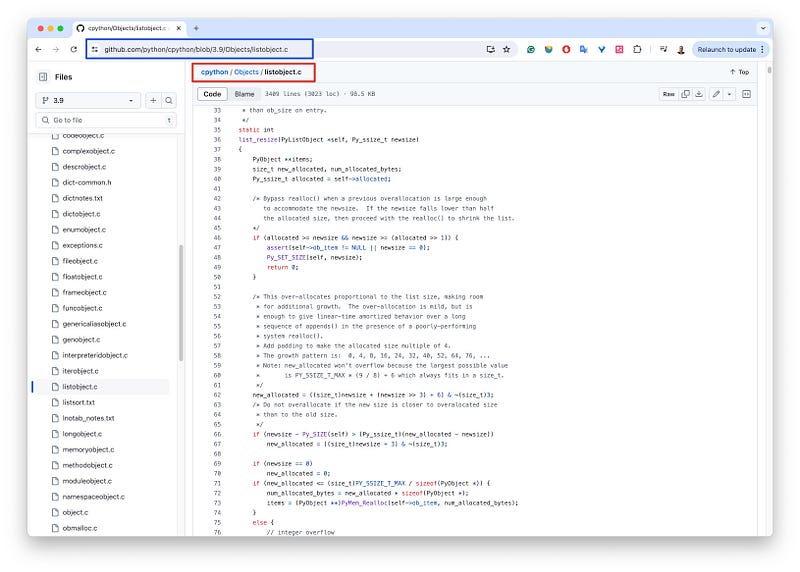
Please open this file in your browser.
Python List in CPython
A Python list in CPython is composed of two parts:
- A C structure that records the list’s metadata, with a fixed size of 56 bytes.
- An array of pointers, where each pointer element points to the location of an element in the Python list. On a 64-bit operating system, a pointer is fixed at 8 bytes.
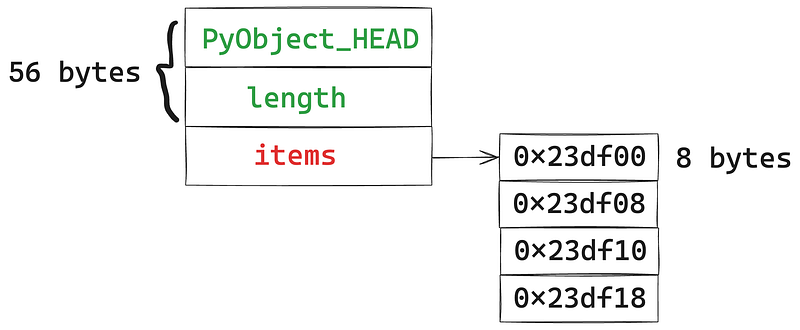
Thus, the memory occupied by a Python list at runtime is:
56 + 8 * n
where n is the length of the pointer array.
However, it’s important to note that the size of the pointer array may not necessarily match the number of elements in the Python list. This is why the size of Python lists created using the three methods previously mentioned differs.
To understand this issue, we need to know how CPython allocates memory and creates arrays for Python lists.
[0] * 3
When we create a new list in this manner, the bytecode used is BINARY_MULTIPLY , which corresponds to the list_repeat function in CPython.
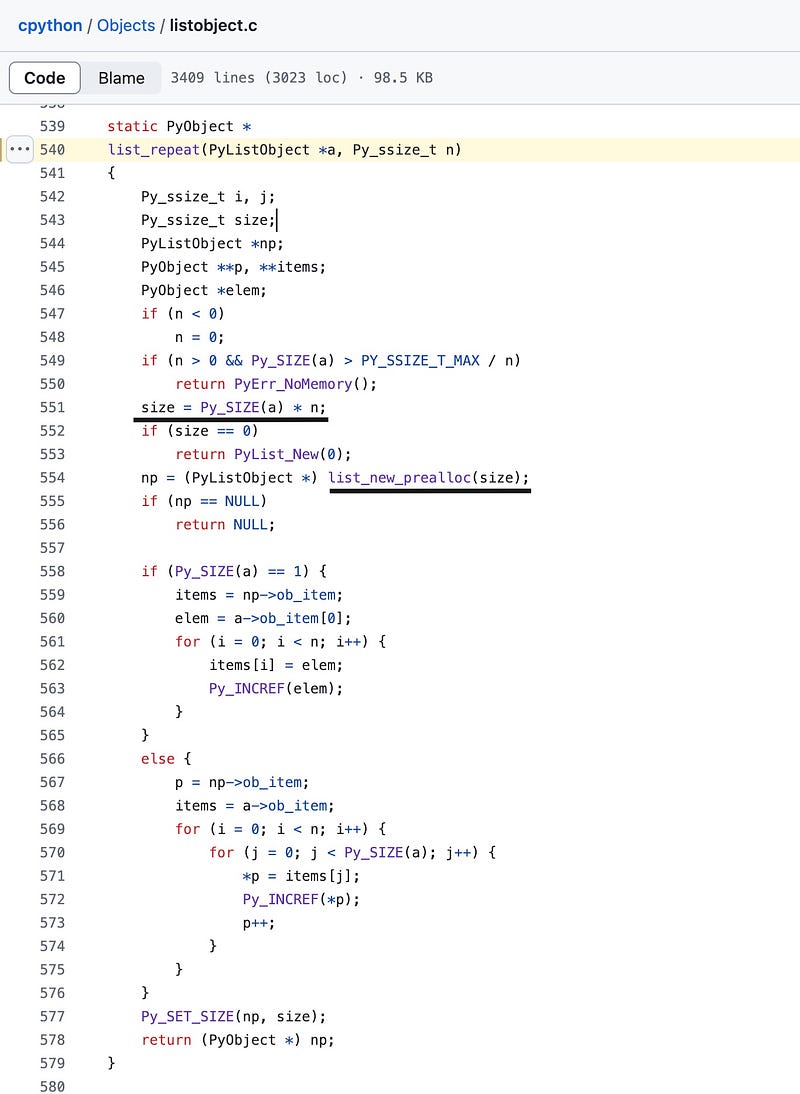
The core code is this:
size = Py_SIZE(a) * n;

np = (PyListObject *) list_new_prealloc(size);
Here, Py_SIZE(a) is used to get the length of the original list, which is 1 in this case. Meanwhile, n is the multiplier, which is 3 here.
Therefore, this function ultimately calls list_new_prealloc(3) to create a new array.
The code for list_new_prealloc is as follows:
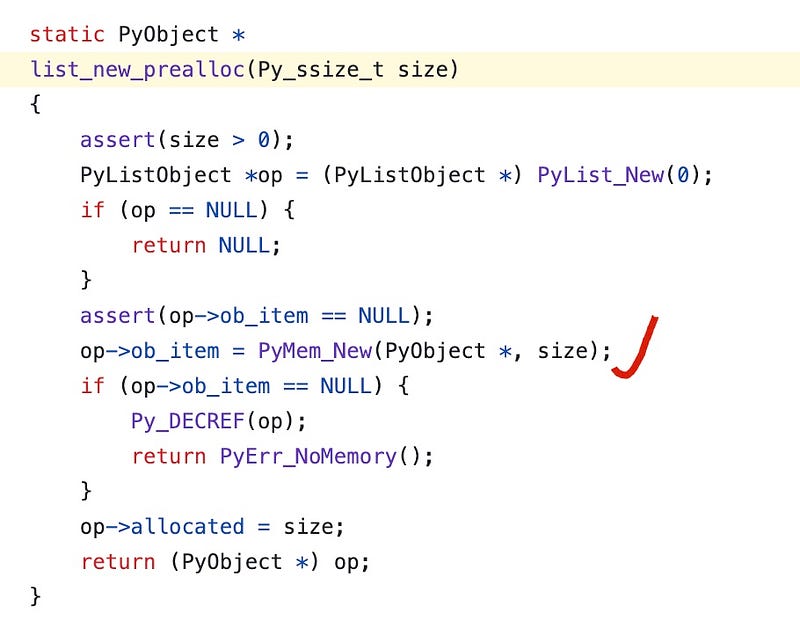
The core code is:
op->ob_item = PyMem_New(PyObject *, size);Here, we observe that when we use PyMem_New to allocate memory, the new list requests exactly as much memory as it needs — no additional operations, very precise. If we need to store three elements, we create a pointer array of length 3. The total memory occupied by the Python list is therefore 56 + 3 * 8 = 80 bytes.
Additionally, when we use a similar method to create a list, you can easily predict the size of the new list.
print(sys.getsizeof([0, 0] * 4))
# 56 + 2 * 4 * 8 => 120

print(sys.getsizeof([0] * 2))
# 56 + 1 * 2 * 8 => 72

print(sys.getsizeof([[], {}, 'str'] * 10))
# 56 + 3 * 10 * 8 => 296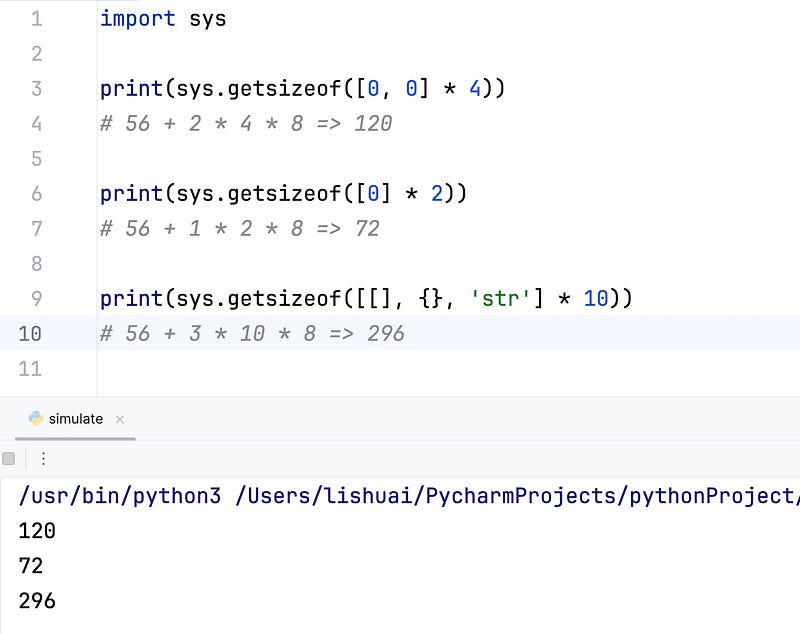
[0, 0, 0]
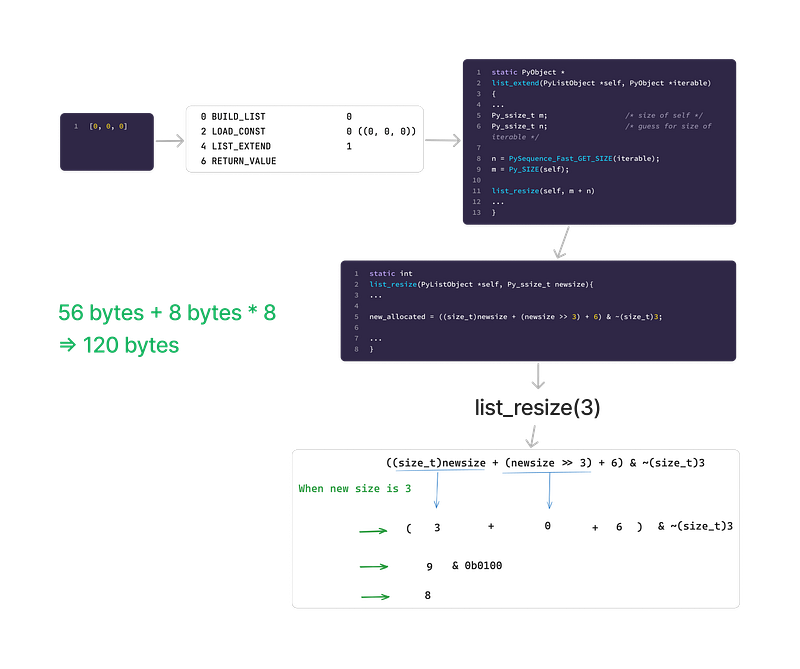
When we create a new list in this manner, the bytecode used is LIST_EXTEND , which corresponds to the list_extend function in CPython.
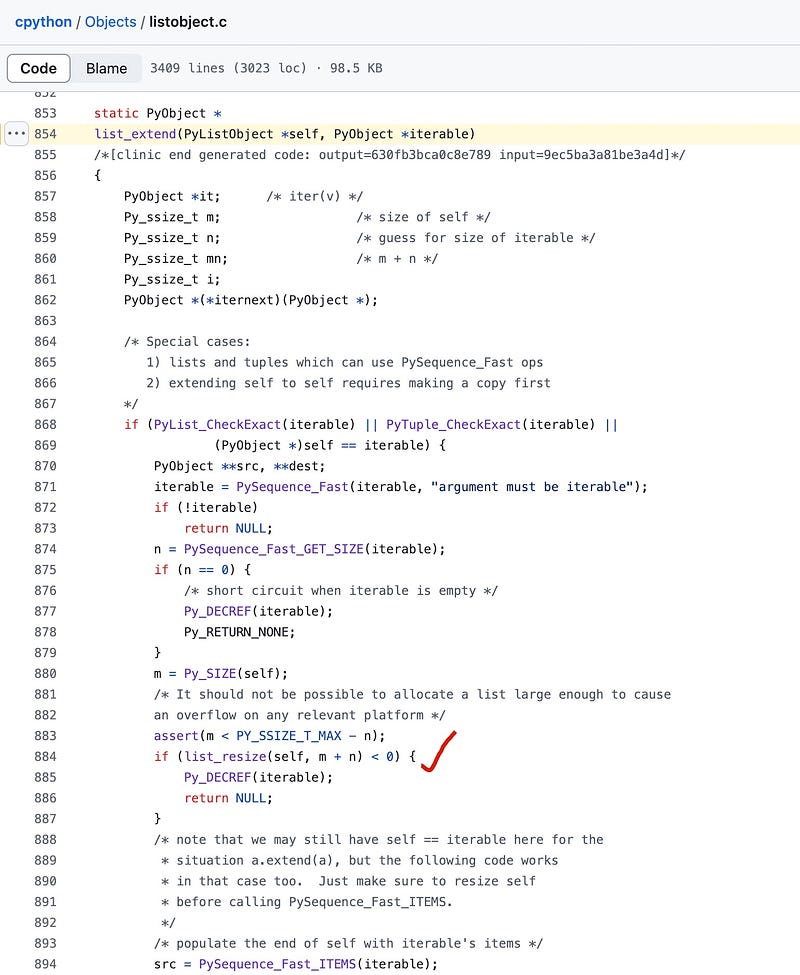
The core code is this:
Py_ssize_t m;                  /* size of self */
Py_ssize_t n;                  /* guess for size of iterable */

n = PySequence_Fast_GET_SIZE(iterable);
m = Py_SIZE(self);

list_resize(self, m + n)
m is the initial size of the list, which is 0, and n is the later size of the list, which is 3.
Ultimately, this function is actually called: list_resize(self, 3).
lise_resize
Let’s elaborate on array resizing. Once you request a block of memory from the operating system to store an array, the size of this memory block is fixed. For instance, if you request an array of 80 bytes, it can store a maximum of 10 pointers.
If you have 11 pointers, how do you store them? In this case, you need to request a new block of memory that’s large enough and then transfer all the data to this new memory location.
This process is quite time-consuming, so to avoid frequently reallocating memory, extra memory is requested each time memory allocation is necessary, providing some redundancy for future use.
For example, if you currently need an array with a capacity of 9, you might preemptively allocate memory for a capacity of 16. When you need an array with a capacity of 17, you might allocate memory for a capacity of 32.
Different programming languages, frameworks, and data structures have varying strategies for array resizing. Now, let’s take a look at how list_resize is implemented in CPython.
The code for list_resize in Python 3.9 is as follows:
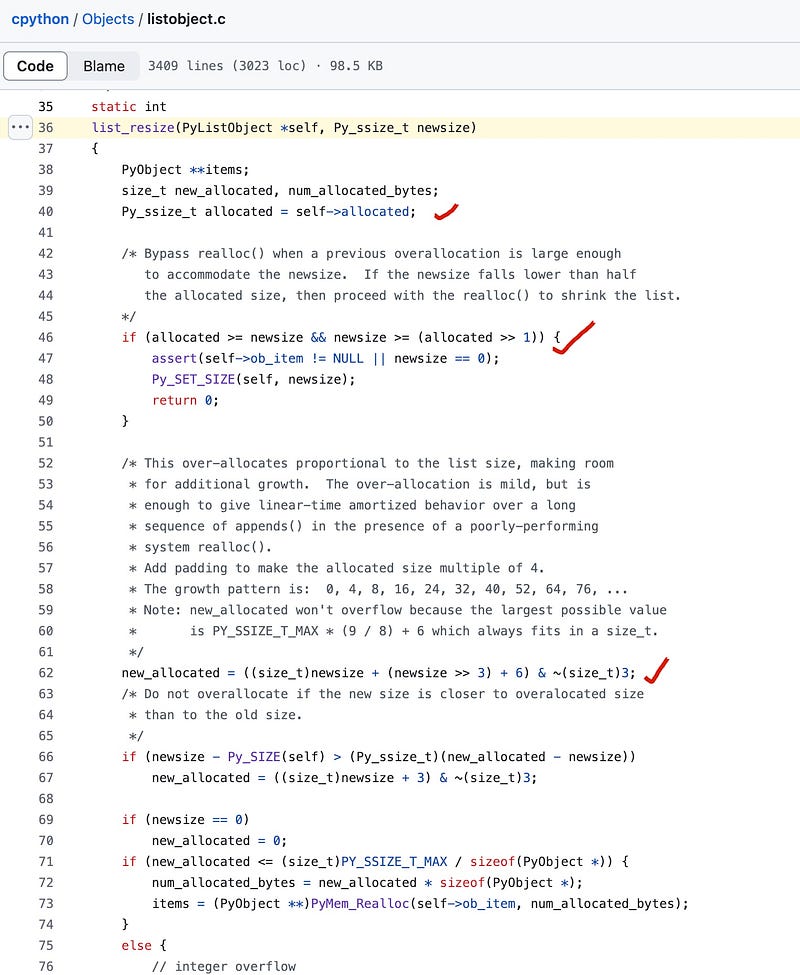
First, it checks whether the current capacity of the array, allocated, is sufficient to store the elements of the Python list, newsize. If it is, then there’s no need for additional resizing of the array.
Py_ssize_t allocated = self->allocated;

/* Bypass realloc() when a previous overallocation is large enough
   to accommodate the newsize.  If the newsize falls lower than half
   the allocated size, then proceed with the realloc() to shrink the list.
*/
if (allocated >= newsize && newsize >= (allocated >> 1)) {
    assert(self->ob_item != NULL || newsize == 0);
    Py_SET_SIZE(self, newsize);
    return 0;
}
If the array’s capacity is insufficient, it uses the following code to resize the array.
/*
* Add padding to make the allocated size multiple of 4.
* The growth pattern is:  0, 4, 8, 16, 24, 32, 40, 52, 64, 76, ...
*/
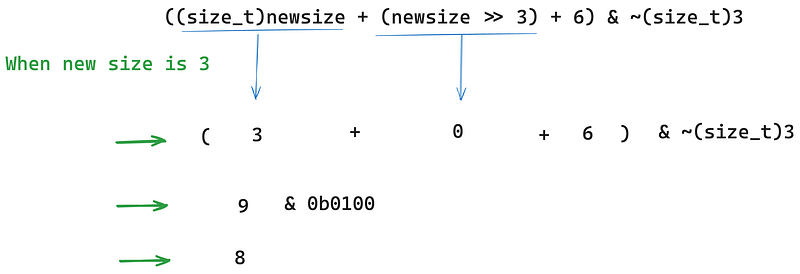
new_allocated = ((size_t)newsize + (newsize >> 3) + 6) & ~(size_t)3;
When newsize is 3, the new_allocated is 8.
Returning to our topic, when we create an array using [0, 0, 0], it executes the LIST_EXTEND bytecode, which ultimately calls list_resize(3). This creates a pointer array of length 8, cumulatively occupying 56 + 8 * 8 = 120 bytes of memory.
[0 for i in range(3)]
When we create a new list in this manner, the bytecode used is LIST_APPEND , which corresponds to the list_app1 function in CPython.
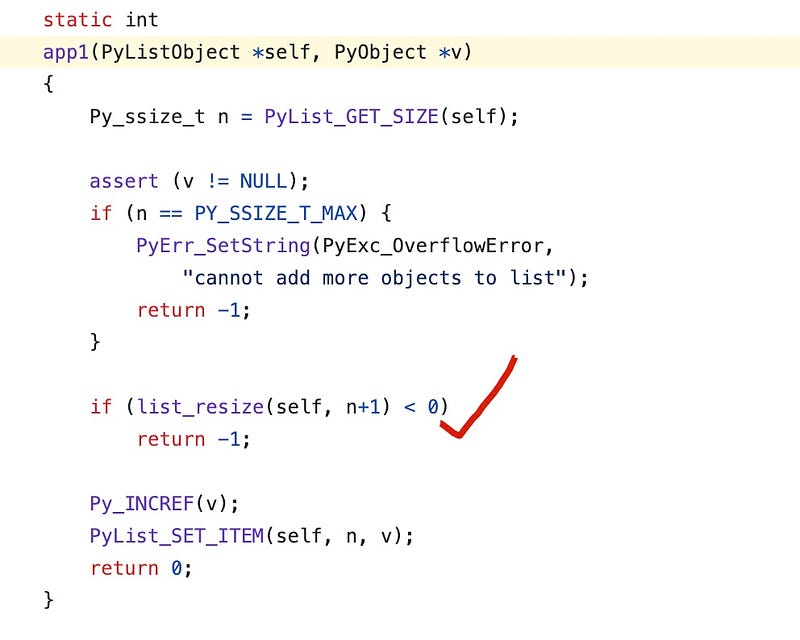
Then you might notice that this function ultimately also calls list_resize. However, you might wonder why the final size is different even though both use list_resize to create the array.
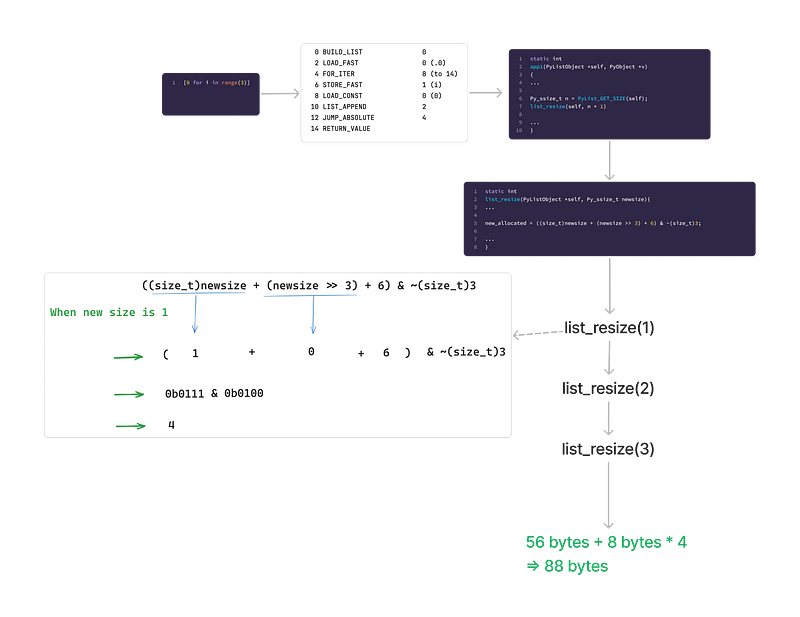
The reason is this: When using [0, 0, 0], CPython directly executes list_resize(3), creating an array of length 8. In contrast, when using [0 for i in range(3)], we create the list through a for loop. Python cannot predict the final size of the list, so it must successively call list_resize(1), list_resize(2), and list_resize(3).
When it executes list_resize(1) , it creates an array with 4 capacity.
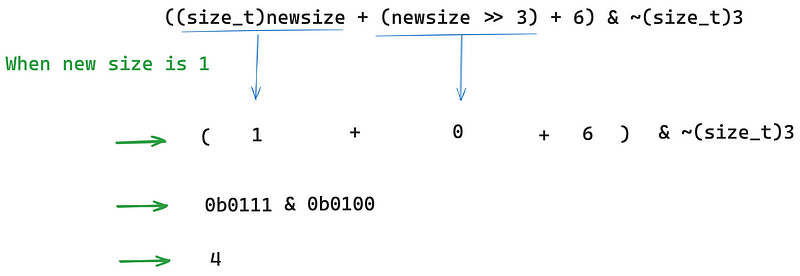
Later, when it executed list_resize(2) and list_resize(3) , the capacity is enough, it doesn’t need to expend the array.
56 + 4 * 8 => 88
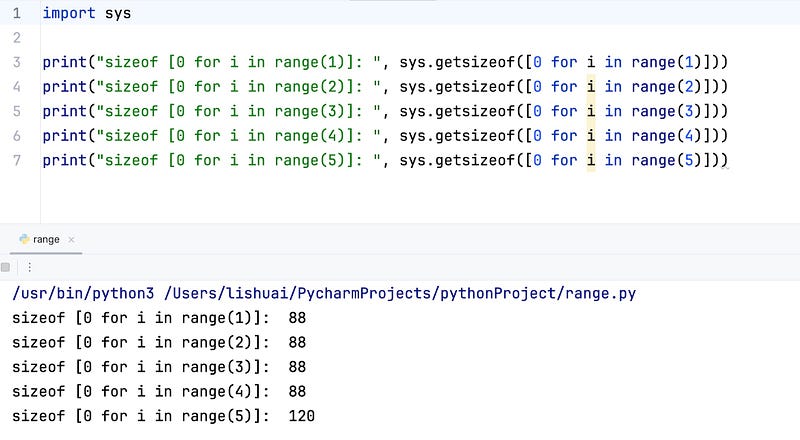
Moreover, we know that at this point, the capacity of the underlying C array is 4. This means that when our list comprehension generates 4 elements, the size of the list remains 88 bytes. However, when the list comprehension generates 5 elements, the underlying array undergoes a resize, and the list size jumps to 120 bytes.
If you think this article is useful, please subscribe to me for more posts!~


