
Install Spark on Windows (PySpark)
The video above walks through installing spark on windows following the set of instructions below. You can either leave a comment here or leave me a comment on youtube (please subscribe if you can) if you have any questions!
Prerequisites: Anaconda and GOW. If you already have anaconda and GOW installed, skip to step 5.
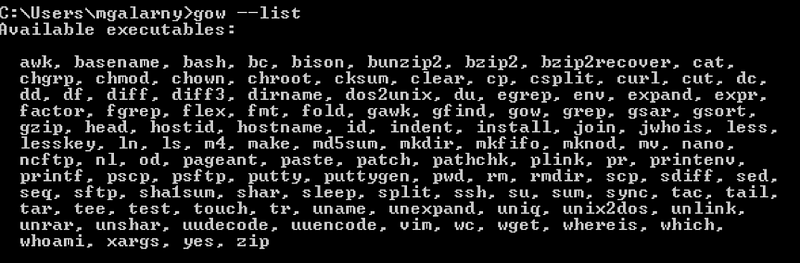
- Download and install Gnu on windows (GOW) from the following link. Basically, GOW allows you to use linux commands on windows. In this install, we will need curl, gzip, tar which GOW provides.
2. Download and install Anaconda. If you need help, please see this tutorial.
3. Close and open a new command line (CMD).
4. Go to the Apache Spark website (link)
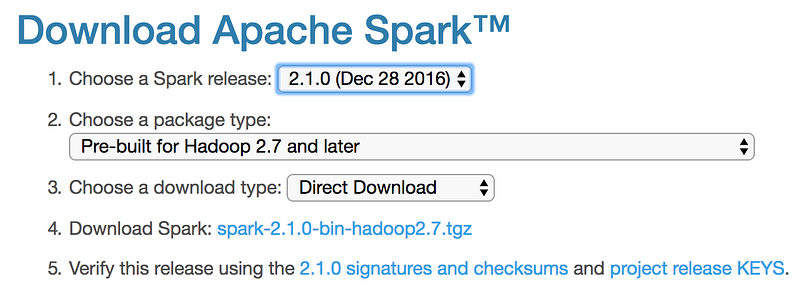
a) Choose a Spark release
b) Choose a package type
c) Choose a download type: (Direct Download)
d) Download Spark. Keep in mind if you download a newer version, you will need to modify the remaining commands for the file you downloaded.
5. Move the file to where you want to unzip it.
mkdir C:\opt\spark
mv C:\Users\mgalarny\Downloads\spark-2.1.0-bin-hadoop2.7.tgz C:\opt\spark\spark-2.1.0-bin-hadoop2.7.tgz
6. Unzip the file. Use the bolded commands below
gzip -d spark-2.1.0-bin-hadoop2.7.tgz
tar xvf spark-2.1.0-bin-hadoop2.7.tar
7. Download winutils.exe into your spark-2.1.0-bin-hadoop2.7\bin
curl -k -L -o winutils.exe https://github.com/steveloughran/winutils/blob/master/hadoop-2.6.0/bin/winutils.exe?raw=true
8. Make sure you have Java 7+ installed on your machine.
9. Next, we will edit our environmental variables so we can open a spark notebook in any directory.
setx SPARK_HOME C:\opt\spark\spark-2.1.0-bin-hadoop2.7
setx HADOOP_HOME C:\opt\spark\spark-2.1.0-bin-hadoop2.7
setx PYSPARK_DRIVER_PYTHON ipython
setx PYSPARK_DRIVER_PYTHON_OPTS notebook
Add ;C:\opt\spark\spark-2.1.0-bin-hadoop2.7\bin to your path.
Notes on the setx command: https://ss64.com/nt/set.html
See the video if you want to update your path manually.
10. Close your terminal and open a new one. Type the command below.

Notes: The PYSPARK_DRIVER_PYTHON parameter and the PYSPARK_DRIVER_PYTHON_OPTS parameter are used to launch the PySpark shell in Jupyter Notebook. The — master parameter is used for setting the master node address. Here we launch Spark locally on 2 cores for local testing.
Done! Please let me know if you have any questions here or through Twitter. You can view the ipython notebook used in the video to test PySpark here!


