
Infra Automation by Terraform — Different types of provisioners in Terraform — Part12
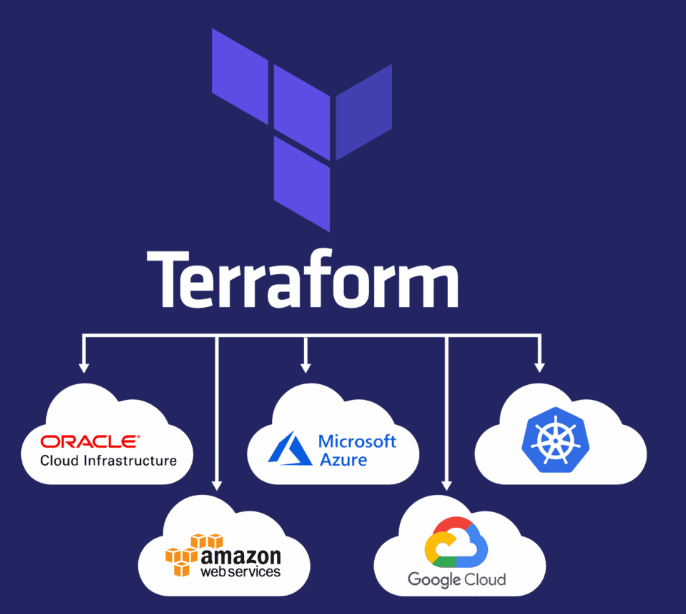
In Terraform, provisioners are used to perform actions on local or remote resources after they are created. Provisioners are commonly used to initialize, configure, or set up additional aspects of a resource that cannot be defined directly within the resource block itself.
Local-exec Provisioner
- Executes a command on the machine running Terraform, typically for actions on the local machine.
  provisioner "local-exec" {
    command = "echo ${azurerm_public_ip.pip[count.index].ip_address} >> inventory"
  }
Remote-exec Provisioner
- Executes a command on a remote resource, typically over SSH.
connection {
        host = self.public_ip_address
        user = "adminuser"
        type = "ssh"
        private_key = file("~/.ssh/id_rsa")
        timeout = "2m"
        agent = false
    }


    provisioner "remote-exec" {
        inline = [
          "sudo apt-get update",
          "sudo apt-get install docker.io -y",
        ]
  }
File Provisioner
- Copies files or directories to the remote resource.
 provisioner "file" {
        source = "Campaign.sql"
        destination = "/tmp/Campaign.sql"
        connection {
        host = self.public_ip_address
        user = "adminuser"
        type = "ssh"
        private_key = file("~/.ssh/id_rsa")
        timeout = "2m"
        agent = false
    }
    }
Chef Provisioner
Configures a machine using Chef.
provisioner "chef" {
    server_url  = "https://chef-server.example.com"
    node_name   = "example-node"
    run_list    = ["recipe[example-cookbook]"]
  }
Ansible Provisioner
Configures a machine using Ansible.
 provisioner "ansible" {
    playbook_file = "playbook.yml"
  }
Main.tf including local-exec, file & remote-exec Provisioners
# Configure the Azure provider
terraform {
  required_providers {
    azurerm = {
      source  = "hashicorp/azurerm"
      version = "~> 3.0.2"
    }
  }

  required_version = ">= 1.1.0"
}

provider "azurerm" {
  features {}
    subscription_id = "491e1121-c626-46e3-98ba-98f9f0434964"
    tenant_id = "2047b1bd-994d-4366-9d87-647dac583343"
    client_id = "a78d2362-7c1d-475b-b06c-683634019705"
    client_secret = "aSR8Q~UzW_2f*******4qdEl~tjRbS0XbUB"

}

data "azurerm_resource_group" "example" {
  name     = "8pmbatch-RG"

}

resource "azurerm_virtual_network" "example" {
  name                = "myVnet"
  address_space       = ["10.0.0.0/16"]
  location            = "Southeast Asia"
  resource_group_name = data.azurerm_resource_group.example.name
}

resource "azurerm_subnet" "example" {
  name                 = "mySubnet"
  resource_group_name  = data.azurerm_resource_group.example.name
  virtual_network_name = azurerm_virtual_network.example.name
  address_prefixes     = ["10.0.1.0/24"]
}

resource "azurerm_network_security_group" "example" {
  name                = "myNSG"
  location            = "Southeast Asia"
  resource_group_name = data.azurerm_resource_group.example.name
}

resource "azurerm_network_security_rule" "allow_ssh" {
  count = length(var.security_group_rule)
  name                        = var.security_group_rule[count.index].name
  direction                   = "Inbound"
  access                      = "Allow"
  protocol                    = "Tcp"
  source_port_range           = "*"
  source_address_prefix       = "*"
  destination_address_prefix  = "*"
  resource_group_name         = data.azurerm_resource_group.example.name
  network_security_group_name = azurerm_network_security_group.example.name
  priority                    = var.security_group_rule[count.index].priority
  destination_port_range      = var.security_group_rule[count.index].destination_port_range

}

resource "azurerm_public_ip" "pip" {
  count               = 2
  name                = "${count.index}-pip"
  resource_group_name = data.azurerm_resource_group.example.name
  location            = "Southeast Asia"
  allocation_method   = "Dynamic"
}

resource "azurerm_network_interface" "example" {
  count               = 2
  name                = "myNIC1-${count.index}"
  location            = "Southeast Asia"
  resource_group_name = data.azurerm_resource_group.example.name

  ip_configuration {
    name                          = "myNIC-${count.index}-config"
    subnet_id                     = azurerm_subnet.example.id
    private_ip_address_allocation = "Dynamic"
    public_ip_address_id          = azurerm_public_ip.pip[count.index].id
  }
}

resource "azurerm_network_interface_security_group_association" "example" {
  count               = 2
  network_interface_id      = azurerm_network_interface.example[count.index].id
  network_security_group_id = azurerm_network_security_group.example.id
}

resource "azurerm_linux_virtual_machine" "example" {
  count                = 2
  name                 = "myVM-${count.index}"
  resource_group_name  = data.azurerm_resource_group.example.name
  location             = "Southeast Asia"
  size                 = "Standard_DS1_v2"
  admin_username       = "adminuser"
  # admin_password       = "Password1234!"
  # disable_password_authentication = false
  admin_ssh_key {
    username   = "adminuser"
    public_key = file("~/.ssh/id_rsa.pub")
  }

  network_interface_ids = [
    azurerm_network_interface.example[count.index].id,
  ]

  os_disk {
    caching              = "ReadWrite"
    storage_account_type = "Standard_LRS"
  }

  source_image_reference {
    publisher = "Canonical"
    offer     = "UbuntuServer"
    sku       = "18.04-LTS"
    version   = "latest"
  }

  computer_name = "myVM-${count.index}"
  custom_data    = base64encode(data.template_file.custom-script.rendered)

provisioner "local-exec" {
    command = "echo ${azurerm_public_ip.pip[count.index].ip_address} >> inventory"
  }

connection {
        host = self.public_ip_address
        user = "adminuser"
        type = "ssh"
        private_key = file("~/.ssh/id_rsa")
        timeout = "2m"
        agent = false
    }

    provisioner "remote-exec" {
        inline = [
          "sudo apt-get update",
          "sudo apt-get install docker.io -y"
        ]
  }

provisioner "file" {
        source = "elastic-agent-elk.yaml"
        destination = "/tmp/elastic-agent-elk.yaml"
        connection {
        host = self.public_ip_address
        user = "adminuser"
        type = "ssh"
        private_key = file("~/.ssh/id_rsa")
        timeout = "2m"
        agent = false
    }
    }


}


data "template_file" "custom-script" {
  template = file("install.sh")
}
Additional Reference files to support main.tf
install.sh
install.sh

#!/bin/bash
/usr/sbin/useradd user
echo "user        ALL=(ALL)       NOPASSWD: ALL" >> /etc/sudoers.d/user
/usr/bin/mkdir /home/user/.ssh
/usr/bin/chown user:user /home/user/.ssh
/usr/bin/chmod 700 /home/user/.ssh
echo "ssh-rsa AAAAB3NzaC1yc2EAAAADAQABAAABgQC6UFXmQMRnMLDvytAb5QzFO3bClmLMUgaj1g/vXFwlWr99F7V1Vl2zy27F1dob94ouPsw/EEmJArcKkc2KxM4EtyJF8bi5W6enhOQbY9QciNuQg3Ip+j8/y0oSVrHJQjhp8PWkEmcbJIrljxQg8dlKtnUFHDEz5DxykCdgjHW0cksZwmBhjI8d6zRJMcbV8uJ2KFUIXsozwoTgHfOXUqktiV6I7FXZ4ftpQWD3LE45kuOxbWE2Kqftrw5hxHW/XrI33x7iPOtWZByJEUwmutP4VlUk5GRPRTrK9X8dzMIQGWZ8gxpkTGd9OMTa9fhbWr9ZagHSJIQAP+BYnaoV3LQl+yD5oZkm9jn8M10xoqFDItNQ/VPoCAgu+KBVpQoLDUlqnOMESWo3o3OPP1AWasm+IHnTMzve+1tth+/104ujVX9CYJbJ72f+SOktd7kb3sETbXg4SXKQRVb5RqUM9cD0Ba1n7whDRYBbT/+4cPQG+rhCIvcl3ELAxcPAAGxVwr8= azureuser@ado-201-vm" >> /home/user/.ssh/authorized_keys
/usr/bin/chmod 600 /home/user/.ssh/authorized_keys
/usr/bin/chown user:user /home/user/.ssh/authorized_keys


curl https://baltocdn.com/helm/signing.asc | gpg --dearmor | sudo tee /usr/share/keyrings/helm.gpg > /dev/null
sudo apt-get install apt-transport-https --yes
echo "deb [arch=$(dpkg --print-architecture) signed-by=/usr/share/keyrings/helm.gpg] https://baltocdn.com/helm/stable/debian/ all main" | sudo tee /etc/apt/sources.list.d/helm-stable-debian.list
sudo apt-get update
sudo apt-get install helm