
Incognito browsing, just how private are you?
What you need to know.
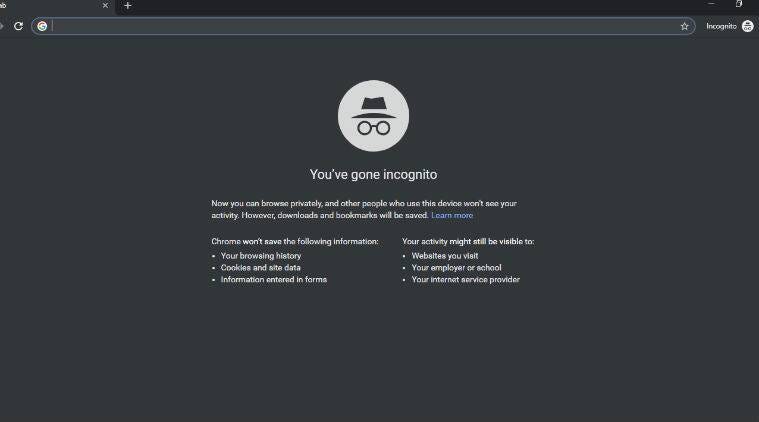
Incognito mode, also know as private mode
For some years now all the main web browsers, including Google Chrome and Microsoft Edge have offered a private mode, often called incognito. The basic idea being if you don’t want your browsing history to follow you, you use incognito mode.
By using incognito mode your browser doesn’t store any of your browsing history in a cookie. In computer terms, a cookie is a small identifier file to help information follow you from website to website, often to help you with logging in to sites you’ve been to before, but it is also used by advertisers to target you.
Have you ever noticed that if you look to buy a car online, then every site you visit shows ads of cars all of a sudden?, this is part of the advertising secret sauce boys and girls!
For instance
You are online looking to buy a new washing machine or airline tickets for an overdue vacation. You find the websites you like and you do a search on the criteria you are looking for. As mentioned above, when you go to other sites, you then get lambasted with ads for the search you just did.
Anecdotally there is talk that this can prevent you from finding a cheaper deal on another site and possibly cause other sites to display higher pricing.
Enter Incognito mode
With Incognito mode, the trackers are turned off, or are they? Generally speaking this is safe for the vast majority of people and should prevent ads following you, so job done right?
But what happens if you’re in Incognito mode and login to a site, you’re still in Incognito but that session is now attached to your account and you could start seeing ads again, effectively rendering Incognito useless.
But is it private
In late 2020 when most of us were dealing with the pandemic, the district court of Northern California filed a complaint against Google. Citing when you visit a webpage or open an app that uses Google’s services, which includes 70% of all online publishers, that data is tracked.
Furthermore, that data is tracked, collected and sent back to Google’s servers, without the user’s knowledge or permission.
What can be done
Well if your browsing privacy needs are minimal, then Incognito mode should be fine, just remember to not login to any accounts on any site or app while using that Incognito private browsing session.
If you require real privacy, then you’ll need to opt for a truly private web browser. I know some companies like Avast, the antivirus people, claim to have a truly private browser. There are also others out there like the Brave browser which claims to be completely private and I know a lot of people rave about it, but I personally have never had the need for that level of browsing privacy and thus have not tried either of these two.
Conclusion
Incognito mode is probably fine for the vast majority of people, but isn’t as safe or private as you think.
One last note to add here, these Incognito mode browser windows are often referred to as safe, don’t confuse that safe with being safe from viruses and other malware, it refers to the safety of not being tracked by cookies. You are just as vulnerable to viruses and malware regardless of privacy mode or not.
It takes a lot of time and research to put these articles together. If you like my content, hit the follow button and give me a clap. Thank you.


