
Implementation Vs Api in Android Gradle plugin 3.0

While using Android Gradle plugin 3.0 in your project, you might have noticed that compile keyword has been now deprecated in favour of implementation and api. Let’s understand both of them with an example.
Sample application(Kotlin) can be found here.
Let us assume a project with four library modules.
- LibraryA
- LibraryB
- LibraryC
- LibraryD
For which the dependency tree looks like this:
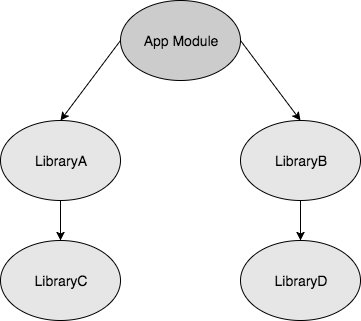
All Library modules contain a simple class file.
LibraryD:
LibraryC:
LibraryB:
LibraryA:
From above Class files, it is observed that LibraryA and LibraryB is dependent on LibraryC and LibraryD respectively. Therefore, these dependencies needs to be added to build.gradle files.
Compile (2.0) or Api (3.0):
New api keyword is exactly the same as the old compile keyword. Thus, if all compile is replaced with api, it works just fine. Now, let’s add dependency of LibraryD using api keyword in LibraryB.
dependencies {
          . . . .
          api project(path: ':libraryD')
}
Similarly, LibraryB is added to the app module.
dependencies {
          . . . .
          api project(path: ':libraryB')
}
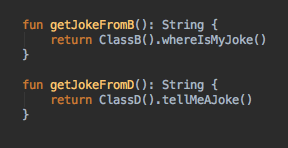
Now, both LibraryB and LibraryD can be accessed from the app module. In sample App, both libraries are accessed like this:
Implementation (3.0):
It’s time to find out how implementation is different than api. Again back to the example, this time let’s import LibraryC to LibraryA using implementation keyword.
dependencies {
          . . . .
          implementation project(path: ':libraryC')
}
Same for App module.
dependencies {
          . . . .
          implementation project(path: ':libraryA')
}
Now, if we try to access LibraryC from app module, Android studio will throw an error.
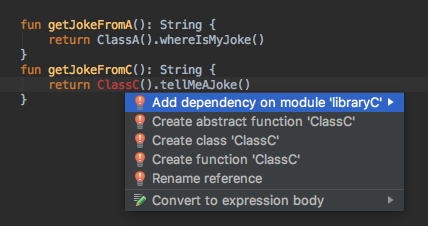
Which implies that LibraryC can’t be accessed directly from App module if we use implementation instead of api. So, what is the benefit of this?
Implementation vs api:
In the first scenario, LibraryD is compiled by using api. If any change is implemented inside LibraryD, gradle needs to recompile LibraryD, LibraryB and all other modules which import LibraryB as any other module might use implementation of LibraryD.
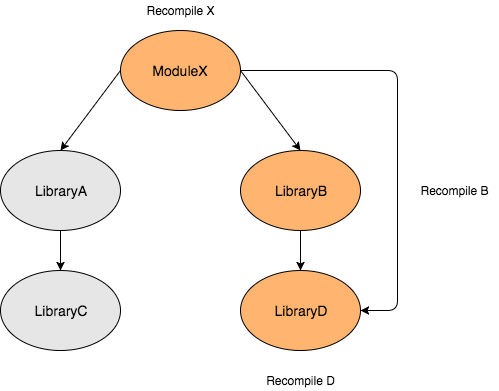
But in second scenario, if any implementation in LibraryC is changed, Gradle just needs to recompile LibraryC and LibraryA as any other class which does not import LibraryC directly cannot use any implementation of it.
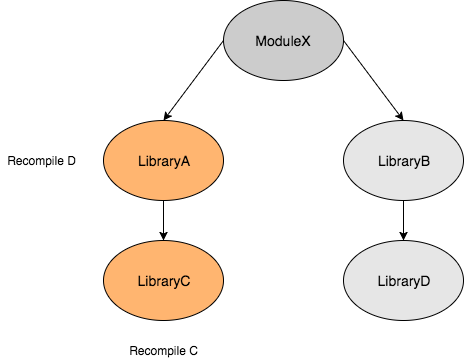
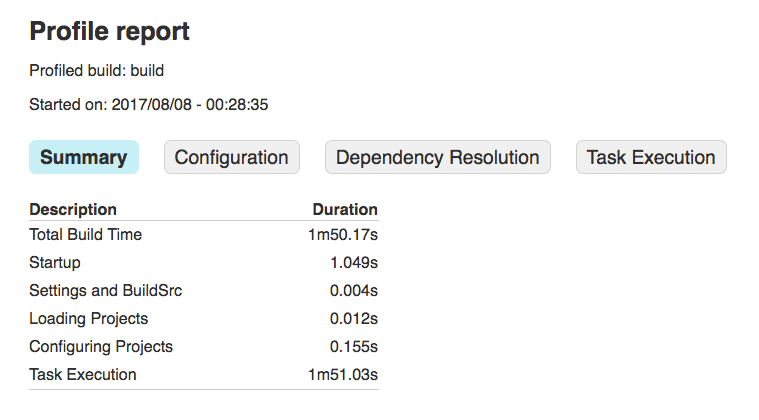
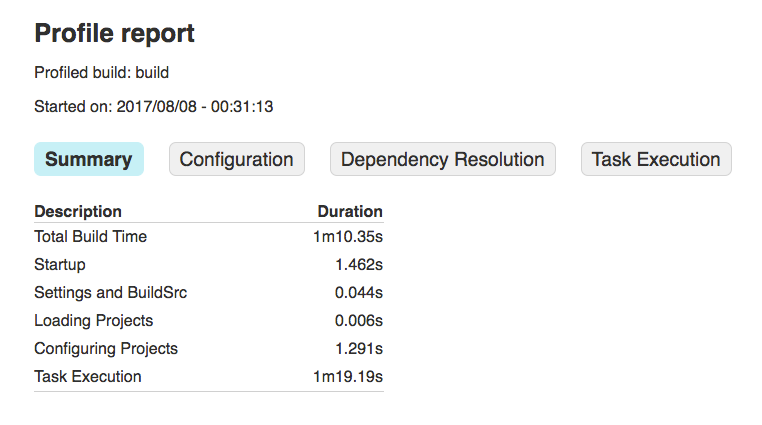
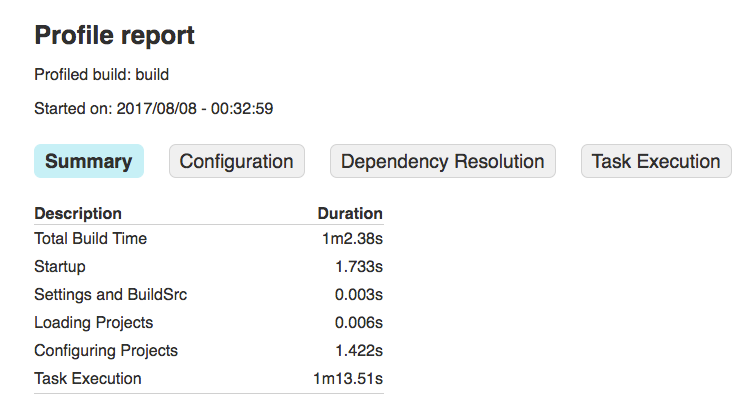
If you are working on a project with lots of modules,(we have heard some crazy build time story in this Fragmented Podcast episode) this strategy can speed up the build process significantly. I tried this on our sample project and there was a slight improvement of few seconds. Here are the build reports for all scenarios.
Full Build:
Change in LibraryD:
Change in LibraryC:
TL;DR:
Just replace all
compilewith theimplementationand try to build the project. If it builds successfully, well and good. otherwise look for any leaking dependency you might be using and import those libraries usingapikeyword.
If you liked this article please click the 💚 below to recommend. I would love to hear your thoughts in the comment section or at Twitter. Thanks a lot !


