
Want to know how to implement a REST API service
Implement a production ready REST service using FastAPI
This guide will help you to implement a REST API service by creating a blog service in FastAPI

Prerequisites: Assuming that you already knew about Python and basic SQL
What we will be using during implementation:
- FastAPI
- SQLAlchemy
- JWT
- Bcrypt
After finish implementation, we can create a new blog or view a blog like below:
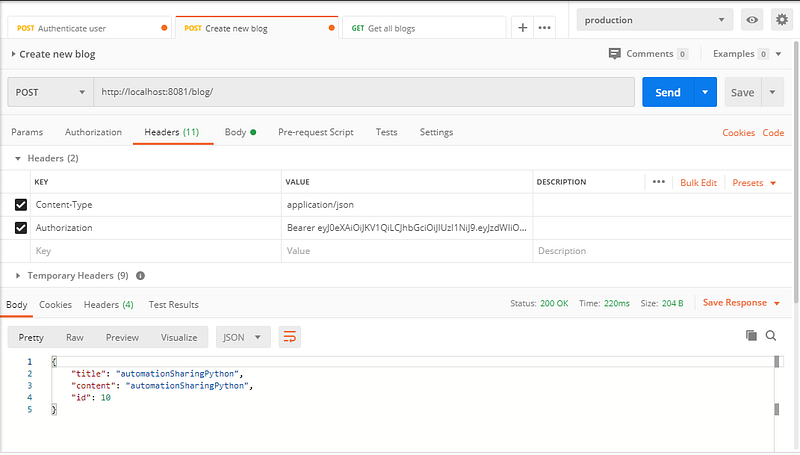
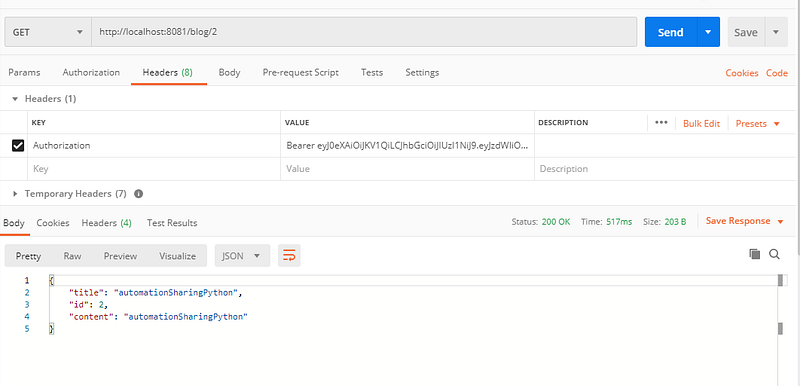
Alright, let’s jump right in.
Introduction to some technologies we will be using
1.FastAPI:
FastAPI is a modern, fast (high-performance), web framework for building APIs with Python 3.6+ based on standard Python type hints.
The key features are:
- Fast: Very high performance, on par with NodeJS and Go (thanks to Starlette and Pydantic). One of the fastest Python frameworks available.
- Fast to code: Increase the speed to develop features by about 200% to 300% *.
- Fewer bugs: Reduce about 40% of human (developer) induced errors. *
- Intuitive: Great editor support. Completion everywhere. Less time debugging.
- Easy: Designed to be easy to use and learn. Less time reading docs.
- Short: Minimize code duplication. Multiple features from each parameter declaration. Fewer bugs.
- Robust: Get production-ready code. With automatic interactive documentation.
- Standards-based: Based on (and fully compatible with) the open standards for APIs: OpenAPI (previously known as Swagger) and JSON Schema.
- estimation based on tests on an internal development team, building production applications.
You can get more details from FastAPI from here
2.SQLAlchemy:
SQLAlchemy is the Python SQL toolkit and Object Relational Mapper that gives application developers the full power and flexibility of SQL.
It provides a full suite of well known enterprise-level persistence patterns, designed for efficient and high-performing database access, adapted into a simple and Pythonic domain language.
You can get details about SQLAlchemy in the SQLAlchemy documentation
3.JWT:
JSON Web Tokens are an open, industry standard RFC 7519 method for representing claims securely between two parties.
We will typically use jwt for authentication of our API service.
Details about jwt can be found in here.
4.Bcrypt:
Bcrypt is a crypt library used to hash the user password before putting it into the database for better security
Install the necessary packages
For better management, we will use pipenv to create a virtual environment for our project.
Below is the Pipfile which list all our needed packages:
[[source]]
name = "pypi"
url = "https://pypi.org/simple"
verify_ssl = true

[dev-packages]

[packages]
fastapi = "*"
uvicorn = "*"
sqlalchemy = "*"
mysql-connector-python = "*"
bcrypt = "*"
pytest = "*"
pyjwt = "*"

[requires]
python_version = "3.7"
To install the packages above, simply run
pipenv updateAbout project structure
main.pyThis is the entry point for our FastAPI servicemodels.pyTo list all the models for working with databasedatabase.pyDefine how to access MySQL databasecrud.pyDefine crud method for working with MySQL via SQLAlchemy ORMapp_utils.pyDefine small utilities we will be using for our service
Connect to MySQL db with SQLAlchemy and mysql-connector-python
We need to define the username and password, along with the host and port for our db like above
Create CRUD to manipulate data to MySQL db
We need to define the method to create new user (with hashpassword) using bcrypt library.
Then we create some methods for checking username, get user by username or add a new blog content to database.
Define models for working with database using SQLAlchemy
We will have 2 models : “UserInfo” and “Blog” .
We define the column along with their types and key_type.
Define schemas for working with json data in request_body and response_body of our API service
We will have schemas for User, Blog, and also Token for authentication
Define utils to generate and decode access token
Define entry points to our API service
We create API endpoint for create new user, authenticate user , create a new blog and get blog content.
API for create new user and authenticate user will not need authentication checking.
But when call API to create new blog or get blog content, we need to include the token for checking authentication.
To run the service, we can run directly from our IDE by clicking green button on main method or via command line:
uvicorn main:appLively documentation for FastAPI
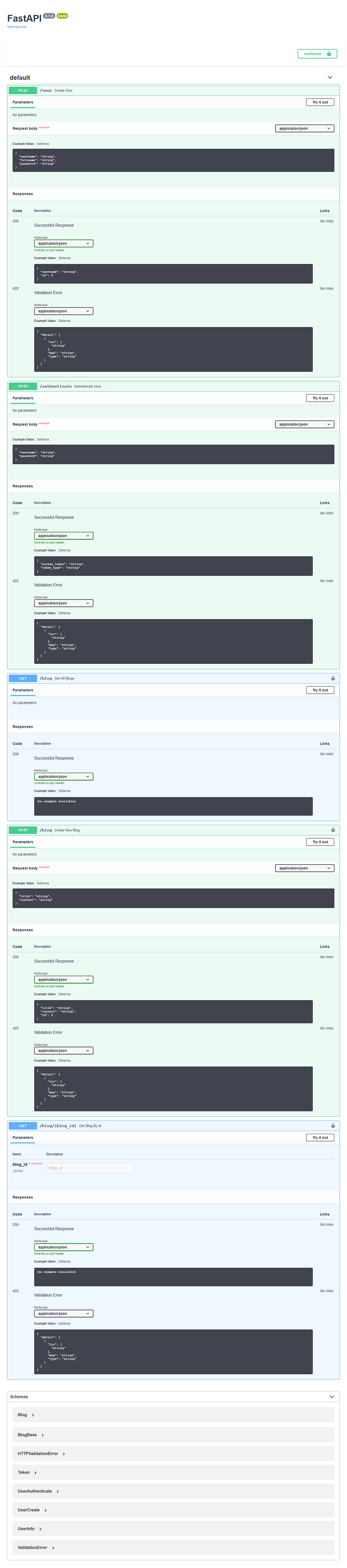
You can see the OpenAPI documentation for your API by navigating to the default url doc : http://127.0.0.1:8000/docs
The document API will look like below
References:
- Full source code can be found in github
- Part of this blog get reference from FastAPI official page
Note: If you like this story and want to read similar stories like this, and you do not have Medium subscription YET, please subscribe Medium from this link https://ledinhcuong99.medium.com/membership. This can support me for writing content like this. Thank you!


