
HOME OFFICE
I Went Down the Mechanical Keyboard Rabbit Hole So You Don’t Have To
Your Introduction to Custom Keyboards
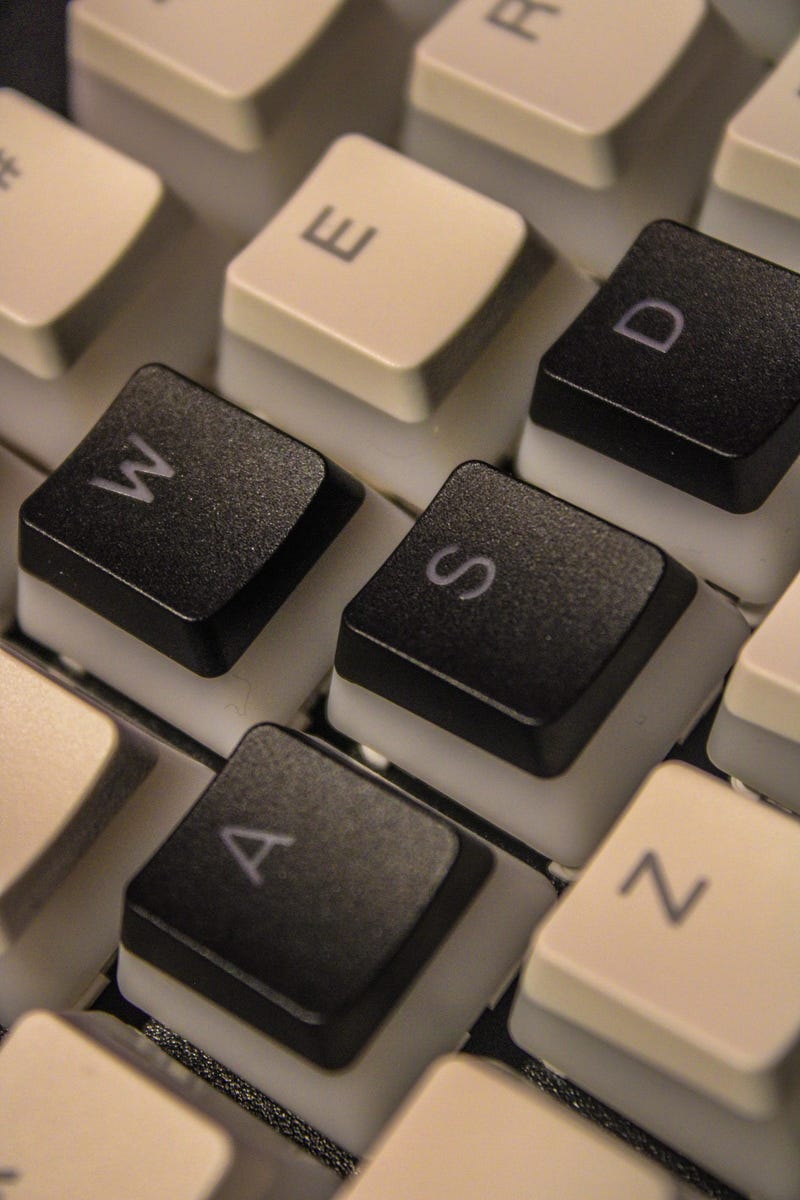
Six years ago I bought my first keyboard, a Corsair K63 100% keyboard with Cherry MX Red switches.
Four years ago I bought my first “entry” level keyboard, the 60% Anne Pro 2 with Blue Switches.
Last week I purchased a 65% Keychron V2 and modded the heck out of it.
The keyboard is not just a tool, it’s an extension of the user’s personality and preferences. Custom keyboards have changed the way we think about this peripheral, making it the centerpiece of a home office. But what makes a custom keyboard…custom?
Glossary of Common Keyboard Terms
Before diving in, let’s clarify some key terms you’ll be certain to stumble across:
- Mechanical Keyboard: A type of keyboard that uses individual mechanical switches for keys, known for durability and distinct feedback.
- Switch: The mechanism under each keycap that registers a keystroke. They come in various types, each offering a different feel and sound.
- Cherry MX: A popular brand of mechanical switches, known for their quality and variety. They come in colors that indicate their characteristics.
- Hot-Swappable: Refers to the ability to change switches without soldering, allowing for easy customization of the typing experience.
- Keycap: The top part of a key that you press. Keycaps can be customized for aesthetics and feel.
- Thock (Thocc): A term used to describe the deep, satisfying sound produced by certain keycap and switch combinations (when you come across any ASMR typing reels on Instagram, think of this).
Keyboard Modifications Basics
Custom keyboards can be tailored to individual needs and preferences. From switches to keycaps, each piece plays a role in the keyboard’s aesthetics and performance.
Understanding Switches: Cherry MX and Others
What I would consider to be the heart of the mechanical keyboards are the switches.
Cherry MX switches have set the standard with their reliability and range. Nowadays, the market is filled with third-party alternatives, each offering a unique experience.
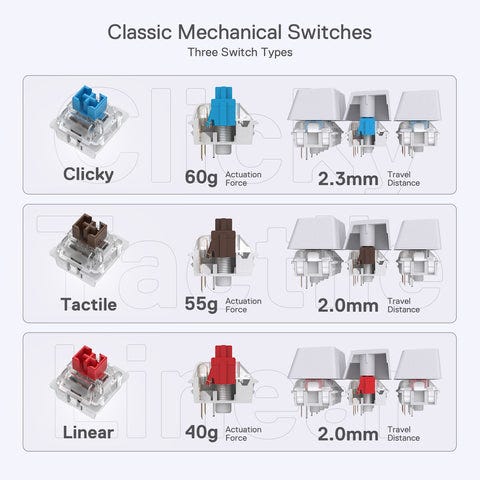
Switches are primarily distinguished by their actuation force, travel distance, and sound, categorized into linear (smooth keystrokes), tactile (with a noticeable bump), and clicky (audible click sound).
Reds, Blues, and Browns
Switch preferences are often a matter of personal taste. Six years ago when I built my first PC, I was all about loud, clickiness. As I’ve gotten older (and more mature), I converted to Browns.
Reds offer a smooth, linear action known for being ideal for gamers.
Blues, with their tactile bump and audible click, satisfy those who crave feedback during typing.
Browns serve as a middle ground, offering tactile feedback without a loud click, and appealing to those who don’t want to disturb their surroundings.
Sound Profile — What is Thock?
It’s important to note that while these 3 switches are known for their distinct profiles, the makeup of the sound profile is not just limited by the switch.
After modifications, I’ve heard keyboards sound nothing like their original click.
Mods include:
- Electrical tape on the backside of the PCB board
- Inserting foam between the case and the PCB
- Lubricating switches and stabilizers
These aim to dampen the sound profile and decrease the hollow rebound from the interior of the case.
The Importance of Keycaps in Customization
Keycaps are not only the face of the keyboard, but the point that you will touch every time you use the keyboard.
They come in various materials, such as ABS (lightweight but prone to shine over time) and PBT (more durable and resistant to shine).
The shape and profile of keycaps can also affect typing comfort and speed, making them an important piece of customization.
Thankfully, keycaps are readily available and are typically fairly priced.
The Rise of Entry-Level Boards with Hot-Swappable Keys
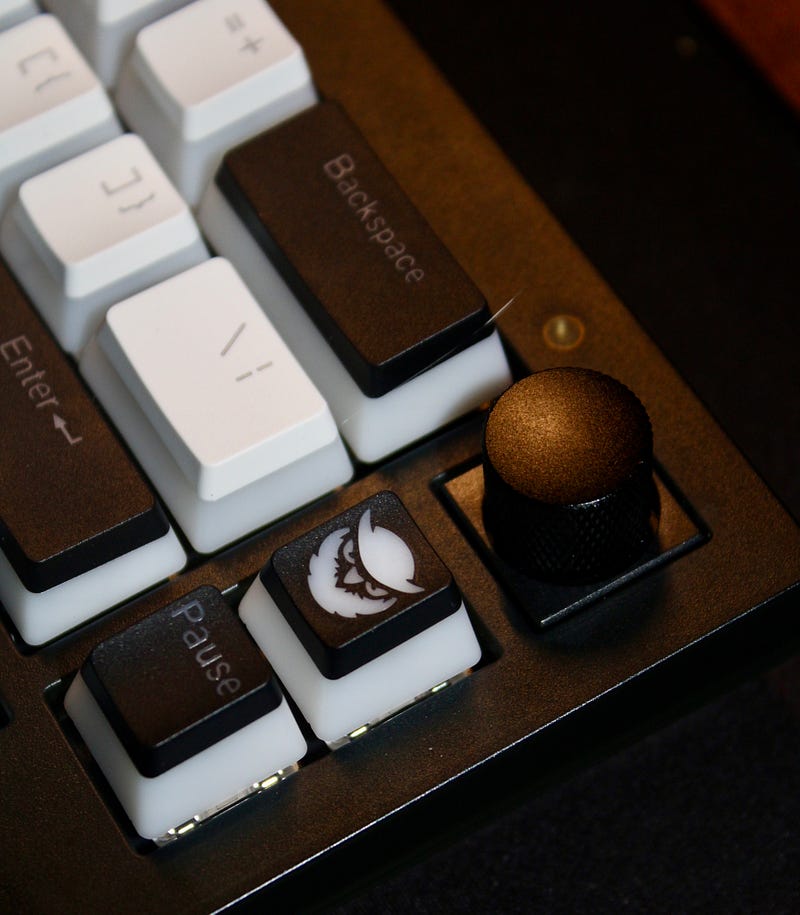
One of the most significant new trends in the custom keyboard market is the emergence of entry-level boards with hot-swappable keys.
This feature democratizes customization, allowing enthusiasts to experiment with different switches without the need for soldering equipment or technical expertise.
By following a simple YouTube video, you can quickly break down and start a rebuild without having to buy an entirely new keyboard.
Conclusion
The journey into custom keyboards is a path of discovery and personalization. I went with The Keychron V2 QKM. With its blend of features, it serves as an excellent entry-level keyboard. Whether you’re a gamer, a writer, or someone who appreciates the ASMR, building your own custom keyboard is a unique experience.
FAQs
1. What makes a keyboard “custom”?
A custom keyboard allows for personalization and modification beyond what is available off-the-shelf. This can include changes to the switches, keycaps, layout, and firmware, among others. Custom keyboards cater to the user’s specific preferences in terms of aesthetics, typing feel, and functionality.
2. Why are switches color-coded, and what do the colors mean?
Switches are color-coded to indicate their characteristics and typing experience. For example, Cherry MX Reds offer a smooth, linear keystroke with minimal resistance, making them ideal for gaming. Blues provide tactile feedback and a distinct clicking sound with each press, favored by typists for their feedback. Browns are a middle ground, offering tactile feedback without the loud click, suitable for office environments.
3. How do hot-swappable keys work?
Hot-swappable keys allow you to change switches without soldering, using a simple tool to remove and replace switches directly on the keyboard’s PCB. This feature makes it easy to experiment with different types of switches to find your preferred typing experience or to replace faulty switches without needing technical skills or equipment.
4. Why are pudding white keycaps popular?
Pudding white keycaps are popular because they enhance the keyboard’s aesthetic and the visibility of its RGB lighting. The dual-layer design allows light to shine through the sides of the keycaps more effectively, creating a vibrant, glowing effect that highlights the keyboard’s design and adds a dynamic visual element to any setup.
5. Can the Keychron V2 QKM be used for gaming as well as typing?
Yes, the Keychron V2 QKM is versatile enough to be used for both gaming and typing. Its high-quality switches, durable build, and responsive keys ensure reliable performance for gamers. At the same time, the comfortable layout and customizable options make it an excellent choice for typing tasks, whether you’re working on documents or coding.
Please note that while this guide aims to share insights into mechanical keyboard customization, all modifications are performed at your own risk. By choosing to open and modify your keyboard, you assume full responsibility for any potential damage. Proceed with caution and consider your keyboard’s warranty and value before making any changes.
Please note that some links in this article may be affiliate links. This means that if you make a purchase through these links, I may receive a small commission at no extra cost to you. However, all opinions expressed in this article are my own and I only promote products or services that I believe will add value to my readers.
Jarod is a former Division I athlete, engineer, and writer. He received his Bachelor of Science in Computer Science from Fordham University.
His educational background and professional experiences have equipped him with a unique set of skills and knowledge in his field.
He’s on Twitter, and LinkedIn, and has a web3 domain hosted on an Interplanetary File System (IPFS): jarodvyent.crypto.
Enjoying the content? Kindly consider following and subscribing to stay up to date. You can join Medium using his referral link here. You can read more of his work here.


