avatarDuvy McGirr

Free AI web copilot to create summaries, insights and extended knowledge, download it at here

2321

Abstract

Long-billed Curlew birds at the beach and blended the two pictures (note: do not flatten).</p><p id="ec70">The extra elements of the raindrops and water puddles are pre-set filters I bought from <a href="https://www.kelvindesigns.com/kelvin-pimont-photoshop-brushes-nl">Kelvin Designs</a>, and the light-ray is a Photoshop pre-set filter. I do a lot of blending and other manipulations with each layer (image) until I’m happy. Save the PSD file, and then save it again as a copy for the web.</p><p id="8220"><i>Disclaimer: I have no affiliation with Photoshop or Kelvin Designs. I’m just sharing what I use to help create my artwork.</i></p><blockquote id="f2ea"><p>Fairy of the Rabbits</p></blockquote><figure id="6eec"><img src="https://cdn-images-1.readmedium.com/v2/resize:fit:800/1*rkKX4FniaSFj5MixAK8otw.jpeg"><figcaption>Fairy of the Rabbits- ©<a href="https://duvyphotography.myportfolio.com/">Work by Duvy McGirr</a></figcaption></figure><p id="d3d2">Again, after completing the first five steps, I start modifying each image with its unique backgrounds, textures, lighting, colors, light-ray filters, patterns, and whatever else it needs.</p><p id="b83b">Here are the original pictures I used for this Fairy of the Rabbits composite. Plus, I added the pre-set water puddle filter by <a href="https://www.kelvindesigns.com/kelvin-pimont-photoshop-brushes-nl">Kelvin Designs</a>.</p><p id="39ba">I removed the background of the first four pictures and the pictures of the rabbits and the swing. I did a lot of blending and manipulation.</p><figure id="904d"><img src="https://cdn-images-1.readmedium.com/v2/resize:fit:800/1*3V97yaEJKENR9UVaI9MfDw.jpeg"><figcaption>Original Pictures- ©<a href="http://Pictures by Duvy McGirr">by Duvy McGirr</a></figcaption></figure><blockquote id="6b3a"><p>Fairy of the Butterflies</p></blockquote><figure id="c603"><img src="https://cdn-images-1.readmedium.com/v2/resize:fit:800/1*JJp89xkx7nAuHhgH01CJOg.jpeg"><figcaption>Fairy of the Butterflies- ©<a href="https://duvyphotography.myportfolio.com/">Work by Duvy McGirr</a></figcaption></figure><p id="856d">After doing the same five steps listed above, I also removed the background of the skirt, bow, small crystal light, and butterflies, and I did a lot of blending. This composite doesn’t have any extra pre-set filter excep

Options

t for steps two and three.</p><figure id="7baf"><img src="https://cdn-images-1.readmedium.com/v2/resize:fit:800/1*bjRF_uK7gmhlFVv1MpFQXQ.jpeg"><figcaption>Original Pictures- ©<a href="http://Pictures by Duvy McGirr">by Duvy McGirr</a></figcaption></figure><p id="1e3b">Thank you for reading, and I hope you are enjoying this series of Fairys.</p><h2 id="0ecd">Part one:</h2><div id="7cf1" class="link-block"> <a href="https://duvyphotography.medium.com/i-used-a-leaf-for-fairy-wings-54807c0d6ef7"> <div> <div> <h2>I Used A Leaf For Fairy Wings</h2> <div><h3>How this project came about.</h3></div> <div><p>duvyphotography.medium.com</p></div> </div> <div> <div style="background-image: url(https://miro.readmedium.com/v2/resize:fit:320/1*Qc1U-jvw03gBMVzZLNasQw.jpeg)"></div> </div> </div> </a> </div><h2 id="ae52">Part three:</h2><div id="da35" class="link-block"> <a href="https://readmedium.com/i-used-a-leaf-for-fairy-wings-continuation-part-three-820c833c6486"> <div> <div> <h2>I Used a Leaf for Fairy Wings (Continuation Part Three)</h2> <div><h3>Working with photos to create new pieces of art</h3></div> <div><p>medium.com</p></div> </div> <div> <div style="background-image: url(https://miro.readmedium.com/v2/resize:fit:320/1*KlvB6xehkZ6-XXuwyv_8iA.jpeg)"></div> </div> </div> </a> </div><div id="89a3" class="link-block"> <a href="https://duvyphotography.medium.com/membership"> <div> <div> <h2>Join Medium with my referral link - Duvy McGirr</h2> <div><h3>As a Medium member, a portion of your membership fee goes to writers you read, and you get full access to every story…</h3></div> <div><p>duvyphotography.medium.com</p></div> </div> <div> <div style="background-image: url(https://miro.readmedium.com/v2/resize:fit:320/0*MeWzwWY8zHw6lcmf)"></div> </div> </div> </a> </div></article></body>

PHOTOGRAPHY

I Used a Leaf for Fairy Wings (Part two)

Working with photos to create new pieces of art

Continuing my fairy journey with this little magical leaf that I found on my walk at the park.

Fairy of the Long-billed Curlew Birds
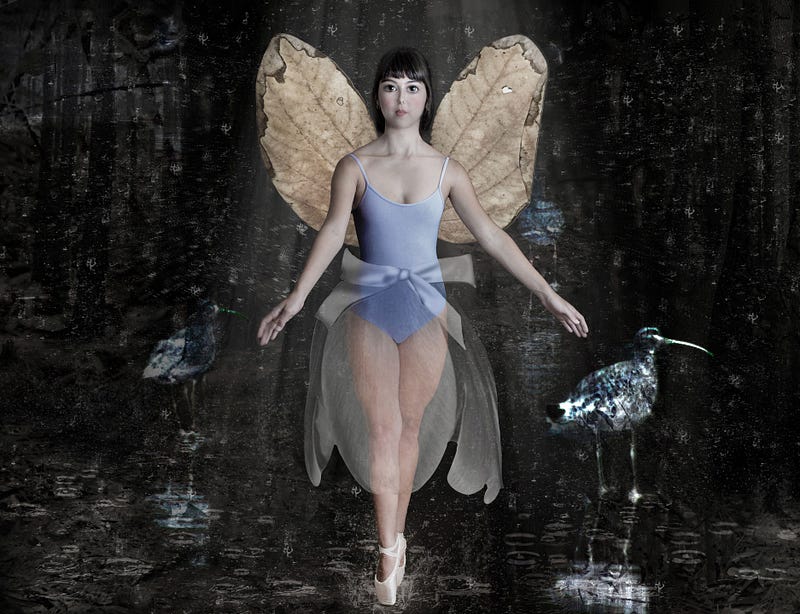
Fairy of the Long-billed Curlew Birds- ©Work by Duvy McGirr

As a starting point, I do these five steps for all of my Fairy projects:

1. Duplicate the original image of the model. (Save the original.) 2. Use the neutral filter in Photoshop to change the person’s face to resemble a child-like look. 3. Use the face-aware liquify filter to make the eyes more prominent and the nose and the mouth smaller, like a doll’s face. 4. Remove the background with a layer mask from the models and the leaf pictures. 5. Place the leaf behind the model to create the wings, and modify the wings as needed.

After completing these five steps, I start modifying each image with its unique backgrounds, textures, lighting, colors, light-ray filters, patterns, and whatever else I see fit.

Creating composites like this is a long process. However, I want to share the original images to show all the elements I use in the final version of the image.
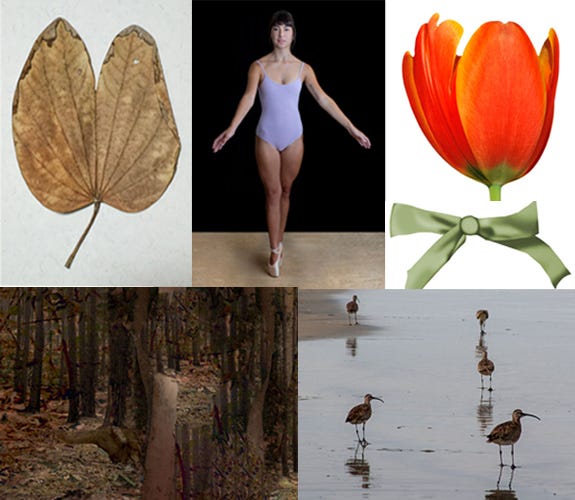
Original Pictures- ©by Duvy McGirr

After completing the first five steps for the Fairy of the Long-billed Curlew Birds composite, I turned the Tulip into a skirt. I placed the flower over the model, turned the Tulip upside down, lowered the opacity to create a sheer look, and muted the color. I did the same steps to the bow.

For the background, I added a picture of the woods. On top of that image, I added the photo of the Long-billed Curlew birds at the beach and blended the two pictures (note: do not flatten).

The extra elements of the raindrops and water puddles are pre-set filters I bought from Kelvin Designs, and the light-ray is a Photoshop pre-set filter. I do a lot of blending and other manipulations with each layer (image) until I’m happy. Save the PSD file, and then save it again as a copy for the web.

Disclaimer: I have no affiliation with Photoshop or Kelvin Designs. I’m just sharing what I use to help create my artwork.

Fairy of the Rabbits
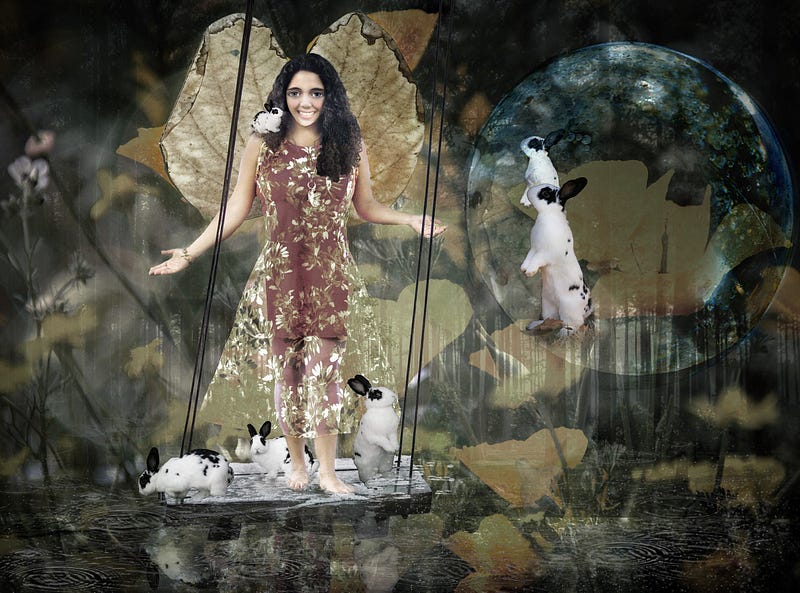
Fairy of the Rabbits- ©Work by Duvy McGirr

Again, after completing the first five steps, I start modifying each image with its unique backgrounds, textures, lighting, colors, light-ray filters, patterns, and whatever else it needs.

Here are the original pictures I used for this Fairy of the Rabbits composite. Plus, I added the pre-set water puddle filter by Kelvin Designs.

I removed the background of the first four pictures and the pictures of the rabbits and the swing. I did a lot of blending and manipulation.
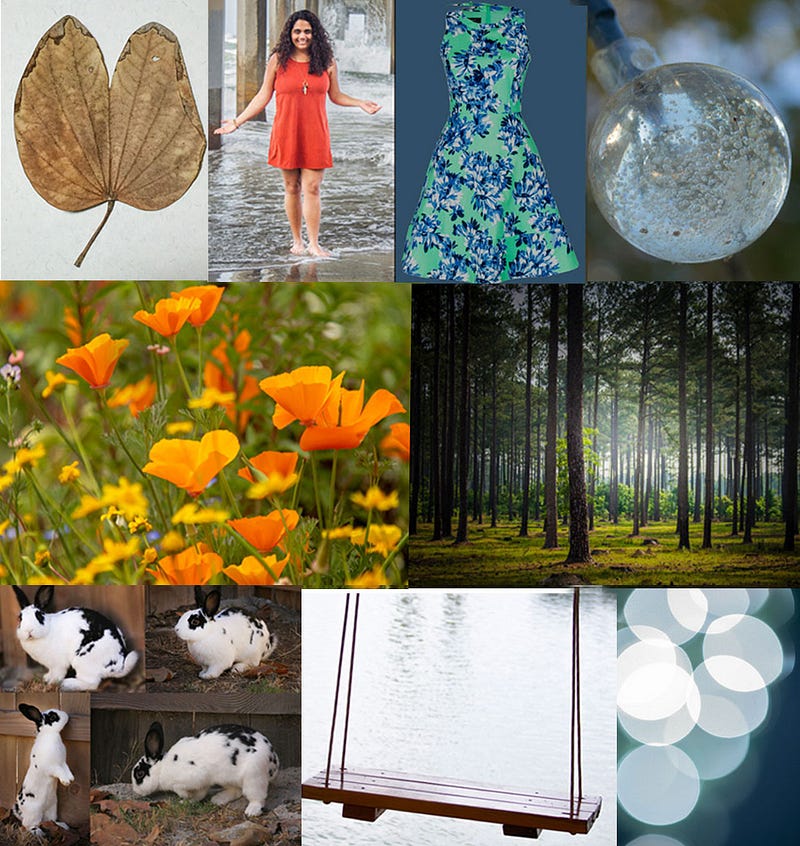
Original Pictures- ©by Duvy McGirr

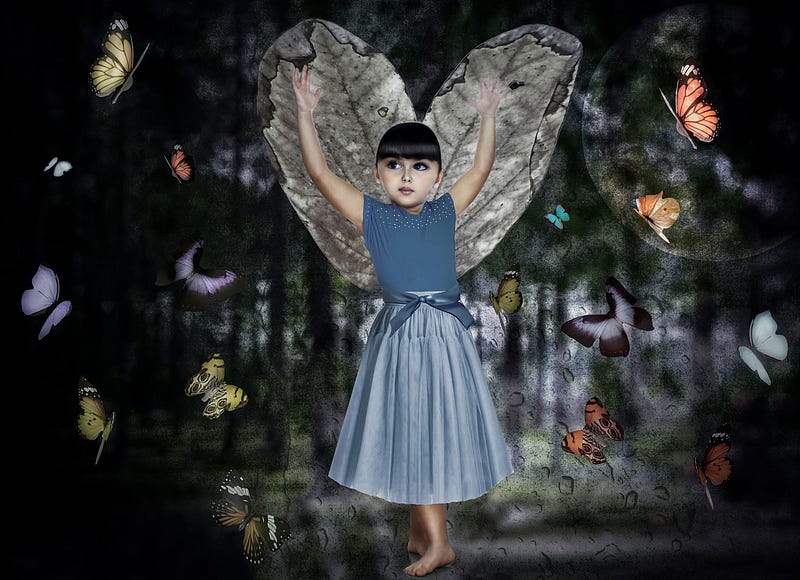
Fairy of the Butterflies

Fairy of the Butterflies- ©Work by Duvy McGirr

After doing the same five steps listed above, I also removed the background of the skirt, bow, small crystal light, and butterflies, and I did a lot of blending. This composite doesn’t have any extra pre-set filter except for steps two and three.
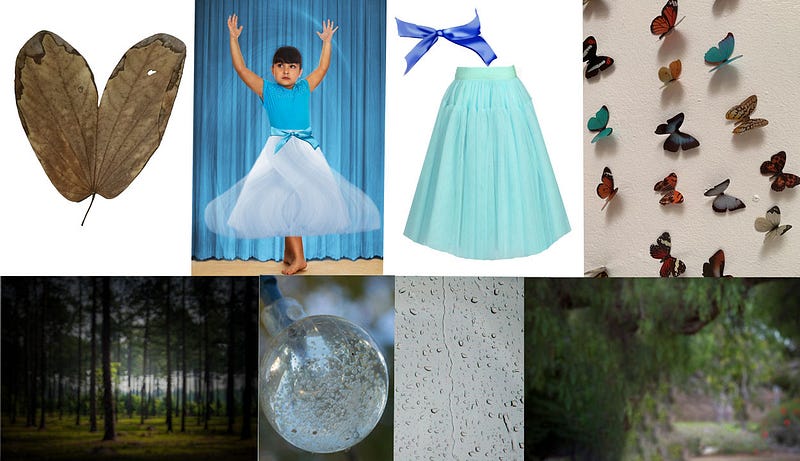
Original Pictures- ©by Duvy McGirr

Thank you for reading, and I hope you are enjoying this series of Fairys.

Part one:

Part three:

Photography
Art
Fairy Tale
Tutorial
How To
Recommended from ReadMedium