
I Tried Multiple AI Coding Assistants. These Are The Best
Best AI coding assistants for beginners and experienced programmers.

Over the past months, I’ve tried different AI coding assistants to make my life easier as a programmer.
There are many tools out there but none of them is perfect. One might be more convenient if you’re learning to code, while another might be better if you want to test your code.
Here are the best AI coding assistants I found.
1. GitHub Copilot: My favorite general-purpose coding assistant
GitHub’s AI tool is a game-changer for real-time code writing. What’s cool about it is that it offers an interaction style similar to ChatGPT, but it’s focused on coding. Plus, it has the ability to keep building out a program you’re working on in the editor.
One feature that really stands out to me is the chat function. You can literally quiz it about constructing functions or clear up any doubts about specific bits of your code. It’s like having a coding guru on standby, ready to jump in with insights or solutions.
complete def fibonacci
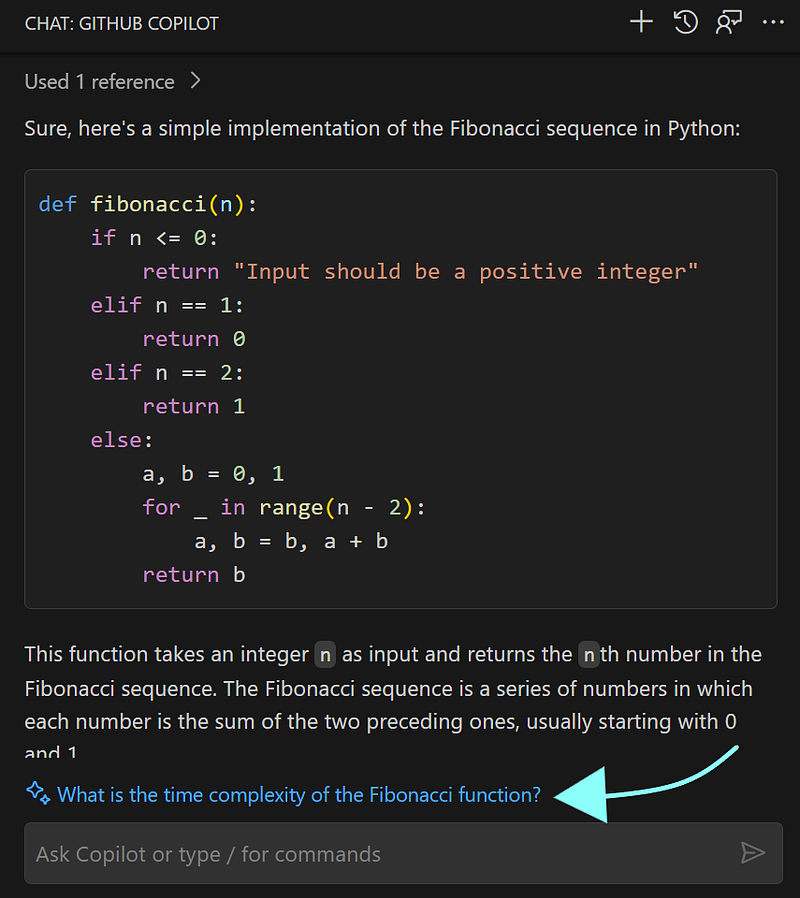
Another thing I really like is that Copilot doesn’t just stop after giving a response. It keeps the ball rolling, offering up possible questions I might want to ask next or things to consider. It’s like having an ongoing conversation with your code.
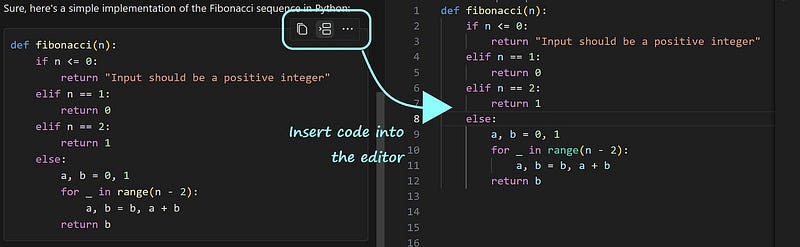
Plus, there’s this feature that lets you move the suggested code into your editor. This creates a seamless flow, letting you bounce between the chat and the editor.
For those who love to multitask within the editor, you can get the Copilot chat by pressing Ctrl + i.
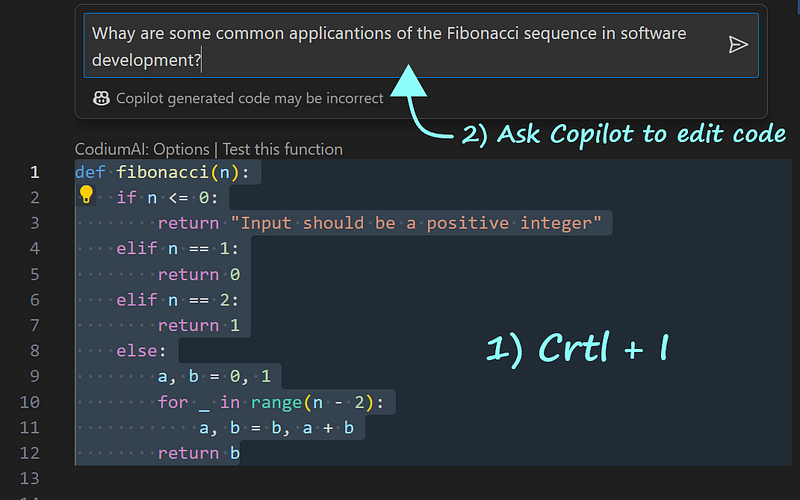
Here are some of my favorite commands:
- Diving deeper into the code:
/explain - Getting unstuck or fixing code snags:
/fix - Conducting tests on the code:
/tests
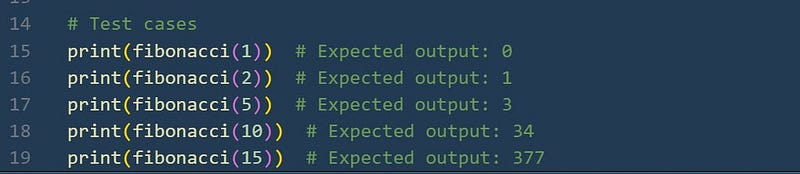
I have to say Copilot is one of my favorite tools. It’s like having the best of ChatGPT, but baked right into your IDE, making coding effortless and more efficient.
You can add the GitHub Copilot extension to Visual Studio Code, Visual Studio, JetBrains, and Neovim.
2. CodiumAI: Good for testing
What sets CodiumAI apart is its features, which are a breath of fresh air compared to other AI tools. Instead of just focusing on code completion, it hones in on testing our code and providing us with ways to make it better.
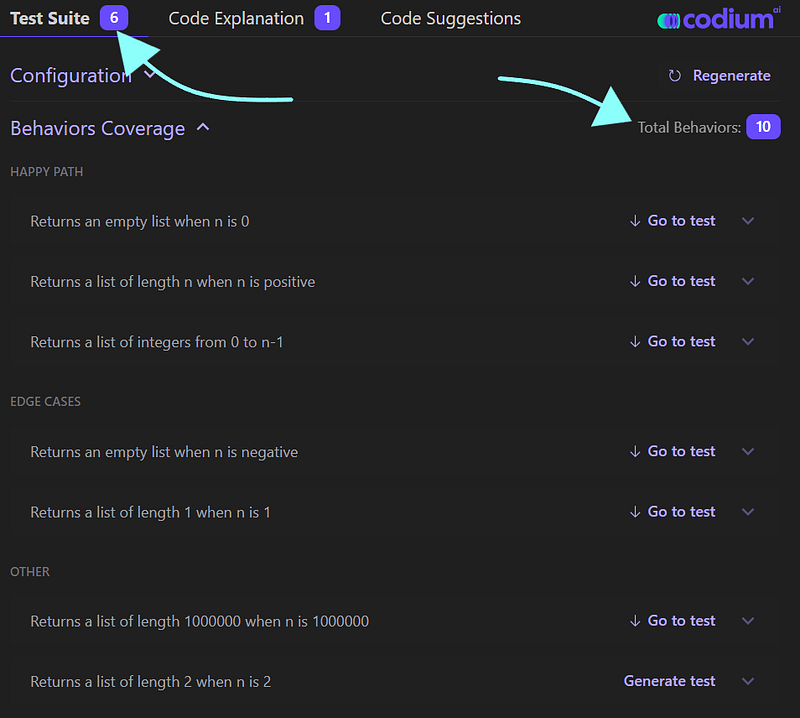
This feature really shines when doing project development, pinpointing weak spots and potential vulnerabilities.
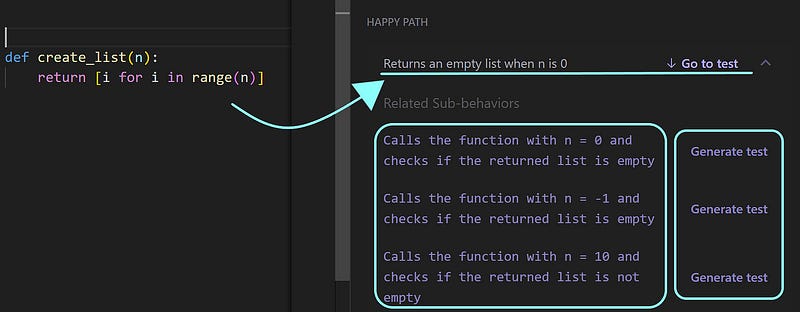
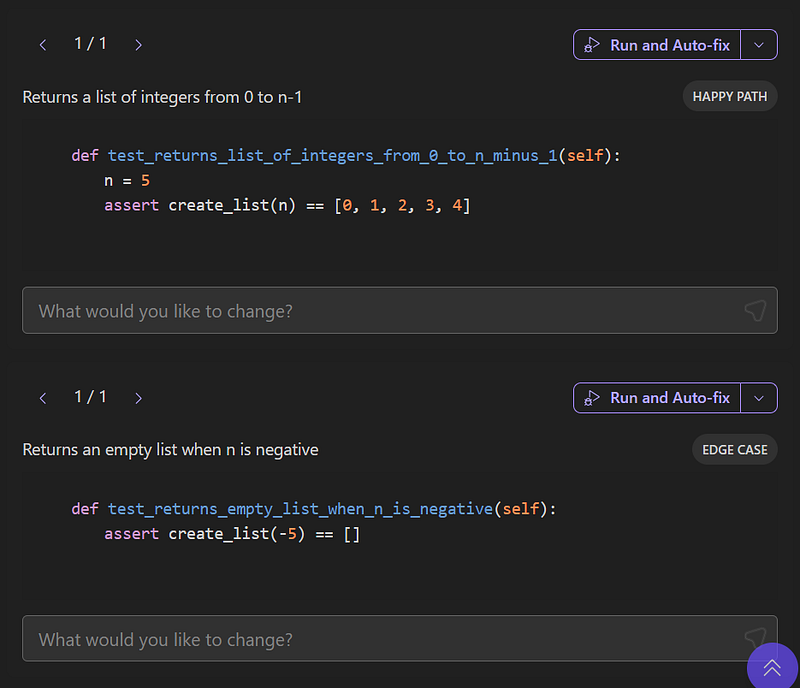
The assistant doesn’t just identify issues; it goes a step further by suggesting tests we can create (if they don’t already exist). Plus, there’s the option to interact with each test, tweaking them to fit our needs more closely.
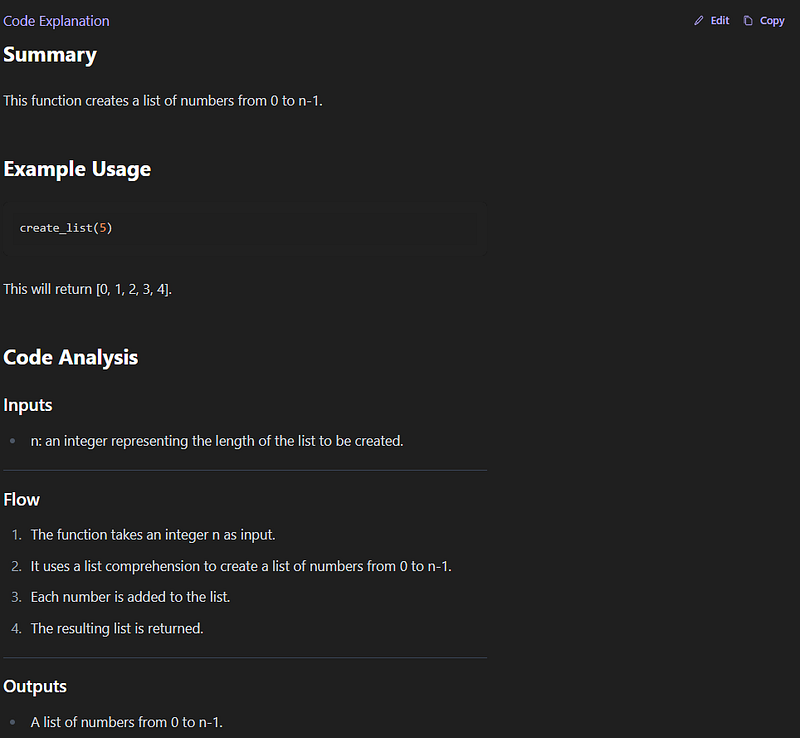
CodiumAI also offers code explanation. It breaks down everything from inputs and code flow to outputs and examples. The level of documentation is amazing.
This tool has the best test generator I’ve been working with recently. It plays to its strengths brilliantly, focusing on running tests and giving some good suggestions.
3. AWS Code Whisperer: Good for writing apps linked to the Amazon ecosystem
Like other AI coding assistants, AWS Code Whisperer lets us generate code suggestions ranging from little snippets to entire functions right in the IDE.
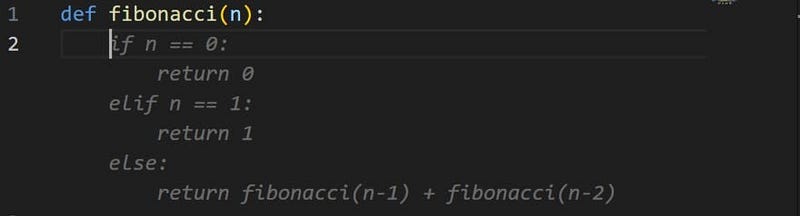
But, in addition to general-purpose code suggestions, this tool is designed to provide code suggestions for using AWS APIs. If you’re writing apps linked to the Amazon ecosystem, this coding assistant will be more useful than others.
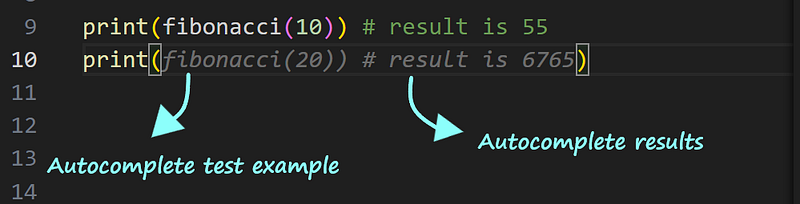
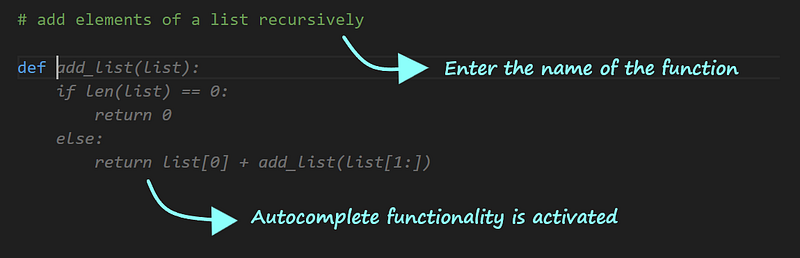
Here’s a feature I like. If you write a comment in the editor about the function you’re brainstorming, in a few seconds your idea will be turned into code.
This tool also provides references for the code it suggests, but when you try to follow these references, they sometimes lead to non-working links.
4. Tabnine: An intuitive coding companion
This coding assistant’s standout feature is its ability to predict what we’re aiming to code, effortlessly filling in the gaps as we go.
Sat I want a function that creates a list. I just need to give a proper name to the function
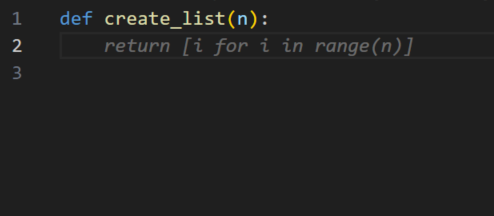
and this coding assistant autocompletes the function for me.
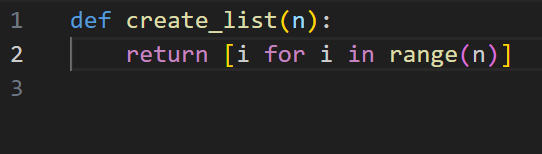
Additionally, Tabnine’s chat feature is very useful. It allows us to ask questions about the code we’re crafting in the editor. It’s like having a coding buddy right there with you, ready to tackle any coding problems that pop up.
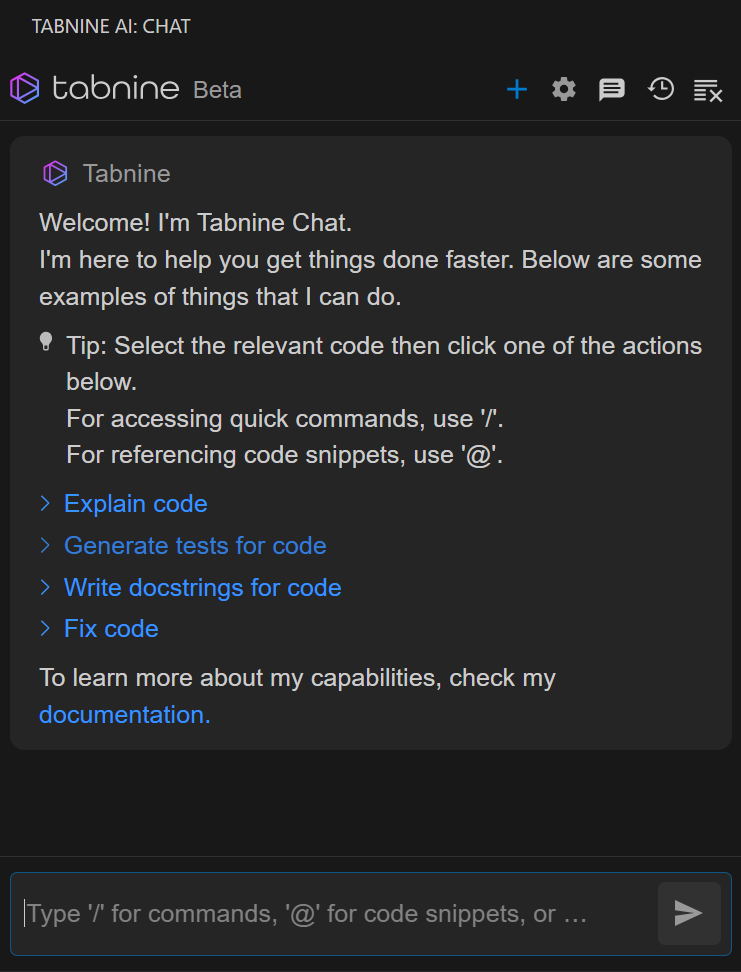
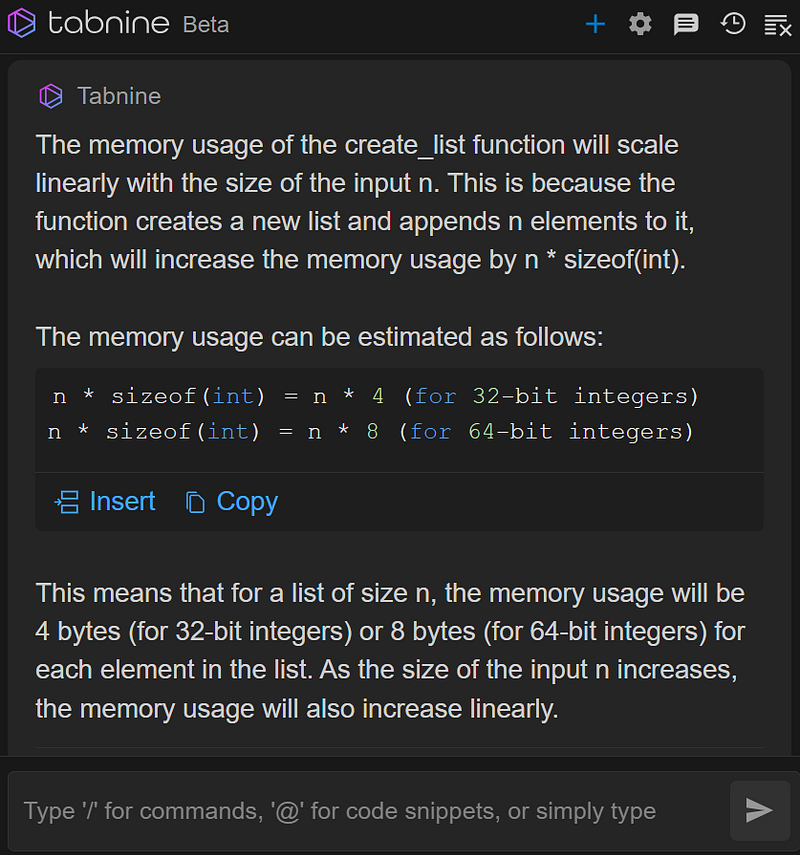
Let’s create a prompt to put this feature to the test.
How does the memory usage scale with the size of the input in the create_list function?
Now, let’s mess up the initial function and ask the coding assistant if it can fix the code.
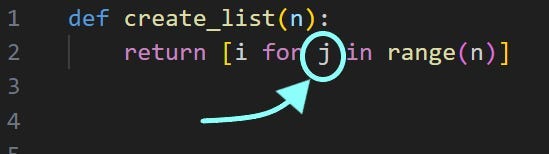
I’ve encountered an issue with the create_list function in my code. Could you help me identify any potential errors and suggest how to fix them?
Here’s the feedback.
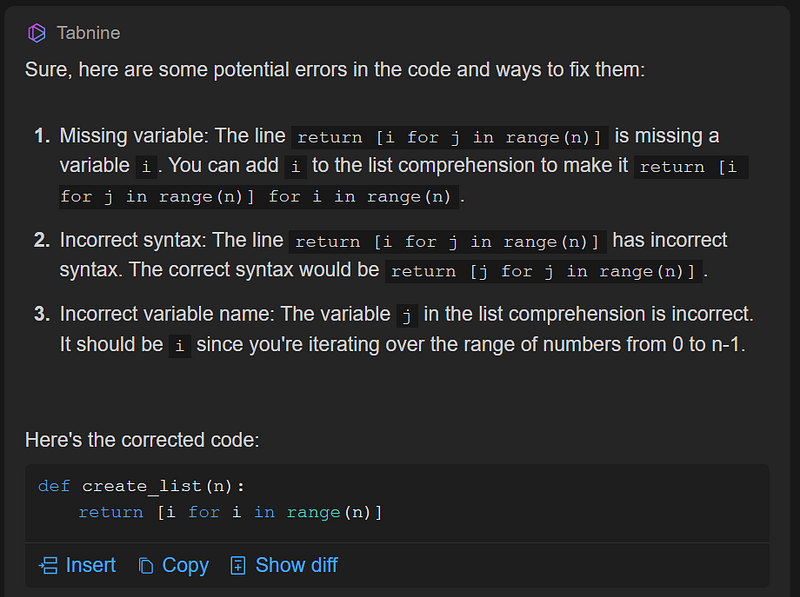
Now, let’s see some commands this AI coding assistant has.
/explain-code
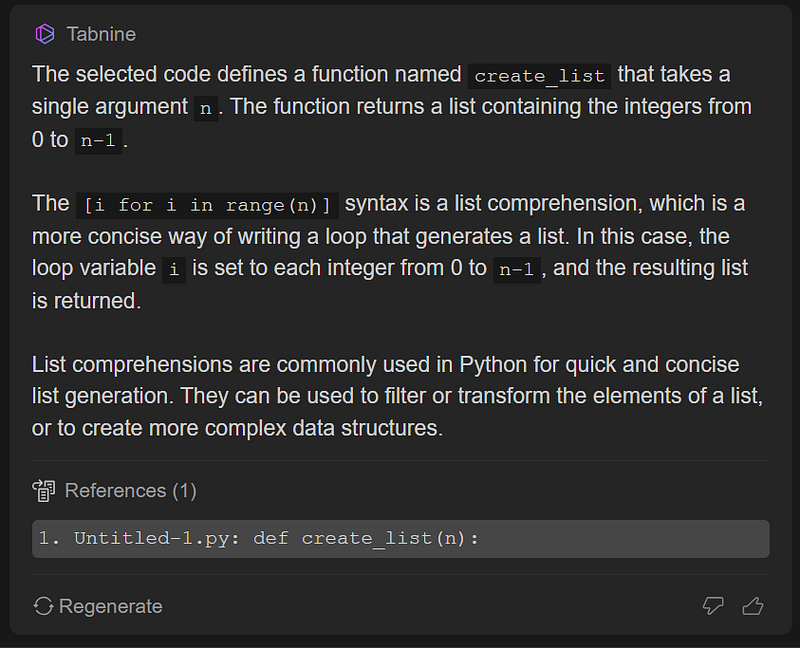
If we want to create scenarios for testing the functions we’ve created, we use this command:
/generate-test-for-code
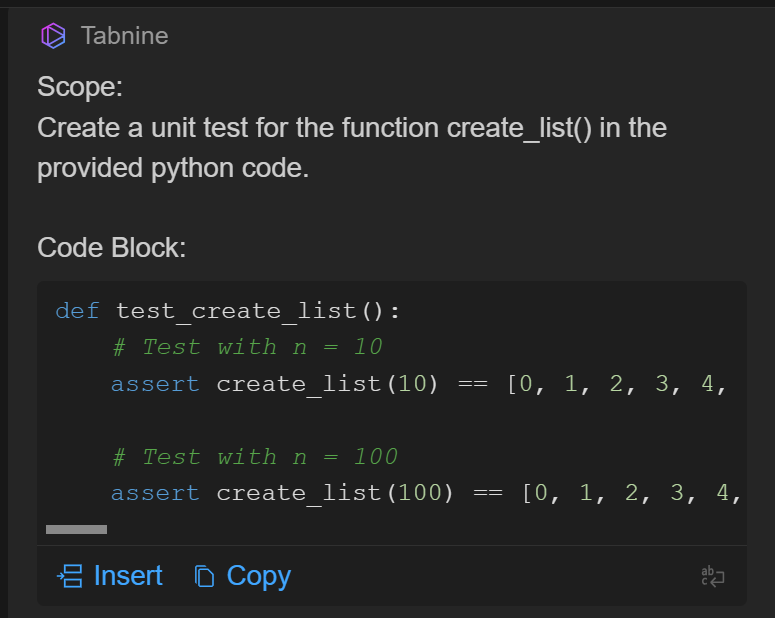
Not bad! I was hoping for more specific examples to spotlight the function’s intrinsic limitations though.
On a different note, we can also get the AI to auto-fill examples just like we did when crafting the create_list function in the editor.
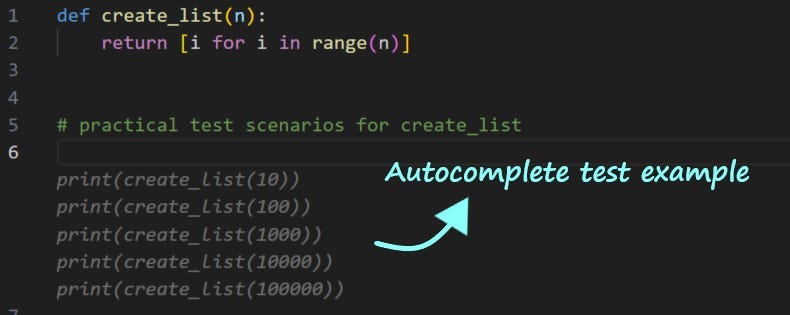
This AI coding assistant is a time saver, sparing us from typing out line after line of code. Still, there’s room for improvement.
5. ChatGPT/Bard: Amazing for learning to code
ChatGPT and Bard are good for a wide range of tasks and coding is one of them. However, chatbots might not always be the best option. This is mainly because they tend to throw in a lot of extra information. Sure, we could streamline this by diving into prompt engineering, but for those who aren’t too savvy with these techniques, it can be a bit of a hurdle.
Write Python code for a function that adds up the elements of a list
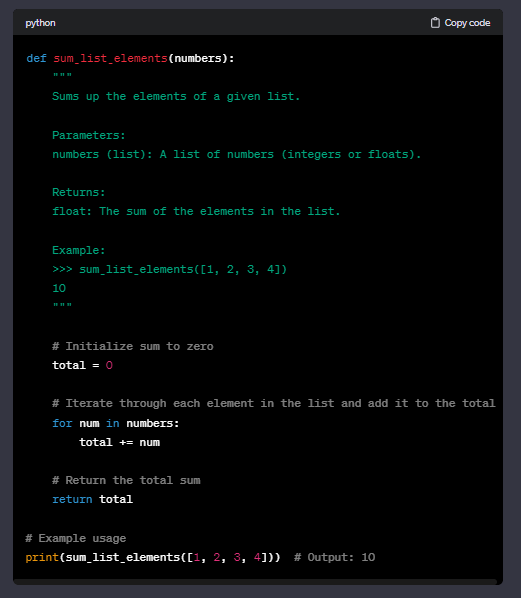
Draft a set of test cases
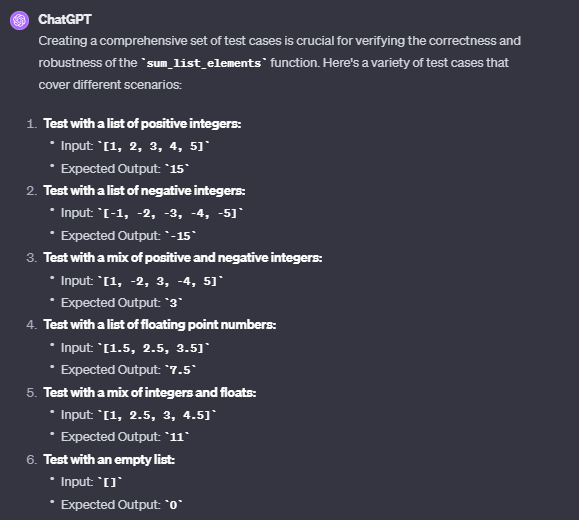
As for Bard, when it comes to functionality, it’s pretty much in the same ballpark as ChatGPT. Bard is a bit more transparent about the sources it pulls its code responses from, but it’s prone to slip-ups and often misses the mark.
For me, toggling between ChatGPT/Bard’s interface and a regular code editor isn’t a big deal, especially if I’m learning a new coding concept. But nowadays, specialized coding assistants are tailor-made to support us in developing and testing our code, so why settle for chatbots?
Summary
- When it comes to getting a grip on a new programming concept, I’d definitely use ChatGPT or Bard. They’re like info goldmines, offering a deep dive into whatever we’re curious about.
- CodiumAI is good for code testing. It’s all about speed and efficiency, giving you real-time feedback as you code, and pointing out potential pitfalls.
- GitHub Copilot is my go-to general-purpose coding assistant.
- Experienced programmers can also benefit from coding assistants like AWS Code Whisperer and Tabnine.
The final choice will be based on your goals.
If you enjoy reading stories like these and want to support me as a writer, subscribe to my Substack. On Substack, I publish articles that you won’t find on the other platforms where I create content.


