avatarJenn Leach

Free AI web copilot to create summaries, insights and extended knowledge, download it at here

2746

Abstract

a=tiktok" allowfullscreen="" frameborder="0" height="700" width="340"> </div> </div> </figure></iframe></div></div></figure><p id="84e9">I balance lots of different things in my business including blog writing for myself and for clients so if I can outsource some of my content creation to a tool like Copy AI or others, I’m totally on board.</p><p id="920f">So for me, Copy AI solves the problem of saving time so I can utilize the time that would have been spent writing blog posts and dedicate it to other parts of my business.</p><p id="f190">I was really impressed with the finished blog post that Copy AI produced.</p><div id="25ab" class="link-block"> <a href="https://millennialnextdoor.medium.com/list/eb52bbf2cbad"> <div> <div> <h2>Medium tips, strategy, and experience</h2> <div><h3> </h3></div> <div><p>tips, strategy, and experience millennialnextdoor.medium.com</p></div> </div> <div> <div style="background-image: url(https://miro.readmedium.com/v2/resize:fit:320/0*284b3bcfc4c65de499c9a0a672e7e9c23f4f9d64.jpeg)"></div> </div> </div> </a> </div><p id="0d63">I’ve used other AI writing tools like <a href="http://www.millennialnextdoor.com/jarvis">Jasper</a>, Anyword, and others.</p><p id="fade">This is the first time I’ve been able to use a tool that will create a full document from start to finish with little to no errors and no editing required.</p><p id="7871">I love that I could literally provide Copy AI with a couple of prompts and it could build a full blog post for me that I can insert into my blog.</p><p id="fd20">Honestly, at the pace at which it created the post, I can see myself publishing up to 100 blog posts on Millennial Nextdoor per month, which is insane!</p><h1 id="3bf9">How to use Copy AI’s blog post wizard to build your blog post in 60 seconds</h1><p id="63ef">First, get <a href="http://www.copy.ai?via=jennifer">Copy AI</a>. Get registered and click Blog Post Wizard. It’ll say Pro next to it, but you can still use it in your trial.</p><figure id="9334"><img src="https://cdn-images-1.readmedium.com/v2/resize:fit:800/1*eIdzJ1J02sL2nF1-VkDx1Q.png"><figcaption>Blog Post Wizard Copy AI</figcaption></figure><p id="c10e">Next, fill out the details…</p><figure id="6555"><img src="https://cdn-images-1.readmedium.com/v2/resize:fit:800/1*5qOxURSVSza2u0Ls603j-g.png"><figcaption>Blog Post Wizard Copy AI</figcaption></figure><p id="d397">This is what the outline looks like.</p><figure id="34f3"><img src="https://cdn-images-1.readmedium.com/v2/resize:fit:800/1*Ap76R-se0ki0lzRyIP048g.png"><fig

Options

caption>Blog Post Wizard Copy AI</figcaption></figure><p id="32fe">Next, the content looks like this…</p><figure id="36f2"><img src="https://cdn-images-1.readmedium.com/v2/resize:fit:800/1*G2IuJ-Ly9dtsku8EiXyRFA.png"><figcaption>Copy AI</figcaption></figure><p id="08aa">You can add/remove what you wish then click, Generate Content for the second to last step.</p><figure id="e02f"><img src="https://cdn-images-1.readmedium.com/v2/resize:fit:800/1*G2IuJ-Ly9dtsku8EiXyRFA.png"><figcaption>Copy AI</figcaption></figure><p id="ac7c">Click Create Blog Post and you’re done!</p><p id="b074">Here’s a clip of the what the final blog post looks like…</p><figure id="6821"><img src="https://cdn-images-1.readmedium.com/v2/resize:fit:800/1*43IHVozUE7oEfHTKhWYwMw.png"><figcaption>Copy AI</figcaption></figure><h1 id="f6dc">Final consensus — yay or nay?</h1><p id="4376">I’ve been using <a href="http://www.copy.ai?via=jennifer">Copy AI</a> for about a week now and I’m a real fan of the tool. Once the trial ends I plan on upgrading and buying it.</p><p id="11cc">While I’ve only tested the blog post wizard, I can say that it’s worlds above other AI tools that I’ve tried, with this feature.</p><p id="b0e1">I’m still a big fan of Jasper and I still plan on using Jasper but I’ll be adding Copy AI to my blogging toolkit.</p><div id="8229" class="link-block"> <a href="https://millennialnextdoor.medium.com/i-tried-jasper-ai-for-my-website-flipping-biz-2e4049a5f225"> <div> <div> <h2>I Tried Jasper AI for my Website Flipping Biz</h2> <div><h3>Jasper AI formerly Jarvis AI is an artificial intelligence writing tool. It helps you write your content faster.</h3></div> <div><p>millennialnextdoor.medium.com</p></div> </div> <div> <div style="background-image: url(https://miro.readmedium.com/v2/resize:fit:320/0*7oDHAbmoBX7DZEUp)"></div> </div> </div> </a> </div><p id="a63c">Once I test Copy AI a bit further, I’ll come back and write a full review on my experience, going over the various features it has and my experience with all the tools.</p><p id="11ba">I’m trying <a href="https://www.notion.so/product/ai?wr=95558f48dbe0ce33">Notion AI</a> next!</p><p id="d2cf"><b><i>Have you tried Copy AI or other AI writing tools?</i></b></p><p id="0647"><b><i>What do you think about them?</i></b></p><p id="3393">Note: Affiliate links are included in this article.</p><p id="7483">Want to read more stories like this? Check out my <a href="https://jennleach.substack.com/">Substack</a> where I talk about side hustles, social media, content creation and business.</p></article></body>

I Tried Copy AI — I wrote a blog post in 2 minutes!

Photo by Dai KE on Unsplash

I decided to try Copy AI for one reason and one reason only. And that is the blog post wizard. I came across a creator using the blog post wizard. They posted the process on TikTok and the title of the video was “how to create a blog post in 60 seconds.”

It really caught my eye.

And from that short-form video, I saw how easy it was to write a blog post using the AI tool, and after that, I was totally sold so, I went to the site and I started their trial.

Here has been my experience with Copy AI so far..

Testing Copy AI for 7 days
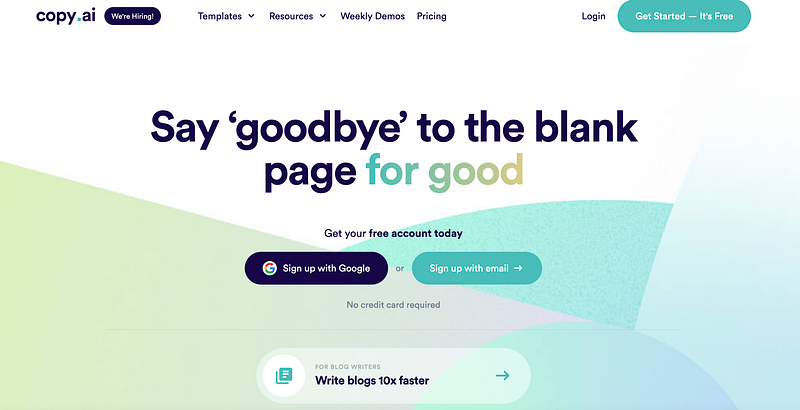
Copy AI homepage

After landing on the Copy AI site, you’ll be prompted to register to create a free account.

You won’t need to share any credit card information, which is great and as soon as you get set up, you can dive in and start using the tool right away.

The blog post wizard is where I started.
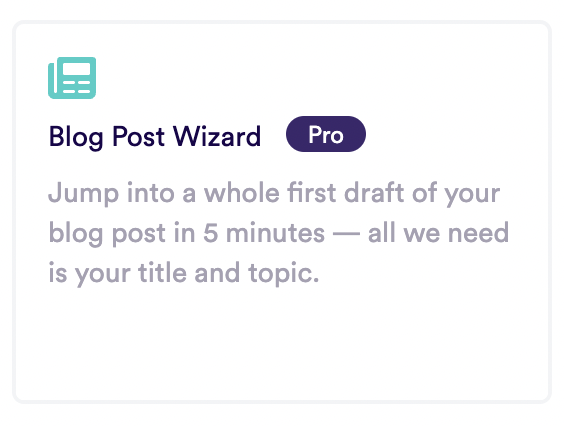
Copy AI blog post wizard

It lets you create an entire full blog post from start to finish in literally about 60 seconds.

The first time I did it, it took me a couple of minutes as I was learning the process but you’re literally just feeding the tool prompts and answering questions and then you’ll have a fully complete blog post at the end.

I like the idea of using AI for blog writing because as a blogger, I know that the gold is in the content.

I balance lots of different things in my business including blog writing for myself and for clients so if I can outsource some of my content creation to a tool like Copy AI or others, I’m totally on board.

So for me, Copy AI solves the problem of saving time so I can utilize the time that would have been spent writing blog posts and dedicate it to other parts of my business.

I was really impressed with the finished blog post that Copy AI produced.

I’ve used other AI writing tools like Jasper, Anyword, and others.

This is the first time I’ve been able to use a tool that will create a full document from start to finish with little to no errors and no editing required.

I love that I could literally provide Copy AI with a couple of prompts and it could build a full blog post for me that I can insert into my blog.

Honestly, at the pace at which it created the post, I can see myself publishing up to 100 blog posts on Millennial Nextdoor per month, which is insane!

How to use Copy AI’s blog post wizard to build your blog post in 60 seconds

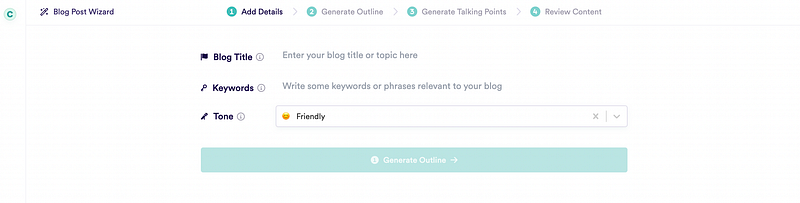
First, get Copy AI. Get registered and click Blog Post Wizard. It’ll say Pro next to it, but you can still use it in your trial.
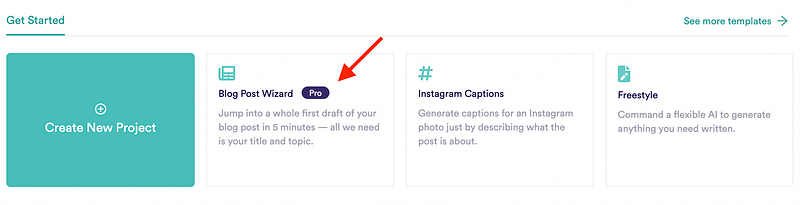
Blog Post Wizard Copy AI

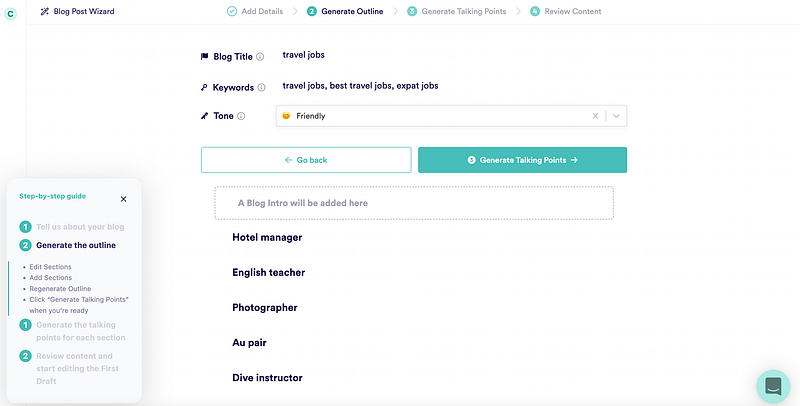
Next, fill out the details…

Blog Post Wizard Copy AI

This is what the outline looks like.

Blog Post Wizard Copy AI

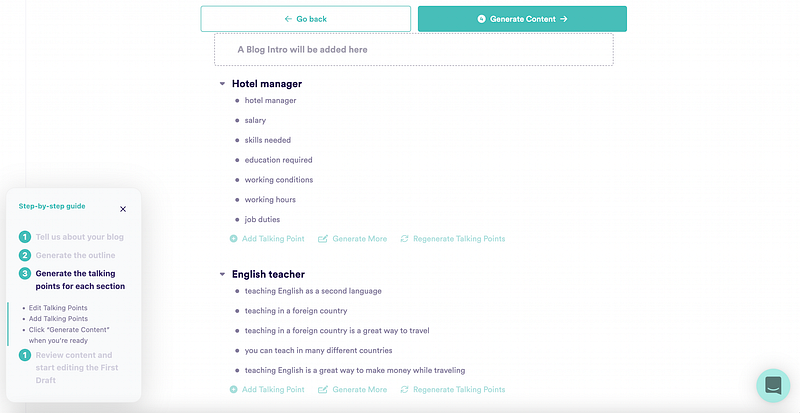
Next, the content looks like this…

Copy AI

You can add/remove what you wish then click, Generate Content for the second to last step.

Copy AI

Click Create Blog Post and you’re done!

Here’s a clip of the what the final blog post looks like…
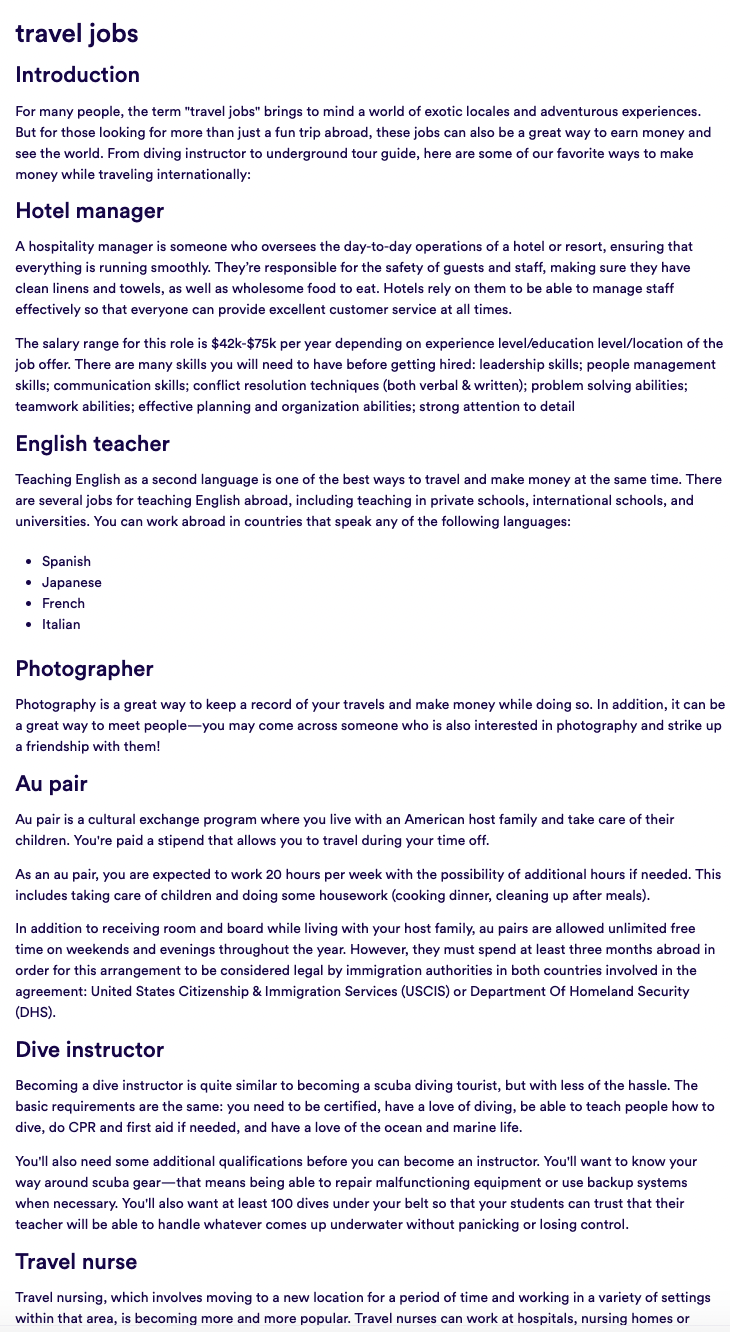
Copy AI

Final consensus — yay or nay?

I’ve been using Copy AI for about a week now and I’m a real fan of the tool. Once the trial ends I plan on upgrading and buying it.

While I’ve only tested the blog post wizard, I can say that it’s worlds above other AI tools that I’ve tried, with this feature.

I’m still a big fan of Jasper and I still plan on using Jasper but I’ll be adding Copy AI to my blogging toolkit.

Once I test Copy AI a bit further, I’ll come back and write a full review on my experience, going over the various features it has and my experience with all the tools.

I’m trying Notion AI next!

Have you tried Copy AI or other AI writing tools?

What do you think about them?

Note: Affiliate links are included in this article.

Want to read more stories like this? Check out my Substack where I talk about side hustles, social media, content creation and business.

Writing
Writing Tips
Writing Tips From Writers
Medium Writers
Freelance Writing
Recommended from ReadMedium