
I Tried 50 AI Tools. These Are My Favorites
These are the best AI tools I tried in 2023 (other than ChatGPT and Midjourney).
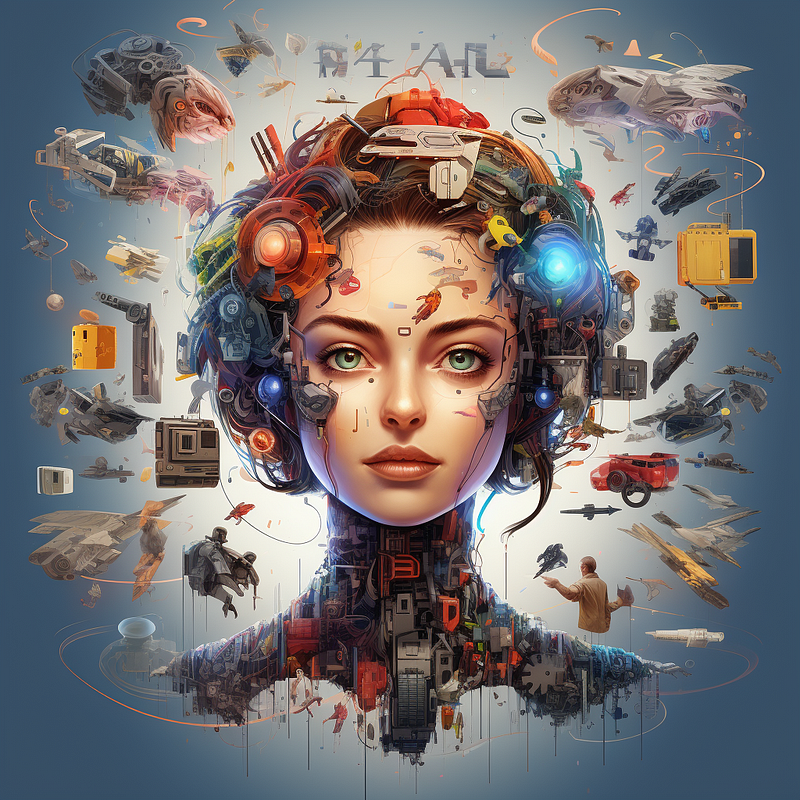
Over the past months, I’ve been deeply exploring an AI tool that has proven to be immensely valuable in my professional and daily life — ChatGPT. Its latest updates have even truly surpassed my expectations.
But, this is just the tip of the iceberg.
There are many other AI tools that I’d like to show you. Here are my favorite AI tools.
#1. DALL-E 3 (and how to use it without ChatGPT)
DALL-E 3 is this cool tool for turning text into images, kind of like Midjourney, and it’s part of the paid ChatGPT subscription. It can help you create anything that’s on your mind (even cats in space suits).
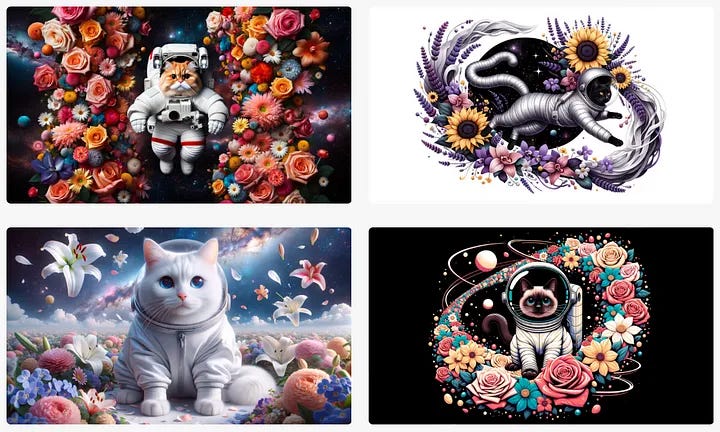
I’ve already talked about how awesome DALL-E 3 is in this article, but only a few weeks ago I discovered a method to create images at no cost without ChatGPT.
This alternative is available through Bing Image Creator. Just log into your Microsoft account, type in what you want, and wait a bit. This tool is pretty sharp at understanding your prompts and nailing what you’re looking for.
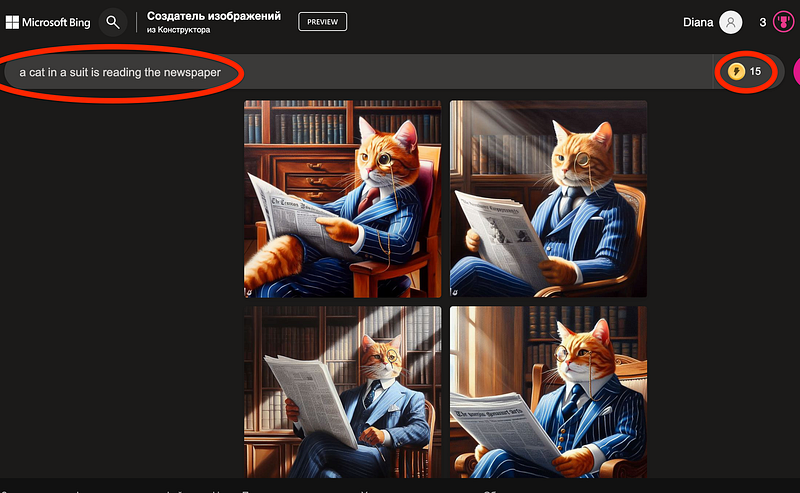
As a new user, you’re granted 25 free credits, and these credits are replenished weekly. Each image generation consumes just one credit, making it an accessible and cost-effective solution for your creative needs.

I’m sure you’ll love DALL-E 3.
#2. Perplexity: Your go-to AI chatbot for quick info and cool texts
Perplexity is this super handy AI chatbot that’s perfect for anyone who needs quick info or wants to create some cool text content. It’s incredibly user-friendly — there’s no need for any registration or complicated setup. Simply visit their website, and you’re ready to dive into a world of information.
And it doesn’t matter what language you speak — Perplexity responds in the same language you use. Perplexity is like a mini-research assistant. It doesn’t just spit out answers; it pulls together info from various sources across the web and presents it in a clear, logical way. Unlike ChatGPT, which relies on data up to 2021, Perplexity taps into the modern internet, providing more up-to-date information.
You’ll see the main response, where the info came from, some related questions, and a space to ask more if you need to. It’s also interactive. If there are terms or concepts in the answer you’re not familiar with, just click on them to get a definition.
#3. LeiaPix: Create 3D photos
This tool isn’t just for fun — it’s great for business too, giving your products an extra edge. It’s kind of like the iPhone’s Live Photo feature, but it adds a whole new level of life to your photos.
Super user-friendly and with a clear interface, all you need to do is upload the photo you want to animate and tweak the settings to suit your style.
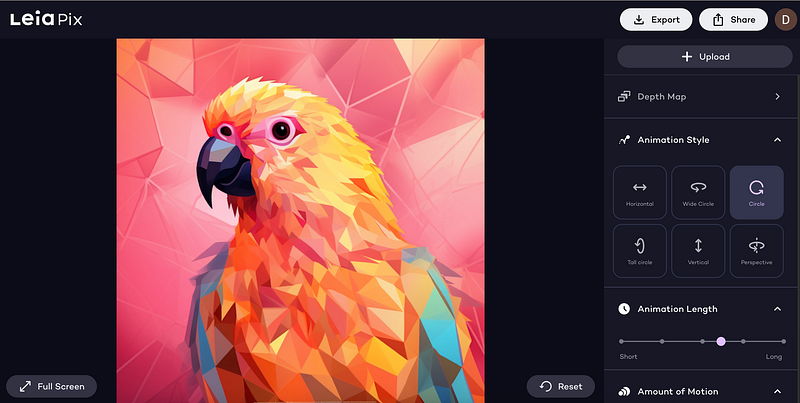
It’s free to use! You start off with 300 credits, and if you decide to download your finished animation, it’ll cost you just 50 credits. Plus, you can share your creations on Facebook or Twitter without spending any credits at all.
Here’s a 3D photo I made.
#4. MusicGen AI for creating music
MusicGen is an AI tool that lets you create music by just describing what you want and giving an example of a melody. It’s like having a personal music composer who really listens to what you need. Perfect for adding a unique touch to your reels or any project, really.
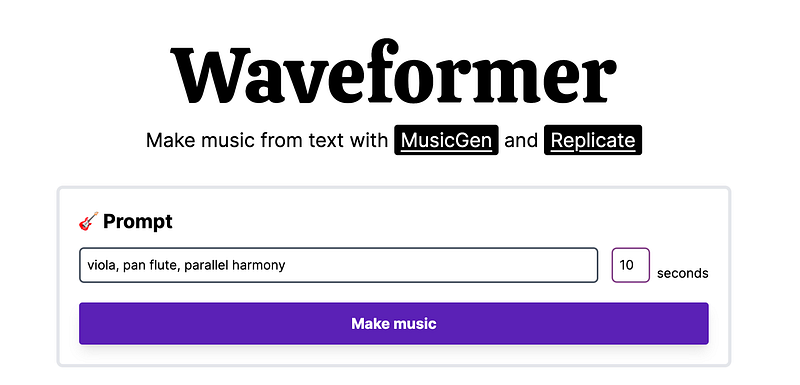
Using it is pretty easy. Just go to their website, type in the kind of vibe or instruments you’re thinking of, like ‘smooth jazz with a hint of violin’, and MusicGen does its magic.
Here’s a demo I created for you.
This tool is absolutely free and you can experiment with different sounds for your content.
#5. Luma Lab: Your 3D business in 5 minutes
I got totally hooked on this tool and ended up binge-watching videos made with it for hours. It’s a game-changer, especially if you’re looking to boost your sales.
Luma AI is a gem for marketers wanting to whip up unique content from photos or videos, and it’s a boon for designers who need to model 3D objects. Imagine giving your clients the ability to check out your product online from every angle, zooming in and out to see all the details.
Right now, this tool is free to use.
#6. SciSpace
This Sci Space tool is a great free alternative to the paid features in ChatGPT. It’s super handy when you need to upload a PDF and want to do stuff like summarizing, paraphrasing, or asking questions about the text. Plus, it’s not just about saving text — you can also link to other sites and stuff.
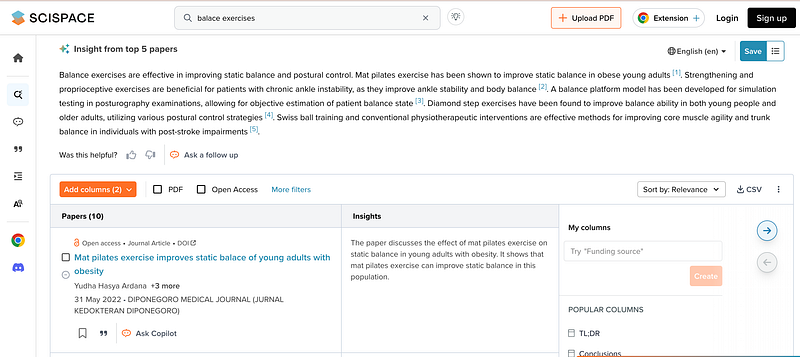
It’s pretty cool with images and diagrams too, as it can pull them out from your documents and understand them. And if you’re all about convenience, you can add it as a Chrome extension to have it right there in your browser. By the way, it supports many languages (yes, I love multilingual tools)
It’s totally free to use. But if you’re feeling you want some extra features, there are some paid add-ons you can get.
Loved this story and want to support me as a writer? You can do so through PayPal. I’m now exploring Substack, so if you want to support me as a writer, subscribe to my Substack. It’s $6 a month, giving you unlimited access to content like this and also exclusive content.


