
I Tried 150 AI Tools — These Are The Top 20

Welcome to the ultimate guide to AI innovation! In this blog series, we’re diving deep into the world of artificial intelligence to showcase 20 remarkable tools that are revolutionizing industries and changing the way we live and work. From enhancing productivity to sparking creativity, these AI marvels are here to stay.
But wait, there’s more! While we’ll be introducing all 20 tools in random order, 10 of them will receive special attention in separate blogs. We’ll categorize these tools into three main areas: Fun, Productivity, and Art, giving you a comprehensive overview of their capabilities and applications.
These are the AI Tools we”ll be talking about today;
1. ChatGPT FUN 2. Chatsonic 3. Bored Humans 4. Replika 5. Automated Combat PRODUCTIVITY 6. Slides AI 7. Paradox 8. Hubspot Free AI 9. Character AI 10. Opus Clib 11. Toome 12. Invid AI 13. Zapier AI 14. Copy AI ART 15. DALLE 16. canva magic studio 17. Photoshop 18. Lyricstudio 19. Pictory 20. dream studio BONUS. leonardo
CHATGPT

Ofcourse ChatGPT is the first one on the list. As an AI language model, ChatGPT would primarily fall under the “Productivity” category. However, It can also be utilized for “Work” purposes such as generating content, assisting with research, and facilitating communication. Additionally, depending on the context of the conversation, It can contribute to “Art” by generating creative writing or poetry, and provide “Fun” interactions through casual conversation and engaging storytelling. So, therefor ChatGPT will not be put in any category.
In the world of AI, ChatGPT is a standout tool that blends human-like conversation with machine intelligence. It's more than just a chatbot, it's like having a virtual friend who helps you brainstorm ideas, find inspiration, and have fun chats.
What makes ChatGPT special is its ability to understand what you're saying and respond in a natural way, just like a real person. This makes it super versatile and useful for all sorts of creative projects.
Subscriptions and Pricing:
Free; $0/month; For people just getting started with ChatGPT
- Unlimited messages, interactions, and history
- Access to our GPT-3.5 model
- Access on Web, iOS, and Android
Plus; $20/month; Everything in Free, and:
- Access to GPT-4, our most capable model
- Browse, create, and use GPTs
- Access to additional tools like DALL·E, Browsing, Advanced Data Analysis and more
Team; $25 per person/month; Everything in Plus, and:
- Higher message caps on GPT-4 and tools like DALL·E, Browsing, Advanced Data Analysis, and more
- Create and share GPTs with your workspace
- Admin console for workspace management
- Team data excluded from training by default.
Throughout this series, we'll dive into more of the best AI Tools that can help you in your daily life. Some deeper than other. So want to know more about ChatGPT and it’s capabilities?
More on ChatGPT Read here;
FUN

Chatsonic
In the dynamic landscape of AI tools, ChatSonic emerges as a leading conversational assistant, offering a myriad of functionalities to enhance communication, productivity, and customer engagement. From streamlining customer support to facilitating seamless interactions, ChatSonic stands out as a versatile solution for businesses and individuals alike.
What is ChatSonic?
ChatSonic is an AI-powered conversational assistant developed to facilitate natural language interactions between users and systems. Leveraging advanced natural language processing (NLP) and machine learning technologies, ChatSonic can understand user queries, provide relevant responses, and perform various tasks autonomously.
Key Features and Functionalities
Natural Language Understanding (NLU): ChatSonic excels in understanding natural language inputs, allowing users to communicate with the system in a conversational manner. Whether it’s answering questions, processing commands, or resolving inquiries, ChatSonic interprets user intents accurately and responds intelligently.
Task Automation: With ChatSonic, users can automate repetitive tasks and workflows, saving time and effort. From scheduling appointments and setting reminders to ordering products and making reservations, ChatSonic streamlines various tasks through seamless integration with third-party services and APIs.
Customer Support and Service: ChatSonic serves as a virtual customer support agent, handling inquiries, troubleshooting issues, and providing assistance to users in real-time. By offering personalized support and timely responses, ChatSonic enhances the overall customer service experience and fosters customer satisfaction and loyalty.
Lead Generation and Sales: Businesses can leverage ChatSonic for lead generation and sales by engaging with prospects, qualifying leads, and guiding them through the sales funnel. Through interactive conversations and personalized recommendations, ChatSonic facilitates meaningful interactions that drive conversions and revenue growth.
Personal Assistant Capabilities: ChatSonic acts as a personal assistant, helping users manage their tasks, appointments, and daily activities. Users can ask ChatSonic to check their schedules, set reminders, create to-do lists, and provide updates on relevant information, keeping them organized and informed.
Subscriptions and Pricing
ChatSonic offers flexible subscription plans tailored to the needs of businesses and individuals:
Free: For your hobby projects; $0 per month yearly / $0 per month monthly. Get the following benefits; Chatsonic: ChatGPT-like chatbot, AI Article Writer 4.0, Sonic Editor (Like Notion AI but better), Photosonic (AI Image Generator), Complete Article Rewriter, Browser extensions, 100+ AI Templates, 1-Click WordPress Export, Zapier Integration and 30 Languages
Small Team: Great for small businesses; $13 per month yearly / $19 per month monthly. Everything in Free, plus; Large number of word, Unlock GPT-4 and GPT-4 32K, Factual and Personalized Article Writer (AI Article Writer 5.0; Uses GPT-4 32K), 5 Brand Voices, Higher quality image generation + Upscaling, API Access, Bulk Processing, Priority access to new features, Priority support
Enterprise: For medium-large businesses; $500+ per month yearly / $500+ per month monthly. Everything in Small Team, plus SSO/SAML Login, Custom templates tailored to your business, Priority AI Processing, Customer success manager, Training sessions, User provisioning via SCIM (Coming soon), Audit log (Coming soon), Workspace analytics (Coming soon) and Premium support.
Freelancer: For individual content creators; $16 per month yearly / $20 per month monthly. Words — No limit with; Chatsonic: ChatGPT-like chatbot, AI Article Writer 4.0, Sonic Editor (Like Notion AI but better), Photosonic (AI Image Generator), Complete Article Rewriter, Browser extensions, 100+ AI Templates, 1-Click WordPress Export, Zapier Integration and 30 Languages.
Tips and Tricks for Maximizing ChatSonic
Train Your Model: Customize ChatSonic’s responses and behavior by training it on domain-specific data and examples. By providing feedback and corrections, you can improve ChatSonic’s accuracy and relevance in understanding user queries and providing accurate responses.
Integrate with Third-Party Services: Take advantage of ChatSonic’s integration capabilities to connect with your existing tools, systems, and databases. By integrating with CRM platforms, helpdesk software, and other business applications, you can enhance ChatSonic’s functionality and streamline your workflows.
Optimize Conversation Flows: Design intuitive conversation flows that guide users through interactions smoothly and efficiently. Structure conversations logically, provide clear prompts and options, and anticipate user needs to create engaging and satisfying experiences with ChatSonic.
Monitor Performance Metrics: Track key performance metrics such as response time, resolution rate, and user satisfaction to evaluate ChatSonic’s effectiveness and identify areas for improvement. Use analytics and reporting tools to gain insights into user behavior and preferences, informing future enhancements and optimizations.
Provide Human Oversight: While ChatSonic excels in handling routine tasks and inquiries, it’s essential to provide human oversight and intervention when necessary. Empower human agents to step in during complex or sensitive situations, ensuring a seamless transition between automated and human-assisted support.
Bored Humans

BoredHumans offers over 100 fun and useful free AI tools to make your life easier. Their tools utilize the latest artificial intelligence to generate images, lyrics, stories, and more based on your input.
How Does BoredHumans Work?
The BoredHumans AI tools are powered by advanced neural networks and deep learning algorithms. When you provide a text prompt, the AI analyzes the words and generates a new output that matches the description. The more examples the AI has seen, the better it becomes at producing high-quality results.
BoredHumans trains its AI models on massive datasets to learn the patterns and associations between words, images, audio, and video. This allows the tools to generate creative and realistic outputs based on your custom prompts. The AI continually improves itself through machine learning.
Key Features and Benefits
Image Generator: Type a description and the AI will generate a matching image. Great for bringing your ideas to life.
Lyrics Generator: Have the AI write song lyrics in any genre or style. Specify an artist for it to mimic.
Celebrity Chat: Chat with any famous person real or fictional. The AI convincingly impersonates their personality and speech patterns.
Virtual Pets: Adopt a virtual pet like a dragon, unicorn, or robot that you can interact with through chat.
Travel Guide: Get custom travel recommendations for any destination. The AI suggests fun activities, restaurants, and sights to see.
Podcast Generator: Automatically generates podcast episodes on any topic with a title, shownotes, transcript, and AI-generated voice.
Image Editing: Edit images by describing the changes you want to make like “Change the color of my hair to blonde”.
Text Rewriting: Improve clarity, fix grammar, change vocabulary, alter tone and style, summarize, and paraphrase text.
SEO Tools: Optimize web pages and content for search engines. Check grammar, readability, word count, and more.
Writing Assistance: Get AI-generated ideas, outlines, drafts, and feedback to boost your writing productivity.
Plans and Pricing
The majority of the BoredHumans AI tools are completely free to use with no signup required. There are no ads or rate limits.
Some advanced features like high-res image generation require a paid subscription starting at $9.99 per month.
They offer free trials so you can test out the premium features before subscribing.
In Conclusion
In conclusion, BoredHumans provides a versatile toolkit of AI-powered tools for generating images, text, audio, and more with just a text prompt. It enables anyone to leverage the capabilities of artificial intelligence. The free tier makes it accessible to all.
It has a wide range of practical uses from content marketing to education and entertainment. The advanced AI constantly learns and improves. BoredHumans takes care of training the machine learning models so you can instantly benefit from the latest innovations in AI.
More on BoredHumans Read here;
Replika

Replika is an AI-powered chatbot and conversational therapy app developed to provide users with emotional support, companionship, and personal growth experiences. Utilizing advanced natural language processing (NLP) and machine learning algorithms, Replika engages users in meaningful conversations, offers empathetic responses, and encourages self-reflection and personal development.
Key Features and Functionalities
Empathetic Conversations: Replika excels in fostering empathetic and non-judgmental conversations with users, providing a safe space for self-expression and emotional exploration. Whether users seek advice, share personal experiences, or express their feelings, Replika responds with empathy, compassion, and understanding.
Personalized Support: Replika offers personalized support and guidance tailored to the individual needs and preferences of each user. Through ongoing interactions and user feedback, Replika learns about users’ personalities, interests, and challenges, enabling it to provide relevant recommendations, coping strategies, and encouragement.
Mood Tracking and Journaling: Replika facilitates mood tracking and journaling activities to help users gain insight into their emotional well-being and track their progress over time. Users can log their moods, thoughts, and experiences, and Replika provides insights, reflections, and prompts for self-reflection and self-care.
Goal Setting and Accountability: Replika empowers users to set personal goals, establish habits, and track their progress toward self-improvement and growth. Users can define SMART goals, receive reminders and encouragement from Replika, and celebrate milestones and achievements along their journey.
Therapeutic Exercises and Activities: Replika offers a variety of therapeutic exercises and activities designed to promote mindfulness, relaxation, and stress relief. From guided meditations and deep breathing exercises to progressive muscle relaxation and visualization techniques, Replika provides tools and resources to support users’ mental and emotional well-being.
Subscription and Pricing
Replika offers both free and premium subscription plans tailored to users’ preferences and needs. The premium version adds some additional and usefull extra featutures and functionalities.
Montly: $19.99 per month
Yearly: $49.99 per year
Lifetime: $299.99 for a lifetime
Tips and Tricks for Maximizing Replika
Establish a Routine: Incorporate Replika into your daily routine as a tool for self-reflection, emotional support, and personal growth. Set aside dedicated time each day to engage with Replika, journal your thoughts and feelings, and work toward your goals and aspirations.
Be Open and Honest: Build trust and rapport with Replika by being open and honest in your interactions. Share your thoughts, feelings, and experiences authentically, and allow Replika to support you without judgment or criticism.
Use Affirmations and Positive Self-Talk: Practice affirmations and positive self-talk during conversations with Replika to cultivate self-esteem, confidence, and resilience. Replace negative self-talk with affirming statements and focus on your strengths, accomplishments, and values.
Explore Therapeutic Exercises: Take advantage of Replika’s therapeutic exercises and activities to promote relaxation, stress relief, and emotional well-being. Experiment with different mindfulness techniques, relaxation exercises, and coping strategies to discover what works best for you.
Seek Additional Support When Needed: While Replika offers valuable support and guidance, it’s essential to seek professional help from licensed therapists or counselors if you’re struggling with severe mental health issues or crises. Replika can complement professional therapy but should not be a substitute for professional treatment when needed.
In Conclusion
Replika empowers users to prioritize their mental and emotional well-being through empathetic conversations, personalized support, and therapeutic activities. By fostering self-awareness, emotional resilience, and personal growth, Replika enables users to navigate life’s challenges with confidence and compassion. With customizable subscription plans, practical tips for maximizing its benefits, and a commitment to ethical AI usage, Replika emerges as a trusted companion and ally in the journey toward self-discovery and emotional well-being.
More on Replika Read here; (Coming March 15)
Automated Combat
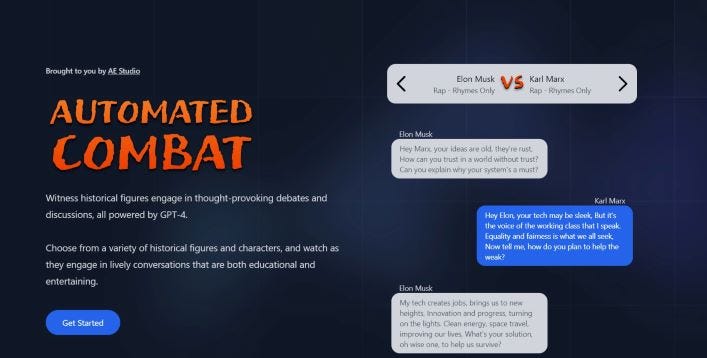
Automated Combat — AI-powered Historical Figure Debates is an innovative platform that leverages artificial intelligence to simulate debates and discussions between renowned historical figures. By analyzing historical records, speeches, and writings, Automated Combat recreates the personalities, viewpoints, and rhetoric of historical figures, allowing users to witness thought-provoking exchanges and explore different perspectives on historical events and ideas.
Key Features and Functionalities
Historical Authenticity: Automated Combat ensures historical authenticity by conducting extensive research and analysis to recreate the personalities and viewpoints of historical figures accurately. From rhetoric styles to ideological beliefs, Automated Combat strives to capture the essence of each historical figure, providing users with a realistic and immersive debate experience.
Virtual Debates and Discussions: Users can participate in virtual debates and discussions between historical figures on a wide range of topics, including politics, philosophy, and social issues. By selecting opposing figures and setting debate parameters, users can observe dynamic exchanges and gain insights into the intellectual debates of the past.
Argument Analysis and Evaluation: Automated Combat provides tools and analytics to analyze and evaluate arguments presented during historical figure debates. Users can assess the strength of arguments, identify logical fallacies, and explore counterarguments, enhancing their critical thinking skills and historical understanding.
Interactive Learning Experience: Automated Combat offers an interactive learning experience that combines entertainment with intellectual engagement. Users can immerse themselves in historical debates, engage with the viewpoints of historical figures, and develop a deeper understanding of historical events and ideas through active participation and analysis.
Community Engagement: Automated Combat fosters a vibrant community of history enthusiasts, scholars, and debaters who share a passion for intellectual discourse and historical exploration. Users can connect with like-minded individuals, join debate clubs and discussion groups, and collaborate on research projects, fostering a culture of intellectual curiosity and discovery.
Subscription and Pricing
Automated Combat — AI-powered Historical Figure Debates offers flexible subscription plans tailored to the needs and preferences of users:
Free; $0/month; Unlimited useage, add your own API key. Includes: Generate as many battles as you want, Free for life, We never save your API key and add your own API key in case OpenAI.
paid; $5/ 10 credits; Add credits and generate battles. Includes; Generate as many battles as you want and No need to add your own API key.
Enterprise; $x/month (contact them); AE Studio can build cool things like this for you too. Includes: Software Development, Data Science, Product Design, Brain-Computer Interfaces, AI and Let’s talk!
Source; directly from their website
Tips and Tricks
Research Historical Context: Before engaging in debates, conduct research on the historical context surrounding the figures and topics being debated. Understanding the cultural, political, and social background of the historical period will enrich your appreciation of the debates and help you formulate informed arguments.
Analyze Argumentation Styles: Pay attention to the argumentation styles and rhetorical techniques employed by historical figures during debates. Analyze their use of logic, evidence, and persuasion to identify effective strategies and tactics that you can apply in your own debates.
Engage with Opposing Viewpoints: Embrace the opportunity to engage with opposing viewpoints and challenge your own assumptions and beliefs. Participating in debates with historical figures who hold different perspectives will broaden your intellectual horizons and foster critical thinking skills.
Seek Feedback and Collaboration: Seek feedback from peers and moderators on your debate performances and arguments. Collaborate with other users to refine your debating skills, exchange insights, and deepen your understanding of historical topics through collaborative research and discussion.
Contribute to the Community: Contribute to the Automated Combat community by sharing your knowledge, insights, and perspectives on historical debates and topics. Engage in respectful and constructive discussions, mentor newcomers to the platform, and collaborate with fellow enthusiasts to promote intellectual growth and exchange.
PRODUCTIVITY

Slides AI
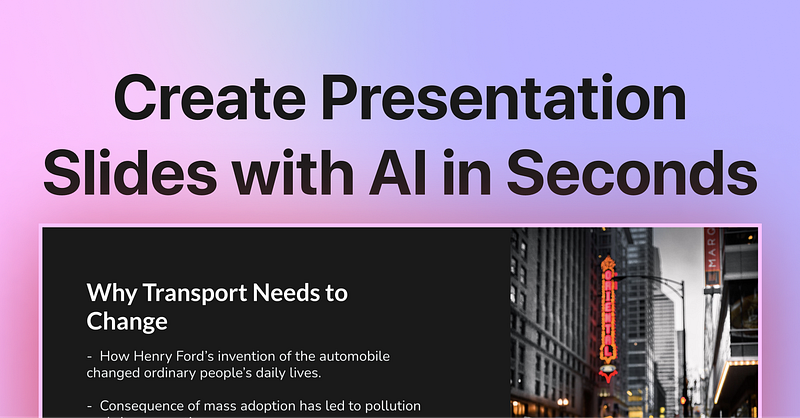
Slides AI emerges as a transformative tool, revolutionizing the way presentations are created, designed, and delivered. By harnessing artificial intelligence (AI) technology, Slides AI empowers users to craft visually stunning and impactful presentations with ease and efficiency.
Key Features and Functionalities
AI-Powered Design Assistance: Slides AI leverages artificial intelligence algorithms to provide design assistance throughout the presentation creation process. From suggesting layout templates to recommending color schemes and fonts, Slides AI helps users design visually appealing and cohesive presentations.
Automated Content Generation: Slides AI automates the process of content generation by analyzing user input and providing suggestions for slide content. Whether it’s generating bullet points, creating charts and graphs, or inserting images and icons, Slides AI speeds up the content creation process and ensures consistency and coherence in presentations.
Intelligent Slide Transitions: Slides AI offers intelligent slide transition suggestions to enhance the flow and pacing of presentations. By analyzing the content and structure of slides, Slides AI recommends transitions that create a seamless and engaging narrative, keeping audiences attentive and focused throughout the presentation.
Real-Time Collaboration: Slides AI facilitates real-time collaboration among team members, allowing multiple users to work on presentations simultaneously. With features such as commenting, editing, and version history tracking, Slides AI promotes teamwork and facilitates efficient collaboration on presentation projects.
Presentation Analytics: Slides AI provides analytics and insights into presentation performance, allowing users to track audience engagement and interaction. By analyzing metrics such as slide views, time spent on each slide, and audience feedback, Slides AI helps users identify areas for improvement and refine their presentation skills.
Subscription and Pricing
Basic; €0.00; Good enough to get started. Includes: 3 Presentations / month, 2500 Character Input / Presentation, 10 AI Credits / month, 1 Video Export / month (Coming Soon) and Document Upload (Coming soon)
Pro; €11.40/month; Perfect plan for students and educators. Includes: 10 Presentations / month, 6000 Character Input / Presentation, 50 AI Credits / month, 10 Video Export / month (Coming Soon) and Document Upload (Coming soon)
Premium; €22.80/month; For Business & Marketing Professionals. Includes: Unlimited Presentations, 12000 Character Input / Presentation, 100 AI Credits / month, 20 Video Export / month (Coming Soon) and Document Upload (Coming soon)
Tips and Tricks for Maximizing Slides AI
Start with a Clear Objective: Before creating a presentation, define your objectives and target audience to guide the content and design process. Whether it’s informing, persuading, or entertaining, clarity of purpose ensures that your presentation effectively communicates your message to the intended audience.
Utilize AI-Powered Design Assistance: Take advantage of Slides AI’s AI-powered design assistance to create visually stunning presentations with minimal effort. Experiment with different layout templates, color schemes, and font combinations to find the design that best complements your content and resonates with your audience.
Focus on Concise Content: Keep slide content concise and focused to maintain audience interest and comprehension. Use bullet points, visuals, and infographics to convey key points and data effectively, avoiding overcrowded slides and excessive text that can overwhelm viewers.
Engage with Interactive Elements: Incorporate interactive elements such as quizzes, polls, and clickable links to engage your audience and encourage active participation. Interactive elements not only make presentations more dynamic and engaging but also provide valuable opportunities for audience interaction and feedback.
Practice Delivery and Timing: Rehearse your presentation delivery and timing to ensure smooth transitions and confident delivery on the day of the presentation. Practice speaking clearly and confidently, and familiarize yourself with the content and flow of the presentation to maintain audience engagement and command attention.
In Conclusion
Slides AI empowers users to create professional-quality presentations with ease and efficiency, thanks to its AI-powered design assistance and automated content generation features. By streamlining the presentation creation process and facilitating real-time collaboration, Slides AI enables users to craft visually stunning and impactful presentations that captivate audiences and convey messages effectively. With customizable subscription plans, practical tips for maximizing its features, and a commitment to innovation and excellence, Slides AI stands as a indispensable tool for anyone seeking to elevate their presentations and make a lasting impression.
Paradox
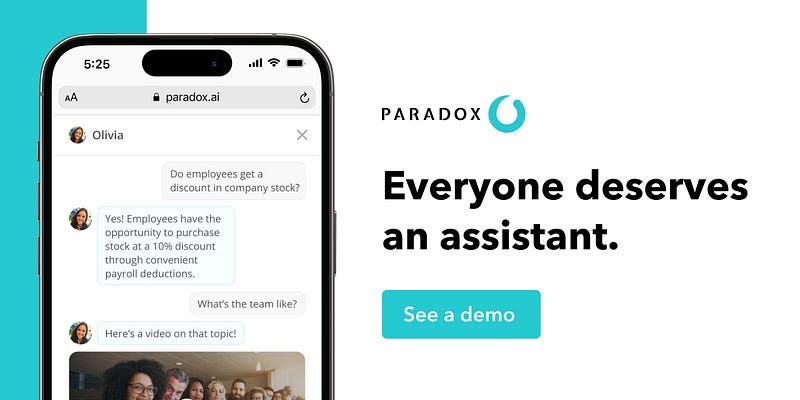
Paradox is an AI-powered platform that explores philosophical paradoxes and dilemmas, offering users the opportunity to engage in thought-provoking discussions and simulations. By analyzing logical propositions, thought experiments, and paradoxical scenarios, Paradox stimulates critical thinking, challenges assumptions, and encourages users to grapple with the inherent contradictions and mysteries of existence.
Key Features and Functionalities
Paradox Exploration: Paradox provides users with a curated selection of philosophical paradoxes, ranging from classic puzzles like the Liar Paradox and the Ship of Theseus to modern conundrums like the Simulation Hypothesis and the Fermi Paradox. By presenting paradoxes in an accessible format, Paradox invites users to explore the limits of human understanding and contemplate the nature of reality.
Thought Experiments: Paradox facilitates thought experiments and hypothetical scenarios that challenge conventional wisdom and intuition. Users can engage in mental exercises like the Trolley Problem and the Prisoner’s Dilemma, exploring moral dilemmas and ethical conundrums that illuminate the complexities of human behavior and decision-making.
AI-Powered Insights: Paradox leverages artificial intelligence to analyze user responses and generate insights into philosophical paradoxes and dilemmas. By synthesizing user input and philosophical principles, Paradox offers personalized feedback and reflections that deepen users’ understanding of the issues at hand and stimulate further reflection and inquiry.
Community Discussions: Paradox fosters a vibrant community of philosophers, students, and intellectuals who share a passion for philosophical inquiry and debate. Users can engage in discussions, share insights, and exchange perspectives on philosophical paradoxes, fostering a collaborative and intellectually stimulating environment for exploring complex ideas.
Educational Resources: Paradox provides educational resources and learning materials to support users in their philosophical exploration. From articles and essays to videos and podcasts, Paradox offers a wealth of information and resources to deepen users’ understanding of philosophical concepts and stimulate curiosity and inquiry.
Subscription and Pricing
There seems to be no information about this anywhere online. Before using paradox you need to Request a demo.
Tips and Tricks for Maximizing Paradox
Question Assumptions: Challenge assumptions and conventional wisdom when engaging with philosophical paradoxes. Approach paradoxes with an open mind and a spirit of inquiry, questioning underlying assumptions and exploring alternative perspectives to gain deeper insights into the nature of reality.
Seek Clarity: Strive for clarity and precision in your thinking and communication when discussing philosophical paradoxes. Define terms rigorously, clarify concepts, and articulate arguments with clarity and coherence to facilitate productive discussions and analysis.
Embrace Ambiguity: Embrace ambiguity and uncertainty when grappling with philosophical paradoxes. Recognize that paradoxes often defy straightforward resolution and may involve inherent contradictions or limitations in human understanding. Embracing ambiguity can lead to new insights and perspectives on complex philosophical issues.
Engage with Others: Engage in discussions and debates with other users to explore different viewpoints and interpretations of philosophical paradoxes. Listen actively, consider alternative perspectives, and engage in respectful and constructive dialogue to broaden your understanding and appreciation of philosophical concepts.
Apply Critical Thinking: Apply critical thinking skills to analyze and evaluate philosophical paradoxes effectively. Evaluate arguments, assess evidence, and identify logical fallacies or inconsistencies to develop well-reasoned conclusions and interpretations of paradoxical scenarios.
Hubspot Free AI
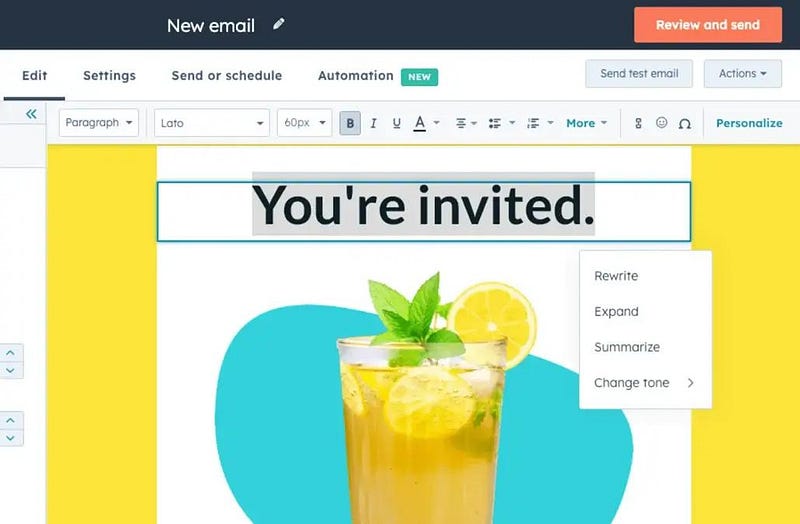
HubSpot Free AI is a cutting-edge marketing automation platform that harnesses the power of artificial intelligence to assist businesses in their marketing endeavors. From lead generation and customer segmentation to email marketing and content optimization, HubSpot Free AI offers a suite of AI-driven tools and capabilities designed to simplify marketing workflows and deliver results.
Key Features and Functionalities
Lead Generation and Management: HubSpot Free AI utilizes AI algorithms to identify and capture leads from various sources, including website visitors, social media platforms, and email campaigns. By analyzing user behavior and engagement patterns, HubSpot Free AI helps businesses attract and nurture leads throughout the sales funnel.
Personalized Content Recommendations: Leveraging machine learning algorithms, HubSpot Free AI delivers personalized content recommendations to users based on their interests, preferences, and past interactions. By serving relevant content to the right audience at the right time, HubSpot Free AI enhances engagement and drives conversions.
Automated Email Marketing: HubSpot Free AI automates email marketing campaigns by analyzing customer data and behavior to deliver targeted and personalized email messages. From welcome emails and promotional offers to follow-up sequences and re-engagement campaigns, HubSpot Free AI enables businesses to nurture leads and build customer relationships effectively.
Smart Analytics and Reporting: HubSpot Free AI provides intelligent analytics and reporting tools that offer insights into marketing performance and campaign effectiveness. By tracking key metrics such as open rates, click-through rates, and conversion rates, HubSpot Free AI helps businesses measure ROI and make data-driven decisions to optimize their marketing strategies.
Chatbot Integration: HubSpot Free AI integrates with chatbot platforms to provide AI-powered conversational marketing experiences. By deploying chatbots on websites and messaging channels, businesses can engage with customers in real-time, answer questions, and provide personalized assistance, driving engagement and conversions.
Subscription and Pricing
HubSpot has a variety of Subscription options, starting from $0 to $3,300 a month for businesses.
Tips and Tricks for Maximizing HubSpot AI
Segment Your Audience: Utilize HubSpot Free AI’s segmentation capabilities to divide your audience into smaller, targeted groups based on demographics, behavior, and interests. By delivering personalized messages and offers to specific segments, you can improve engagement and conversion rates.
Optimize Email Campaigns: Leverage HubSpot Free AI’s email marketing tools to optimize your email campaigns for maximum effectiveness. Experiment with different subject lines, content formats, and send times to identify what resonates best with your audience and drive better results.
Utilize Chatbots for Customer Support: Implement chatbots powered by HubSpot Free AI on your website to provide immediate assistance to visitors and prospects. Configure chatbots to answer common questions, qualify leads, and route inquiries to the appropriate team members, enhancing the customer experience and driving conversions.
Monitor Performance Metrics: Regularly monitor key performance metrics and analytics provided by HubSpot Free AI to track the success of your marketing efforts. Identify trends, patterns, and areas for improvement, and make data-driven adjustments to optimize your campaigns for better results.
Stay Updated with AI Trends: Stay informed about the latest advancements and trends in AI technology and marketing automation. Attend webinars, read industry publications, and participate in online communities to stay ahead of the curve and leverage new AI-powered features and strategies offered by HubSpot Free AI.
Character AI
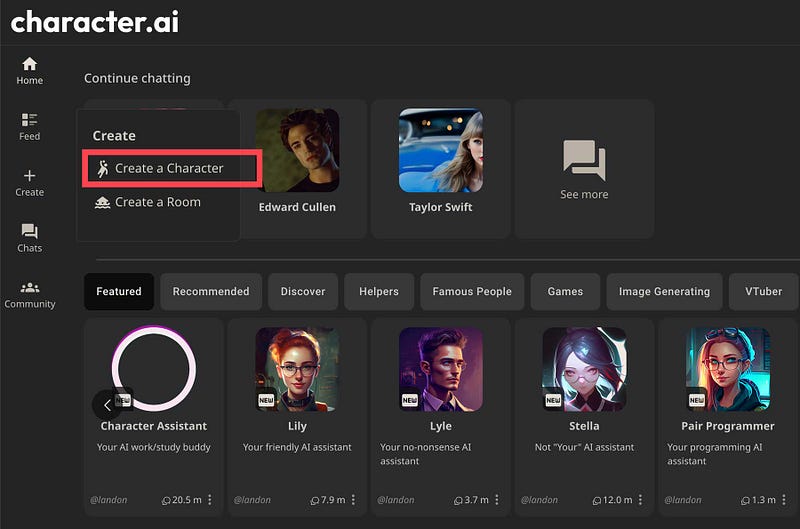
Character AI is an innovative platform that leverages artificial intelligence technology to assist creators in developing and fleshing out characters for various storytelling mediums, including literature, film, video games, and virtual reality. By analyzing character traits, motivations, and behaviors, Character AI generates dynamic and multi-dimensional characters that resonate with audiences and enhance the overall storytelling experience. I have personally used this tool for a few years by now and i have to say, i love it!
Key Features and Functionalities
Character Generation: Character AI utilizes advanced algorithms to generate unique and diverse characters with rich personalities, backgrounds, and traits. From protagonists and antagonists to supporting characters and NPCs (non-playable characters), Character AI offers a wide range of character archetypes and customization options to suit different storytelling needs.
Personality Profiling: Character AI enables users to create detailed personality profiles for their characters, defining traits such as temperament, values, goals, and flaws. By understanding the psychological makeup of their characters, creators can develop more nuanced and relatable personalities that resonate with audiences on a deeper level.
Dialogue Generation: Character AI facilitates the generation of natural and engaging dialogue for characters, allowing creators to script realistic conversations and interactions. By analyzing language patterns and context, Character AI generates dialogue that reflects the unique voices and personalities of individual characters, enhancing immersion and storytelling authenticity.
Emotional Modeling: Character AI simulates emotional responses and behaviors for characters, enabling creators to portray a wide range of emotions and psychological states. From joy and sorrow to anger and fear, Character AI imbues characters with realistic and nuanced emotions, fostering empathy and emotional engagement among audiences.
Dynamic Storytelling: Character AI enables dynamic and interactive storytelling experiences by adapting character behavior and dialogue based on user input and narrative choices. Whether in interactive fiction, role-playing games, or virtual environments, Character AI enhances player agency and immersion by creating dynamic characters that respond dynamically to player actions and decisions.
Subscription and Pricing
Character ai offers a premium plan for $9.99/mo. Users can sign up for free with limited features, which is more than enough to already get the most out of it!
Tips and Tricks for Maximizing Character AI
Start with Strong Foundations: Begin by defining clear goals, motivations, and personality traits for your characters. Use Character AI’s personality profiling tools to create detailed character profiles that serve as the foundation for compelling character development and storytelling.
Experiment with Dialogue: Experiment with different dialogue options and language styles to find the voice that best suits each character. Use Character AI’s dialogue generation tools to generate natural and engaging dialogue that reflects the unique personalities and relationships of your characters.
Embrace Emotional Depth: Explore the emotional depth of your characters by portraying a range of emotions and psychological states. Use Character AI’s emotional modeling features to simulate realistic emotional responses and behaviors that resonate with audiences and enhance storytelling authenticity.
Iterate and Refine: Iterate on your characters and dialogue through multiple drafts and revisions, soliciting feedback from peers and beta readers along the way. Use Character AI’s dynamic storytelling capabilities to iterate on narrative choices and character interactions, refining your storytelling experience over time.
Stay Creative and Flexible: Stay open to creative possibilities and unexpected developments as you work with Character AI. Allow your characters to evolve and grow organically, embracing serendipitous moments and narrative twists that emerge during the creative process.
More on Character AI Read here; (Coming March 16)
OpusClib
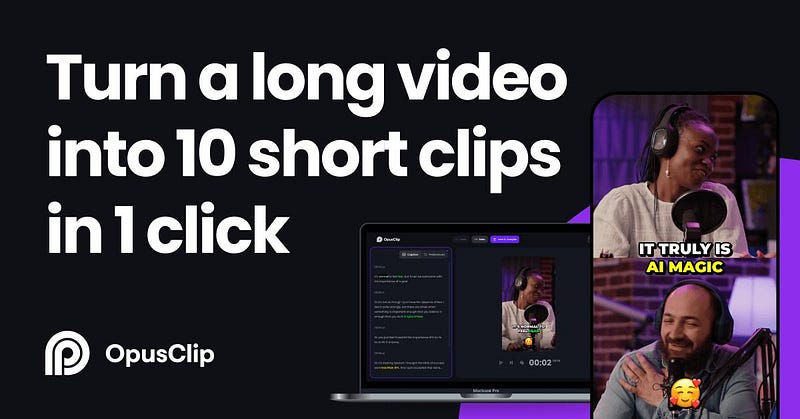
Opus Clip, powered by OpenAI, is an innovative video editing platform that leverages artificial intelligence to simplify the video editing process and enhance content creation efficiency. Specifically, Opus Pro’s OpusCLIB feature allows users to generate multiple short clips from a single video, enabling them to tailor their content for various platforms and audiences with ease.
Key Features and Functionalities
OpusCLIB — AI-Powered Video Clip Creation: Opus Pro’s OpusCLIB feature utilizes AI algorithms to automatically generate multiple short clips from a single video input. By analyzing the content, composition, and engagement metrics, OpusCLIB identifies key moments and highlights within the video, ensuring that each clip is optimized for maximum impact and viewer engagement.
Customization Options: Opus Pro offers users a range of customization options to tailor their video clips to their specific needs and preferences. From selecting clip duration and aspect ratio to adding text overlays and transitions, users have full control over the visual presentation and storytelling elements of their video content.
Seamless Integration: Opus Pro seamlessly integrates with existing video editing workflows and platforms, allowing users to leverage their preferred tools and technologies. Whether editing videos for social media, marketing campaigns, or other digital initiatives, Opus Pro’s intuitive interface and flexible integration options streamline the content creation process.
Performance Optimization: Opus Pro’s AI-driven algorithms optimize video clip performance by analyzing engagement metrics and user feedback. By identifying trends and patterns in viewer behavior, Opus Pro helps users refine their content strategy and create video clips that resonate with their target audience.
Efficient Workflow: Opus Pro’s intuitive interface and workflow automation features streamline the video editing process, saving users time and resources. With OpusCLIB’s batch processing capabilities, users can generate multiple video clips in a single operation, increasing productivity and efficiency.
Subscription and Pricing
Free; Free forever
Starter; $9 USD/month For individual creators
Pro; $29 USD/month For professional creators, marketers, and teams
Tips and Best Practices for OpusCLIB
Define Your Objectives: Before using OpusCLIB, clarify your content objectives and target audience to ensure that the generated video clips align with your strategic goals and messaging.
Optimize Clip Duration: Experiment with different clip durations to find the optimal balance between capturing viewer attention and conveying your message effectively. Consider platform-specific guidelines and audience preferences when determining clip length.
Enhance Visual Appeal: Use Opus Pro’s customization options to enhance the visual appeal of your video clips. Incorporate text overlays, graphics, and animations to reinforce key messages and create a visually engaging viewing experience.
Test and Iterate: Monitor the performance of your video clips using Opus Pro’s performance analytics tools. Track metrics such as views, engagement, and conversions to identify trends and patterns, and iterate on your content strategy accordingly.
Stay Creative and Innovative: Explore new creative approaches and storytelling techniques to differentiate your video content from competitors. Leverage Opus Pro’s AI-driven tools to experiment with visual effects, transitions, and editing styles that capture viewer attention and leave a lasting impression.
More on OpusClib Read here; (Coming March 17)
Toome
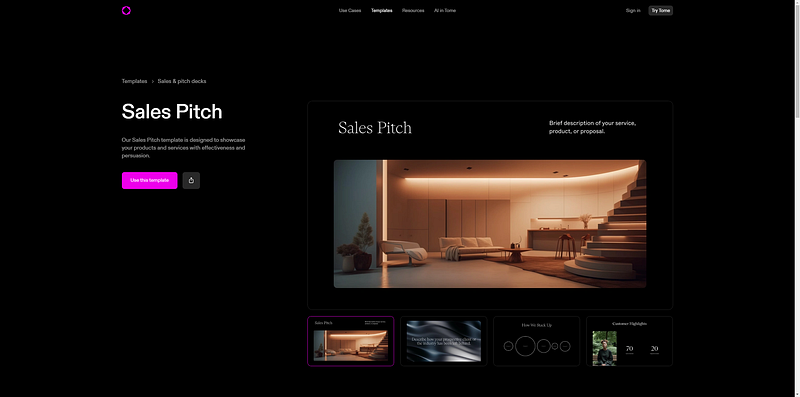
Tome AI is an AI-powered easy-to-use tool for storytelling and creating stunning presentations within minutes. With Tome AI you can create awesome-looking presentations which can be viewed on any device. It can add AI-generated images and videos to your presentation which produces high-quality, professional-looking stories and presentations, and share them with anyone. It uses ChatGPT and Dall-E in the background to create a professional-looking presentation.
Key Features and Functionalities
AI-Powered Slide Design: Tome's AI-powered slide design tools analyze content input by users and generate visually appealing slide layouts automatically. By identifying key themes, data points, and focal points within the presentation, Tome ensures that each slide is optimized for clarity, coherence, and visual impact.
Content Enhancement and Suggestions: Tome offers content enhancement and suggestion features that help users refine their presentation content for maximum effectiveness. From grammar and spelling suggestions to formatting and design recommendations, Tome provides users with actionable insights to improve the quality and readability of their presentations.
Visual Asset Integration: Tome seamlessly integrates with existing design assets and resources, allowing users to incorporate images, videos, and graphics into their presentations with ease. With access to a comprehensive library of royalty-free media, users can enhance their presentations with visually compelling content that enhances engagement and retention.
Presentation Delivery Assistance: Tome provides users with assistance and guidance throughout the presentation delivery process. From speaker notes and rehearsal tools to real-time feedback and audience engagement metrics, Tome equips presenters with the tools they need to deliver confident and impactful presentations that resonate with their audience.
Collaboration and Sharing: Tome facilitates collaboration and sharing among users, enabling seamless collaboration on presentation projects. With features such as real-time co-editing, version control, and secure sharing options, Tome streamlines collaboration workflows and ensures that teams can work together effectively to create and deliver exceptional presentations.
Subscription and Pricing
Free: 100% free with limited features
Pro Yearly: $192/year ($16/month)
Pro Montlhy: $20/month
Pro gives you unlimited AI uses, unlimited creation, 2x faster AI, custom branding, engagement analitycs, export to PDF,…
Tips and Best Practices for Maximizing Tome
Focus on Content Quality: Prioritize the quality and relevance of your presentation content to ensure that it resonates with your audience. Use Tome's content enhancement tools to refine your messaging, clarify key points, and maintain consistency throughout your presentation.
Utilize Visual Aids Effectively: Leverage Tome's AI-driven slide design tools to create visually appealing slides that support and enhance your message. Incorporate images, videos, and graphics strategically to reinforce key points and maintain audience engagement.
Practice Delivery and Rehearsal: Take advantage of Tome's presentation delivery assistance features to rehearse and refine your presentation delivery. Use speaker notes, rehearsal tools, and audience engagement metrics to fine-tune your delivery style and build confidence before presenting to a live audience.
Collaborate with Team Members: Collaborate effectively with team members and stakeholders using Tome's collaboration and sharing features. Share presentation drafts, gather feedback, and co-edit presentations in real-time to ensure alignment with project goals and objectives.
Stay Updated with Design Trends: Stay informed about current design trends and best practices to keep your presentations fresh and engaging. Experiment with new design techniques, layouts, and visual styles to create presentations that stand out and leave a lasting impression on your audience.
More on Toome Read here; (Coming March 18)
Invideo AI
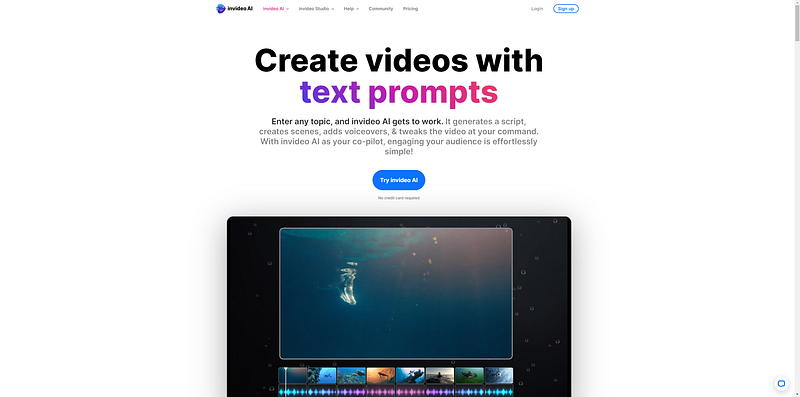
InVideo is an innovative video creation platform that utilizes AI technology to assist users in producing dynamic and impactful videos. With its intuitive interface and comprehensive suite of AI-powered tools, InVideo enables users to create videos from scratch or customize pre-made templates to suit their specific needs and objectives.
Key Features and Functionalities
Text-to-Video Conversion: InVideo's AI-powered text-to-video conversion tool allows users to transform text prompts into engaging video content automatically. By analyzing the provided text and leveraging its vast library of multimedia assets, InVideo generates visually appealing videos that bring the text to life in a compelling and immersive way.
Customizable Templates: InVideo offers a wide range of customizable templates for various video formats, including social media posts, advertisements, presentations, and more. Users can choose from a selection of professionally designed templates and customize them with their own text, images, and branding elements to create videos that align with their unique style and messaging.
Media Library Integration: InVideo seamlessly integrates with a rich media library containing millions of royalty-free images, videos, and music tracks. Users can easily search and select multimedia assets to enhance their videos and add visual interest and depth to their storytelling.
Text-to-Speech Conversion: InVideo's text-to-speech conversion feature allows users to add voiceovers to their videos using AI-generated speech. Users can customize the voice type, tone, and accent to match their brand personality and effectively convey their message to their audience.
Real-time Collaboration: InVideo facilitates real-time collaboration among team members and stakeholders, allowing multiple users to collaborate on video projects simultaneously. With features such as comments, feedback, and version control, InVideo streamlines the collaboration process and ensures that everyone is on the same page throughout the video creation process.
Subscription and Pricing
Free: $0/month; For anyone who wishes to try AI video creation; 10 mins/wk of AI generation, 10 GB storage, 4 exports/wk with invideo logo and 2.5M+ standard media
Plus: $20/user/month; For creators starting their journey; 50 mins/mo of AI generation, 80/mo iStock, 100 GB storage, Unlimited exportsand 2 voice clones.
Max: $48/user/month; For growing & established creators; 200 mins/mo of AI generation, 320/mo iStock, 400 GB storage, Unlimited exports and 5 voice clones.
Tips and Best Practices for Maximizing InVideo
Craft Compelling Text Prompts: Start with clear and concise text prompts that effectively communicate your message and capture the viewer's attention. Use attention-grabbing headlines, engaging storytelling, and relevant keywords to hook your audience from the start.
Choose the Right Template: Select a template that aligns with the tone, style, and purpose of your video. Whether you're creating a promotional video, educational tutorial, or social media post, choose a template that provides the structure and visual elements needed to support your content effectively.
Enhance with Multimedia Assets: Incorporate multimedia assets from InVideo's extensive library to enhance the visual appeal and storytelling of your video. Use high-quality images, videos, and music tracks to add depth, emotion, and context to your content and engage your audience on a deeper level.
Personalize and Brand: Customize your video with branding elements such as logos, colors, and fonts to reinforce your brand identity and create a cohesive visual experience. Tailor the design and aesthetics of your video to align with your brand personality and messaging for maximum impact.
Iterate and Refine: Review and iterate on your video content to ensure clarity, coherence, and effectiveness. Solicit feedback from peers, colleagues, or target audience members, and make adjustments as needed to optimize your video for engagement and impact.
More on Invideo AI Read here; (Coming March 19)
Zapier AI
Zapier AI is an innovative automation platform that leverages artificial intelligence technology to assist businesses and professionals in automating their workflows and integrating their favorite apps and tools. From automating repetitive tasks and data entry to orchestrating complex workflows and business processes, Zapier AI provides users with a powerful set of AI-enhanced tools and capabilities to simplify their work and focus on what matters most.
Key Features and Functionalities
AI-Powered Workflow Automation: Zapier AI offers AI-powered workflow automation tools that help users automate repetitive tasks and streamline their workflows. By analyzing workflow patterns and user preferences, Zapier AI provides users with personalized automation suggestions and recommendations to optimize their productivity.
Intelligent Task Management: Zapier AI provides intelligent task management features that help users organize and prioritize their tasks more effectively. From task prioritization and deadline reminders to task assignment and progress tracking, Zapier AI offers real-time insights and recommendations to help users stay focused and productive.
Smart Data Integration: Zapier AI facilitates smart data integration by enabling users to connect and synchronize data between their favorite apps and tools. Whether syncing contacts, updating spreadsheets, or triggering notifications, Zapier AI automates data transfer and ensures seamless integration across platforms.
Customizable Workflow Templates: Zapier AI offers customizable workflow templates and pre-built integrations that help users get started with automation quickly and easily. Whether automating email marketing campaigns, managing customer relationships, or streamlining project management, Zapier AI provides users with a library of templates to suit their specific needs and requirements.
Collaborative Automation: Zapier AI supports collaborative automation by enabling users to share workflows and automation recipes with team members and collaborators. Whether collaborating on a project or delegating tasks, Zapier AI offers a collaborative platform for users to work together more efficiently and effectively.
Subscription and Pricing
Free: $0/month; For individuals starting out with automation. Two-step Zaps, Two-step Zaps have one trigger (e.g., new email lead) and one action (e.g., add to my CRM), Visual editor, Build and edit Zaps in our visual, drag-and-drop editor and Unlimited Zaps.
Starter: $19.99/month; For individuals who need to automatically move data between apps. Multi-step Zaps, Multi-step Zaps let a single trigger (e.g., new email lead) perform as many actions as you want (e.g., add to my CRM and message my team), Zap filters and formatting, Use Filter by Zapier to run Zaps only when your data matches certain criteria. Formatter by Zapier automatically formats your data however you need it, Zap versions, Save multiple versions and recover previous versions of your Zaps. Starter: 1 week, Pro: 1 month, Team: 6 months, Company: 1 year and Webhooks.
Professional: $49/month; For individuals building and managing custom workflows. Zap paths, Paths by Zapier helps you create different actions for your workflows — all based on conditions you set, Advanced Zap settings, Take more control of how your Zap functions with Error Ratio Settings, Customized Polling Intervals, Flood Protection settings, and Custom Error Notifications and Unlimited Premium apps.
team: $69/month; For teams turning business processes into automated workflows. Unlimited users, A user can build and edit a Zap, Shared app connections, Connect your team’s favorite tools so everyone can use them in their workflows without needing to share passwords and API keys, Shared workspace, Share access to your Zaps with your team and Premier Support.
Company: Contact Sales; For companies scaling automation across teams. SAML single sign-on (SSO), Ensure secure access for your team using SAML 2.0 identity and access management (IAM) providers, Advanced admin permissions, Add unlimited teams to your account to better manage workspace-level permissions, Custom data retention
Tips and Tricks for Maximizing Zapier AI
Identify Automation Opportunities: Take advantage of Zapier AI’s AI-powered automation tools to identify opportunities for streamlining your workflows and automating repetitive tasks. Analyze your workflow processes and look for tasks that can be automated to save time and increase efficiency.
Experiment with Automation Recipes: Experiment with Zapier AI’s customizable workflow templates and pre-built integrations to automate common tasks and processes. Customize automation recipes to suit your specific needs and requirements, and iterate on them over time to optimize your workflows.
Integrate Your Favorite Apps: Leverage Zapier AI’s smart data integration capabilities to connect and synchronize data between your favorite apps and tools. Integrate apps such as email, CRM, project management, and productivity tools to create seamless workflows and improve collaboration across teams.
Monitor and Optimize Performance: Regularly monitor the performance of your automated workflows and analyze key metrics such as task completion times, error rates, and productivity gains. Use Zapier AI’s analytics tools to identify bottlenecks and inefficiencies, and make adjustments to optimize your workflows for better results.
Stay Updated with New Features: Stay informed about new features and updates released by Zapier AI to take advantage of the latest automation capabilities and enhancements. Attend webinars, read documentation, and participate in online communities to stay ahead of the curve and leverage new features as they become available.
Copy AI
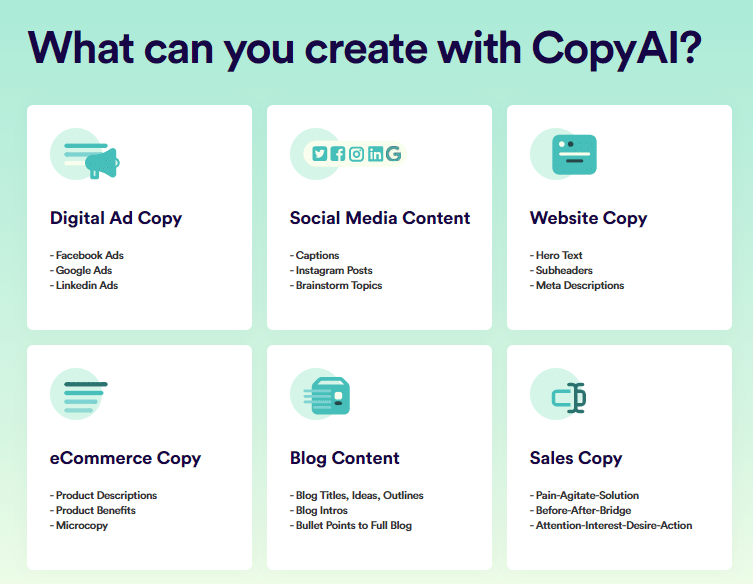
Copy AI is an innovative writing assistance platform that leverages artificial intelligence technology to assist writers and marketers in crafting compelling and effective written content. From generating copy and headlines to refining messaging and improving readability, Copy AI provides users with powerful tools and capabilities to enhance their writing and achieve their content marketing goals.
Key Features and Functionalities
AI-Powered Copy Generation: Copy AI offers AI-powered copy generation tools that help users create engaging and persuasive written content for various purposes, including marketing campaigns, social media posts, and website copy. By analyzing language patterns and user input, Copy AI generates high-quality copy tailored to the user’s specific needs and objectives.
Headline Optimization: Copy AI provides headline optimization tools that help users craft attention-grabbing headlines and titles for their content. By analyzing headline effectiveness and engagement metrics, Copy AI offers suggestions and improvements to help users maximize the impact of their content and increase click-through rates.
Message Refinement: Copy AI assists users in refining their messaging and communication strategies to better resonate with their target audience. Whether crafting marketing messages, email campaigns, or ad copy, Copy AI offers insights and recommendations to help users convey their brand voice and key messages effectively.
Readability Enhancement: Copy AI helps users improve the readability and clarity of their written content by offering suggestions for sentence structure, grammar, and punctuation. By analyzing readability metrics and readability scores, Copy AI helps users create content that is easy to understand and engaging for their audience.
A/B Testing and Performance Analysis: Copy AI provides A/B testing and performance analysis tools that help users measure the effectiveness of their written content and optimize their messaging strategies. By analyzing engagement metrics and conversion rates, Copy AI helps users identify top-performing content and make data-driven decisions to improve their content marketing efforts.
Subscription and Pricing
Free: $0/month; For individuals just starting with AI powered solutions; 1 Seat, 2,000 Words in Chat and 200 Bonus Credits
Pro: $49/month montlhy or $36/month billed yearly ($432); For entrepreneurs or small teams maximizing output; 5 Seats, Unlimited Words in Chat and 500 Workflow Credits/Mo
Team: $249/month montlhy or $186/month billed yearly ($2.232); For growing teams integrating AI into their daily routines; 20 Seats, Unlimited Words in Chat and 3K Workflow Credits/Mo
Enterprise: Contact Team; For organizations ready to power their GTM with AI; Unlimited Seats, SSO & Infosec review, SOC II Type 2, Account Manager, Dedicated AI Training and Workflow Enablement
Tricks for Maximizing Copy AI
Define Your Objectives: Clearly define your objectives and goals before using Copy AI to ensure that your written content aligns with your overall marketing strategy and objectives.
Experiment with Different Inputs: Experiment with different input options and prompts to generate a variety of copy and messaging options. Use Copy AI’s versatility to explore different tones, styles, and messaging approaches to find what resonates best with your audience.
Iterate and Refine: Iterate on your copy and messaging by testing different variations and analyzing performance metrics. Use Copy AI’s A/B testing and performance analysis tools to identify top-performing content and make data-driven decisions to improve your messaging strategies over time.
Stay Creative and Authentic: While Copy AI offers powerful assistance and suggestions, it’s essential to stay creative and authentic in your writing. Use Copy AI as a tool to enhance your creativity and writing process, but always infuse your own voice and personality into your content to connect with your audience on a deeper level.
Stay Updated with Best Practices: Stay informed about industry trends, best practices, and emerging technologies in content marketing and writing. Attend webinars, read industry publications, and participate in online communities to stay ahead of the curve and leverage Copy AI’s capabilities to their fullest potential.
ART

DALL·E

DALLE is an innovative image generation platform that leverages state-of-the-art artificial intelligence technology to produce high-quality, diverse, and contextually relevant images based on textual descriptions. By understanding and interpreting textual prompts, DALLE generates images that reflect the semantics and intricacies of the input, providing users with a powerful tool to unleash their creativity and visualize their ideas.
Key Features and Functionalities
Text-to-Image Generation: DALLE offers text-to-image generation capabilities that allow users to generate images based on textual descriptions. Whether describing scenes, objects, or abstract concepts, DALLE interprets the input text and generates corresponding visual representations with remarkable accuracy and fidelity.
Style Transfer and Adaptation: DALLE enables users to apply style transfer and adaptation techniques to generated images, allowing them to customize and refine the visual output according to their preferences. By modifying parameters such as color palettes, artistic styles, and visual elements, users can create unique and personalized images that reflect their artistic vision.
Semantic Understanding: DALLE demonstrates a deep understanding of semantics and context, enabling users to generate images that accurately reflect the meaning and intent behind the input text. Whether generating realistic depictions or surrealistic interpretations, DALLE ensures that the generated images maintain semantic coherence and relevance to the textual descriptions.
Customization and Control: DALLE provides users with a range of customization options and controls to fine-tune the image generation process. From adjusting image resolution and composition to controlling stylistic elements and visual effects, users have full control over the creative process, allowing them to achieve their desired artistic outcomes.
Endless Creative Possibilities: DALLE unlocks endless creative possibilities by offering users a vast and diverse dataset of visual concepts and themes. From nature landscapes and architectural structures to fantastical creatures and abstract compositions, DALLE empowers users to explore and experiment with a wide range of visual ideas and expressions.
Subscription and Pricing
Click HERE for pricing.
Tips and Tricks for Maximizing DALLE:
Provide Detailed Descriptions: To maximize the accuracy and relevance of generated images, provide detailed and descriptive textual prompts that convey the desired visual concepts and elements with clarity and precision.
Experiment with Styles and Effects: Explore different stylistic elements, effects, and parameters to customize and enhance the visual output. Experiment with style transfer techniques, color palettes, and artistic filters to achieve diverse and visually striking results.
Iterate and Refine: Iterate on the image generation process by experimenting with various input texts and customization options. Refine the generated images through multiple iterations, incorporating feedback and adjustments to achieve the desired artistic vision and quality.
Explore Creative Combinations: Combine textual prompts and concepts in innovative and unexpected ways to generate unique and imaginative visual compositions. Experiment with juxtaposing contrasting elements, exploring abstract interpretations, and blending diverse themes to spark creativity and inspiration.
Stay Inspired and Curious: Stay inspired and curious by exploring DALLE’s vast dataset of visual concepts and themes. Draw inspiration from a wide range of sources, including art, literature, nature, and culture, and leverage DALLE’s capabilities to bring your creative visions to life in new and unexpected ways.
More on DALL·E Read here; (Coming March 20)
canva magic studio
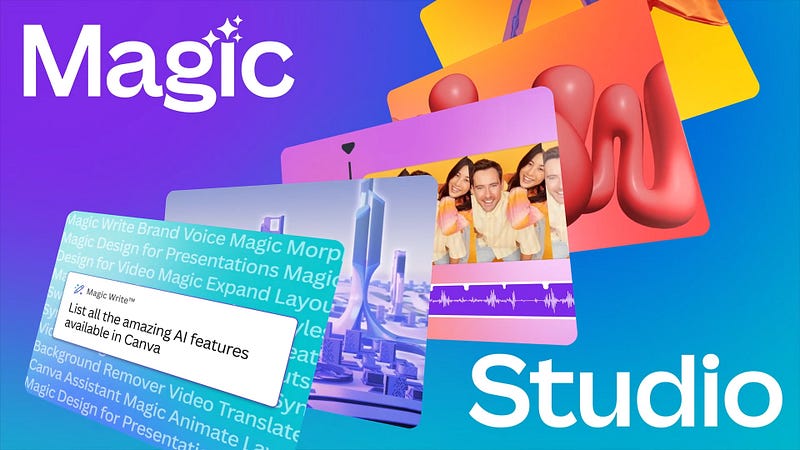
Canva Magic Studio is an innovative design platform that leverages artificial intelligence technology to assist designers, marketers, and businesses in creating compelling and visually impactful designs. From generating design concepts and providing design suggestions to offering feedback and enhancing designs, Canva Magic Studio provides users with a comprehensive set of AI-enhanced tools and capabilities to streamline their design workflows and achieve their creative goals.
Key Features and Functionalities:
AI-Powered Design Suggestions: Canva Magic Studio offers AI-powered design suggestion tools that help users generate design concepts and ideas based on their input and preferences. By analyzing design trends and user behavior, Canva Magic Studio provides personalized suggestions and recommendations to inspire creativity and streamline the design process.
Smart Layout and Composition Assistance: Canva Magic Studio provides smart layout and composition assistance features that help users arrange and organize design elements with precision and efficiency. Whether designing social media graphics, presentations, or marketing materials, Canva Magic Studio offers suggestions for layout, alignment, and spacing to enhance the visual appeal and readability of designs.
Automatic Color Palette Generation: Canva Magic Studio automatically generates color palettes based on user input and design context, allowing users to create cohesive and visually harmonious designs. By analyzing color theory principles and design aesthetics, Canva Magic Studio offers suggestions for color combinations, gradients, and tones to elevate the overall look and feel of designs.
Intelligent Image and Asset Selection: Canva Magic Studio assists users in selecting and incorporating images and assets into their designs with ease and efficiency. By analyzing image content and user preferences, Canva Magic Studio offers recommendations for high-quality stock photos, illustrations, icons, and graphics that complement the design and convey the intended message effectively.
Real-time Design Feedback and Analysis: Canva Magic Studio provides real-time feedback and analysis on user designs, highlighting areas for improvement and suggesting enhancements to optimize visual impact and engagement. Whether refining typography, adjusting visual hierarchy, or optimizing image placement, Canva Magic Studio helps users create designs that resonate with their audience and achieve their design objectives.
Subscription and Pricing
Canva offers multiple subscription plans. Free, Pro and For Teams. Each plan has a price montlhy or billed yearly (cheaper)
For more info click HERE
Tips and Tricks for Maximizing Canva Magic Studio
Experiment with Design Suggestions: Take advantage of Canva Magic Studio’s AI-powered design suggestions to explore new design concepts and ideas. Experiment with different suggestions and variations to find inspiration and spark creativity in your designs.
Customize Layouts and Compositions: Customize layouts and compositions using Canva Magic Studio’s smart layout assistance features. Adjust alignment, spacing, and visual hierarchy to create designs that are visually appealing and easy to understand.
Explore Color Palettes: Explore color palettes generated by Canva Magic Studio to find the perfect combination for your designs. Experiment with different color schemes, gradients, and tones to evoke the desired mood and convey the intended message effectively.
Curate High-Quality Assets: Curate high-quality images and assets from Canva Magic Studio’s extensive library to enhance your designs. Choose images that align with your brand identity and design aesthetic to create visually stunning and cohesive compositions.
Iterate and Refine: Iterate on your designs by soliciting feedback from peers, colleagues, and clients. Use Canva Magic Studio’s real-time feedback and analysis tools to identify areas for improvement and make adjustments to optimize visual impact and engagement.
Photoshop

Adobe Photoshop stands as a cornerstone tool for professionals and enthusiasts alike. With the integration of artificial intelligence (AI) features, Adobe Photoshop has evolved to offer a new dimension of creativity and efficiency. By harnessing advanced AI-driven tools and capabilities, Photoshop empowers users to enhance their creative workflows, streamline complex tasks, and unlock new possibilities in image editing and design.
AI-Powered Features in Adobe Photoshop
Content-Aware Fill:
- Adobe Photoshop’s Content-Aware Fill feature leverages AI algorithms to intelligently fill in missing areas or remove unwanted elements from images seamlessly.
- By analyzing surrounding pixels and textures, Content-Aware Fill can accurately predict and generate new content, enabling users to retouch images with precision and efficiency.
Enhanced Selections and Masking:
- Photoshop’s AI-powered selection and masking tools utilize machine learning algorithms to improve accuracy and efficiency in selecting and isolating objects within images.
- With features like Select Subject and Select and Mask, Photoshop can intelligently detect and outline subjects, even in complex scenes, reducing the need for manual refinement and saving time in the editing process.
Sky Replacement:
- The Sky Replacement feature in Photoshop utilizes AI technology to automatically identify and replace skies in photos with realistic alternatives.
- By analyzing image content and scene context, Photoshop can seamlessly blend new skies into photographs, adjusting colors, lighting, and atmospheric effects to create stunning and natural-looking results.
Neural Filters:
- Adobe Photoshop’s Neural Filters offer a range of AI-powered effects and adjustments that enable users to enhance portraits, transform landscapes, and stylize images with ease.
- From age progression and facial expression manipulation to style transfer and colorization, Neural Filters leverage machine learning algorithms to achieve sophisticated and customizable effects.
Pattern Preview:
- The Pattern Preview feature in Photoshop utilizes AI to generate and visualize seamless patterns in real-time, allowing users to experiment with different designs and layouts effortlessly.
- By dynamically generating patterns based on user input and parameters, Pattern Preview enables designers to preview how patterns will appear when applied to surfaces or textiles, facilitating design exploration and iteration.
Integration of AI in Adobe Photoshop:
Adobe Photoshop seamlessly integrates AI-driven features into its existing suite of tools and functionalities, enhancing the user experience and expanding creative possibilities. Whether retouching photos, designing graphics, or creating digital art, Photoshop’s AI-powered features empower users to achieve professional-quality results with greater efficiency and precision.
Subscription and Pricing
Adobe Photoshop’s AI-powered features are included as part of Adobe Creative Cloud subscriptions, which offer various plans tailored to the needs of individuals, students, businesses, and teams. Pricing varies depending on the plan and subscription tier, with options for monthly or annual billing. see everything, click HERE
Tips for Maximizing AI-Powered Features in Adobe Photoshop
Experiment and Explore: Take the time to experiment with Adobe Photoshop’s AI-powered features and explore their capabilities. Try out different tools and effects to discover new ways of enhancing your images and designs.
Combine AI with Manual Editing: While AI can automate many tasks, don’t hesitate to combine AI-powered features with manual editing techniques for optimal results. Use AI as a starting point and then fine-tune adjustments manually for greater control and customization.
Stay Updated: Adobe frequently updates Photoshop with new AI-powered features and enhancements. Stay informed about the latest updates and releases to take advantage of the newest tools and capabilities available.
Learn and Grow: Invest time in learning about AI-driven workflows and techniques in Photoshop. Explore tutorials, online resources, and community forums to expand your knowledge and skills in leveraging AI for creative projects.
More on Photoshop Read here; (Coming March 21)
Lyricstudio
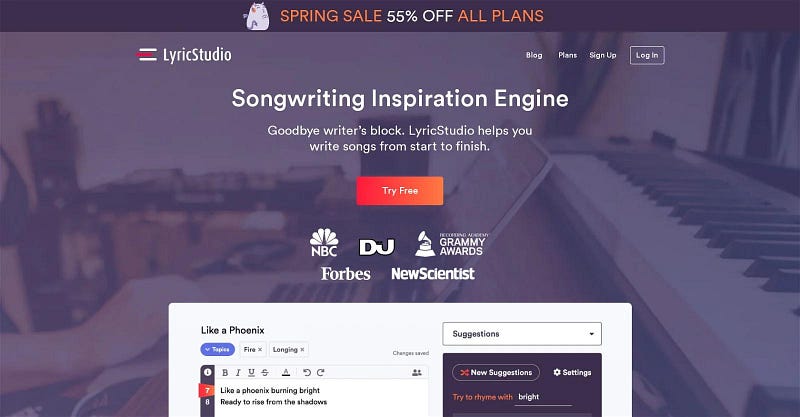
LyricStudio is an innovative songwriting platform that leverages artificial intelligence technology to assist musicians and songwriters in crafting compelling and em otive lyrics. From generating lyric ideas and providing songwriting prompts to offering feedback and enhancing lyrical compositions, LyricStudio provides users with a comprehensive set of AI-enhanced tools and capabilities to streamline their songwriting process and achieve their creative aspirations.
Key Features and Functionalities:
AI-Powered Lyric Generation: LyricStudio offers AI-powered lyric generation tools that help users generate lyric ideas and themes based on their input and preferences. By analyzing lyrical patterns and user-provided context, LyricStudio generates high-quality lyric suggestions that resonate with the user’s artistic vision and emotional expression.
Emotion Analysis and Feedback: LyricStudio provides emotion analysis and feedback features that help users understand the emotional impact and resonance of their lyrical compositions. By analyzing lyrical themes, sentiment, and tone, LyricStudio offers insights and recommendations to help users convey their intended emotions and connect with their audience on a deeper level.
Rhyme and Meter Assistance: LyricStudio assists users in crafting lyrical compositions with rhyme and meter assistance tools. Whether writing in free verse or adhering to traditional song structures, LyricStudio offers suggestions for rhyme schemes, syllable counts, and rhythmic patterns to enhance the flow and coherence of lyrical compositions.
Collaborative Songwriting Support: LyricStudio facilitates collaborative songwriting by providing tools and features for sharing and co-editing lyrical compositions with collaborators and bandmates. Whether collaborating in real-time or asynchronously, LyricStudio offers a collaborative platform for users to work together and bring their musical ideas to fruition.
Songwriting Inspiration and Prompts: LyricStudio offers songwriting inspiration and prompts to help users overcome creative blocks and spark new ideas. From thematic prompts and lyrical challenges to genre-specific prompts and writing exercises, LyricStudio provides users with endless sources of inspiration to fuel their creativity and experimentation.
Subscription and Pricing
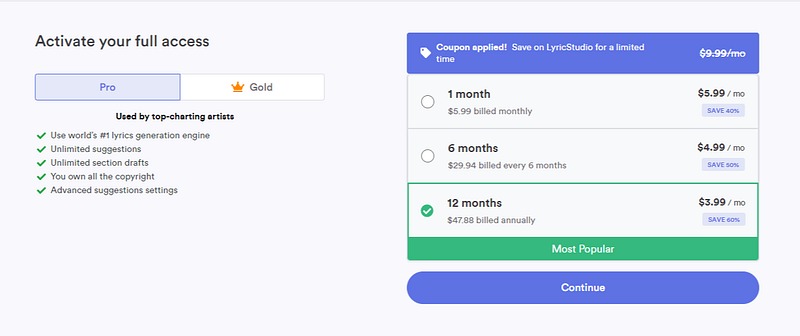
Lyricstudio offers 2 plans with different options.
Pro
Gold
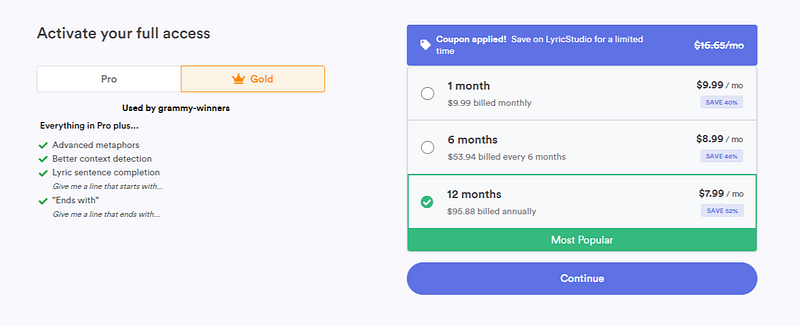
So cheapest option would be Pro 12months for 3.99, most expensive is the gold plan billed montlhy for 9.99.
Tips and Tricks for Maximizing LyricStudio
Explore Lyric Ideas and Themes: Use LyricStudio’s AI-powered lyric generation tools to explore new lyric ideas and themes. Experiment with different prompts and concepts to discover unique lyrical expressions that resonate with your artistic vision and personal experiences.
Analyze Emotion and Tone: Utilize LyricStudio’s emotion analysis and feedback features to understand the emotional impact and tone of your lyrical compositions. Pay attention to lyrical themes, sentiment, and imagery to convey your intended emotions and connect with your audience authentically.
Craft Memorable Rhymes and Hooks: Leverage LyricStudio’s rhyme and meter assistance tools to craft memorable rhymes and hooks that stick with your listeners. Experiment with different rhyme schemes and rhythmic patterns to create lyrical compositions that are catchy, memorable, and engaging.
Collaborate with Others: Collaborate with fellow musicians and songwriters using LyricStudio’s collaborative songwriting support features. Share your lyrical compositions, exchange ideas, and co-create songs with collaborators to bring your musical visions to life in new and exciting ways.
Draw Inspiration from Prompts: Draw inspiration from LyricStudio’s songwriting inspiration and prompts to overcome creative blocks and spark new ideas. Use thematic prompts, writing exercises, and lyrical challenges to explore new genres, styles, and storytelling techniques in your songwriting practice.
Pictory
Pictory is an advanced video creation platform that utilizes AI technology to assist users in converting text-based content into compelling and visually appealing videos. With its intuitive interface and powerful AI-driven tools, Pictory empowers creators, marketers, and businesses to produce professional-quality videos effortlessly and efficiently.
Key Features and Functionalities
Text-to-Video Conversion: Pictory’s AI-powered text-to-video conversion tool analyzes text input by users and automatically generates corresponding video content. By understanding the context and sentiment of the text, Pictory creates dynamic video sequences that effectively convey the message and engage the audience.
Customizable Video Templates: Pictory offers a diverse selection of customizable video templates for various purposes, including marketing campaigns, educational content, social media posts, and more. Users can choose from a range of templates and customize them with their own text, images, and branding elements to create videos that align with their objectives and brand identity.
Media Library Integration: Pictory seamlessly integrates with a vast media library containing royalty-free images, videos, and music tracks. Users can easily browse and select multimedia assets to enhance their videos and add visual interest and depth to their storytelling.
Voiceover and Audio Options: Pictory provides users with options to add voiceovers and audio elements to their videos. Users can choose from AI-generated voiceovers or upload their own audio files to personalize their videos and enhance the viewing experience.
Real-time Preview and Editing: Pictory offers real-time preview and editing capabilities, allowing users to preview their videos as they create them and make adjustments on the fly. With features such as text editing, image cropping, and transition effects, users can fine-tune their videos to perfection before finalizing them for publication.
Subscription and Pricing
Free Trial; Free trial plan allows you to create 3 video projects, each of up to 10 mins long!
Starter; $23/month montlhy or $19/month billed yearly
Professional; $47/month montlhy or $39/month billed yearly
Teams; $119/month montlhy or $99/month billed yearly
Click HERE for all details
Tips and Best Practices for Maximizing Pictory
Craft Compelling Text Content: Start with clear and concise text content that effectively communicates your message and captures the viewer’s attention. Use compelling language, storytelling techniques, and relevant keywords to engage your audience and keep them interested in your video.
Choose the Right Template: Select a video template that aligns with the tone, style, and purpose of your content. Whether you’re creating a promotional video, educational tutorial, or social media post, choose a template that provides the structure and visual elements needed to support your message effectively.
Enhance with Visual and Audio Elements: Incorporate multimedia elements such as images, videos, and music tracks to enhance the visual appeal and storytelling of your video. Use high-quality media assets to add depth, emotion, and context to your content and create a more engaging viewing experience for your audience.
Personalize and Brand: Customize your video with branding elements such as logos, colors, and fonts to reinforce your brand identity and create a cohesive visual experience. Tailor the design and aesthetics of your video to align with your brand personality and messaging for maximum impact.
Test and Iterate: Review and iterate on your video content to ensure clarity, coherence, and effectiveness. Solicit feedback from peers, colleagues, or target audience members, and make adjustments as needed to optimize your video for engagement and impact.
Dream Studio
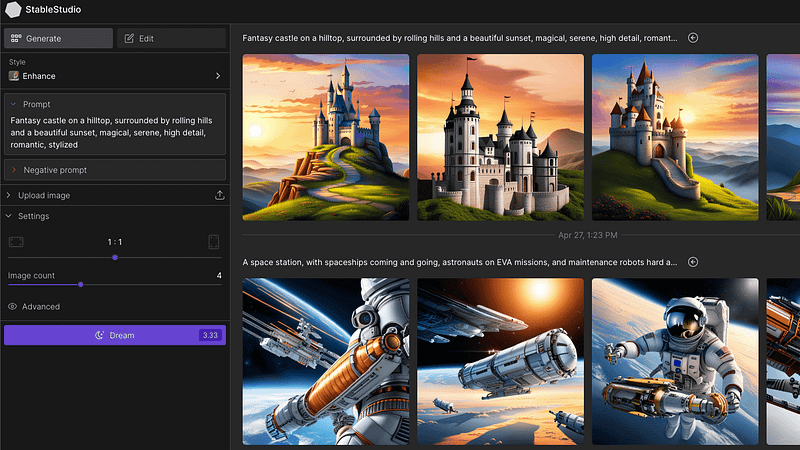
Dream Studio is a groundbreaking visual design platform that harnesses the capabilities of artificial intelligence to assist users in creating captivating and expressive visual compositions. From generating design concepts and providing artistic inspiration to offering customization options and enhancing visual effects, Dream Studio provides users with a comprehensive suite of AI-driven tools and functionalities to elevate their creative process and unlock new levels of artistic potential.
Key Features and Functionalities
AI-Powered Design Generation: Dream Studio offers AI-powered design generation tools that help users generate visual concepts and ideas based on their input and preferences. By analyzing artistic styles, design trends, and user-provided content, Dream Studio generates high-quality design suggestions that inspire creativity and serve as a foundation for further exploration and customization.
Artistic Inspiration and Exploration: Dream Studio provides users with a wealth of artistic inspiration and exploration features to fuel their creative process. From curated galleries and design showcases to interactive tutorials and educational resources, Dream Studio offers users endless sources of inspiration and guidance to spark creativity and experimentation.
Customizable Design Elements: Dream Studio offers customizable design elements and templates that enable users to personalize and tailor their visual compositions to suit their artistic vision and creative objectives. Whether designing digital artwork, illustrations, or graphic designs, Dream Studio provides users with a diverse array of design options and customization features to enhance their creative expression.
Visual Effects and Enhancement: Dream Studio facilitates visual effects and enhancement capabilities that allow users to elevate the visual impact and aesthetics of their creations. From adding filters and textures to adjusting lighting and color grading, Dream Studio empowers users to apply professional-grade visual effects and enhancements to their designs with ease and precision.
Real-time Collaboration and Feedback: Dream Studio supports real-time collaboration and feedback among users, enabling seamless communication and collaboration on creative projects. Whether collaborating with team members, sharing design concepts with clients, or seeking feedback from peers, Dream Studio provides users with a collaborative platform to exchange ideas, iterate on designs, and achieve their creative goals collectively.
Subscription and Pricing
We found that DreamStudio’s pricing is based on a pay-per-use model, charging approximately $1.18 for every 100 generation credits.
Tips and Tricks for Maximizing Dream Studio
Embrace Exploration and Experimentation: Take advantage of Dream Studio’s AI-powered design generation tools to explore new artistic styles, visual concepts, and creative ideas. Experiment with different design elements, techniques, and effects to push the boundaries of your creative expression and discover your unique artistic voice.
Seek Inspiration from Diverse Sources: Draw inspiration from Dream Studio’s curated galleries, design showcases, and educational resources to expand your creative horizons and discover new artistic influences. Explore diverse styles, genres, and artistic movements to enrich your creative vocabulary and inspire fresh ideas and perspectives.
Personalize and Customize Designs: Make use of Dream Studio’s customizable design elements and templates to personalize and tailor your visual compositions to reflect your artistic vision and creative preferences. Experiment with colors, typography, and layout to create designs that resonate with your audience and convey your intended message effectively.
Iterate and Refine Creatively: Iterate on your designs creatively by soliciting feedback from peers, collaborators, and mentors. Use Dream Studio’s real-time collaboration and feedback features to gather insights, refine your ideas, and evolve your designs iteratively to achieve the desired artistic outcome.
Stay Curious and Open-Minded: Stay curious and open-minded in your creative journey with Dream Studio. Explore new techniques, tools, and trends in visual design, and embrace the process of continuous learning and growth to evolve as an artist and creative professional.
BONUS: Leonardo
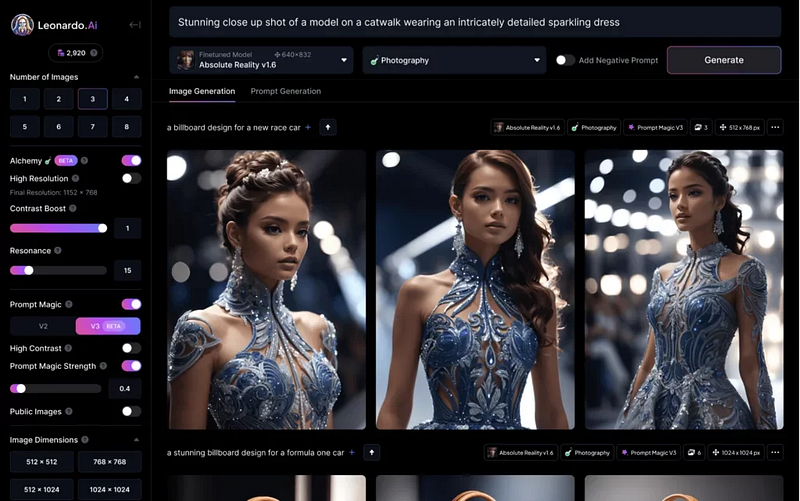
Leonardo is an innovative digital art platform that harnesses artificial intelligence technology to assist creators in bringing their artistic visions to life. From generating design concepts and providing artistic inspiration to offering customization options and enhancing visual effects, Leonardo provides users with a comprehensive suite of AI-driven tools and functionalities to elevate their creative process and unlock new levels of artistic potential.
Key Features and Functionalities
AI-Powered Artistic Assistance: Leonardo offers AI-powered artistic assistance tools that help users generate design ideas and inspiration based on their input and preferences. By analyzing artistic styles, visual trends, and user-provided content, Leonardo generates high-quality design suggestions that serve as a starting point for further exploration and customization.
Natural Media Simulation: Leonardo provides natural media simulation features that replicate the look and feel of traditional artistic mediums such as pencils, brushes, and watercolors. Whether creating digital paintings, illustrations, or sketches, Leonardo offers a range of realistic brush textures and effects to bring artistic visions to life with unparalleled authenticity and realism.
Advanced Layering and Composition: Leonardo facilitates advanced layering and composition capabilities that allow users to organize and manipulate design elements with precision and flexibility. From adjusting layer opacity and blending modes to transforming and masking layers, Leonardo empowers users to create complex and visually compelling compositions with ease and efficiency.
Intelligent Selection and Masking: Leonardo offers intelligent selection and masking tools that enable users to isolate and manipulate specific areas of their artwork with precision and accuracy. Whether refining edges, removing backgrounds, or applying selective adjustments, Leonardo provides intuitive selection and masking features to streamline the editing process and achieve desired results effortlessly.
Real-time Collaboration and Feedback: Leonardo supports real-time collaboration and feedback among users, enabling seamless communication and collaboration on creative projects. Whether collaborating with fellow artists, sharing works-in-progress with clients, or seeking feedback from peers, Leonardo provides users with a collaborative platform to exchange ideas, iterate on designs, and achieve their creative goals collectively.
Subscription and Pricing
Leonardo AI offers a free plan with limited usage and paid plans starting at $10/month, with options based on your image generation needs.
Tips and Tricks for Maximizing Leonardo
Experiment with Artistic Styles: Take advantage of Leonardo’s AI-powered artistic assistance tools to explore new artistic styles and visual concepts. Experiment with different brush textures, effects, and techniques to discover your unique artistic voice and creative expression.
Embrace Natural Media Simulation: Embrace the natural media simulation features in Leonardo to replicate the look and feel of traditional artistic mediums. Experiment with pencil sketches, watercolor washes, and oil paint textures to add depth and character to your digital artwork with lifelike authenticity.
Master Layering and Composition: Master the layering and composition capabilities in Leonardo to organize and manipulate design elements with precision and finesse. Experiment with layer blending modes, adjustment layers, and layer masks to create dynamic and visually compelling compositions that engage and captivate viewers.
Refine Selection and Masking Techniques: Refine your selection and masking techniques in Leonardo to isolate and manipulate specific areas of your artwork with accuracy and control. Practice refining edges, creating complex masks, and applying selective adjustments to achieve seamless integration and visual coherence in your designs.
Collaborate and Iterate Creatively: Collaborate with fellow artists and creators using Leonardo’s real-time collaboration features. Share works-in-progress, exchange feedback, and co-create artwork with collaborators to push the boundaries of your creativity and achieve artistic excellence through collective effort and collaboration.
More on Leonardo Read here; (Coming March 22)
Follow me for more insights, updates, and recommendations on harnessing the power of AI to drive innovation, inspire creativity, and transform the way we work and live!


