
I Tried 10 Free Background Remover Tools So You Don’t Have To
Here’s how my findings of background removal tools
Canva does many great things, but I am not thrilled with its image background removal tool. And I canceled my Adobe Suite, so I need to find an alternative to make life easier for my print-on-demand business.
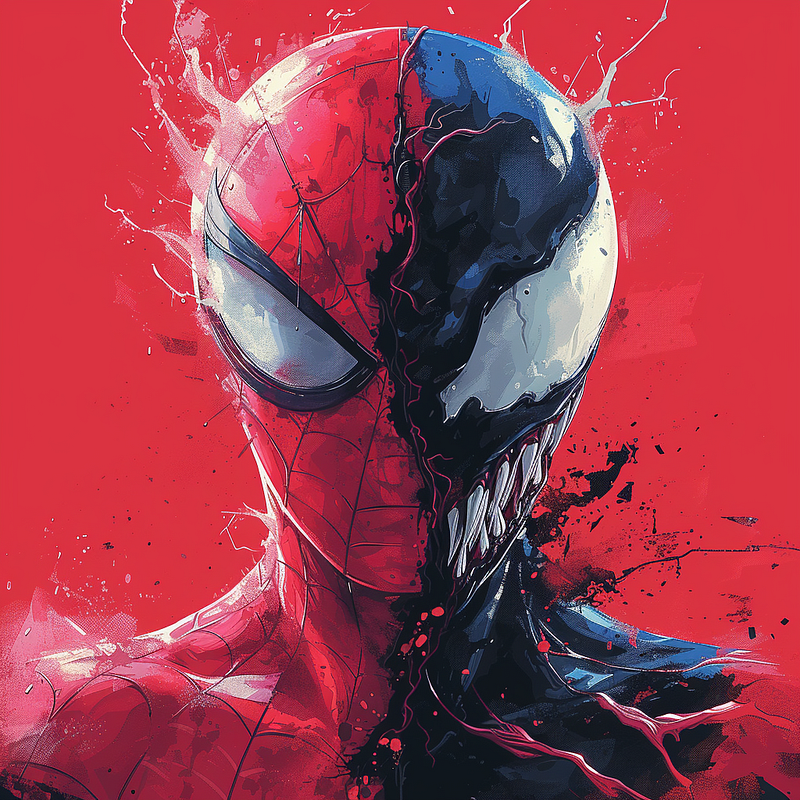
The following image was created using Midjourney. My son is a devout Spiderman fan. Don’t worry — I’m not selling the image, but it’s a great test case because of the intricate paint splatters.
Here’s Canva’s output:
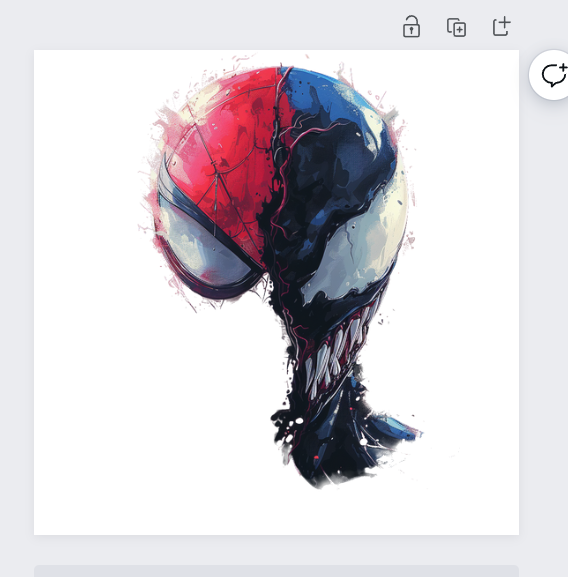
Chopping 1/4 of the image isn’t ideal for me lol.
- Simplified.com (free account)
Simplified did a bit better, but I still need Spiderman’s head.
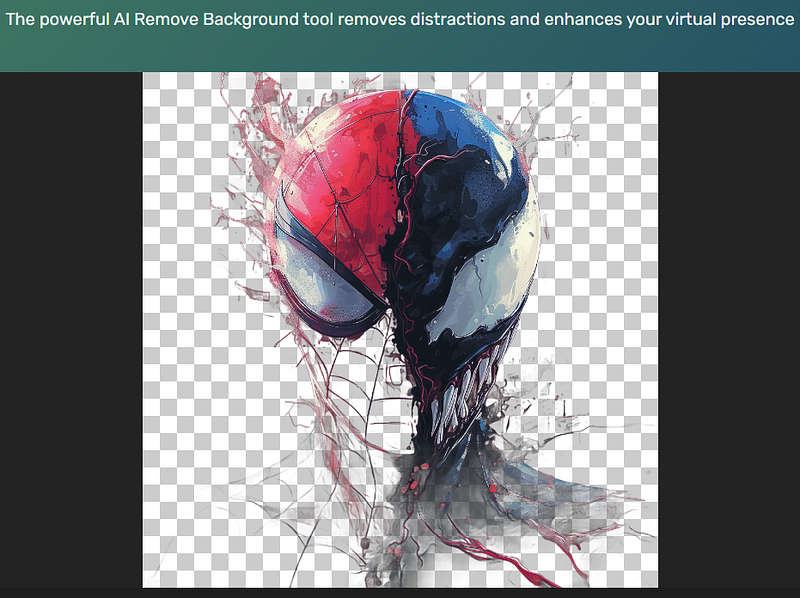
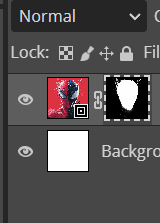
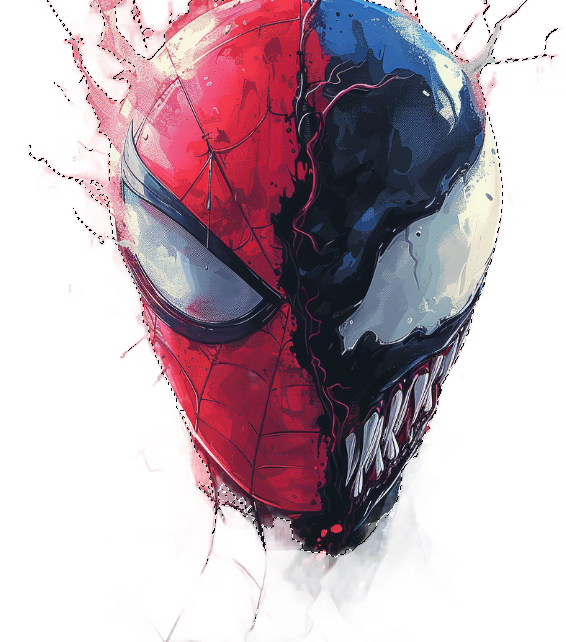
2. Photopea.com (free account)
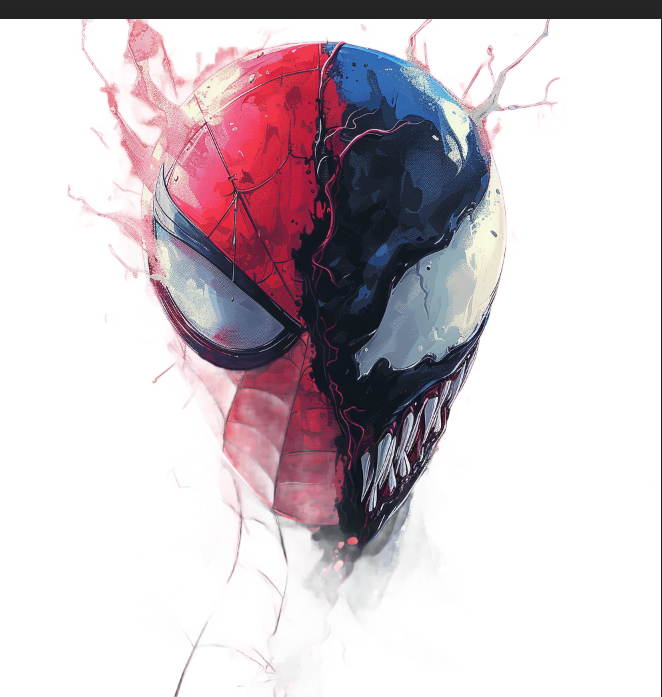
Photopea did a better job, and I can have greater control over editing.
3. Img-cut.aishoot.co (Free — no account)
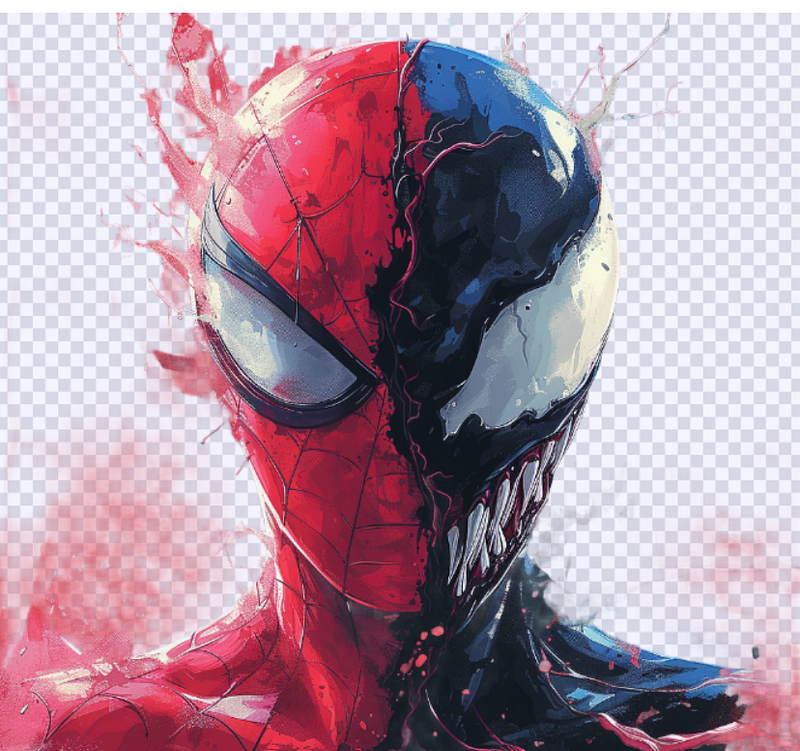
This is pretty good too. I found this website on a Reddit thread discussing Canva.
4. fotor (free)
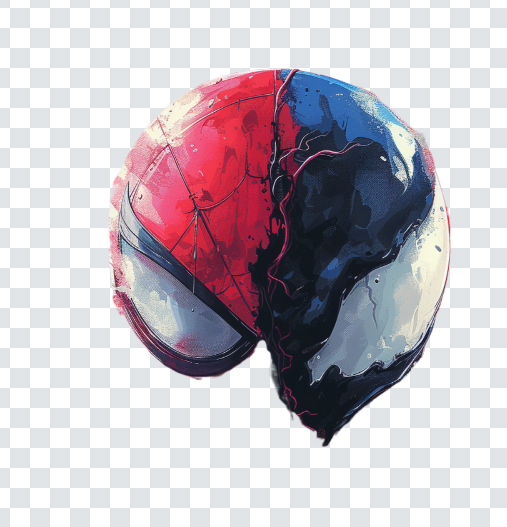
Missing half the image.
5. PhotoRoom.com (Free)
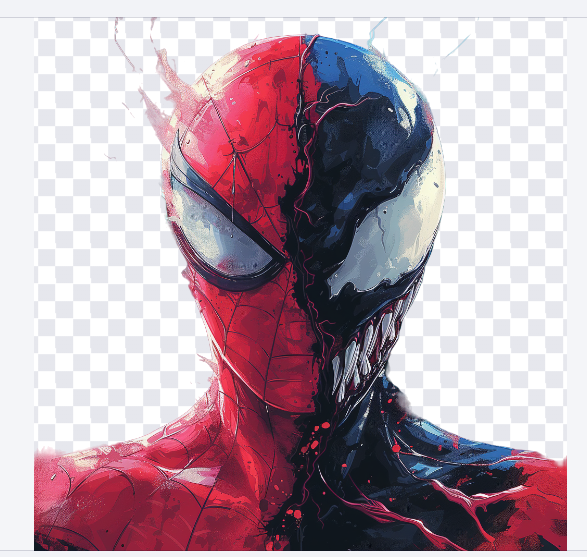
This is fantastic! And I have more control in editing process as well.
6. Slazzer.com
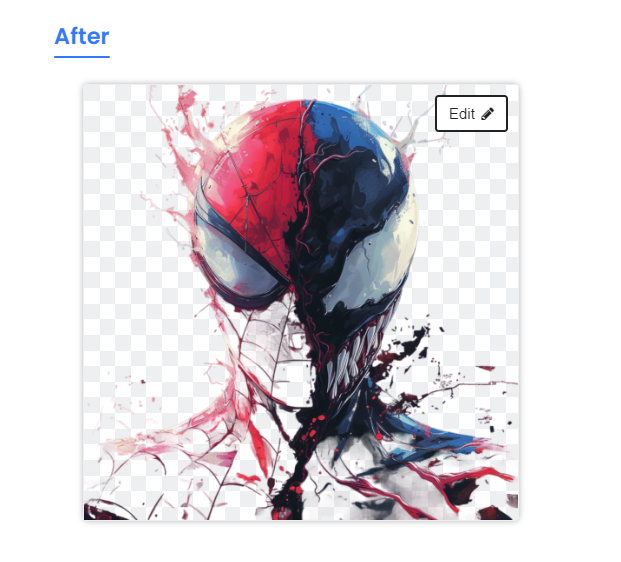
Yikes!
7. Erase.bg
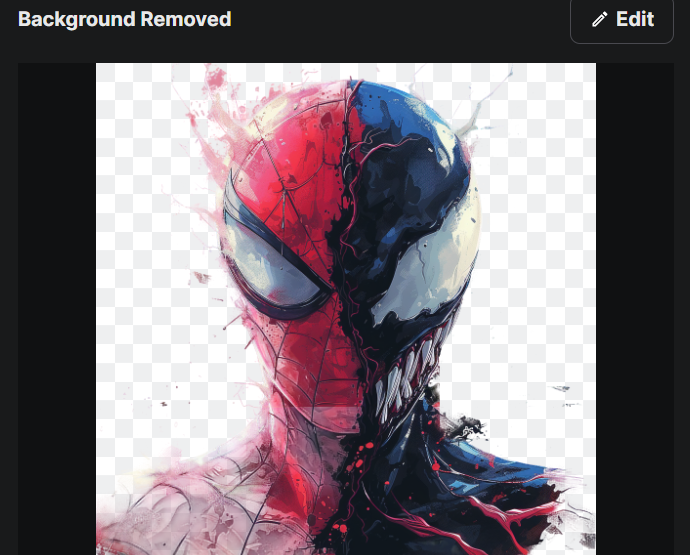
This one is not terrible, but I’m not sure why Spiderman’s chin is all white.
8. Pixlr.com
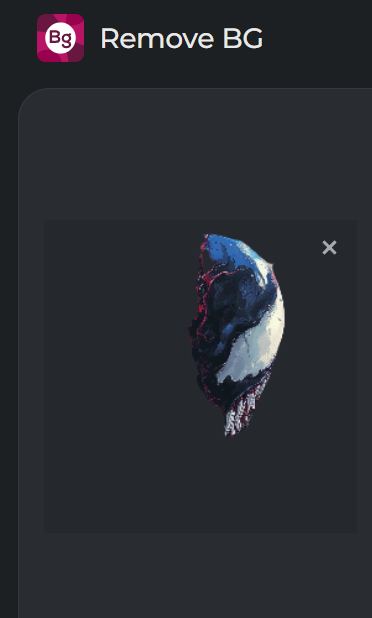
Nope!
9. Freebackgroundremover.com
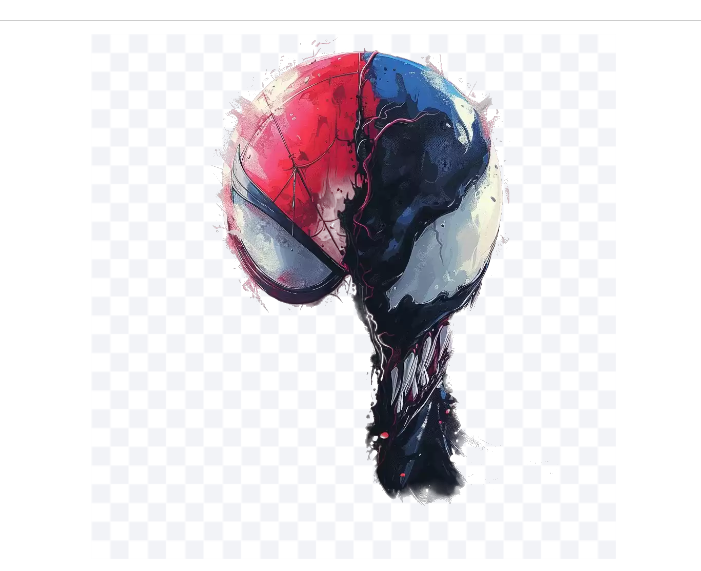
Not what I expected from a website that only removes backgrounds.
10. Pixelcut.ai
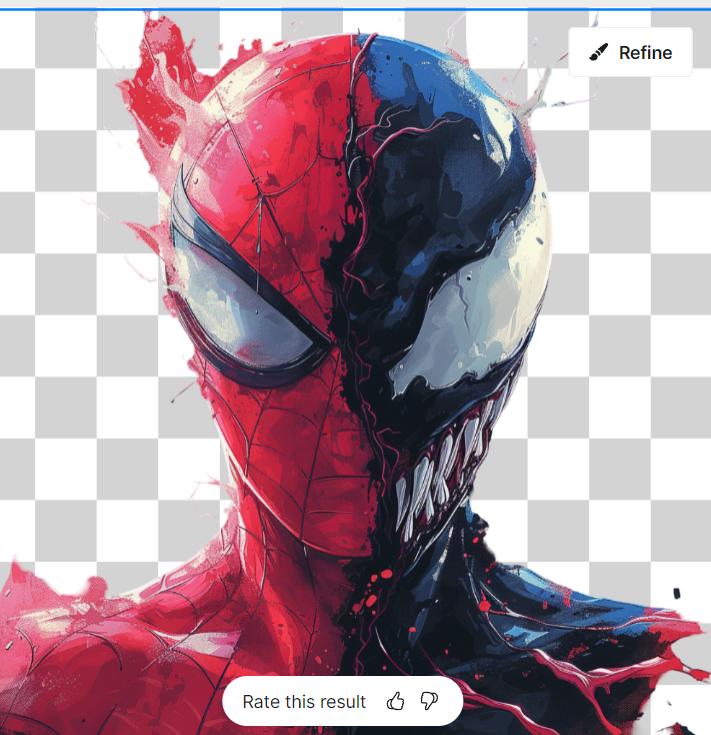
This is a pretty good job. Not sure why Venom’s shoulder was cut off, but I think the software did a great job of identifying the paint splatters.
Conclusion:
Photoroom was by far my favorite. Here’s the image again for reference.
As an added bonus, here’s Thor’s yearbook picture:
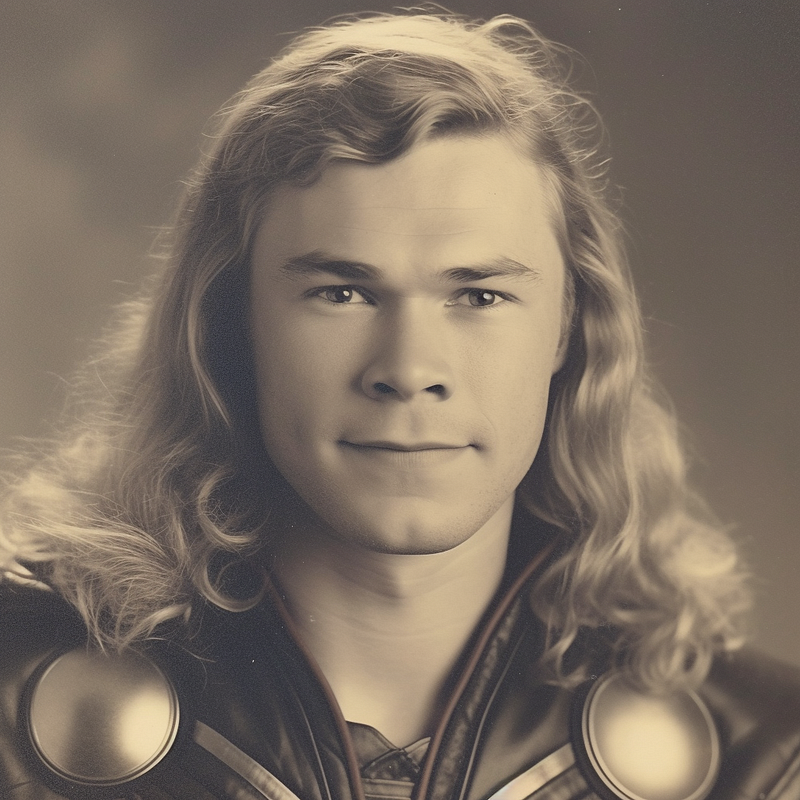
Now, with the background removed using Photoroom.com
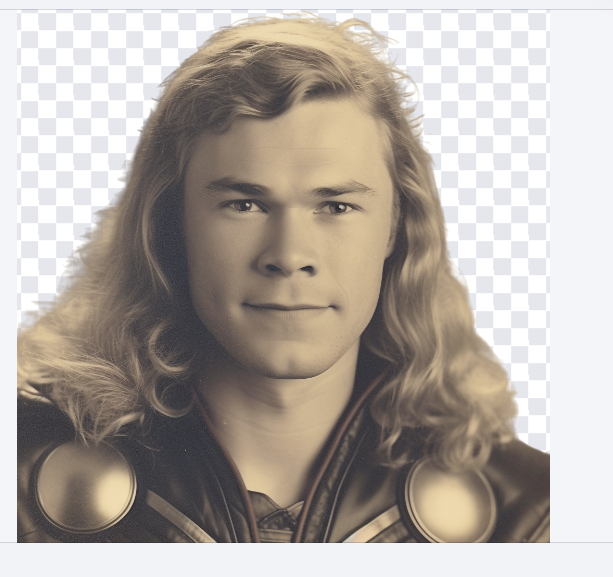
I hope you enjoy. Please share, clap, and comment if there’s any other tool I should review.