avatarAlexander Max

Free AI web copilot to create summaries, insights and extended knowledge, download it at here

1703

Abstract

in Europe. If you are ready, let’s begin to travel to the most beautiful cities.</p><h2 id="5ca0">1. First, Open Apple Maps on your device</h2><p id="ebe8">When it opens Apple Maps, click on the 3-D button where you want to travel. If you choose 3D on the right side of the big 3D you see all of the places with 3-D.</p><figure id="3b6c"><img src="https://cdn-images-1.readmedium.com/v2/resize:fit:800/1*[email protected]"><figcaption>this photo comes from the author's library.</figcaption></figure><h2 id="d67b">2. The Using the Feature of Apple Maps Flyover</h2><p id="d0d7">After you click on the button 3D, open a page that you see in the picture. You click again Flyover, therefore, would start an amazing journey over Paris city.</p><figure id="ac29"><img src="https://cdn-images-1.readmedium.com/v2/resize:fit:800/1*[email protected]"><figcaption>this photo comes from the author’s library.</figcaption></figure><h2 id="5bb5">3. Starting City Tour</h2><p id="2771">Before clicking on “Start City Tour,” you can move your device it provides to see all points in this city. You see the name of the districts.</p><figure id="8b99"><img src="https://cdn-images-1.readmedium.com/v2/resize:fit:800/1*[email protected]"><figcaption>this photo comes from the author’s library.</figcaption></figure><p id="b752">Our city tour is started. I would say that it is a good technology. My internet connection is weak. If your connection is better, you will take better results than my screen-shots. City Tour starts as a video record but I take screen-shots as photos and you see like this format.</p><h1 id="b707">And it’s Paris…</h1><figure id="3623"><img src="https://

Options

cdn-images-1.readmedium.com/v2/resize:fit:800/1*[email protected]"><figcaption>Eiffel Tower — this photo comes from the author’s library.</figcaption></figure><figure id="39c0"><img src="https://cdn-images-1.readmedium.com/v2/resize:fit:800/1*[email protected]"><figcaption>Louvre — this photo comes from the author’s library.</figcaption></figure><figure id="9289"><img src="https://cdn-images-1.readmedium.com/v2/resize:fit:800/1*[email protected]"><figcaption>Notre Dame de Paris — this photo comes from the author’s library.</figcaption></figure><figure id="1bc5"><img src="https://cdn-images-1.readmedium.com/v2/resize:fit:800/1*[email protected]"><figcaption>Grand Palais — this photo comes from the author’s library.</figcaption></figure><figure id="b038"><img src="https://cdn-images-1.readmedium.com/v2/resize:fit:800/1*[email protected]"><figcaption>Arc de Triomphe — this photo comes from the author’s library.</figcaption></figure><div id="81b8" class="link-block"> <a href="https://readmedium.com/why-did-i-break-off-google-maps-starting-to-use-apple-maps-ed412f12e97d"> <div> <div> <h2>Why Did I Break off Google Maps Starting to Use Apple Maps?</h2> <div><h3>The most obvious difference between them is that Apple Maps is more fruitful.</h3></div> <div><p>medium.com</p></div> </div> <div> <div style="background-image: url(https://miro.readmedium.com/v2/resize:fit:320/1*A2bbpPmmkl0nFJ5qRl5zMg.jpeg)"></div> </div> </div> </a> </div></article></body>

Travel

I Traveled to Paris City via Apple Maps Through The Feature of Flyover

If like to travel around the world, Apple Maps present to travel through the feature of Flyover. I traveled to Paris city. Let’s first look at how to do it and travel cities together.

Photo by Anthony DELANOIX on Unsplash

In daily life, we’ve been using severe different map applications such as Google Maps, Apple Maps, and Yandex Maps. These are the most famous applications used among people. We could generally the maps to arrive at a certain location whereas they present much more features to ease our life.

One of the examples of these features, my favorite, is to provide traveling around the world with strength 3-D technology. Through this feature, we review many places that wonder how there are looking. It’s not a substitution to travel physically but we couldn’t have enough facilities to see all of the world not only have no money but also have no time.

I’ve discovered the feature of Apple Maps many years ago. Then it doesn’t involve all of the regions in the world, some cities are still not available, it had presented nearly around the USA cities. Now, it’s getting more widespread including in Europe. If you are ready, let’s begin to travel to the most beautiful cities.

1. First, Open Apple Maps on your device

When it opens Apple Maps, click on the 3-D button where you want to travel. If you choose 3D on the right side of the big 3D you see all of the places with 3-D.
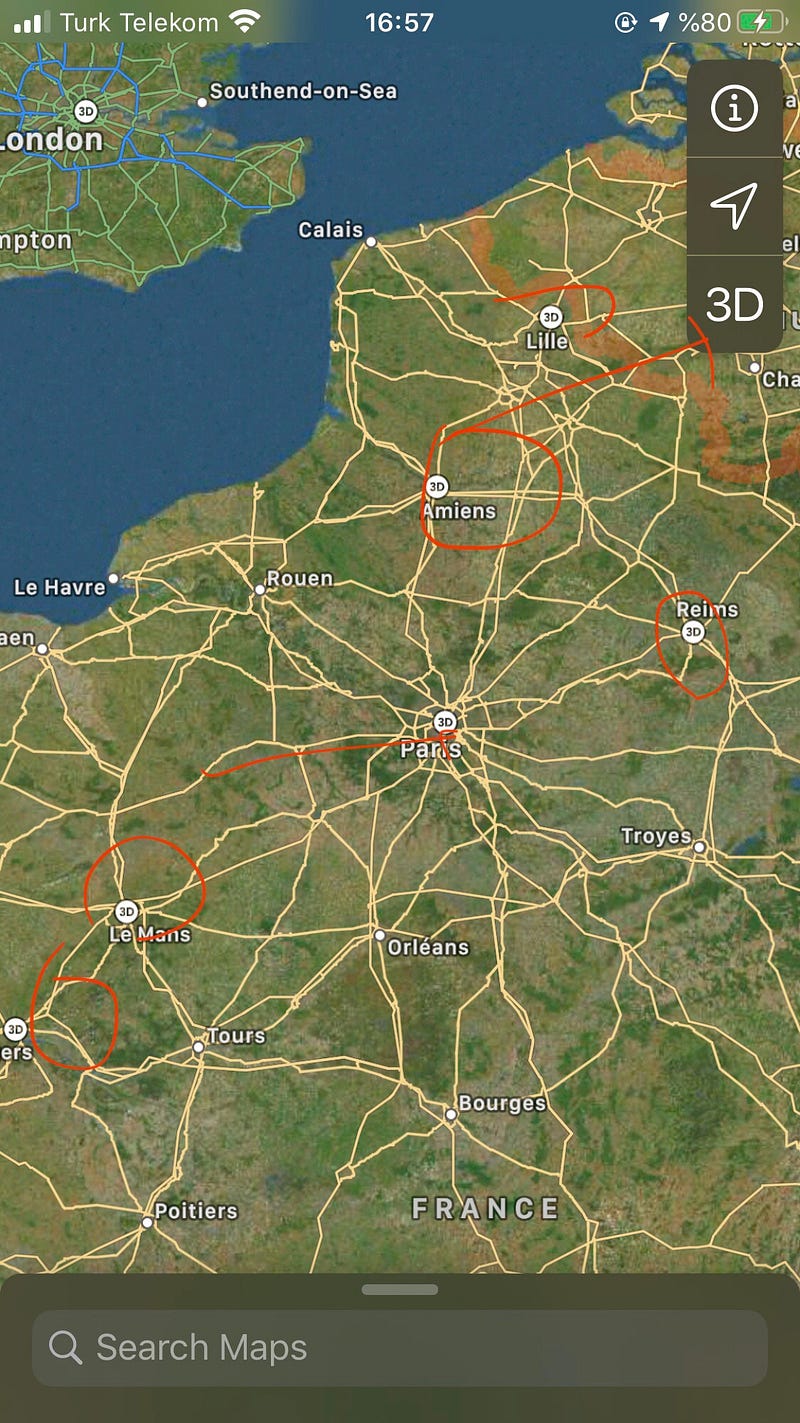
this photo comes from the author's library.

2. The Using the Feature of Apple Maps Flyover

After you click on the button 3D, open a page that you see in the picture. You click again Flyover, therefore, would start an amazing journey over Paris city.
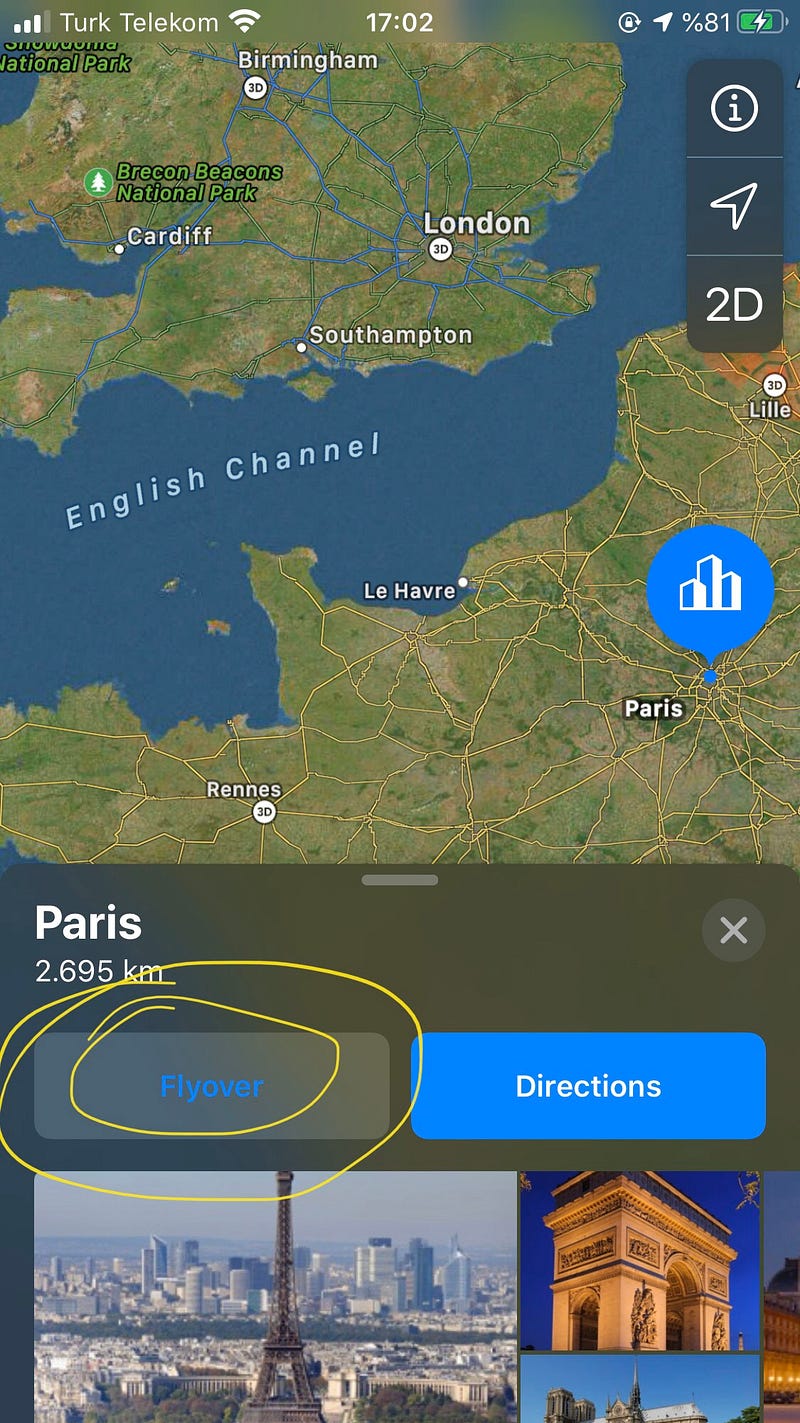
this photo comes from the author’s library.

3. Starting City Tour

Before clicking on “Start City Tour,” you can move your device it provides to see all points in this city. You see the name of the districts.
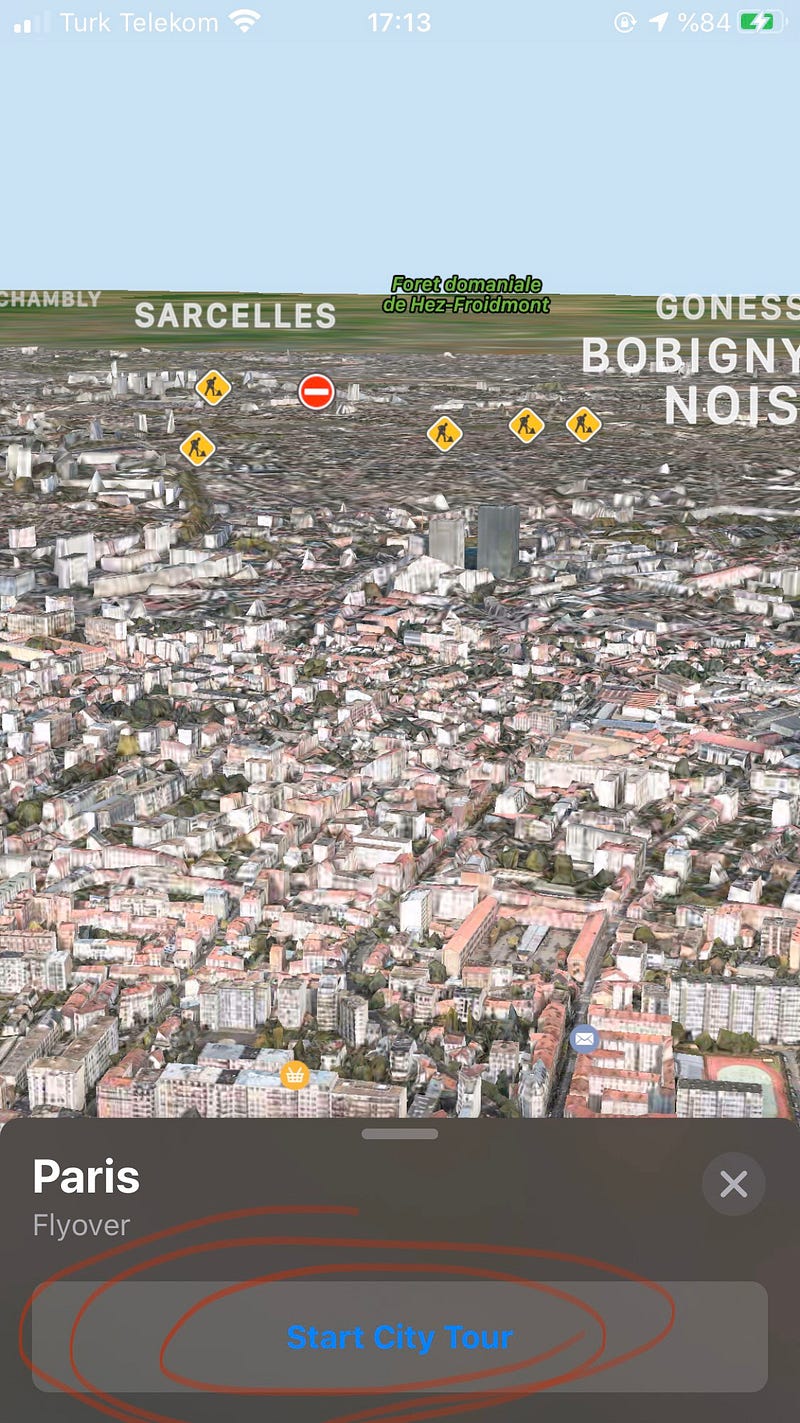
this photo comes from the author’s library.

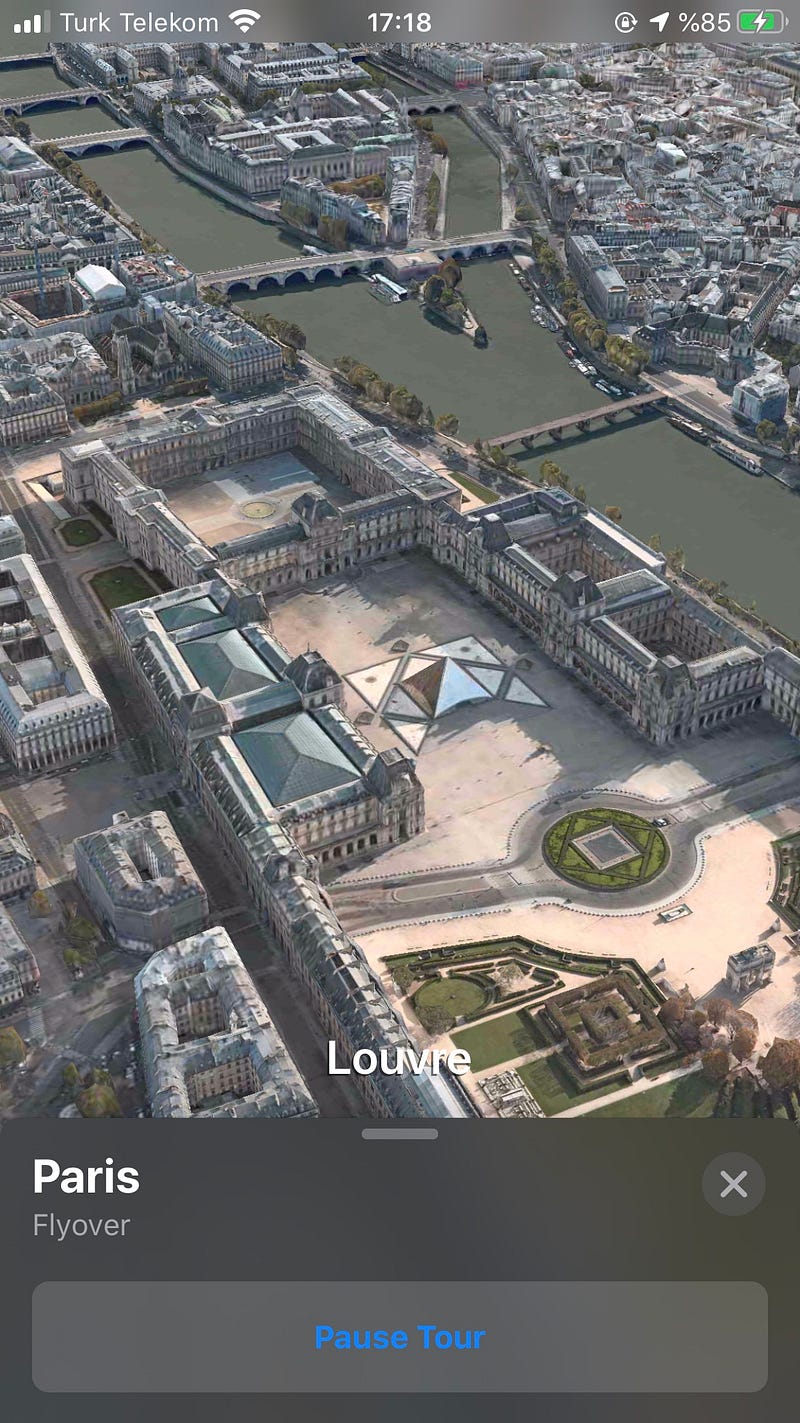
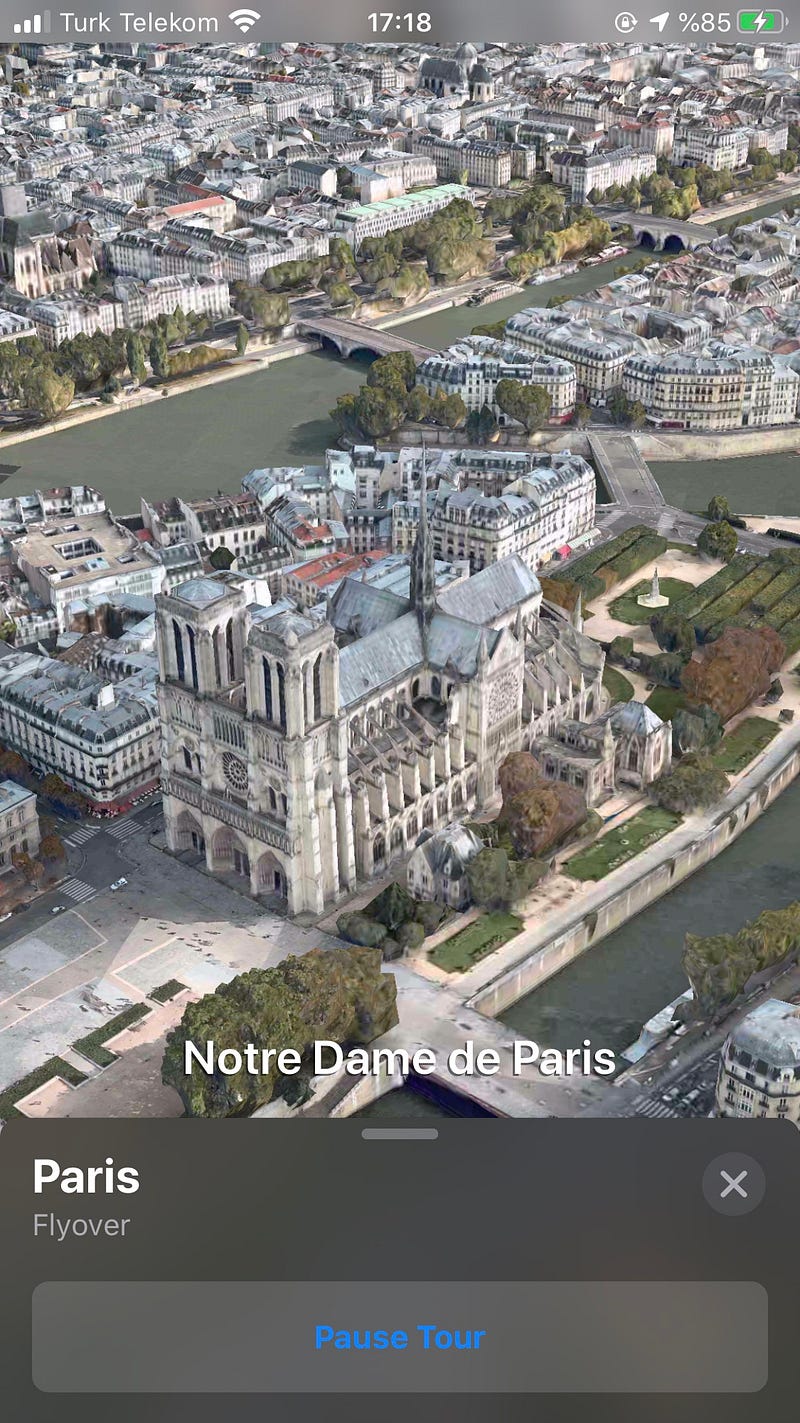
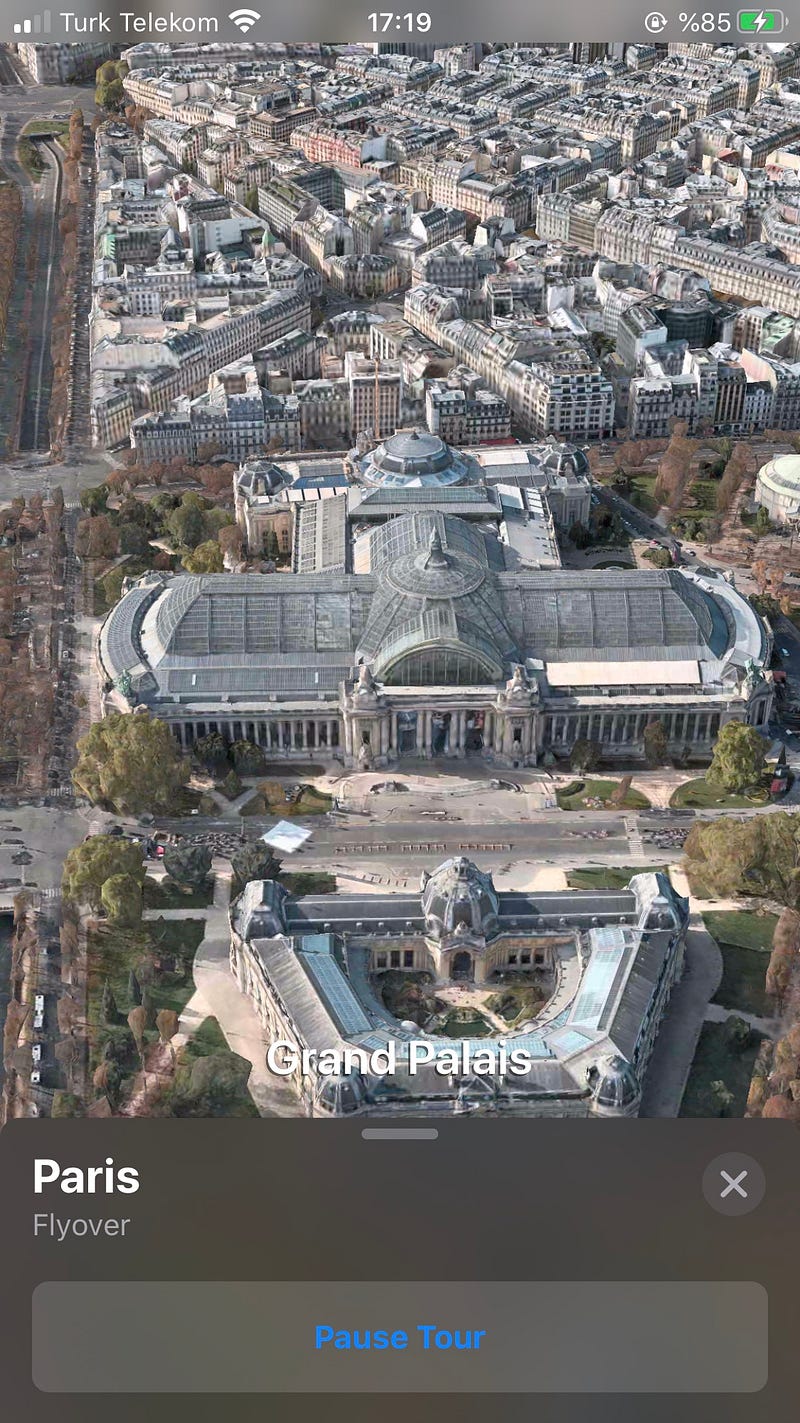
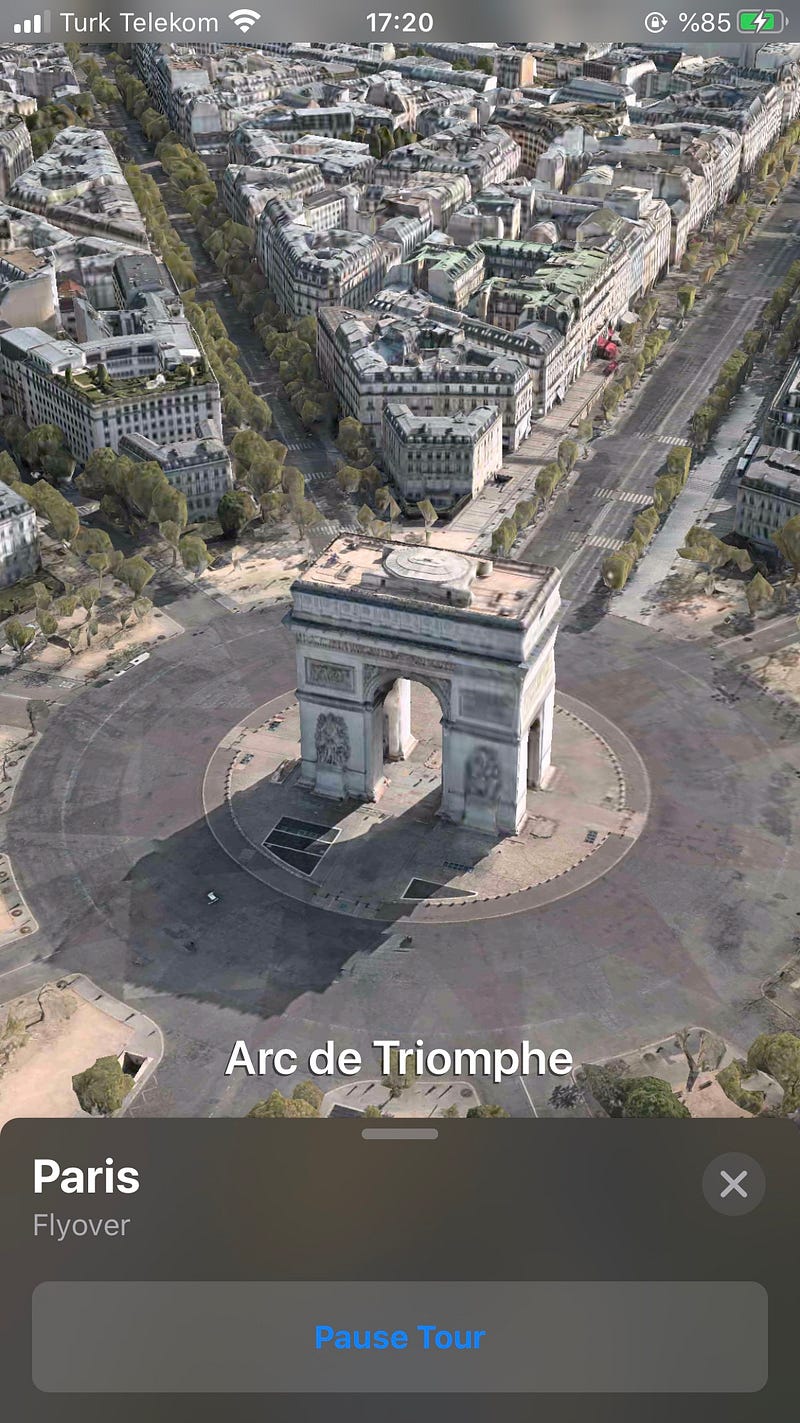
Our city tour is started. I would say that it is a good technology. My internet connection is weak. If your connection is better, you will take better results than my screen-shots. City Tour starts as a video record but I take screen-shots as photos and you see like this format.

And it’s Paris…
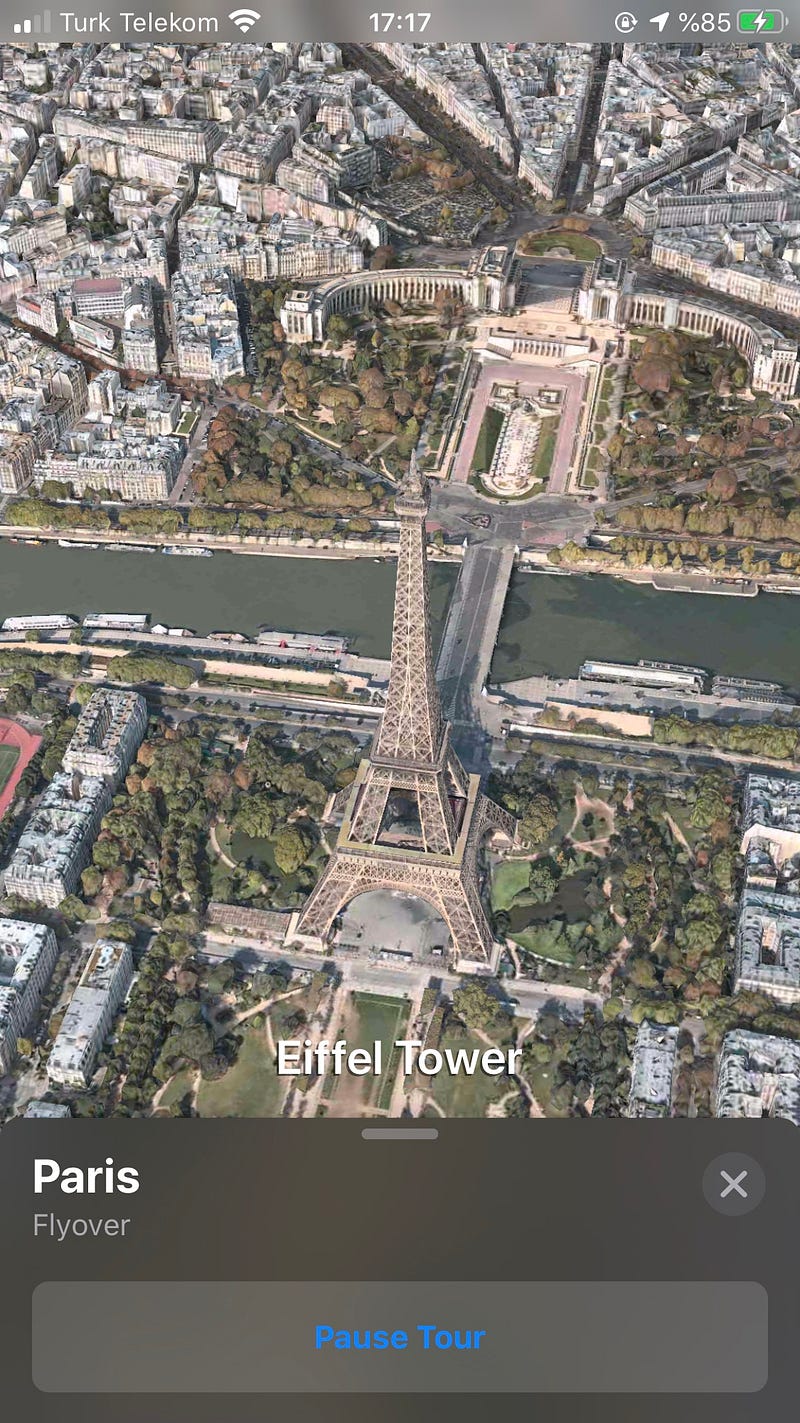
Eiffel Tower — this photo comes from the author’s library.
Louvre — this photo comes from the author’s library.
Notre Dame de Paris — this photo comes from the author’s library.
Grand Palais — this photo comes from the author’s library.
Arc de Triomphe — this photo comes from the author’s library.
Maps
Apple Maps
Apple
Paris
Travel
Recommended from ReadMedium