
I Run a $10,000/Month Business With 0 Employees, Here Are 5 AI Tools I Use Every Day — Part 5
Think you’re productive? Wait until you try these AI tools!

You know what’s up?
AI tools have totally become part of our daily work. I mean, it’s like having a helpful friend at your side.
I know, some of you might be using that free GPT version, or maybe you’ve checked out Bard, Claude, and their competitors.
But AI tools aren’t just for the tech-savvy folks.
Nope, individuals are using AI to supercharge their marketing game, create killer sales content, and even generate some awesome blog posts.
Furthermore, there are other AI tools out in the open, each with a unique ability.
What do you think? I’m not going to miss this AI celebration either.
I’ve experimented with and explored a good number of AI tools in the past, and let me tell you, the selection keeps expanding. I’ve been searching for the best of the best — AI treasures that I know you, would simply enjoy.
What then is the plan? I’m going to reveal some excellent AI tools today.
Are you ready? Let’s dive right in!
1. ChatGPT-4
First of all, GPT-4 is pretty different from GPT-3.
If you’ve seen my older stuff, you might notice I didn’t talk about GPT-4. That’s because it costs $20 plus some extra charges(tax) to use.
Also, at first, it didn’t have a lot of cool things. But that’s changed.
Now the situation is a lot different.
For instance,
- The ChatGPT crew dropped a bomb with an upgraded DALL·E i.e. DALL·E 3, which cranks out images so real you’ll wonder if it’s magic.
- Also, with GPT-4, you’re not just chatting; you’re Googling too! Browse with Bing lets you grab the freshest info right from ChatGPT.
- Ever heard of advanced data analysis? Well, GPT-4’s got your back, so you can crunch those numbers like a pro.
- And then there’s ChatGPT Vision which lets you toss in pics and grill ChatGPT for answers.
- But wait, there’s more! Plugins galore! Book flights, whip up snazzy CSV files, craft presentations, and a ton of other cool tricks, all tucked neatly inside ChatGPT.
So, if you are thinking of making yourself productive, try to use ChatGPT-4, it’s worth every penny.
2. ElevenLabs
I became a fan of ElevenLabs.
Why?
- First, it uses AI to convert text into speech with a realistic voice.
- Second, you can generate speech in numerous languages, including English, Chinese, Spanish, Hindi, Portuguese, and more.
- Lastly, you can download the speech in any chosen voice without signing up or logging in. In fact, I’ve downloaded voices without creating an account.
Cool, right?
Simply visit the website, add your content, select any voice you like, and download.
It’s that easy.
In short, ElevenLabs produces realistic voices, offers one-click free downloads, and supports multiple languages.
3. Google AI Suite
We’re all aware of the bunch of AI tools that make our work a whole lot easier, right?
Well, Google’s no stranger to the AI game. They know how crucial it is in our crazy-fast world.
That’s why they’ve jazzed up their popular tools like Gmail, Docs, Sheets, Slides, you name it, with some sweet AI features.
- Take Gmail, for instance. AI can lend a hand by helping you whip up email responses and even summing up those never-ending messages, making your communication game strong.
- Now, when you’re rocking Google Docs, guess what? AI’s got your back. It’s like your writing sidekick, making your content shine.
- Need to nail that presentation? With a simple nudge in Google Slides, AI’s got your presentation-making skills covered.
Oh, and a quick heads up — you gotta sign up on their website to tap into these AI goodies.
But trust me, these AI-powered tools can take your productivity to new heights and make your tasks a total breeze.
4. Adobe Firefly
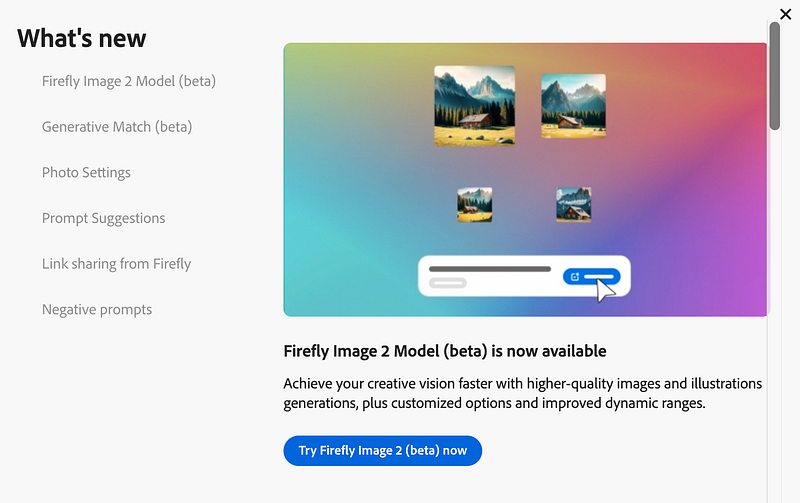
I recently wrote about Adobe Firefly, and they’ve just released the Firefly Image 2 Model, designed to create high-quality images with customized options.
To illustrate, I provided a simple prompt: “A beautiful European woman playing the guitar.”
Here’s the image it generated:

You can even edit the image in the right sidebar, adjusting various aspects like aspect ratio, content type, visual intensity, style, and more.

Want to try it out yourself?
You can give it a whirl here, and if you’re interested in learning more about it, check out the details here.
To be honest, it is way better than DALL·E 3 in terms of generating realistic images.
Pretty cool, right?
5. Rows
You won’t believe how much website designs have changed, all thanks to UI and UX improvements.
But let me drop a truth bomb — Excel? It’s still just those same old rows and columns, not exactly a looker, right?
But guess what?
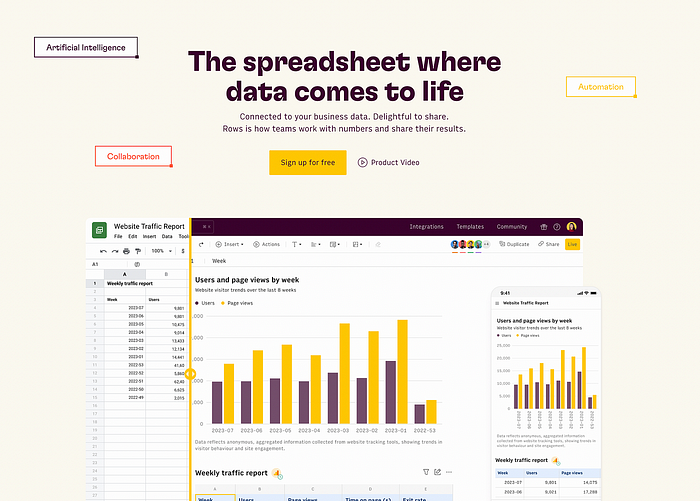
I stumbled upon something new, called Rows. And the best part? No sign-ups or email hoops to jump through. Just open it on your computer, and boom, you’re in spreadsheet mode, ready to tackle your tasks.
Getting started? Easy peasy. You can start a new spreadsheet, import files, or choose from various templates.
Once your spreadsheet is good to go, you can grab data from all over the place — think Facebook ads, LinkedIn ads, Google Analytics, and more.
And here’s the cool part— Rows uses some AI magic to help you understand that data.
But wait, there’s more! You can create fancy charts and find other cool features waiting for you to explore. And if you’re new to this, don’t worry — there’s a handy intro video to get you going.
Plus, just like in Excel, you can use formulas to supercharge your data game.
In short, Rows is like Excel’s cooler cousin, here to make your data tasks smoother and more powerful.
Hope you like it.
That’s it — thanks.
Don’t forget to subscribe to me on Beehiiv for a thrilling dive into AI, tech wizardry, money hacks, side-hustle secrets, and beyond. Your adventure awaits!