
I Got More Book Sales After Posting An A+ Content at Amazon!
Would you like to do it, too?

I have recently been testing various ways to increase my book sales at Amazon. I’ve tried Facebook Ads that contributed to a few additional sales. I’ve also been trying Amazon Ads. While it’s not the first time I’ve tried to promote my book, I wanted to study these strategies deeper. I also wanted to avail of the latest book promotion features like Amazon’s A+ Content.
What is A+ Content?
Amazon’s A+ Content is a marketing feature that allows the author to add images, tables and text to their Amazon Book Page. While Amazon has long given authors the opportunity to give relevant information about the book by providing the book’s detailed description, A+ Content gives a more visual presentation to offer additional information about the book.
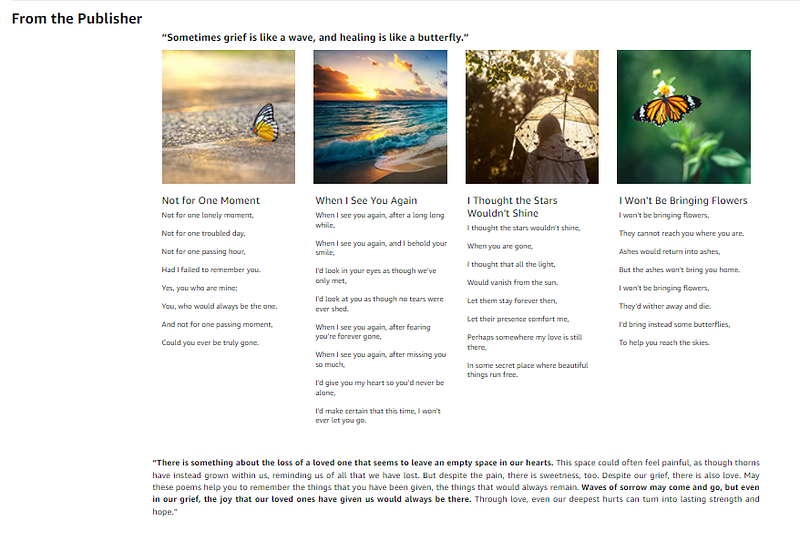
Here is the screenshot of the approved A+ content of my book “Of Waves and Butterflies”:
( If you would like to see the actual book page with the A+ Content, you can find it at this link. )
As you can see, I was able to add four images related to the book’s content. Under each image, there is a short text (a short version of some poems included in the book). There is also a caption above that can serve as a header. Concluding words and further comments about the book are also written after the four poems presented.
Why did I present it this way?
My book (Of Waves and Butterflies: Poems on Grief) is not that long. As a result, Amazon’s preview of my book does not include a sample of any of the poems I’ve written there. The preview only includes the table of contents containing the titles of the poems contained in the book. If people wanted to decide whether to buy the book or not, wouldn’t they want to read a sample of it? And what better way to give them that than to present it through this A+ Content that gives them a good visual as well as a short sample of my poems?
For books that are new and only have a few ratings to support it, I’ve realized that Amazon’s A+ Content could make a big difference for your book. It helps the readers to connect with your work in such a way as to quickly visualize it and to see for themselves whether they want more of your book’s contents or not.
Even if you promote your book using various ads, you won’t have much sales if after clicking the ad and arriving at your book page, people don’t see anything that encourages them to buy your book. Using A+ Content, you can gain more conversions instead of losing the people who found interest to look at your Amazon page.
Just like me, you may just gain more book sales right after the day you see your A+ Content on your Amazon’s book page!
How do you create your A+ content?
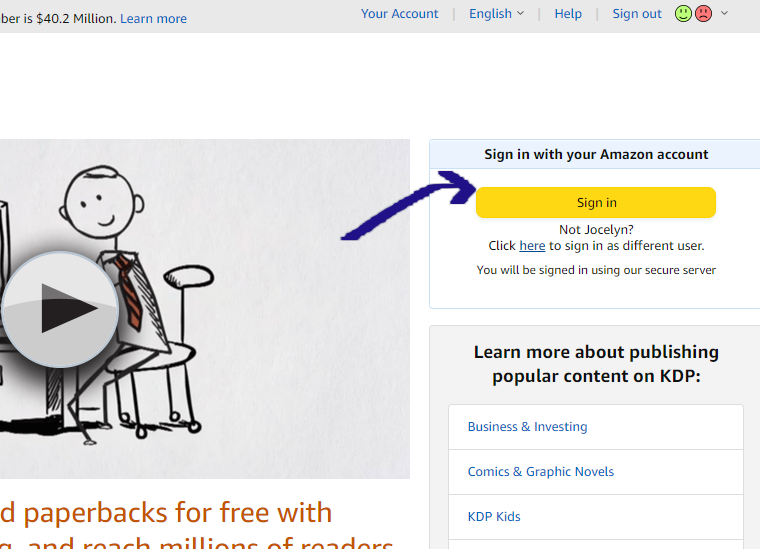
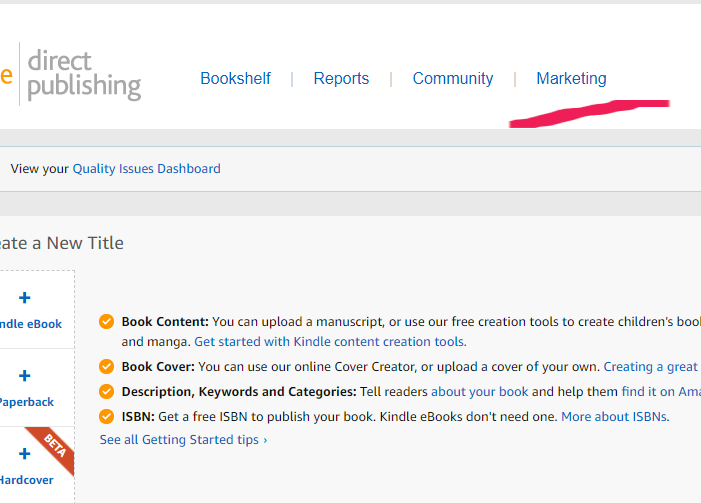
To start creating your own A+ content, you need to sign in first to your KDP Account. After that, you can go to your KDP Marketing Page.
You will then need to scroll down to the A+ Content section and choose a marketplace. Then Click the button “Manage A+ Content”.
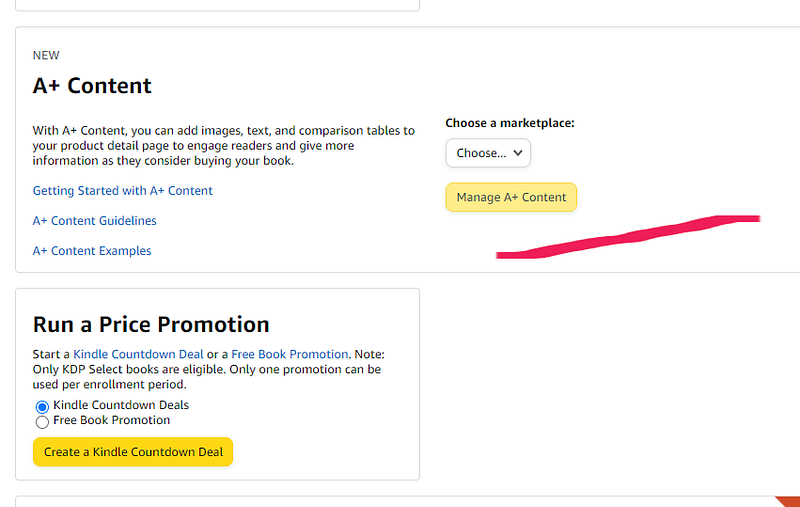
Once the A+ Content Manager Page opens, click the “Start creating A+ content” button at the upper right corner of the page. Just follow the step by step instructions and submit your content for approval. (Be sure to read the A+ Content Guidelines from Amazon to help you.)
There are other modules and designs you can use in addition to the sample I have created above for my book.
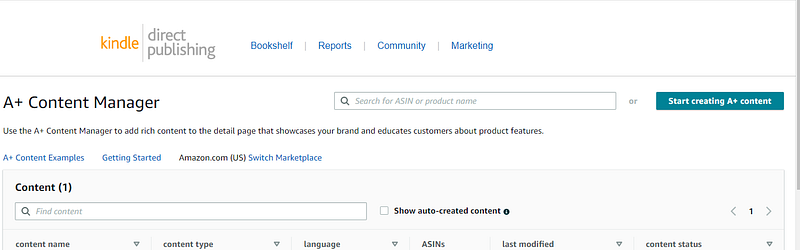
Amazon says you may have to wait for 8 business days before your A+ content is reflected in your book’s page. In my case, it was approved and online after about a week.
Final words
For authors like me who want to promote their books more, I highly recommend including an A+ Content to your book’s Amazon page. This will not only create an impression of credibility for your book. It will also help grab the attention and interest of your prospective readers.


