
I Created 30 Posts And Got $100 In 2 Hours
You can do the same.

I follow a Greek marketing guy (@simplydigital.gr) on Instagram. Yup. He is amazing. He has the same format for every video. But his primary focus is sharing helpful tools for business owners.
If you joined his 223k Instagram community, you might stop doing work manually. He shares apps that help you do tasks in minutes, thanks to free apps on the internet. On rare occasions, the software is only available in app stores or at a cost.
Konstantinos talked about centralizing social media content creation. And, no, the app isn’t Canva.
This app does caption writing, graphic designing, and scheduling.
Let’s talk about the app and how you can use it to earn your money faster.
The app to make working as a social media manager easier
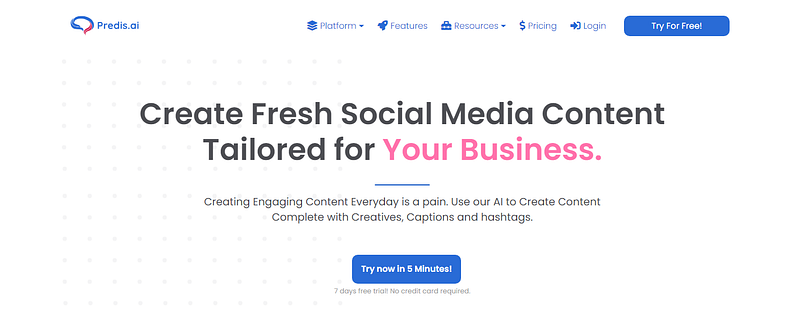
The website is predis.ai.
The great thing about this site is the free seven (7) day trial period. I tried it for free for this story. And because I logged in with my Facebook profile, sign-up was faster than 5 minutes!
Once you’re in, it asks for a one-liner about your business.
Based on my one-sentence description, I got three content suggestions right away. I’m in shock. Here are the three posts I got.
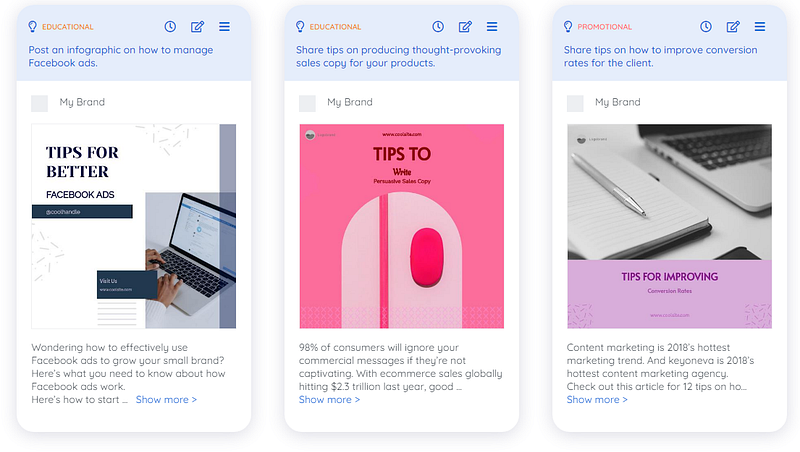
That’s right. I got three graphics and captions in seconds.
How to auto-generate more content?
Customizations
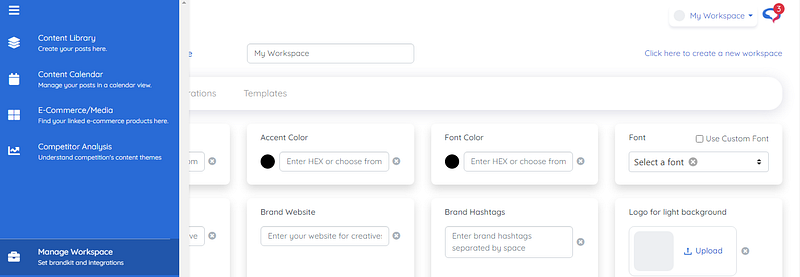
I went to the blue sidebar. And I selected ‘Manage Workspace’ in here you customize the design outcomes. The workspace has three tabs — brand details, integrations, and templates.
- Brand details section is for you to specific your brand look. You choose your primary color, accent color, font color, and one font type. Next, you input your social handle, website link, logo, and brand hashtags.
- The integration section. Here you link your Facebook, Instagram, Shopify, or another e-commerce site. Once attached, artificial intelligence will analyze your competitor’s content.
- The template section. You either customize the template yourself. Or you select the templates you prefer to get used for your creations.
Remember to save your changes before moving to the next tab.
Auto-Creating
With the details customized, it’s time to make more posts. I went back to the ‘Content Library’ to do this. I then clicked the plus signed ‘Create Posts’ bubble. It asks you three open-ended questions to generate more social posts.
- Choose your objective [5 options available]
- Give your one-liner [Perfect if you have several clients in different industries]
- Choose your post themes [Pick between seven formats. The choices: promotional, educational, behind-the-scenes, contest, polls, surprise me, or expert interview.]
- Note: You can generate seven (7) posts each time.
Here are three of my other auto-generated creations:
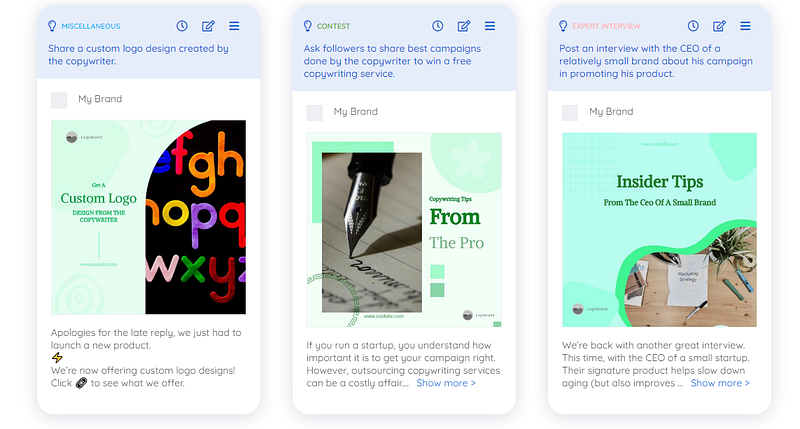
I am super impressed! You’d think I made these, but a bot did all the work! The templates look modern. Some captions have emojis and the lengths of each varies. Wow.
Plus if you want the caption to sound more like you, you can edit them. Hooray!
How to auto-schedule your auto-generated social media content?
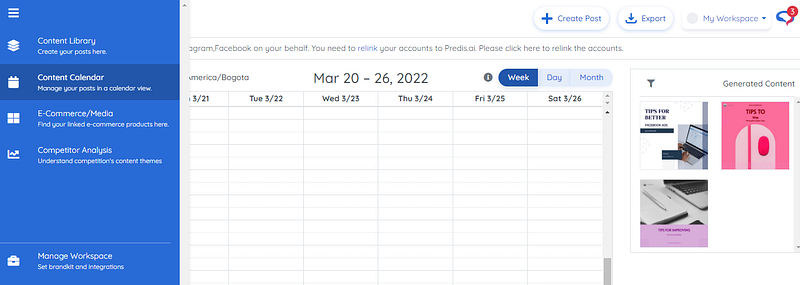
You would hover over the blue bar on the left-hand side. Then, click ‘Content Calendar’. Schedule the generated content into your calendar.
When done, click ‘Export’ at the top. Your client would need to have an account with one of these other sites:
- Publer
- SocialBee
- Socialmonials
- Metricool
- Content Studio
- Planable
- Radaar
- Social Champ
- Postoplan
- Other
If not, download the image. Next, copy and paste the captions into the other scheduling app of your client.
The client was aware I was testing the website. And, as such, we agreed on a payment of $100 upon delivery.
Would you try this social media manager sidekick app?
Thank you for reading!
Hey, wait a minute! Loved this article enough to give the author a small tip? Become a Medium member to read stories by this writer and thousands of others. I’ll receive a percentage of your subscription. (No extra cost to you.)


