
I cloned Youtube with Tailwind CSS in 3 days and you will learn it in 3 minutes!
Last time, I talked about It’s time to say goodbye to Bootstrap, and Nuxt 3 is here! What’s “Next”!. To continue the conversation, I challenged myself to build Youtube with Tailwind CSS in 3 days and now you will see how I achieved it in 3 minutes. You could find my source code here.
Combining Tailwind CSS with Nuxt 3, I was able to achieve the ridiculous speed of web development I have ever seen in my life. Typically, with Tailwind CSS, I saved a lot of time from writing pure CSS. With Nuxt 3, I could skip a ton of boilerplate code with automatic import/export, dynamic routing, and environment/dev config.
Now, let me introduce a UI system that was inspired by my digital painting hobby:
- Initialize Layout
- Generate Components
- Polish Detail
Initialize Layout
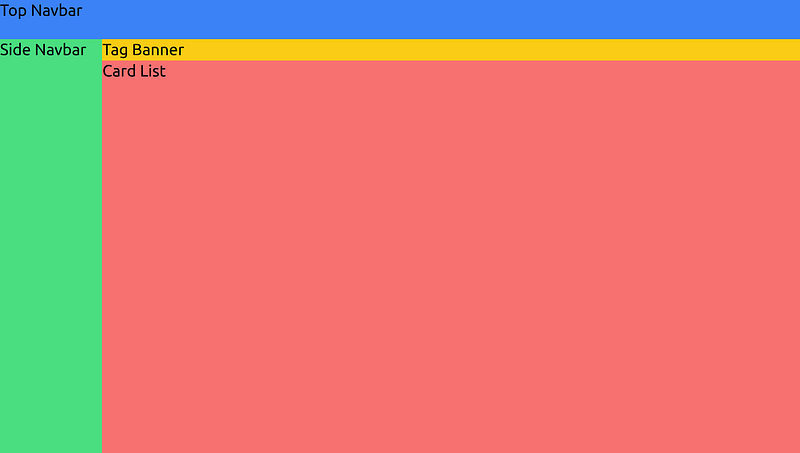
I could do all of these positionings by just using the “flex” class.
Generate Components
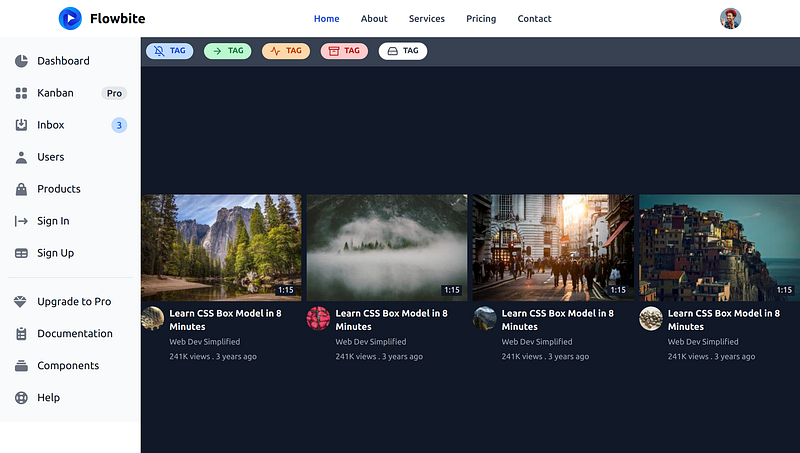
This step is basically to drag and drop. It is where Tailwind really shines compared to any other UI library like Bootstrap and Material Design. There are many Tailwind CSS libraries out there that could satisfy most of my use cases like Flowbite, DaisyUI, and TailwindElement.
The idea was to get a general feeling of what the final product’s gonna look like. Therefore, I grabbed any component that I could find in my first search.
Polish Detail
Since 80% of the time was spent on polishing the detail, I used 3 techniques to significantly boost the speed at this step:
- Copy prebuilt icons from Youtube
- Tailwind CSS color picker
- CSS to Tailwind CSS
To copy icons from Youtube, I inspected the desired icons and copy the SVG part.


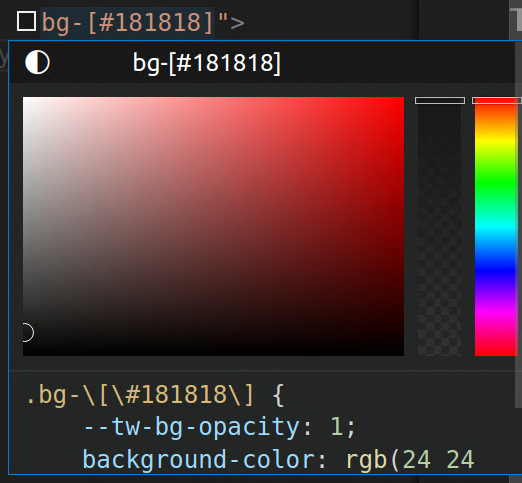
VSCode Tailwind Intellisense supports the color picker to help me with styling using hex color.
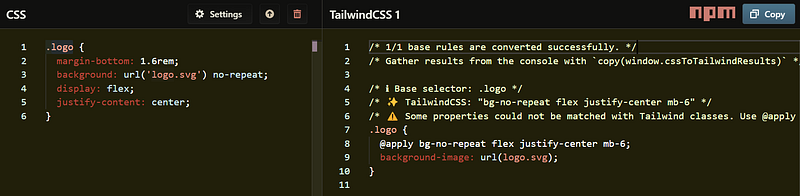
Sometimes, I would like to know if a Youtube CSS feature would be viable in Tailwind CSS. Then, I could just go to https://transform.tools/css-to-tailwind, parse the code in, and get the code out in Tailwind CSS.
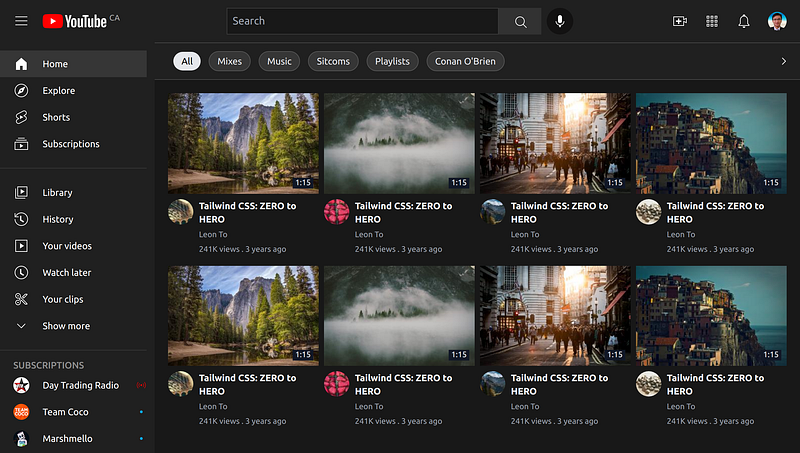
Now, allow me to present the final product after 3 days of sweat. :)
If you enjoy my story, please support me by subscribing to my blog and giving my story some love. It would mean a lot to my coding journey. Also, consider supporting me via:
See you in the next post. :)


