
I Cancelled Dish Network and Signed Up for YouTube TV
Here’s how that went
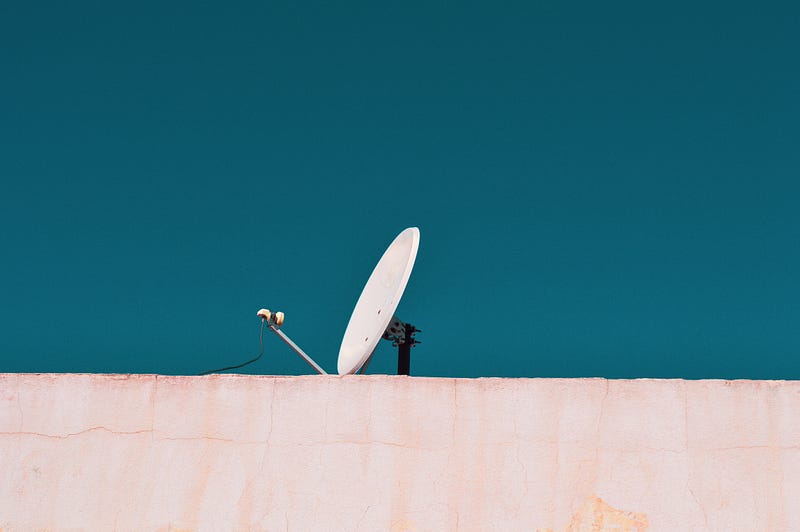
In my lifetime, I have paid Dish Network more than $25,000 and today it stopped.
Don’t get me wrong, I’ve got nothing against Dish. It served me well in the last two decades when it was honestly my only option to watch anything other than grainy over-the-air channels using a rabbit-ear set-top antenna, complete with the tips wrapped in aluminum foil.
I’m not a cord cutter
I don’t live in the city where there are cable cords to cut. Out here in the sticks where the rest of us live, our primary source of the Internet is through our phone company.
And when I say “phone company” I did not mistype. There is no plural, as in “phone companies,” when it comes to landlines and or cord-based Internet where I live. Obviously I have an option or two for wireless Internet, but the phone company is the only one with a reliable unlimited hardwire offering.
I get a top speed of 26 Mbps and I didn’t get that until a year ago. The installer from the phone company was quick to point out when I signed up that I might be too far down the road from the switch box to actually get the 26 Mbps I was paying for. Seriously. I can’t make this stuff up. You city people have no idea how good you’ve got it.
Anyway, imagine my excitement when said phone company announced that YouTubeTV was available for our area and that it “might” work with my speed. I started my research.
Here’s what I found
For $49.99 (plus a couple dollars of taxes) I got local channels, more than 70 “cable” channels, and an unlimited DVR. That was less than half of what I was paying Dish.
It all sounded great, but as a bonafide rural dweller who is always a skeptic of such promises, I didn’t shut down Dish until I had put it to the test myself.
2021 update: A price hike (now $65.99) happened shortly after I made the swap, but I’m still very happy with my choice. It still feels like the best option for the money. It also works with the Apple TV box I got for Christmas.
Problem #1
My smart TVs weren’t quite smart enough. Not one set in my house had what it took to run YouTubeTV directly. No gamers in the house, so that left those devices out. I had been a dedicated Dish consumer, so we also did not own a Roku or Apple TV box. What we did have, though, was an Amazon Firestick.
Problem #2
We had two Firesticks but only one was new enough to give us access to YouTubeTV. First-generation versions don’t have the app. We made a note to order another stick, but not until after we were satisfied with the whole thing.
The test
Connecting was as easy as downloading the YouTubeTV app in Amazon Prime Video and walking through the steps on the screen. We also logged in on our desktop where we customized the channel lineup and started selecting programs we wanted to add to our library.
The only complaint I have about the library is that while most programs “record,” which allows you to skip commercials, a handful are “released,” which means commercials are not skippable. It’s not the end of the world, but it is a bit annoying.
For the most part, the image is clear and programs load quickly. At this point, we felt confidant enough to order another Amazon Firestick. Once it arrived, we noticed a distinct improvement in signal quality on the newer model. Which brings us to the only other problem.
Problem #3
Once we moved the older Gen 2 Firestick farther away from the main wireless router in the house, the viewing quality deteriorated considerably. We experienced buffering and pixelating on occasion. Our solution was to move a WiFi booster that we use outside the house nearer to the bedroom television and found it gave us a much better experience.
Problem #4
Even though YouTubeTV allows three devices streaming at once, our 26 Mbps doesn’t handle that very well. We manage two devices without much buffering; three is pretty much a no-go.
Conclusions:
Fifty bucks saved is fifty bucks saved. I am thrilled with the unlimited feature of the cloud DVR. No more deleting old programs to make room for new ones. I add a program once to the library and it finds all instances of it and lets me know when a new episode is available and which ones I have already watched. It doesn’t matter if “Mom” aired on the network or on FXX — either way they appear in my library in neat episodic order.
Maneuvering around in the app takes a minute or two of exploration at first, and a few things feel counterintuitive to me — like needing the back button to return to a screen with the main options of library, home or live. Shouldn’t those be accessible on every screen?
I am willing to trade such minuscule inconveniences for the ability to stream and record live TV at a lower price than ever.
Sorry Dish. It was time for this country family to cut ties — even if we can’t cut our cord.
To join Medium as a paying member, which allows you unlimited reading across the platform (not just the 3 free stories per month everyone else gets), follow this paid referral link. I will receive a portion of your membership fees for as long as you remain a member. Thanks in advance! I Look forward to hanging out with you more here on Medium.