
How you can test your AWS cloud infrastructure locally with Pytest and LocalStack inside a Docker containers
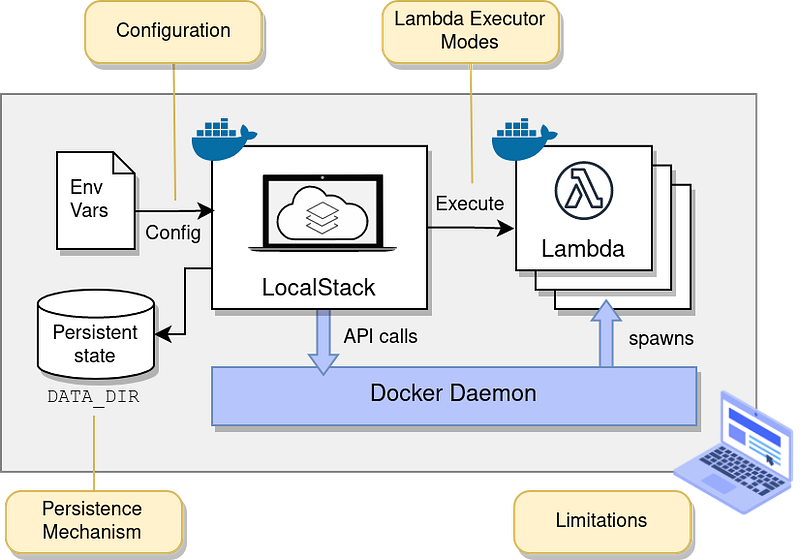
If you did not know too much about what LocalStack is, it's a way you almost can test AWS services locally before your deploy your code, and its support running inside a Docker container so you can use it inside your CI/CD pipeline, if you want to read the basic about LocalStack you can read my article Test your Amazon Web Service (AWS) services locally before deploying them into the cloud and waste money with LocalStack — AWS where you will learn how to get up and running with LocalStack.
You can expect to learn about how to use LocalStack inside your CI/CD pipeline when you need to test AWS services from Pytest and how you can link 2 Docker containers together in the same network to communicate better, and we will build some AWS CDK code to deploy our stack for testing, all the code will not we in this article, it can be found on my GitHub in the following repository.
Creating the test stack with a Lambda function and a Lambda layer
We want to test a Lambda function, and we know we are using layers inside, that's why our Stack should deploy our Lambda function and our Lambda layer when we are deploying our AWS CDK code.
When you are working with layers, it can be necessary to create a symlink in your project so your code editor knows the links between, if you do that be careful to use the following symlink in your Lambda function, you should execute your symlink folder before your deploy the code.
line 18: Start preparing our Lambda Layer line 21: Using from assets function, it works if you have the Python packages locally inside your project, if you are using a requirements.txt file for your layer it will work in a different way.
line 32: Start preparing our Lambda function line 38: Use our layer from line 18 line 40: Like our Lambda Layer we are using code asset to pack our source code for our Lambda function.
How to do the test in Pytest?
First, we need the tests folder, inside the test folder we have set up and configuration files for Pytest I normally use a subfolder called functional where I place my functions code inside, utils to small libs, and if I need mock data I will create a mock folder for grouping the code.
In this project, we only use utils and a functional folder, inside my utils folder you can find mock functions to S3 and Lambda it's very simple code but it removes the code from my test area and I can reuse these functions over and over again as you normally will do.
Lates focus on our test 2 testes inside the functional folder.
test_s3.py
In this test, we are testing about creating our bucket when the test is start-up, and removing the bucket includes all files when it's finished running, in our function test_upload_file_to_s3_bucket it will make a mistake.
To learn more you can try to fix this problem to upload a file to the bucket, and then confirming the file an uploaded into the bucket, you can use boto3 directly inside the code here our you can build a new code you can trigger inside here it's not so important how you fix it, more you learn how to use the test with LocalStack.
test_lambda.py
We are doing nothing in the test start-up and finished, in this test we want to testing the Lambda function to be sure it returns the data we expect, the point of this test is you can have multi-functions code inside your Lambda you maybe test, but it's very imported to test Lambda function when its get invoked with the data you expect and not expect to see how its handle the process.
What you can do here is create some sample code in your Lambda function, and in the test invoke the function with success full state and one with a failure state so you can test that the function invoke are working when you deploy it to the cloud.
Isolate pytest into a Dockerfile
I prefer to isolate my pytest into a Dockerfile, in this simple reason I can control what python version it's running on and I have more control over what I do for the testing process, you can run the pytest outside a Docker container its not a requirement but it's a way I prefer to run code testing.
Setup locally test bash script to execute our unittest with Pytest and LocalStack
I have a run-test.sh file I can use locally to test my code, if you need it into your deployment process in your CI/CD pipeline you can almost copy/paste my code to it but I can make sure it's working out of the box.
The idea here is you can run the test locally by spinning a LocalStack up inside a docker environment where you are creating a network between your pytest container and your LocalStack container, when you do it this way it will make sure you have isolated both your LocalStack and your Pytest environment.
line 2: Create a docker test network for our test line 5: set up the LocalStack container running inside your Docker environment, if you did not have a pro license you can remove the environment line on line 10. line 15: Set to sleep on 10sec to ensure LocalStack is fully running. line 18–21: install CDK, bootstrap the code to allow deploy CloudFormation code and then deploy our stack. line 23: change our default region to eu-central-1 line 24: ensure our Lambda functions are deployed and are using our Layer line 27: build our Pytest container images and do them ready for use line 30: run our Pytest container line 33–38: cleanup after our test
Source code can be found on my GitHub
You can free download my source code, it’s ready to deploy for testing, remember to star my repo for Python code and you are welcome to follow me on GitHub too.


