
How Windows Developers Can Use LF Line Endings (A .gitattributes Poem)
Original poetry explaining the mysterious .gitattributes file, and why you might want to use it to improve compatibility with Windows developers who are using both Prettier and ESLint.

An Original Poem About .gitattributes
There once was a man from Nantucket, who developed on a Macintosh bucket. He set up his ESLint to flag Prettier errors, And Windows developers got CR* terrors. The man was no fan, so he hatched up a plan: He would ask Git to enforce LF** characters. So now developers rejoice, because of his choice: They can keep their Windows kit, not chuck it.
*Carriage Return, **Line Feed. CRLF line endings are the default on Windows, but Mac OS and other Unix systems use just LF line endings, without the CR.

Why You Should Consider Using .gitattributes
This .gitattributes file will force Windows developers to check out LF line endings instead of the “auto” behavior (CRLF check out, LF check in):
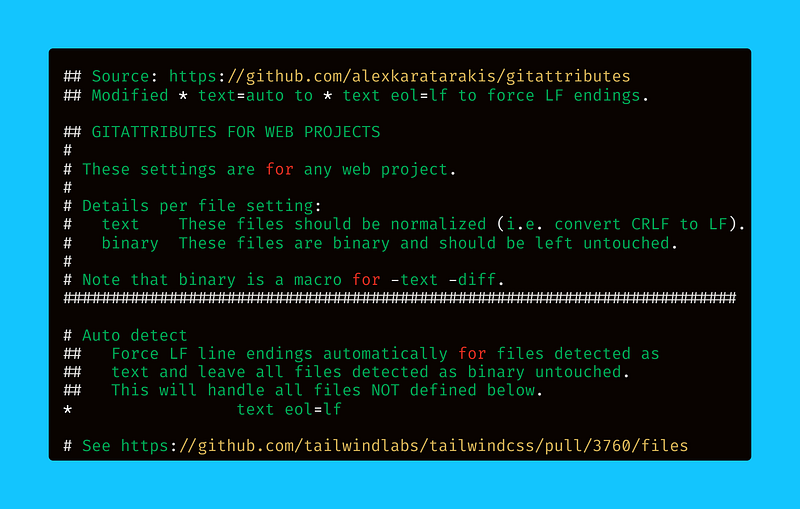
.gitattributes fileThis is a quality-of-life improvement for Windows developers, who will otherwise need to manually fix line endings in the repository in order to avoid ESLint ("prettier/prettier") line ending errors (“Remove CR”).

Wait, Why Do You Need .gitattributes on Windows?
Most JavaScript developers today use a combination of ESLint code linter with Prettier code formatter, and they work very well together.
The problem arises when an overeager Mac OS developer turns on the ESLint rule that highlights all Prettier issues as ESLint errors:
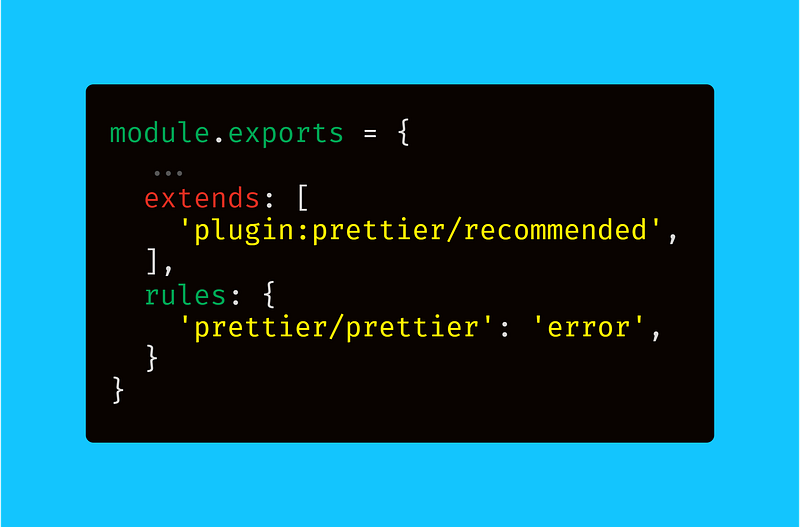
Have you ever seen an ESLint error on every single file that you open in up in VS Code? I have, and it’s not pretty. Actually, it sucks, a lot.
With the above .eslintrc.js file, every CRLF line ending gets highlighted as an error, and you have to manually swap the line endings with VS Code.
Alternatively, you could run Editorconfig to auto-fix the line endings when you open and save a file, or you could run Prettier on the directory:
The issue that you’ll see as you start to fix line endings is that these will be marked as changed files by Git, even though they won’t get committed.
In this case, it’s better to just pull down the “correct” (LF / Unix-style) line endings from the Git repository on Windows in the first place.
To do that, you have to update the .gitattributes file. Some developers consider including .gitattributes to be a best practice, so why not?

An Alternative to .gitattributes That Works Great
On the other hand, if you have permission to change the .eslintrc.js file, I’d recommend you just remove the "prettier/prettier" line.
In my experience, it’s better to let Prettier do its job of formatting without having ESLint also warn you about code formatting issues.
The .eslintrc.js file that we saw above actually uses the Prettier plugin for ESLint, which isn’t the way I’d recommend going about it.
Instead, I’d recommend you install the eslint-config-prettier package using Yarn (and maybe upgrade other packages while you’re at it).
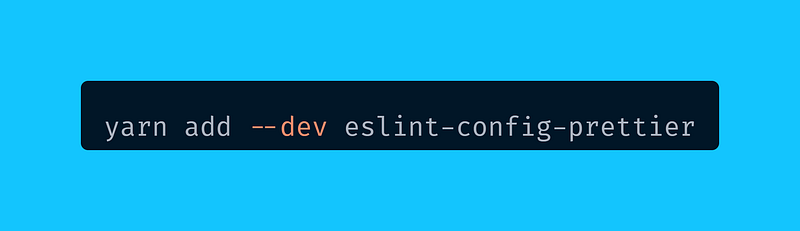
Once you have eslint-config-prettier installed as a devDependency, then you would change the extends section in .eslintrc.js as follows:
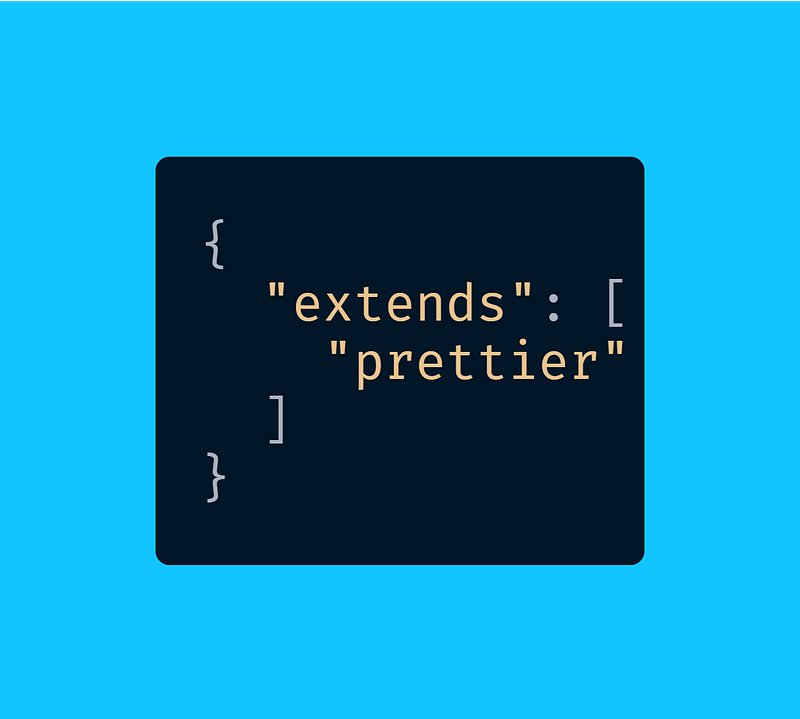
This will get you all the benefits of Prettier for code formatting combined with ESLint for code linting, without any ESLint errors for line endings.
Happy coding! ⛵

Dr. Derek Austin is the author of Career Programming: How You Can Become a Successful 6-Figure Programmer in 6 Months, now available on Amazon.


