
How We Grew Our Pinterest Account From 0 to +500k Monthly Impressions in Less Than 5 Months
A step-by-step guide to setting up and growing your Pinterest account.
With more than 365 million monthly active users, Pinterest is one of the most popular social platforms. Yet, a few unique numbers and facts differentiate Pinterest from other major players such as Facebook, Instagram, or TikTok:
- More than 70% of all Pinterest users are women with strong purchasing power.
- Most Pinners use the platform to plan major life events (e.g., a wedding, the birth of a child, or furnishing a new apartment).
- Pinterest users are actively browsing the platform to make buying decisions. 47% of all users log onto the site to shop.
- Due to the intention of purchasing, Pinterest marketing can be four times more effective at generating sales (e.g., for an online shop) than other social networks.
- 83% of weekly Pinterest users report that they made a buying decision based on the content they saw on Pinterest.
- Even though Pinterest is often called a social network, it’s actually a visual search engine. That’s why the platform can act as a significant traffic channel for blogs and online businesses.
How to Tell if Pinterest Is the Right Choice
Before starting your Pinterest journey, you need to validate whether the platform fits your overall marketing strategy. If your target audience is men at the age of 40 to 60, Pinterest marketing might be a waste of time. If you’re, however, targeting women aged 20 to 40, it might be worth diving into Pinterest.
Before starting your efforts in Pinterest marketing, ask yourself the following questions:
- What’s the primary purpose of Pinterest for your blog/business? Should it be a source of traffic, generate sales, or do both? What else do you want to achieve through your effort on Pinterest marketing?
- Where are your customers located? The US has the highest number of Pinterest users, so it makes sense to have a look at the demographics before starting your Pinterest journey.
- Are you targeting women, men, or both? Is your ideal customer likely to use Pinterest?
- What’s the age of your ideal reader/subscriber/customer?
- Is your topic/niche popular on Pinterest? Is it oversaturated?
By answering these questions and comparing your responses to the demographics of Pinterest’s users, you’ll understand whether the platform is worth using.
Additionally, keep in mind that Pinterest is a search engine. This means you’ll have to feed your account with fresh content. If you don’t have content to share yet, you need to consider whether you’re able to create blog posts, pictures, videos, etc. in order to create appealing pins. If you already have lots of blog posts, images, or videos, Pinterest can be a great way to reach more people by using your existing content.
We decided to use Pinterest as a traffic source because our website is dedicated to both men and women at different ages located all over the globe. Therefore, we knew that we could reach lots of potential readers, subscribers, and customers through Pinterest.
Additionally, personal development is one of the rising topics on the platform and we have a blog with hundreds of articles. Thus, content creation for Pinterest was simple. All we had to do was creating Pins for our existing blog posts.
#1 How to Get Started
If you’ve never used Pinterest before, you should start by watching at least one video to get a basic understanding of the platform. Before setting up your profile, make sure you’re aware of what Pins and (group) boards are and how users utilize Pinterest.
Even though we’ve been familiar with the platform, we spent a few days completing online courses and watching YouTube videos to fully understand the rules and set up a proper marketing strategy.
Set up a business profile
Once you’ve decided that Pinterest is the right choice and got a basic understanding of the platform, it’s time to set up your profile and turn it into a business account. You can do that for free and it’s crucial to get your website verified and trusted by Pinterest.
You can find a detailed description of how to turn your personal account into a business profile here.
Activate rich pins
Once you’ve set up a business profile, you should enable rich pins. These provide more context about your Pin as additional information is added through the website link. You just have to activate rich pins once and they’ll be applied to all your Pins.
Make your website “pinnable”
By adding the “Save” button to your website, you can encourage visitors to pin your content to their boards and get some additional exposure.
#2 Pin Creation
Once your profile is set up and rich pins are activated, you need to research Pin designs that fit your audience and re-create them considering your branding.
How to come up with Pin designs
Fortunately, you don’t need to be a creative head and come up with unique Pin designs to successfully drive traffic from your Pinterest profile.
Instead, you can either get inspired by the designs of other creators or make use of thousands of templates that are available for free.
Canva, for instance, is a free design tool and provides more than 450 templates for Pinterest pins. Of course, you can also use Photoshop or other design tools, but we chose Canva due to its simplicity.
Additionally, we did some research with our main keywords and adapted the designs of successful Pinterest profiles.
Create 5–15 designs
One of the advantages of Pinterest marketing is that you can use the same templates over and over again. All you need to do is adjusting the text on your Pins. You just need a few designs that resonate with your audience and can use those for years. However, to find out which designs work best, you’ll need to test different colors and fonts and vary the copy of your Pins.
I recommend starting with at least five to ten designs, depending on the amount of content you have readily available on your website. If you don’t have lots of content (e.g., blog posts), a few designs are enough to get started. If you, however, have lots of articles or images of your products, you can create more templates and analyze which of them get most views and clicks. Based on those initial results, you can focus on the designs that generated the best results.
When designing your Pins, make sure they include your branding colors and fonts. The more memorability, the better.
For the Personal Growth Base, we chose blue and red as our primary colors and experimented with more than 30 designs until we settled for around ten, which we now use regularly.
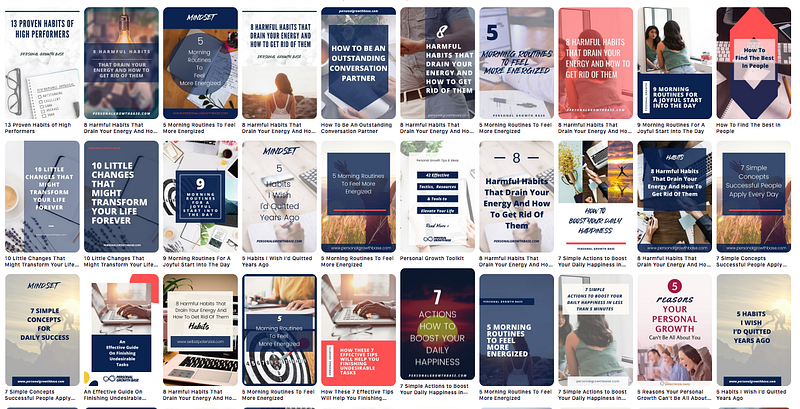
Our Pins are designed to promote blog posts and lead users to our website. If you, for instance, want to promote products for your online shop, you might need to adapt these designs so that they represent your purpose.
#3 Board Creation
After designing your first pins, you need to create different boards.
Setting up boards
Boards represent different categories for your content.
For Personal Growth Base, we created 16 different boards according to various topics we cover in our blog posts:
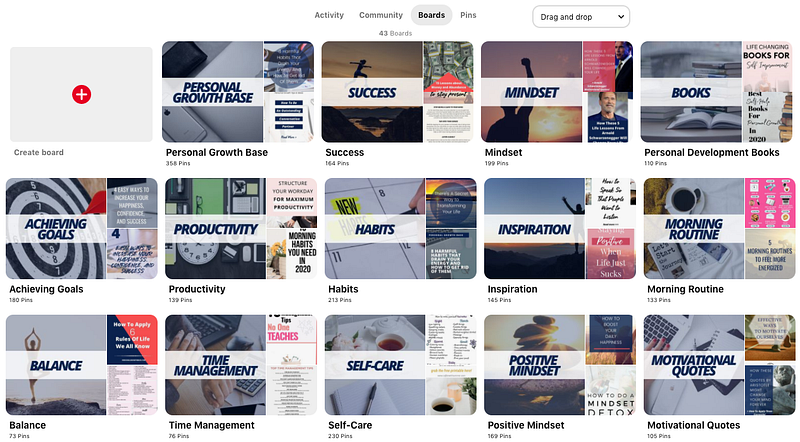
You can start with fewer boards and expand the list over time. You can, but don’t necessarily need to create custom title images for the boards; we did it because I like the consistent look. However, you need to write a good description for each board, which should at least contain the main keyword(s) and summarize the purpose of the board.
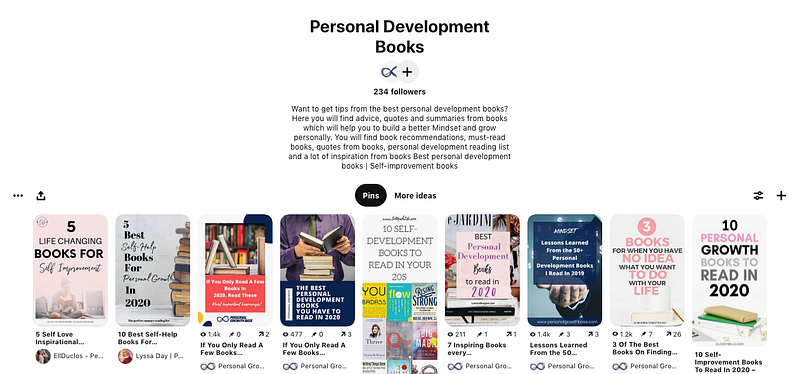
Here’s an example based on one of our boards:
Joining group boards
To effectively grow your Pinterest account, you need to be part of so-called group boards. These are community boards where many creators come together and share their content about specific topics.
Group boards are one of the essential ways to quickly grow your Pinterest audience because they allow you to tap into thousands of users who probably never heard of you or your business. We’re currently part of more than 25 group boards and they play a significant role in our pinning strategy.
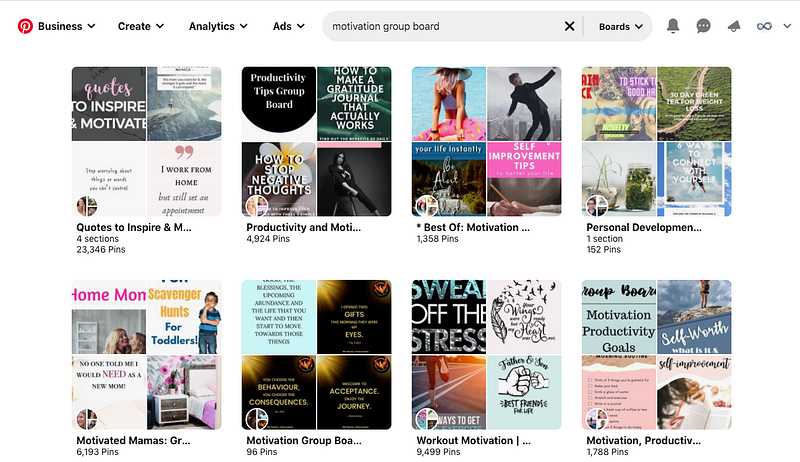
To find group boards that fit your niche, type a keyword + “group board” in the search bar. By doing so, you’ll see tons of group boards that match the keyword:
Every group board has its own rules and application process. So you need to do proper research to find and join group boards that might be a fit for your content.
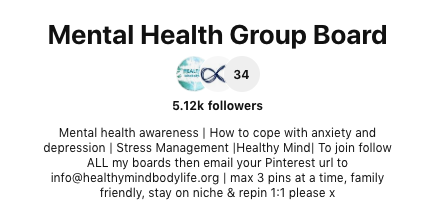
You’ll find their exact rules and the application process in the board description:
#4 Setting Up a Scheduling Tool
The number one rule to grow your Pinterest account is consistency. Experts recommend pinning 15–25 times per day, so that’s what we did for the first five months of being on Pinterest. We started with 15 Pins per day and now we’re pinning 25 times.
Doing this manually would be way too time-consuming and not effective. That’s why a proper scheduling tool is inevitable to grow your presence on Pinterest. The most popular Pinterest scheduling tool (and the one we use) is Tailwind. For $9.99/month, you can schedule as many pins as you want and create a posting schedule that allows you to grow your account quickly. Another option (which we didn’t try) is Later.
Both tools are official Pinterest partners, so you won’t be penalized for using them and automating your pinning schedule. Once you’ve set up your scheduling tool, you can start uploading your first Pins and schedule them to go live on your Pinterest profile.
For each Pin, you need to write a keyword-optimized title and a description. Additionally, you need to add the link to your website and decide on which boards they should be pinned. If you don’t have lots of content to share yet, you can also pin the content of other creators.
As we do have lots of articles on our blog, we are pinning around 90% of our own content and only 10% of other creators.
#5 Analyze + Optimize
Once you’ve:
- set up your profile,
- designed Pins that match your brand,
- created boards and joined group boards,
- and set up a proper posting schedule,
it’s all about analyzing and optimizing the results.
By turning your profile into a business account, you can access detailed analytics for all pins and analyze the results of your marketing efforts.
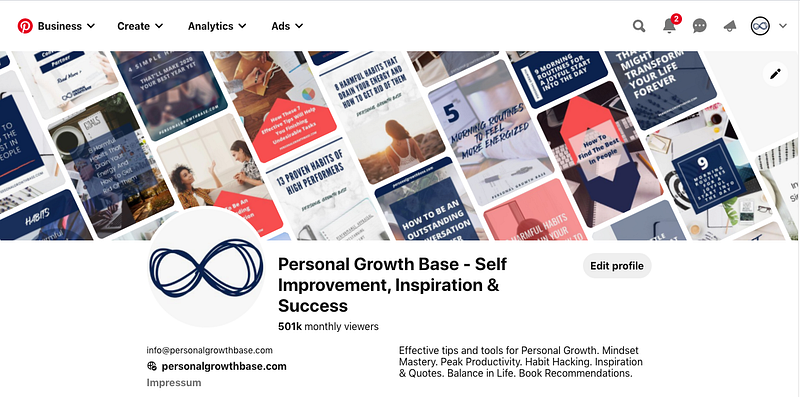
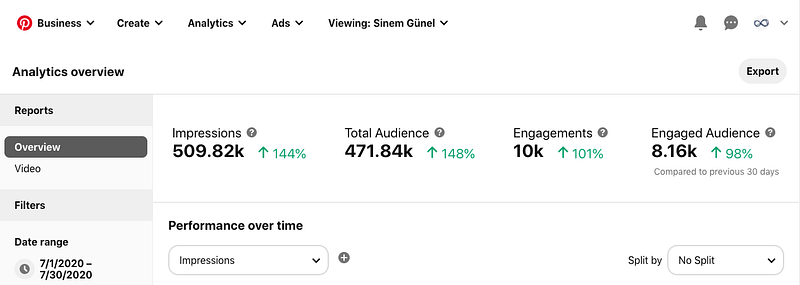
Through our consistent posting schedule, we’ve been able to grow our account to more than 500k monthly impressions in less than five months:
Our next goal is to increase the conversion rate of these impressions into website visitors and subscribers for our newsletter. To reach this goal, we’ll experiment with the copy on our Pins and try additional Pinterest features such as Video and Caroussel Pins.
Bottom Line
With its 365 million users, Pinterest is an exciting platform to reach your target audience and grow the traffic of your website or online shop. Thousands of blogs and online shops rely on the image search engine as their primary source of traffic.
If your target audience is on Pinterest and if you have great content that you can turn into appealing Pins, Pinterest might be a great way to generate traffic and turn these visitors into subscribers or buyers.
Through scheduling tools such as Tailwind, keeping a consistent posting schedule is pretty easy. And if you don’t have enough time to create Pins and write descriptions yourself, you can easily outsource these tasks to a freelancer, an intern, or a marketing agency.


