
How To Write Over 50,000 Words A Week
Dictation software can make you a content-producing machine
“Quantity has a quality all its own” — not Joseph Stalin
Freelance work is something I stumbled into.
I had no real training for it. I don’t even have a degree. Until a few years ago, every job I had had was either minimum-wage retail, manual labor, or for the last decade, pest control.
All of that changed when my wife and I decided to move to Italy. In those pre-Brexit days, my UK citizenship meant I could legally work in Italy. But beyond the names of a few pasta dishes, neither me nor my wife spoke a single word of Italian. And since I’ve always been a writer in my spare time, writing seemed like an obvious way that I could make money from anywhere in the world.
Before we go any further, though, I ought to clarify what this article is. I’m not here to tell you what you should write. Only you can decide that. What I can help you with is the practical aspects of how to physically write a frankly ridiculous amount of words in a short space of time. As a freelancer paid by the word, the quicker you can produce, the more money you’ll make.
I routinely write over 50,000 words per week using dictation software. In busy weeks, the number of words I write is closer to 70,000 or even higher. And I’ve been doing this consistently, writing the equivalent of the Bible every three months, for three years. This is how I do it.
I should also point out that you won’t find any affiliate links in this article. I don’t work for or have any relationship with the companies I’m going to review in this article, beyond that of a customer.
The Products
There is one specific product I use that has completely changed my writing practice and allowed me to increase my earnings by around 300%. It’s dictation software. Specifically, it’s Dragon Naturally Speaking Professional Individual 15.0 by Nuance.
It’s not the only dictation software out there. But I’ve tried a bunch, and I’ve found this particular software to be by far the most accurate of any I’ve used. If you just want to get a feel for dictation, you can start off with Google’s dictation app and see how it suits your workflow. But if you want to make a career out of writing, you need the best tools possible. And Dragon is the market leader for a reason.
This version of the software normally retails for approximately $380, but you don’t need to pay that much. Sign up for emails from Nuance, and you’ll soon notice that the software goes on sale many times per year. At Christmas time, on Black Friday, around Easter and other holidays, you can pick up the software for as little as $150.
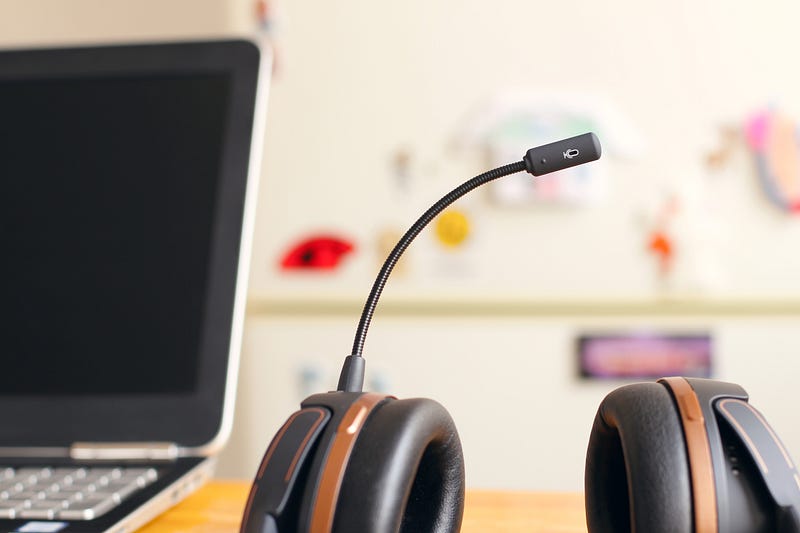
Dragon is great, but used by itself, your laptop’s microphone setup will limit its performance. For greater accuracy, you’ll want to use a proper microphone. These don’t have to be expensive. Nuance manufactures their own headsets, but they also rate headsets by third-party manufacturers for use with their software. You can see the list here.
I chose a Logitech H600 Bluetooth headset. I picked this headset up for about $50, but it’s rated by Nuance as one of their top-performing headsets. What microphone setup you choose will depend on your individual preferences and your budget, but I’ll talk more about the advantages of this specific headset and others like it later.
The final piece of this productivity setup is Grammarly. For those of you who are unfamiliar with Grammarly, it’s a popular editing program that makes it far quicker to proofread and edit anything you write. Even with the best microphone and the best dictation software in the world, there will always be errors. Grammarly makes it quicker and easier to catch them.
Is it perfect? No. You’ll still need to proofread everything you write carefully. But Grammarly makes it far quicker to pick up minor errors in your writing. Since I started using the program a couple of years ago, I’ve run almost 20 million words through it. The monthly subscription for the program is a hefty $30, but paying for a year upfront will set you back $140, or $11.66 per month. It isn’t cheap, but the time it saves you means the program will quickly pay for itself.
Why you should write more
Not many writers set out to write badly. For most of us, it’s a love of good writing that made us want to write in the first place. And quality matters. The better your writing, the higher a price you can command for your words. That’s leaving aside less tangible benefits of self-esteem and contentment that come from doing your job well.
Writing is a skill like any other. You become better at it by doing it. And the more you write, the quicker your apprenticeship will be. Ray Bradbury said every writer has a million bad words inside them. Rest assured that those bad words are the first ones that will come out when you begin your writing career. The quicker you can get through your apprenticeship, the sooner you can start writing content that will not only make you money, but that will also allow you not to be ashamed of your work.
Everyone’s journey to becoming a freelance writer is different. But if yours is anything like mine, when you first start out with no experience and no connections, you’ll be forced to take some low-paying jobs. In the early days of my career, I would write for as little as one cent per word, just to get some paying jobs on my profile and some content in my portfolio. You’re never going to build a sustainable career with rates that low, but you do need to start somewhere. And the quicker you can write, the better even an embarrassingly low rate becomes.
If it takes you two hours to write a thousand words, you’re slaving away for well below minimum wage. But if you can turn out a thousand-word article in half an hour, even one cent per word doesn’t look quite so horrible.
Speed matters
How fast can you type? Before beginning my freelance career, I had never really held an office job. The writing I did for fun on evenings and weekends meant that I had some basic typing ability, but I was never exceptionally fast. I’ve certainly never been able to touch type, and I was never anywhere close to setting any speed records.
The average person can type out around 40 words per minute. If you’re grinding out work for one cent a word, that’s $24 an hour. But as every freelancer quickly learns, you don’t spend all of your work time writing. Far from it. Research and editing also take a huge amount of time, possibly over 50%. As a result, you could easily see your hourly rate drop to around $10 an hour. There are countries in the world where that’s a pretty generous hourly rate, but in the US, in Canada, in Australia, the UK, and Western Europe, it’s barely enough to get by.
Professional typists, of course, are far faster. 75–90 words per minute is not uncommon. But it takes time, practice, and probably some schooling to get to speeds like that. Just as you’re not going to start running tomorrow and challenge Usain Bolt’s records, if you’re not already typing professionally, you’re not going to be this fast. And if you are typing professionally, you’re going to want more than one cent per word for all the time you’ve put into mastering this craft.
The average person speaks at a rate of between 125 to 150 words per minute. That means that even a fairly inexperienced typist like me can write at a speed close to double that of a professional typist. That’s up to 9000 words per hour, or $90 if you’re working for one cent per word.
Of course, that won’t happen in the real world. You need time for editing, research, bathroom breaks, petting the cat, and all the other tasks that eat up a freelancer’s work time. But at even half that speed, you’ll find you’re churning out content at such a rapid rate that even an insultingly low rate of pay could end up being worth it.
Look after yourself
But there’s more to the advantages of dictation software than mere speed.
When I first started to pick up freelance work, things looked rosy. After all the time I had spent doing regular jobs, it seemed almost unbelievable to me that I could make money sitting at home in my pajamas.
As mentioned earlier, I was living in Italy at the time, in a six-month holiday rental. The place came already furnished with an odd assortment of items, and I made do with what we had. I would spend my days writing at the large dining table in the living room, then retreat to the spare bedroom at night to work on my novel and other personal writing. For a while, all was well.
But the amount of writing I was doing was starting to take a toll. One day, I developed shooting pains in my forearms and wrists. This pain steadily grew until I lost the ability to perform fine motor functions. I couldn’t touch my thumb to the tips of my fingers on the same hand without significant pain. Even giving a thumbs-up was difficult.
I never went to a doctor — after all, I was living in a foreign country where I didn’t speak the language. Plus, I’m a guy. But it was obvious that something was wrong. If I didn’t have full-blown carpal tunnel syndrome, it was clear to me that I had some kind of repetitive strain injury.
It was for that reason that I began to look into dictation software. If I hadn’t found it, there’s no doubt in my mind that I would be unable to do what I do for living today. The freelancing life that has enabled me to travel and work from anywhere, to never have to answer to a boss or to deal with employees, wouldn’t be an option for me. And if you’re going to make a living through writing, I strongly suggest you find a way to do it without using your hands any more than you have to. Because once that damage is done, it’s done more or less forever.
Plus, there are other health risks associated with the sedentary lifestyle that most freelancers live. A sedentary lifestyle has been linked to health problems such as cardiovascular disease, lowered bone density, obesity, and cancer. People who call sitting the new smoking may be exaggerating, but that doesn’t mean there isn’t some truth to the fundamental point they’re making. Humans aren’t designed to sit hunched over a desk all day, and those that do quickly find their bodies deteriorating.
Dictation software, coupled with a Bluetooth headset, has freed me from my desk. As I write this, I’m also walking on a treadmill. I even made my own treadmill desk out of some scrap wood I had lying around so that I can spend more time being active.
Productivity With Benefits
Of course, one of the great things about being a freelance writer is working from home. And dictation software plus a Bluetooth headset frees up your hands for other things. While working, I can do the laundry, load the dishwasher, clean the cat’s litter box, cuddle said cat, and do a million other things. This ability to multitask is a large part of what’s allowed me to increase my earnings month after month after month. I can get more work done and still keep my life running smoothly.
The true benefits of this system vary according to the kind of writer you are. Sometimes, I need to write research-heavy articles that require me to be in front of my computer. Sure, I can do that from my treadmill desk, but I still need the screen in front of me and a mouse in my hand.
But other times, I write about things I know so well that I don’t need a computer in front of me. If I’m writing about personal experience, for instance, I don’t need to see the screen. The same goes for when I’m writing on topics I know a lot about, such as pest control. Additionally, having no need to look at my computer while working means that I can work while driving. What used to be empty time has now become some of my most productive hours.
Flow
You’ve probably heard about the importance of flow in creative tasks. Those of us who create for a living soon learn that there’s nothing better for getting work done than the state of deep concentration and focus known as flow. Hours can fly by when you enter a flow state, and the words seem to appear spontaneously on the page. A flow state is difficult to manufacture, but one thing it undoubtedly requires is a minimum of distractions.
Using dictation software can help you get into a flow state more easily because there are few things more natural to humans than talking. Doing something relatively mindless like walking on a treadmill or washing dishes or probably knitting may even help you to achieve that flow state by keeping your body occupied with something else.
Stop Writing. Start Talking.
I’ll admit that Dragon software has a definite learning curve. For instance, you need to say out loud the punctuation you want to include in the sentence. So comma you find yourself talking like this period. It sounds awkward at first, so it’s best if possible to do it in a separate room where no one can hear you. That’s another reason why driving is a great time to work on this.
But pretty soon, you’ll find that dictating your words becomes very natural. More natural, in fact, than typing them. Thoughts flow more easily and more quickly from your brain to the page when you don’t have to rely on your clumsy fingers getting in the way.
I wish someone had told me about this system before I did the damage to my arms that I did by trying to be a productive freelancer. But now I know. And so do you. While there are some upfront costs to the system and a learning curve to manage, the increased productivity means that all the necessary software and hardware will pay for itself very quickly.
Now, all you need is more clients. Unfortunately, that’s something I can’t help you with.


