avatarCharles Ross

Free AI web copilot to create summaries, insights and extended knowledge, download it at here

2477

Abstract

d="f022">You might be thinking, “which tones of voice has the AI been programmed in?”</p><p id="e1f8">The answer is that it can understand almost anything you can throw at it. There is no pre-defined list, so you can try anything you want.</p><p id="8a37"><a href="https://help.jarvis.ai/article/158-what-should-i-put-for-tone-of-voice"><b><i>Read more about Tone of Voice here!</i></b></a></p><p id="3980"><b>Step 4 — Click on the “Generate A.I content” button</b></p><figure id="f3a5"><img src="https://cdn-images-1.readmedium.com/v2/resize:fit:800/1*bUnsWqS5HjNnPatczIgqXw.png"><figcaption></figcaption></figure><p id="86ef">You can preview, save and download your product description.</p><p id="d122"><b>Step 5 — Edit your paragraph to make it unique</b></p><p id="1589">If you don’t like the way your text looks or sounds, then feel free to go back and edit any part of your ad.</p><p id="cc99">However, if you’re satisfied with the results, then no further editing is required.</p><p id="7c27">You can now use this product description to improve your Amazon ads and boost your conversions.</p><p id="d758"><b>Step 6 — Create different ads for each product using the Save feature</b></p><p id="d589">You can save as many different text variations as you want, and then you can use them to create separate ads later.</p><p id="328e">This way, your Amazon ad campaign will be more efficient since it will only require small changes to create unique product descriptions for each product.</p><figure id="dda0"><img src="https://cdn-images-1.readmedium.com/v2/resize:fit:800/0*bUwBAqV2KPH3iv5U.png"><figcaption>See What Javis AI can do for you.</figcaption></figure><p id="480d"><b>Watch the demo on YouTube: <a href="https://www.youtube.com/watch?v=0-A5FzNy7_Y&amp;ab_channel=CharlesKariuki">https://www.youtube.com/watch?v=yi7ImUwEd7I</a></b></p><h1 id="e362">How to Write Amazon Product Features (Bullets)</h1><p id="3be5">Click on the “<b>Amazon Product Features (bullets)” template to start creating.</b></p><figure id="0ffc"><img src="https://cdn-images-1.readmedium.com/v2/resize:fit:800/1*EsJFeovVV3EkfMp6I04A-g.png"><figcaption></figcaption></figure><p id="0c6c"><b>Step 1 — Fill in Product name, Product info, Key benefits/features, and the Tone of voice.</b></p><figure id="e86e"><img src="https://cdn-images-1.readmedium.com/v2/resize:fit:800/1*iJCp_m9J8zC-SYg-fB8PpQ.png"><figcaption></figcaption></figure><p id="5e71">Once you’ve filled in the information, click

Options

on the “<b>Generate A.I content</b>” button to generate bullet points based on your product specs and make your product description stand out.</p><p id="8063">You can now use this paragraph to improve your Amazon ads and boost your conversions using bullets.</p><p id="f3a6">Generated bullet points will be unique for each product based on the information you entered.</p><p id="fec9"><b>Step 2 — Create different ads for each product using the Save feature</b></p><p id="320d">You can save as many different text variations as you want, and then you can use them to create separate ads later.</p><p id="d254">This way, your Amazon ad campaign will be more efficient since it will only require small changes to create unique product descriptions for each product.</p><h1 id="97f6">Winding-up</h1><figure id="83d0"><img src="https://cdn-images-1.readmedium.com/v2/resize:fit:800/1*zkfICg6EZKO3dUgEXJOlJQ.png"><figcaption></figcaption></figure><p id="26a1">Jarvis has lots of templates that you can choose for different purposes including :</p><p id="2b49">Long-form assistant-Helps to write <a href="https://readmedium.com/how-to-write-a-book-in-3-days-using-a-i-6621aa2b0120">Books</a>, <a href="https://readmedium.com/what-is-jarvis-a4191f737525">Essays</a>, Social media copies using <a href="https://readmedium.com/what-is-ai-writing-and-what-are-its-benefits-ca3a15ace41a">A.I and machine learning technology</a></p><p id="9d49"><a href="https://readmedium.com/how-to-get-blog-post-topic-ideas-using-jarvis-an-an-advanced-a-i-tool-bd12d54f2204">Blog Post Topic Ideas</a>-Brainstorm new blog post topics that will engage readers and rank well on Google.</p><p id="b13c"><a href="https://readmedium.com/how-to-write-a-captivating-story-in-minutes-using-a-i-5af9c7fa2834">Creative Story</a>-Write deliciously creative stories to engage your readers</p><p id="12d0">Amazon product description (paragraph)</p><p id="52fd">Amazon product features (bullets)</p><p id="893f">Google Shopping Ads</p><p id="395f">(Description)</p><p id="a4b2">Google Shopping Ads (Headlines)</p><p id="79b5">Pinterest Pins</p><p id="7dd8">Influencer outreach e-mails. With Jarvis, getting well-written content has never been easier.</p><p id="3280">You can now use this tech to easily outsource your content needs and save yourself time and money in the process.</p><p id="8b54"><b><i>To Get Started on Jarvis <a href="https://bit.ly/Jasper_Free_Trial">please go here!</a></i></b></p></article></body>

How to Write a High Converting Product Description for Amazon Using A.I
Jarvis A.I Assistant

For any inquiries reach us at [email protected]

Writing a product description that sells is hard, but it’s even harder to write one for Amazon.

Product descriptions are the most important part of your Amazon listings because they can be used as an ad copy on search results pages.

These short descriptions have to tell customers what you’re selling and why they need it quickly and efficiently.

The problem with writing these kinds of ads is that each product has unique features and benefits, so coming up with good ad copy for each listing takes time and effort to get right.

With this A.I assistant tool you’ll be able to create well-written Amazon product descriptions without having to worry about how long it will take or if your sales copy will convert well enough on the search results page.

This A.I-based software (Jasper) automatically generates well-written sales text for any kind of product using machine learning algorithms trained by experts who’ve been doing this professionally since 2008 when Amazon first launched their service in Canada.
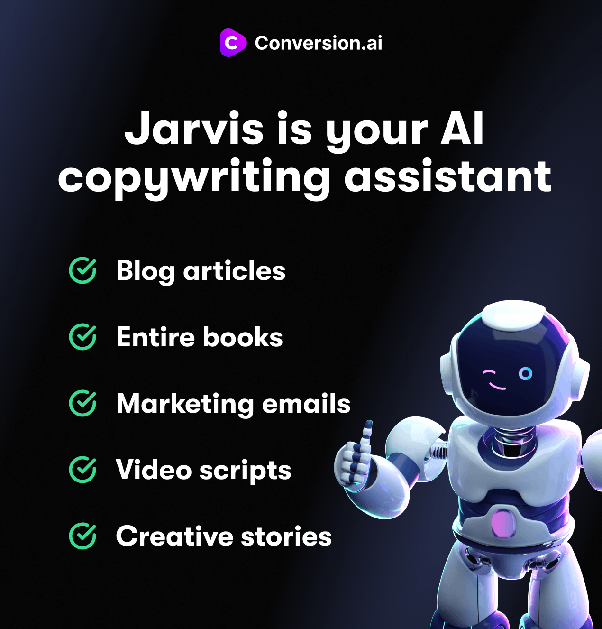
See What Javis AI can do for you.

Watch the demo on YouTube: https://www.youtube.com/watch?v=yi7ImUwEd7I

How to Generate Product Descriptions Using Jarvis:

Step 1 — Claim your 10,000 words free trial of Jasper.ai. Then log in to Jasper dashboard

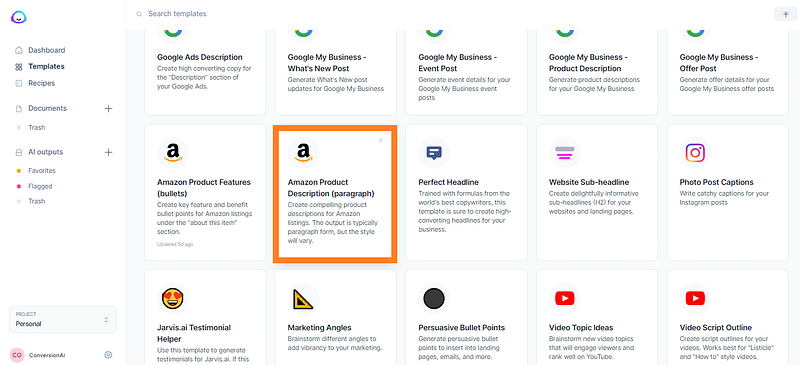
Step 2 — Click on the “Amazon Product Description (paragraph)” template to start creating
Step 3 — Fill in all your information (Product name, Key benefits/features, Tone of voice)

You might be thinking, “which tones of voice has the AI been programmed in?”

The answer is that it can understand almost anything you can throw at it. There is no pre-defined list, so you can try anything you want.

Read more about Tone of Voice here!

Step 4 — Click on the “Generate A.I content” button
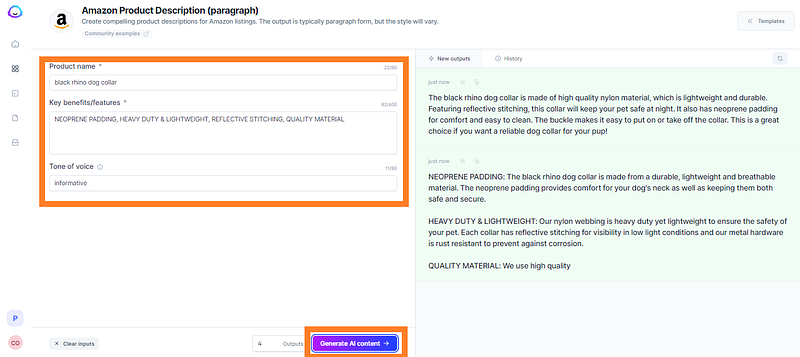
You can preview, save and download your product description.

Step 5 — Edit your paragraph to make it unique

If you don’t like the way your text looks or sounds, then feel free to go back and edit any part of your ad.

However, if you’re satisfied with the results, then no further editing is required.

You can now use this product description to improve your Amazon ads and boost your conversions.

Step 6 — Create different ads for each product using the Save feature

You can save as many different text variations as you want, and then you can use them to create separate ads later.

This way, your Amazon ad campaign will be more efficient since it will only require small changes to create unique product descriptions for each product.
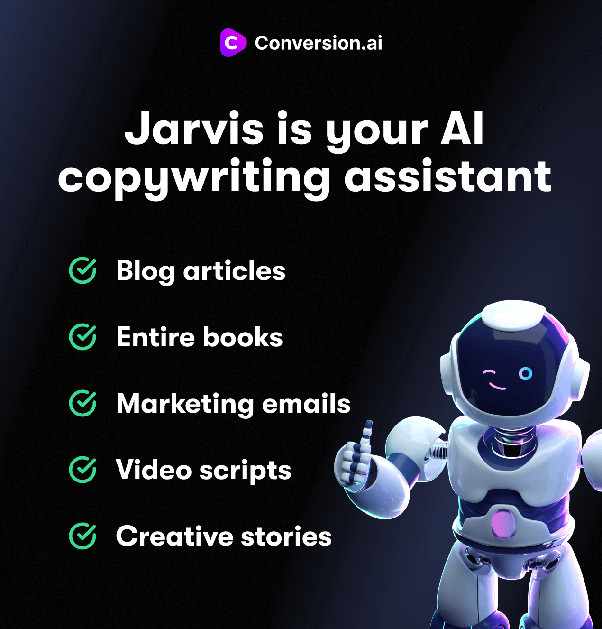
See What Javis AI can do for you.

Watch the demo on YouTube: https://www.youtube.com/watch?v=yi7ImUwEd7I

How to Write Amazon Product Features (Bullets)

Click on the “Amazon Product Features (bullets)” template to start creating.
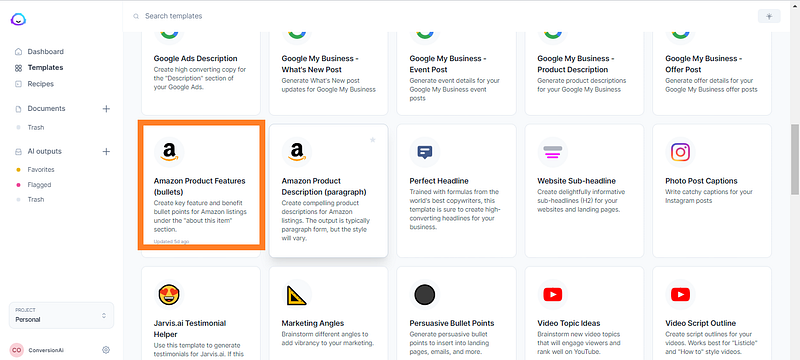
Step 1 — Fill in Product name, Product info, Key benefits/features, and the Tone of voice.
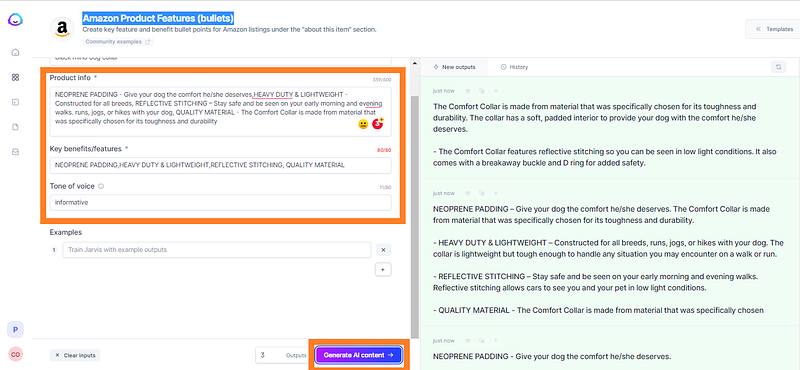
Once you’ve filled in the information, click on the “Generate A.I content” button to generate bullet points based on your product specs and make your product description stand out.

You can now use this paragraph to improve your Amazon ads and boost your conversions using bullets.

Generated bullet points will be unique for each product based on the information you entered.

Step 2 — Create different ads for each product using the Save feature

You can save as many different text variations as you want, and then you can use them to create separate ads later.

This way, your Amazon ad campaign will be more efficient since it will only require small changes to create unique product descriptions for each product.

Winding-up
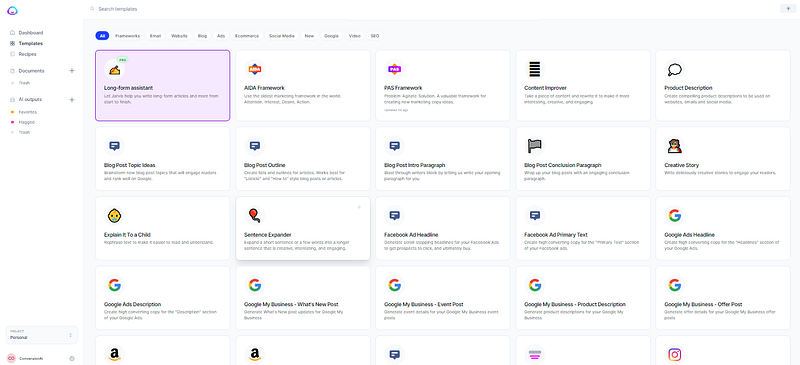
Jarvis has lots of templates that you can choose for different purposes including :

Long-form assistant-Helps to write Books, Essays, Social media copies using A.I and machine learning technology

Blog Post Topic Ideas-Brainstorm new blog post topics that will engage readers and rank well on Google.

Creative Story-Write deliciously creative stories to engage your readers

Amazon product description (paragraph)

Amazon product features (bullets)

Google Shopping Ads

(Description)

Google Shopping Ads (Headlines)

Pinterest Pins

Influencer outreach e-mails. With Jarvis, getting well-written content has never been easier.

You can now use this tech to easily outsource your content needs and save yourself time and money in the process.

To Get Started on Jarvis please go here!

Amazon
Amazon Selling Tips
Amazon Echo
Affiliate Marketing
Blogging
Recommended from ReadMedium