
How to use wallet connect for your dApp in 3 minutes
This is a short tutorial for web3 developers looking for a simple way to connect users’ wallets to their dapps since there’s a million wallets out there. A single library like wallet connect for everything works well.
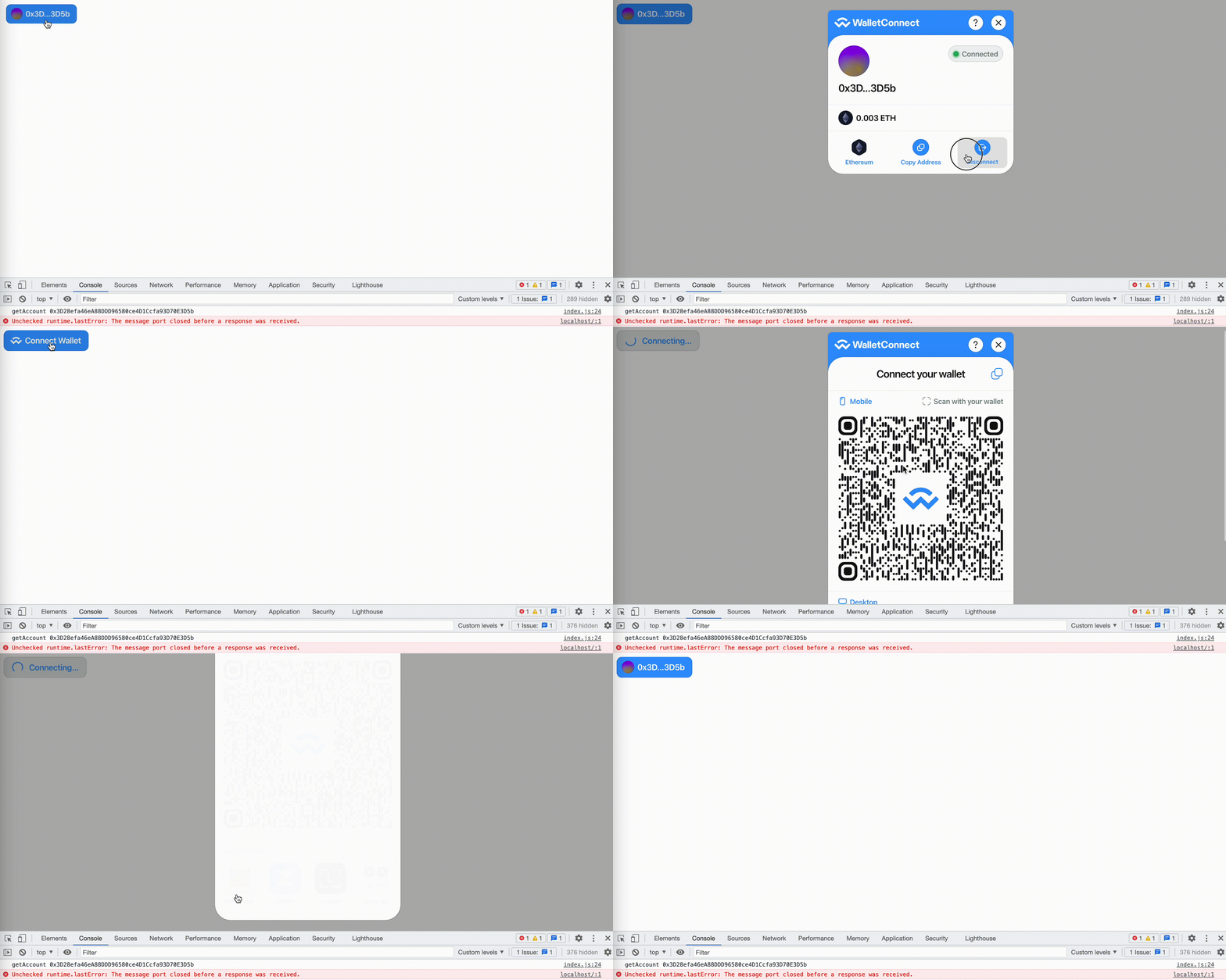
This tutorial is for simple dapps without React. To get started, install these libraries:
yarn add @walletconnect/[email protected] @web3modal/[email protected] @web3modal/[email protected] [email protected] [email protected] [email protected] [email protected] [email protected] [email protected] @web3modal/[email protected] @wagmi/[email protected] @web3modal/[email protected] [email protected]
Make sure to use the exact versions specified in the command above so that you get the app working properly since those libraries change very fast.
Then in your package.json include these scripts:
  "scripts": {
    "server": "http-server dist/ -p 8000",
    "compile": "NODE_ENV=production npx webpack",
    "watch": "NODE_ENV=development npx webpack -w",
    "start": "npm-run-all --parallel watch server"
  },
Those will be useful to start the app, you’ll only need to execute the command yarn start. Now create a webpack.config.js with the following configuration:
const path = require('path')
const CopyPlugin = require('copy-webpack-plugin')

module.exports = {
 mode: 'development',
 entry: path.join(__dirname, 'src', 'index.js'),
 output: {
  filename: 'build.js',
  path: path.resolve(__dirname, 'dist'),
 },
 plugins: [
  new CopyPlugin({
   patterns: [
     { from: "src/index.html", to: "index.html" },
   ],
  }),
 ]
}
What it does is it processes the index.js file inside src/ and copies the index.html from src/ to dist/ where the app will be delivered.
Now create a src/ folder with the files index.html and index.js . Inside the javascript file include the following code:
import { EthereumClient, w3mConnectors, w3mProvider } from '@web3modal/ethereum'
import { Web3Modal } from '@web3modal/html'
import { configureChains, createConfig } from '@wagmi/core'
import { mainnet } from '@wagmi/core/chains'
import { getAccount } from '@wagmi/core'

const chains = [mainnet]
const projectId = '' // Get yours at https://cloud.walletconnect.com/
const { publicClient } = configureChains(chains, [w3mProvider({ projectId })])
const wagmiConfig = createConfig({
  autoConnect: true,
  connectors: w3mConnectors({ projectId, version: 1, chains }),
  publicClient
})
const ethereumClient = new EthereumClient(wagmiConfig, chains)
const web3modal = new Web3Modal({ projectId }, ethereumClient)
const start = async () => {
    // Get your account
    console.log('getAccount', getAccount().address)
}

start()
You don’t have to understand it all, simply the fact that you can import the chains you want to use from @wagmi/core/chain and change the configuration. In order to get this working you’ll need a projectId which you can get at cloud.walletconnect.com.
The code will run the start() function executing the getAccount().address and showing you the connected address at start. You can get the address anytime using that command. If it’s undefined show the user an alert letting them know.
Next, update your index.html with this code:
<!DOCTYPE html>
<html lang="en">
    <head>
        <meta charset="UTF-8">
        <meta name="viewport" content="width=device-width, initial-scale=1.0">
        <title>Wallet Connector</title>
    </head>

    <body>
        <w3m-core-button></w3m-core-button>
    </body>

    <script src="build.js"></script>
</html>
As you can see it’s very simple, all it does is display the web3 modal button and import the build.js file from webpack.
That’s it!
Now you can execute it with yarn start or npm run start and you’ll see the button working so you can access the user’s wallet address anytime.


