
Hidden Libraries
How to use the easiest GUI of your life in Python
Kick up a clean and dirty GUI for your project without wasting hours of your time

Maybe I’m weird because I dislike app development and front-end in general. Something about widgets really just boggles my brain, and I risk destroying every electronic in my vicinity when I need to learn some complex OOP library to ask the user for a YouTube link.
It was by complete accident that I stumbled across the library called Gooey, and boy was it a good mistake. You can make fully functional good-looking GUIs in literally one line! You can only imagine how happy I was when I found I could drop Tkinter.
Let’s get into why it’s so awesome.
Installation
I love using Python’s package manager, it makes installing libraries so effortless. Installing Gooey is as simple as it gets:
pip3 install GooeyUsage
Now, nothing comes for free. There is a caveat using Gooey, but I believe the trade-off is more than worth it. Gooey doesn’t use some neuro-magic to pull the GUI out of your imagination, it requires something to tell it what to make.
But don’t leave yet! All you need to do is create an Argument Parser, something that requires no graphics.
Creating an Argument Parser
First thing you’ll want to do is import the argparse library (it’s built-in for Python 3.x) and create an ArgumentParser object:
import argparse

parser = argparse.ArgumentParser(description='Do stuff with numbers.')
We’ll use the add_argument method add different functions, such as multiplying or adding numbers together. You can read more on each option on the official documentation,
import argparseparser = argparse.ArgumentParser(description='Do stuff with numbers.')# Adding an argument that can be called by -a or --add. There is a help message and it is not required. We can have any (n)umber of (args).parser.add_argument('-a','--add', help='Add numbers together', required=False, nargs='+') # same as addition, but multiplication insteadparser.add_argument('-m','--multiply', help='Multiply numbers together', required=False, nargs='+')Now we can use vars() method with the parse_args() method to access the user’s input like a dictionary:
import argparseparser = argparse.ArgumentParser(description='Do stuff with numbers.')# Adding an argument that can be called by -a or --add. There is a help message and it is not required. We can have any (n)umber of (args).parser.add_argument('-a','--add', help='Add numbers together', required=False, nargs='+')# same as addition, but multiplication insteadparser.add_argument('-m','--multiply', help='Multiply numbers together', required=False, nargs='+')if args['add']:
# add numbers togetherif args['multiply']:
# multiply the numbers togetherBoom! Our argument parser is complete!
Making the GUI in Gooey
We’re basically done at this point, we just need to make a few changes. As per the documentation, we have to only do a couple of things:
- import the Gooey decorator
- wrap the argument parser code in a method.
- Use the Gooey decorator
- Call the function
When you’re finished, the code will look something like this:
All that’s left now is to run the code and see if it’s worth the effort. Let’s see how it performs:
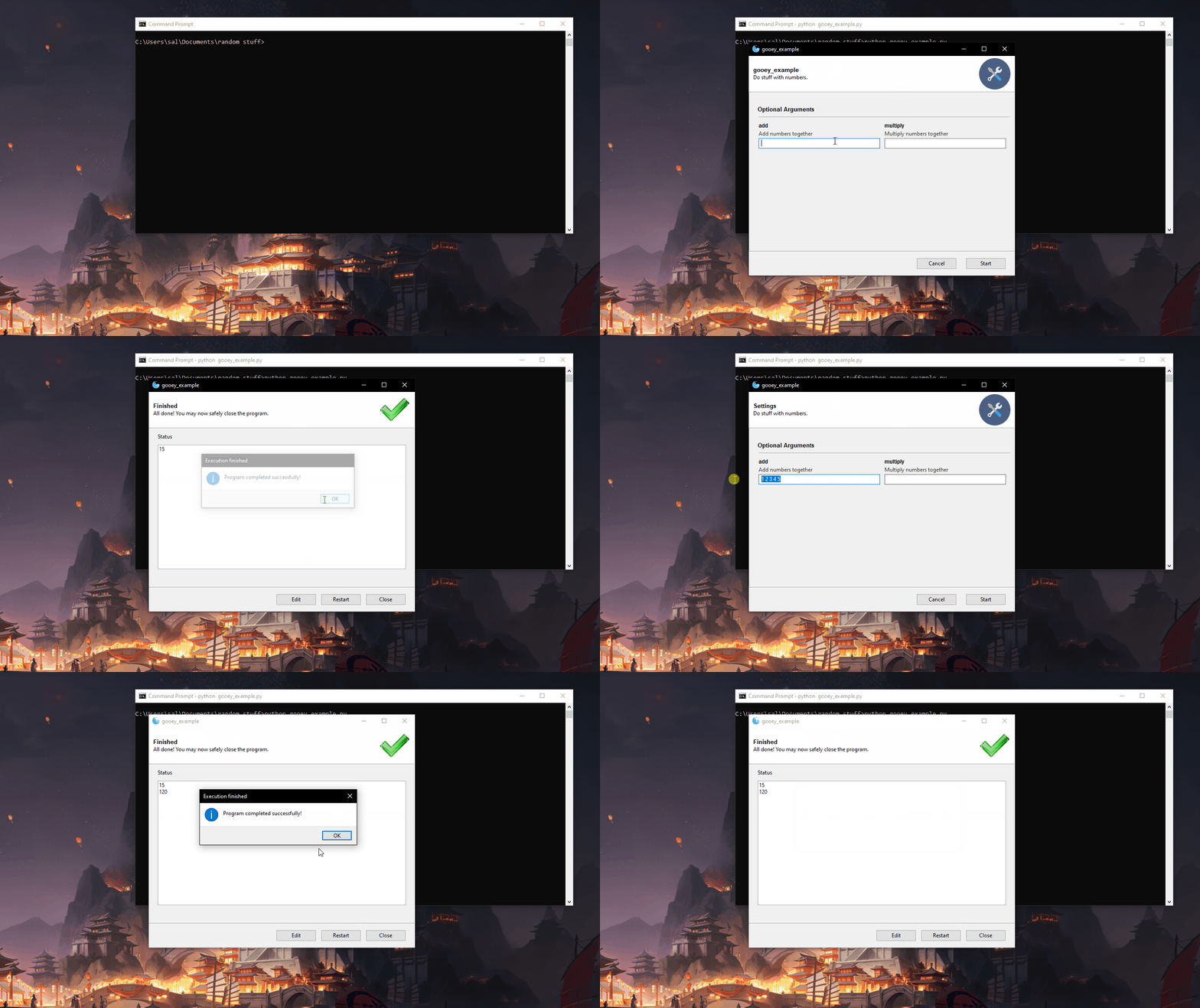
A clean, minimalist, and effective GUI in only 23 lines of code. It’s a success in my book.
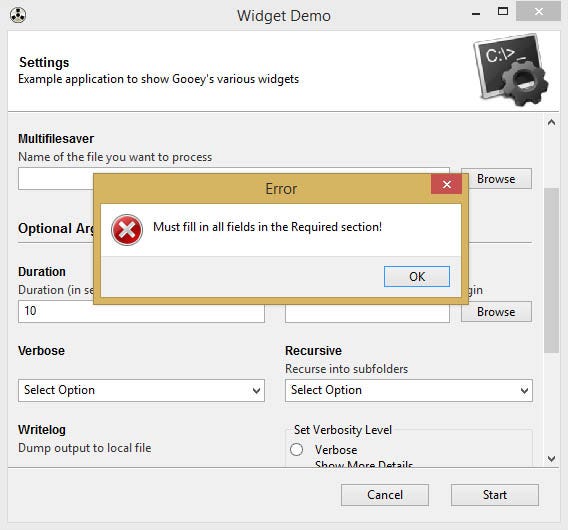
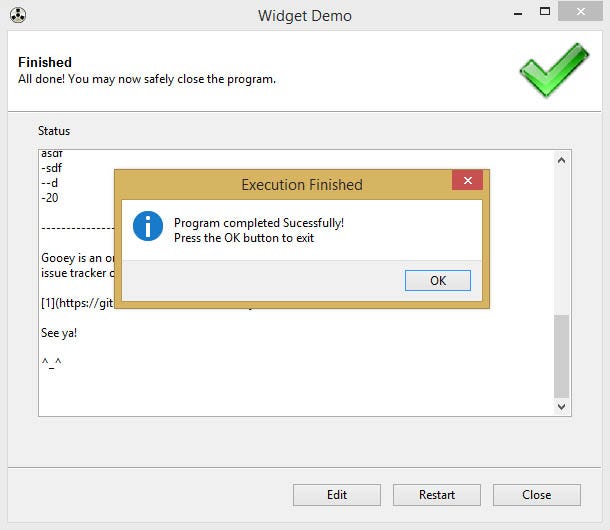
I only showed a relatively simple usage of the library, but it can do so much more:
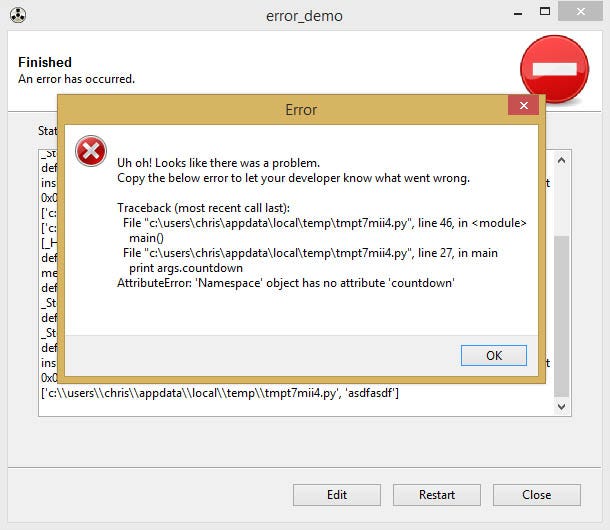
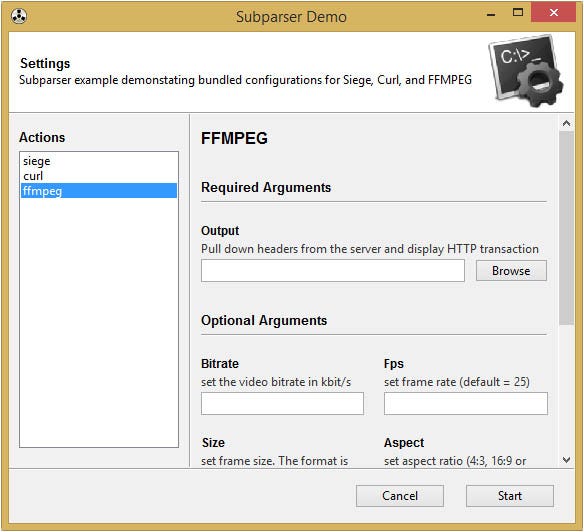
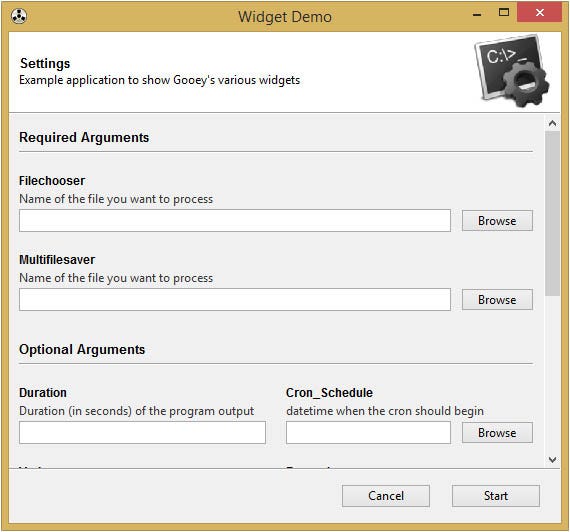
That being said, the reason why every GUI in existence isn’t made with Gooey is that:
- It only works on desktop environments
- You’re stuck with the UI. It looks good already, but it will never look great.
- People don’t know about it — Seriously, this thing is applicable to so many different programs it’s crazy.
Final words
I strongly recommend checking this library out and using it in your projects. It can save so much time it’s ridiculous. I know after discovering this I’m never going back to normal GUI design in Python; just another reason why Python is such an amazing language!


