avatarPhilippe Delteil

Summary

The article provides instructions on how to use Roam v2 features on Roam v1 hardware, including creating a specific file on the device's root folder.

Abstract

The article discusses an easy way to access some Roam v2 features using Roam v1 hardware. It mentions that certain features, such as multi-band GPS, cannot be added through software modifications alone. The article then explains how to force the v2 interface on the v1 by creating a file called "cfg_BApplication_ForceRoam2" on the device's root path. The steps include connecting the Wahoo device to a computer, creating the file in the root folder, and restarting the device. The article also notes that some features, like the auto (freeride) summit feature, do not work with this modification, and some users may have trouble connecting the Elemnt app to the device.

Opinions

  • The author believes that the process of forcing the v2 interface on the v1 is straightforward.
  • The author acknowledges that not all v2 features can be accessed on v1 hardware through software modifications.
  • The author suggests that users who encounter problems after making the modification should remove the file from their device to restore normal functionality.
  • The author encourages readers to follow them for more content.
  • The author recommends trying out a specific AI service that they claim provides similar performance and functions to ChatGPT Plus(GPT-4) but at a more cost-effective price.

How to use Roam v2 features on Roam v1

An easy way to get some features intended for Wahoo Roam v2 using Roam v1 hardware.

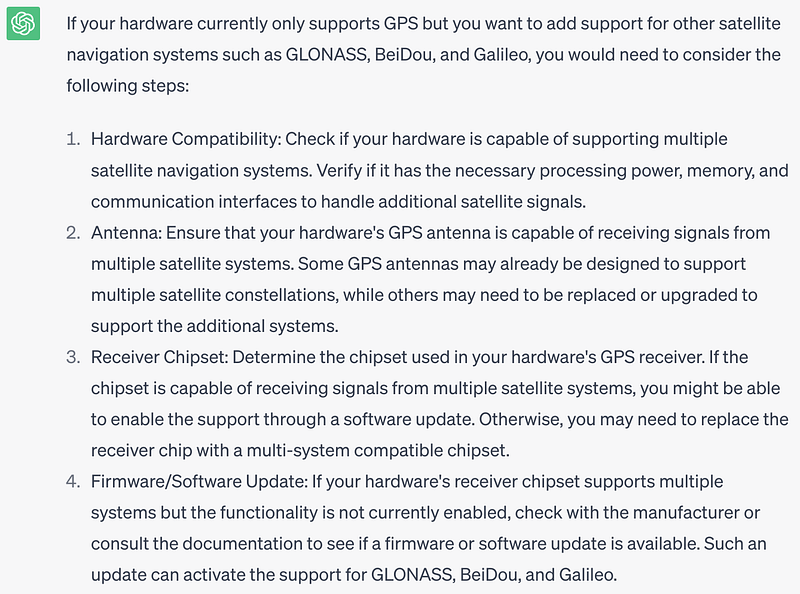
Of course, there are some features that cannot be added doing a software mod only, for example, the use of multi-band GPS. I even asked chatGPT what would be required to do such a change:
Another features the v2 has are 64 colors (vs 8 colors the v1 has) and 32 GB instead of the 4 GB the v1 provides.

How to force the v2 interface on the v1?

It's very easy, you just need to create a file called cfg_BApplication_ForceRoam2 on the root path of your device, here the steps required:

  1. Connect your Wahoo device to your computer.
  2. A folder with name Android will show up (Linux). Or a Wahoo device in explorer (Windows)
  3. Create a file with name cfg_BApplication_ForceRoam2 on the root folder.
  4. Restart your device.

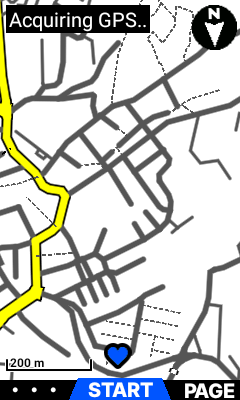
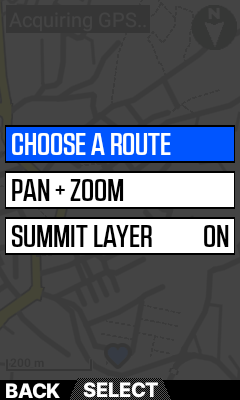
Some screenshots (notice the borders of the data fields are gone!)
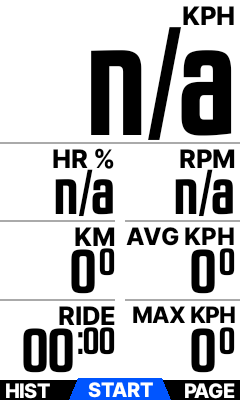
Notice the borders are shown but can't be seen on the device.
This is the new screen for the map feature.

The main change is the feature of changing the background color of the heart rate zone, something similar of what happens with the gradient (goes from green to yellow and to red when the percentage of the gradient increases).

The auto (freeride) summit feature doesn't work making this change.

Some people can't connect the Elemnt app to the device using this trick. If you encounter any problems, just remove the file from your device to go back to normal.

Thank you for taking the time to read this article and explore the ideas and insights I’ve shared with you. If you found value in this article and would like to continue receiving more content like this, I encourage you to follow me

Wahoo
Roam
Recommended from ReadMedium