avatarSerafeim Loukas, PhD

Summary

The web content introduces FugueSQL, a Python library that enables the use of SQL for manipulating data in Pandas, Spark, and Dask DataFrames, and provides a brief tutorial on its installation and usage.

Abstract

The article "How to use Python & SQL to manipulate data in 1 min" by Seralouk is a concise guide that introduces data scientists and analysts to FugueSQL, a powerful interface for executing SQL queries on various data frameworks. The author emphasizes the library's ability to streamline the data manipulation process by allowing SQL commands to be used with Pandas, Spark, and Dask, thus bridging the gap between SQL and Python data science tools. FugueSQL is part of the Fugue project, which aims to provide a unified interface for distributed computing, enabling users to focus on logic rather than execution details. The article includes a short example demonstrating the installation of FugueSQL and the execution of SQL-like commands within a Python environment to filter and print data from a Pandas DataFrame. The author also promotes their Data Science Hub on Patreon for bespoke consulting services and invites readers to subscribe to their mailing list and support them through membership.

Opinions

  • The author is enthusiastic about the FugueSQL library, highlighting its utility for data professionals who prefer SQL or wish to transition from Pandas to more scalable solutions like Spark or Dask.
  • The article suggests that FugueSQL can significantly benefit data teams working on big data projects by simplifying code maintenance.
  • The author believes that the ability to use SQL within Python environments can enhance the data manipulation process by leveraging the strengths of both languages.
  • By providing a link to the Data Science Hub on Patreon, the author conveys a commitment to supporting the data science community with expert consulting services and comprehensive responses to inquiries.
  • The inclusion of previous posts and encouragement to subscribe and become a member indicates the author's interest in building a readership and community around their content.

How to use Python & SQL to manipulate data in 1 min

Just read on!
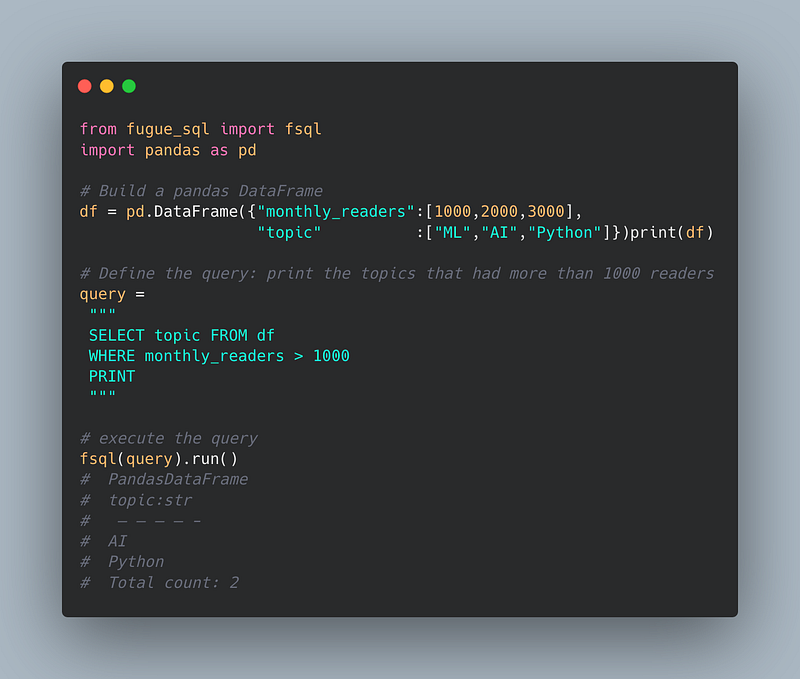
Image created by the author using an online free tool.

1.Introduction

Hi all. This post is going to be a bit unique and not lengthy like my previous articles.

I just discovered a great python library and I wanted to share that with my audience.

Would you like to use both Python and SQL to manipulate data?

If you answered yes, read on!

2. The library

FugueSQL is an interface that allows users to use SQL to work with Pandas, Spark, and Dask DataFrames.

A brief summary:

Fugue is a unified interface for distributed computing that lets users execute Python, pandas, and SQL code on Spark and Dask without rewrites.

  • Data scientists/analysts who want to focus on defining logic rather than worrying about execution
  • SQL-lovers wanting to use SQL to define end-to-end workflows in pandas, Spark, and Dask.
  • Data scientists using pandas wanting to take advantage of Spark or Dask with minimal effort.
  • Data teams with big data projects that struggle maintaining code.

The official page of the library is the following: https://github.com/fugue-project/fugue#fuguesql

NEW: After a great deal of hard work and staying behind the scenes for quite a while, we’re excited to now offer our expertise through a platform, the “Data Science Hub” on Patreon (https://www.patreon.com/TheDataScienceHub). This hub is our way of providing you with bespoke consulting services and comprehensive responses to all your inquiries, ranging from Machine Learning to strategic data analytics planning.

Another resource. Learn Data Science and ML with the help of an 🤖 AI-powered tutor. Start here https://aigents.co/learn choose a topic and he will show up where you need him. No paywall, no signups, no ads.

3. A short example

Install it:

python3 -m pip install fugue

Example using SELECT, WHERE and PRINT commands:

from fugue_sql import fsql
import pandas as pd
# Build a pandas DataFrame
df = pd.DataFrame({"monthly_readers":[1000,2000,3000], 
                   "topic"          :["ML","AI","Python"]})
print(df)
#    monthly_readers topic
#  0 1000             ML
#  1 2000             AI
#  2 3000           Python
# Define the query: print the topics that had more than 1000 readers
query = """
 SELECT topic FROM df
 WHERE monthly_readers > 1000
 PRINT
 """
# execute the query
fsql(query).run()
#  PandasDataFrame
#  topic:str
#   — — — — -
#  AI
#  Python
#  Total count: 2
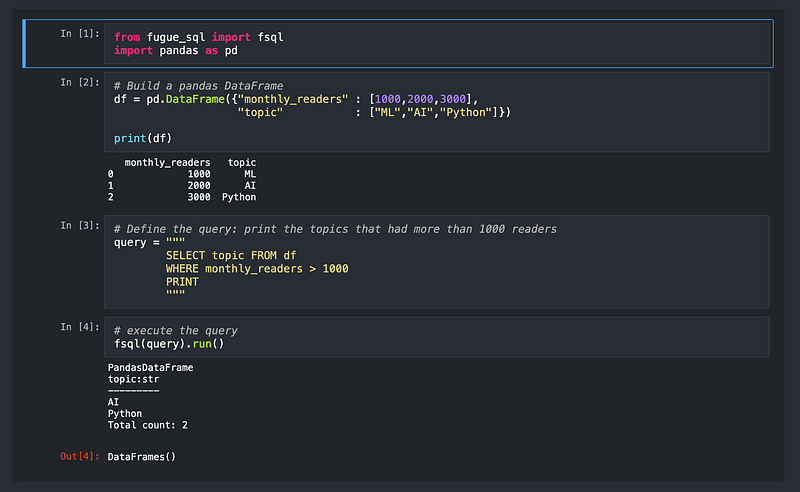
Image created by the author (jupyter notebook screenshot of the project).

That’s all folks!

As said at the beginning, this post was not going to be as lengthy as my previous articles.

Hope you liked this article! Feel free to share!

- My mailing list in just 5 seconds: https://seralouk.medium.com/subscribe

- Become a member and support me:https://seralouk.medium.com/membership

Previous posts you might like

Get in touch with me

Python
Machine
Sql
Jupyter Notebook
Recommended from ReadMedium
avatarAbhay Kumar
OOPs in Python

An easy guide

10 min read