
How to use Python import, understand it, and which one to use.
When you are working with any language it’s important to know the basics, and understanding how Python imports work will help you in the future.
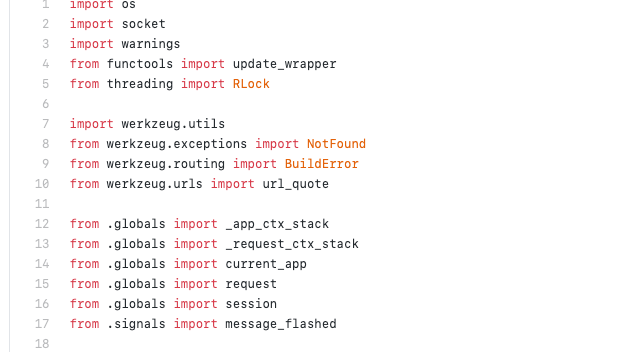
One advantage to knowing this very well is that often you will be handling your project using either packages or modules, and perhaps even more if you want to your packages become installable. For this, the importing of data is crucial if you want to achieve what you want with no problems.
Where does Python search for files to import?
First, what you should know about is how Python looks for what you want to import.
This is the import order that Python will look at:
1 — sys.modules - It's the Python cache for everything that was already imported before.
2 — Python Standard Library — These are the modules that are pre-installed with Python.
3 — sys.path - It's a list of directories, which includes the current directory, that is searched first.
How can I import with Python?
There are 2 ways of importing with Python, one is called Absolute import. As the name says is the absolute path to what you are importing, and another one is Relative import, the same, is relative to where you are importing.
One relevant piece of information is how Python files are handled, we have basically 2 types; modules and packages.
1 — Module — This is any file with the extension .py.
2 — Package — Any folder that contains modules.
Saying this, imagine this situation.
# building.py
import building
Here we have two situations, to Python, this can be either a module, that we know because we created a file with this name or a package, but without knowing the file extension we can’t know what is being imported.
Let’s try another example:
from building import wallsNow we expand the possibilities of what it’s being imported, you can see walls actually can be an object class or function, module, or even sub-package.
These are the possibilities of import, but how do the relative import and absolute import can help me organize myself?
Relative Import.
Now that you know how we import using Python, let’s understand how relative import works.
As the name shows, the relative will take into consideration the relative path of what you want to import compared to the file that you are calling the import, let’s assume this files structure:
- project
	- building
		-- __init__.py
		-- wall1.py
		-- wall2.py
	-- second_build
		-- __init__.py
		-- doors.py
			-- floor
				-- __init__.py
				-- wall1.py
First example import using the wall2.py file:
# wall2.py
from .wall1 import create_wall_function
We have one “dot” before the python file wall1.py or how we refer to it, module.
This dot means that we are importing or looking for a module that is the same level of the file that we are, in this case, wall2.py.
For relative import the dot notation works like this:
1– 1 Dot means that we are looking in the same hierarchy level or same folder.
2– 2 Dots means that we are looking 2 levels behind or up depending on how you see it, and for each dot, you go up one level.
So if we go to the second package to try more level this how would be:
# wall1.py inside floor package inside second_build
from ..doors import lock_door_function
Now we just get two-level above, relative to where the file wall1.py is to access another module named doors.py.
The opposite, going up one or more levels can be achieved like this:
# second_build doors.py
from .floor.wall1 import close_door_function
Now what we do is, from where we are we choose the package floor and the module wall1 to import a function from inside it.
This is how the relative import works, the downside for it is that is too easy to break import as they are strictly linked to where the file that you are importing is. If you move the file that you are importing or the file that you are requesting, the import you will break.
For this we can use the other type of import, which is the absolute import.
Absolute import.
This import is the most recommended one, as the name says it is absolute, in this scenario you will avoid the problem of breaking your import if you move or change a file.
We will use the same hierarchy as before:
- project
	- building
		-- __init__.py
		-- wall1.py
		-- wall2.py
	-- second_build
		-- __init__.py
		-- doors.py
			-- floor
				-- __init__.py
				-- wall1.py
First example imports using the wall2.py file:
# wall2.py
from building.wall1 import create_wall_function
You can see the difference between the relative import, here we have to declare from the root the path to the file/module that we want to import.
In the second example, we had to specify one level above/back, while here we declare the absolute path.
# wall1.py inside floor package inside second_build
from second_build.doors import lock_door_function
Remember that I explained at the beginning how the Python import works, this is the reason, in this example, we need the root path that the is project inside one of those 3 imports paths.
If your absolute import doesn’t work, you can check one of those 3 imports to see if it’s there or not.
The only “downside” is that your imports could become too big, but I don’t see a downside, it’s better to be verbose but easily understandable than having to discover where the file comes from.
The right style to use import statements.
We have learned how to use different styles of importing, but also there’s a pattern of how these imports should be done.
It’s good practice to follow this pattern as anyone that looks into your project will easily understand it.
Python has a code style named PEP 8, this is the summary of how you should import:
- Imports should always be on top of the file, after any comments and docstrings.
- Imports generally are divided into three groups:
2.1 standard library imports (Python built-in modules)
2.2 third party imports
2.3 local application imports
Conclusion
I hope you enjoyed reading this. If you’d like to support me as a writer, consider signing up to become a Medium member. It’s just $5 a month and you get unlimited access to Medium also if you liked, consider sharing with others that also want to learn more about this.
Also, I started a new channel on YouTube, I want to teach in videos what I write about, so please, subscribe if you liked this tutorial.
Youtube channel:
Linkedin:
Instagram: @thedevproject