
How to Use OSINT to Find a Physical Location from a Picture
Information is more accessible than ever before, and the practice of Open Source Intelligence (OSINT) has become an invaluable tool for many individuals and organizations. OSINT involves gathering information from publicly available sources to make informed decisions or to solve problems. One intriguing application of OSINT is the ability to find a physical location from a picture alone. In this article, we’ll explore the methods and tools to uncover the secrets hidden within a photograph.
Understanding the Basics
Before delving into the techniques used to extract location data from a picture, it’s essential to understand the fundamental principles of OSINT and the types of information that can be extracted from an image.
- Metadata: Most images captured with modern digital devices contain hidden data known as metadata. This metadata includes information about the image, such as the date and time it was taken, the camera used, and, most importantly, the GPS coordinates of the location where the picture was snapped.
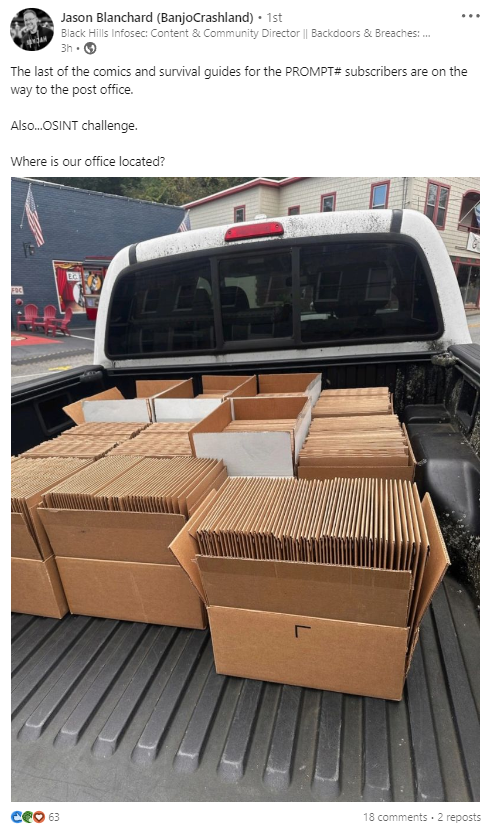
- Visual Clues: Apart from metadata, visual clues within the image can provide information about the location. These clues might include recognizable landmarks, street signs, distinctive architecture, and even local flora and fauna.
Using Metadata to Find a Location
- Extracting Metadata: To retrieve the metadata from an image, you can use various software tools and online services. There are many free and paid options available, such as ExifTool, PhotoME, or online tools like Jeffrey’s Exif Viewer.
- Review GPS Data: Once you have the metadata, focus on the GPS coordinates. These coordinates typically appear as latitude and longitude. Input these values into mapping services like Google Maps or Bing Maps to pinpoint the exact location where the picture was taken.
Using Visual Clues to Find a Location
- Recognizable Landmarks: If the image contains recognizable landmarks like famous buildings, bridges, or monuments, you can use these to identify the location. Cross-referencing with online image databases or conducting a reverse image search can be helpful in such cases.
- Street Signs and Signage: Sometimes, street signs, business logos, or other forms of signage may be visible in the image. Searching for these unique identifiers can lead you to the location.
- Architecture and Geography: Take note of the architectural style and geographical features within the image. Distinctive architectural elements, bodies of water, mountain ranges, or unique topographical characteristics can help narrow down the location.
- Language and Writing: If there is any visible text or writing in the image, pay attention to the language used. It can provide vital clues about the country, region, or city where the photo was taken.
Challenges and Considerations
While OSINT techniques can be powerful for identifying the location in a picture, there are some challenges and ethical considerations to keep in mind:
- Privacy Concerns: Always respect the privacy of individuals in the photographs and refrain from using OSINT for malicious purposes.
- Accuracy: The accuracy of your findings may vary, especially when relying on visual clues. Some locations may be harder to identify than others.
- False Information: Be aware that individuals may intentionally provide false or misleading metadata in their images, so cross-referencing with visual clues is often necessary.
Conclusion
The ability to find a physical location from a picture using OSINT is a fascinating and powerful skill. Whether you’re a cybersecurity expert, an investigative journalist, or just a curious individual, the techniques outlined in this article can be valuable in discovering the secrets hidden within photographs. However, it’s crucial to use these techniques responsibly and ethically, respecting both privacy and accuracy, while exploring the world through the lens of open source intelligence.


