
Improving Local Search Rankings with Google My Business
By optimising your Google My Business profile, more customers will find you.
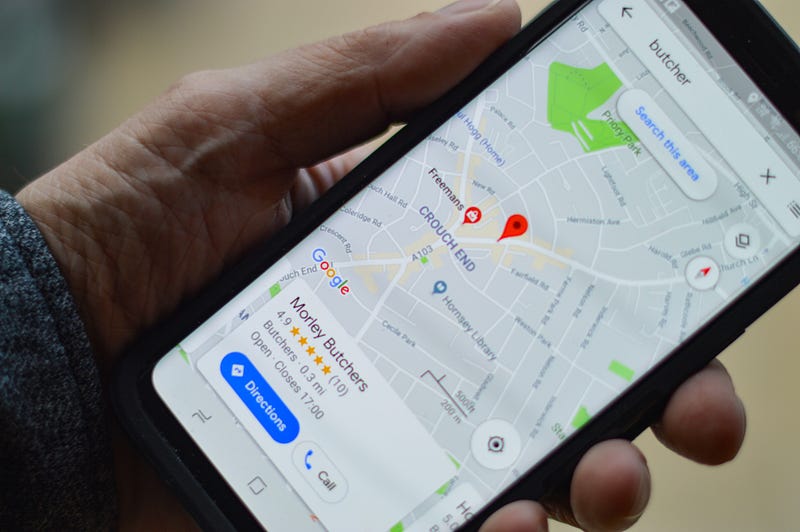
“Google owns 92.18% of the search engine market share.” — Mohsin, 2020
With over 90% of the search engine market, businesses need to find through Google Search easily.
Google makes it easier for businesses to rank on their search engine by introducing Google My Business.
65% of all Google searches contain a local reference, which means significant businesses can maximize their local search engine optimisation (SEO).
This article explores how businesses can optimise their Google My Business profiles to outrank their competitors and be the first business customers to find on Google Maps or Search.
What Is Google My Business?
Google My Business is a free tool that helps business owners better manage their online presence by providing information about their business shown in Google search results.
This includes information such as location, contact information, photos, customer reviews, and the products or services they provide.
For a business to create a Google My Business account, they first need a Google account.
Businesses should provide as much information as possible to help their Google ranking for relevant search queries. The more Google knows, the easier it is for them to show it to the right people. A business’ online identity is therefore significantly improved as part of a location-based marketing strategy.
Once a Google My Business listing is created, this generates a Google Maps location, which synchronises with Google Search to enhance searchability.
“Google offers several discrete approaches for local SEO strategy such as listing a business through Google My Business.” — Keegan & Taylor, 2019
Google My Business complements a businesses’ website by giving them an extra marketing presence through a Google listing, driving more traffic to the website or converting people into customers without them even needing to visit the website. It provides a snapshot of your business.
The Benefits of Google My Business
Google My Business profiles enable potential customers to find, learn about, and engage with businesses. Users can list all their business attributes to highlight what they do and their unique and desirable benefits, including information useful to consumers, such as whether there is Wi-Fi or disability access.
The key benefit of creating a Google My Business profile is to capture more customers who search for a service like they offer on Google search or maps.
Similarly to social media or a website, it is another marketing and lead generation tool.
“Google Maps empowers business owners to create and maintain listings that appear in Google Maps and Search. First, a business owner uses the Google My Business website to register a new listing.” — Huang, Grundman, Thomas, Kumar, Bursztein, Levchenko, & Snoeren, 2017
A businesses’ local search ranking is enhanced through posting regular content and having relevant and useful information to the My Business account. Google’s algorithm considers activity and quality of information and proximity and relevance to the search query.
A higher ranking in search results means higher visibility and more likelihood of customers finding them.
More customers are also converted, as all the pieces of information useful to potential customers is provided. Theoretically! But only if their Google My Business profile is optimised.
This can lead to customers calling, direct messaging, visiting the website, asking questions, requesting a quote, or booking an appointment or reservation — all through the My Business profile!
Google My Business Strategy
The first step has a Google My Business profile. But the challenging work is not all done! The profile must be optimised, and there must be a strategy, just like with any other marketing tool.
Before the first step (I know, it makes no sense), one step is to do a Google search to make sure a listing does not already exist. If one does, from a previous owner or third-party data source, Google Maps allows the new operator to claim ownership.
Next, verify the My Business listing. Find out how to do that here. This is critical for the listing’s visibility and performance — Google will not display the business or its edits until ownership is verified.
Having a completed profile
Having as much useful information about your business as possible through having a completed profile will help boost your business page's ranking in local search results and increase potential customers' chance of engaging and acting.
The sections to complete and other tools to optimise your Google My Business profile are:
- Name
- Location
- Phone Number
- Website
- Service Hours
- Category and attributes
- Products and services
- From the business (description)
- Posting updates
- Photos
- Reviews
- Q&A
- Messaging
The next section will go into more depth on these.
“The strategy represents the ultimate in genuine pay for performance marketing and, as a result, represents one of the most promising long-term marketing strategies for e-commerce.” — Duffy, 2005
Name, location, and phone number
The business name should be identical to what is used on store signage and other marketing. It makes sense, right? The location obviously needs to match your physical location and any other listings of the business online.
Since many businesses operate as service-area businesses and do not have a physical brick-and-mortar location, you can switch off the business location if it is a home office, for example, that does not take appointments. Adding a service area means the business will still show up in relevant local searches.
With such a high number of people making search queries on Google Maps via mobile phones, it is important to list the business phone number so customers can contact the business to make bookings or ask questions. Make sure there is someone who answers that phone number promptly and returns calls if they are missed.
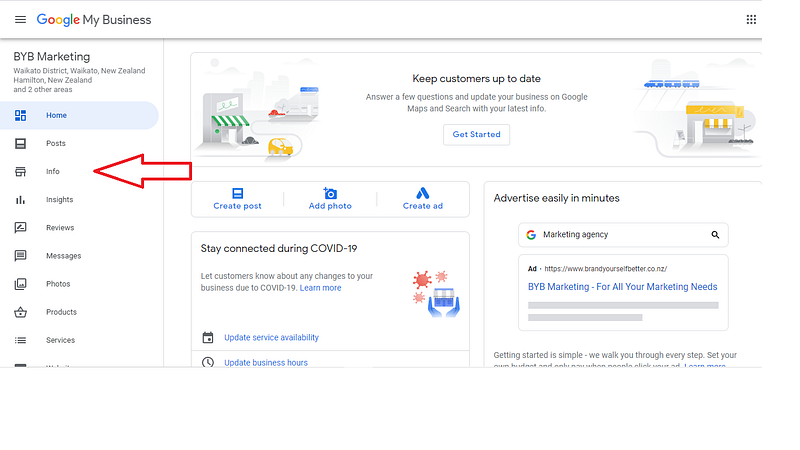
Website
Make sure the website (if there is one, which there should be) is included. One of the key benefits of a My Business profile is sending more traffic to the website to convert more customers.
It is not often people will decide to purchase from a My Business profile unless they are looking for something on the go, such as a café or gas station nearby.
Hours
Add the hours that the business is physically open or taking appointments and update them if they change. As with Covid-19, if the business is forced to close, a My Business profile should reflect this. You can also customise the profile for holidays and other special events. If customers know you are open, it will encourage them to visit your physical store.
Category and attributes
Choosing the right category for your business to help the most appropriate customers find you is key. Over 80% of My Business views are through discovery searches for a product or service category rather than searching for a business name.
After choosing a primary category for your business, you can choose secondary categories. Ensure they are relevant so the right people find your business who needs a product or service you offer.
When you choose your categories, Google will give you a list of attributes you can check off to describe your business further.
Many attribute options are available. Note that this option has been deactivated due to Covid-19, and there are only a small number of available options.
Add products and services.
Adding all your products and services to your profile will tell potential customers exactly what you do and what your specialties are. It also adds relevant keyword terms to your profile to improve your ranking on Google searches.
Include the product or service name, description, and price if applicable. Link these products or services to be purchased at the website’s store if you have one.
“From the business” description
The description of your business is included in the “From the business” section. Try and use all the available 750 characters, with key information in the first 250 characters.
Use content you have already created for your social media accounts or from the About Us page on your website (assuming you have one).
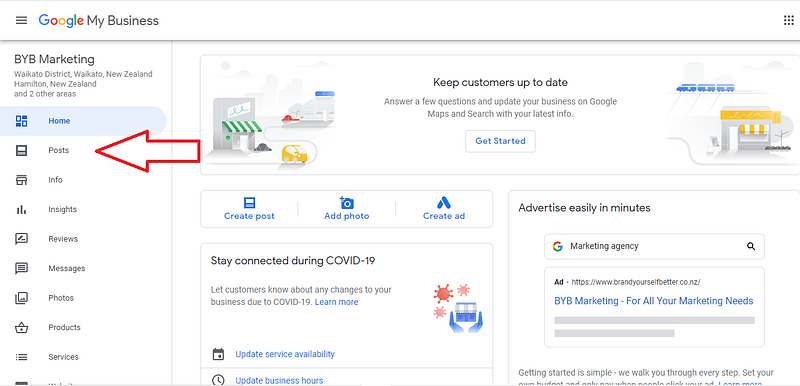
You can use this to talk about how you provide value to customers, making you unique and different from competitors. This is called positioning.
Like traditional website SEO, using keywords in the business description will increase customers' chances of finding your profile.
Posting regularly with updates and photos
You can use a My Business profile to post about various things, such as business announcements, offers, and events. Posting content on your My Business page is like blogging on your website for SEO or posting on social media.
The aim is to provide as much quality and detailed information about your business as possible to connect with searchers.
Posting regularly will increase your Google ranking and increase the number of actions taken by consumers who find your profile. Some posts will be viewable on Google search or Maps if relevant keywords are triggered, making it valuable marketing direct to customers.
Posts expire every seven days, so it is important to be consistent with keeping your presence fresh on Google. Posts can be made on the go via the app from a phone or tablet or via a computer.
Include links and other calls to action, such as getting visitors to visit your website, follow you on social media or sign up to mailing lists, for example.
Because of the little situation going on around the world currently forcing many businesses to close their doors, there is now a specific option to add COVID-19 updates.
“Adding links to Google Business profile, as well as relevant photos and images, encourages Internet users to take targeted actions on the retailer’s website. Targeted actions of Internet users, including the number of routes and the quantity of calls are directly depend on the number of photos uploaded by retailers.” — Murphy, 2019
Photos
Adding photos regularly will help a My Business page to perform better by positively impacts your ranking.
According to Google, businesses with photos on their My Business profile receive 42% more requests for driving directions via Google Maps and 35% more clicks through to their websites than those without any. One of your images may be used by Google to display local search results if it matches a keyword term searched for.
I add photos to my Google My Business profile of the whiteboards from my marketing training.
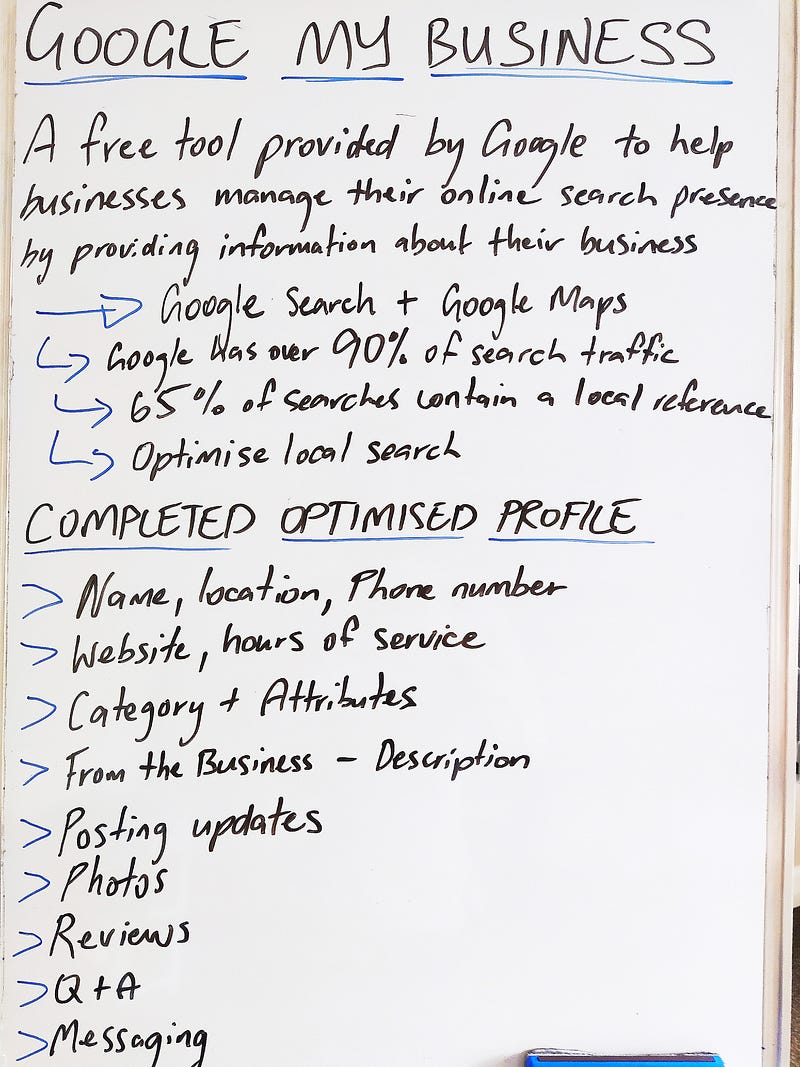
Try to add a new photo once a week. Use photos for summarising the business and what it can do for its customers. Create an identity.
Encourage customers to leave photos as that will improve your ranking. If you are a restaurant or café, you could offer a free voucher for the photo of the week, for example, to incentivise people to leave a great photo on your profile. The photos I have added to My Business profiles via Google Maps have surpassed over one million views, proving people are looking!
If you are a restaurant, add photos of food items on your menu or satisfied customers.

If you are a consultant, add some photos of you in your work element. Other examples of photos you could share are interior and exterior views (e.g. parking), or team photos.
Ensure your photos are of high quality. If your photos are of low quality, that does not leave a great impression on customers. Follow Google’s best practice for images: JPG or PNG formats, sized between 10KB and 5MB, minimum resolution of 720 pixels, height and width.
Make sure photos are in focus, well-lit, without editing or excessive use of filters. Professional and keep it as real as possible!
Upload your logo for your profile thumbnail and one that highlights your brand as the cover photo. Edit to fit a 16:9 aspect ratio.
You can also add a video, including a video of you introducing yourself and how you help people or maybe a video snapshot of you or the team on the job.
“Internet users’ reviews/comments in Google affect the retailer’s website position in the local search results.” — Natorina, 2020
Customer Reviews
Positive reviews have a positive effect on potential customers who are researching your business. They also increase your business's visibility in search results, so try and encourage customers to do reviews.
Reviews influence consumer decision-making, so reviews are a key ranking factor in the My Business algorithm. On Google searches, often, the first results are those with multiple reviews and a high rating. Search results may also display a My Business Profile review if it uses certain keywords people are searching for.
Encourage customers to leave feedback by creating a link they can click to write a review. Around 60% of people will leave a review if requested, so ask! It could be in a follow-up email. Start with your loyal customers.
Reviews help other customers decide about a purchase, so people often do not mind leaving one (like I leave photos of every restaurant I eat at on Google Maps).
Make sure you monitor and respond to reviews. This feedback will encourage additional customers to leave one as it illustrates that your business values its customers and their feedback.
Questions and answers (Q&A)
Set up alerts to monitor your Q&A, as anybody can ask and anyone can answer. Monitoring this ensures you maintain accurate information.
Questions and answers that contain keywords that can help improve you are My Business profile’s ranking for that keyword. Creating your own Q&A is, therefore, an important optimisation tool. Make a list of the business’ most frequently asked questions and then ask, answer, and upvote answers on your personal profile.
Messaging
Over 80% of people use their phone or tablet for local search, so being able to message from their device to your My Business profile conveniently is a fantastic opportunity.
Businesses can only reply to customers through the Google My Business app. Messaging must be enabled via settings on your Google My Business dashboard, and once enabled, a button appears on your profile for direct messaging from customers. To make sure you do not miss an opportunity, set up alerts for messages.
Businesses can set up customised automated responses to messages. This will improve your responsiveness, help keep message response time under 24 hours, and make sure you are not penalised from slow response times.
Other functionality
Google My Business is continuously being updated with more tools for businesses.
Marketing kits are now available with a recent update, which you can use to share on other social media forms to bring traffic to your page. One of these is to encourage reviews. On the topic of reviews, make sure you have some! Try to encourage satisfied customers to write you a glowing review. This will increase your credibility with anyone who finds you.
Google reserve is another useful function, allowing people to make reservations or book a meeting time with you via a calendar application. This syncs with your calendar with notifications. This is a very convenient feature to show people what time slots are available to book without going backwards and forwards.
You can now add a short name to your Google My Business account, which makes your business easier to find through a map search, and URLs are not as messy if you share the link.
Thanks for reading.
We have covered how we can optimise our Google My Business accounts by completing our profiles and adding new content, much like social media, to improve our Google results even further.
I hope you enjoyed the content and learned something you can apply to your Google My Business profile.
Better search results meaning that ultimately you attract more customers!
If you enjoyed the content, you might be interested in this article on affiliate marketing.


