Free AI web copilot to create summaries, insights and extended knowledge, download it at here
2074
Abstract
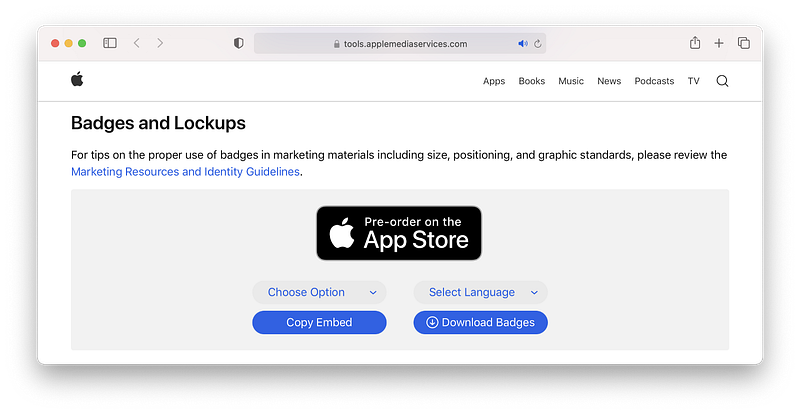
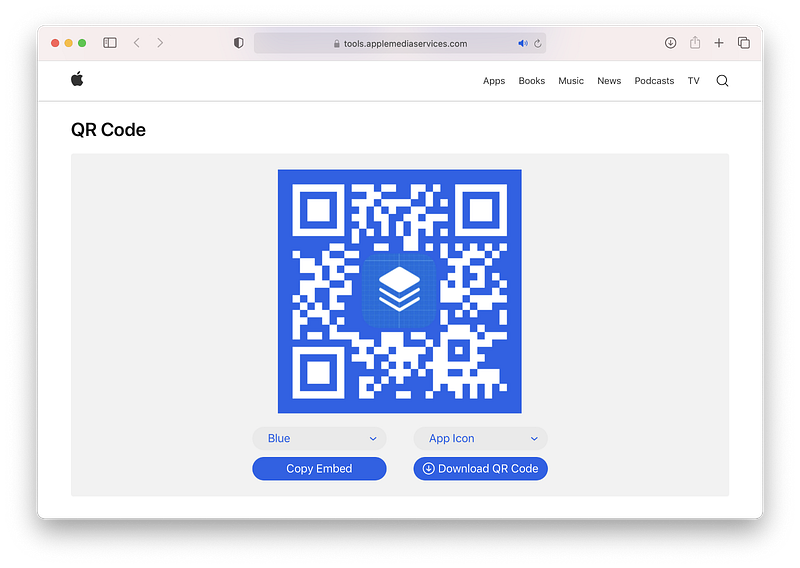
<img src="https://cdn-images-1.readmedium.com/v2/resize:fit:800/1*ocLwf_7UqZvzrarbDYSsGg.png"><figcaption></figcaption></figure><h2 id="5a38">Badges and Lockups</h2><p id="0d36">You can choose Black/White in option. And select a language to meet your app or website.</p><figure id="fb10"><img src="https://cdn-images-1.readmedium.com/v2/resize:fit:800/1*2iPzHlq1MHWO_yo6THahGg.png"><figcaption></figcaption></figure><p id="fec2">Let’s say: I selected <b>White Theme + Chinese (Hong Kong)</b></p><p id="acda">Downloadable Format (SVG):</p><figure id="bbbf"><img src="https://cdn-images-1.readmedium.com/v2/resize:fit:800/1*wz3h6MfocPPxgpu9zRCaNg.png"><figcaption></figcaption></figure><figure id="43db"><img src="https://cdn-images-1.readmedium.com/v2/resize:fit:800/1*lgMIkmfU-uY4ZrmUmGGi5w.png"><figcaption></figcaption></figure><p id="91d0">Or Embeddable Code:</p><div id="cd55"><pre><span class="hljs-tag"><<span class="hljs-name">a</span> <span class="hljs-attr">href</span>=<span class="hljs-string">”https://apps.apple.com/us/app/betterappicons/id1532627187?itsct</span>=<span class="hljs-string">apps_box&itscg</span>=<span class="hljs-string">30200</span>" <span class="hljs-attr">style</span>=<span class="hljs-string">”display:</span> <span class="hljs-attr">inline-block</span>; <span class="hljs-attr">overflow:</span> <span class="hljs-attr">hidden</span>; <span class="hljs-attr">border-top-left-radius:</span> <span class="hljs-attr">13px</span>; <span class="hljs-attr">border-top-right-radius:</span> <span class="hljs-attr">13px</span>; <span class="hljs-attr">border-bottom-right-radius:</span> <span class="hljs-attr">13px</span>; <span class="hljs-attr">border-bottom-left-radius:</span> <span class="hljs-attr">13px</span>; <span class="hljs-attr">width:</span> <span class="hljs-attr">250px</span>; <span class="hljs-attr">height:</span> <span class="hljs-attr">83px</span>;”></span><span class="hljs-tag"><<span class="hljs-name">img</span> <span class="hljs-attr">src</span>=<span class="hljs-string">”https://tools.applemediaservic
Options
es.com/api/badges/download-on-the-app-store/white/zh-HK?size</span>=<span class="hljs-string">250x83&releaseDate</span>=<span class="hljs-string">1601596800&h</span>=<span class="hljs-string">44fdd171bf1161dfc1c43dd29e3999e0</span>" <span class="hljs-attr">alt</span>=<span class="hljs-string">”Download</span> <span class="hljs-attr">on</span> <span class="hljs-attr">the</span> <span class="hljs-attr">App</span> <span class="hljs-attr">Store</span>” <span class="hljs-attr">style</span>=<span class="hljs-string">”border-top-left-radius:</span> <span class="hljs-attr">13px</span>; <span class="hljs-attr">border-top-right-radius:</span> <span class="hljs-attr">13px</span>; <span class="hljs-attr">border-bottom-right-radius:</span> <span class="hljs-attr">13px</span>; <span class="hljs-attr">border-bottom-left-radius:</span> <span class="hljs-attr">13px</span>; <span class="hljs-attr">width:</span> <span class="hljs-attr">250px</span>; <span class="hljs-attr">height:</span> <span class="hljs-attr">83px</span>;”></span><span class="hljs-tag"></<span class="hljs-name">a</span>></span></pre></div><h2 id="0b61">QR Code</h2><p id="bfa0">You can use Black/White/Blue as the background color. And/or apply your app icon into the QR Code.</p><figure id="f1d7"><img src="https://cdn-images-1.readmedium.com/v2/resize:fit:800/1*VwUTP8grhgdFGeu1Pk6Fwg.png"><figcaption></figcaption></figure><p id="b8c2">Embeddable Code:</p><div id="4663"><pre><img src=”https:<span class="hljs-regexp">//</span>tools-qr-production.s3.amazonaws.com<span class="hljs-regexp">/output/</span>apple-toolbox<span class="hljs-regexp">/7591fd5b531a219bdb0c2d7a1a71fecd/</span><span class="hljs-number">33931</span>da4-<span class="hljs-number">3212</span>-<span class="hljs-number">4377</span>-<span class="hljs-number">8663</span>-a08b951b0e00.png<span class="hljs-string">"></span></pre></div><h1 id="95e1">Thanks for reading 👏👏👏</h1><p id="143e">Follow me on Twitter: <a href="https://twitter.com/1998design">https://twitter.com/1998design</a></p></article></body>