
How to Update the State Of a Widget From Another Widget In Flutter
Let’s setup state management in Flutter’s bottom sheet

I was working on a Flutter to do application when I realized that I wanted to move my NewToDo widget into a showModalBottomSheet. Here is a gif of the current UI.
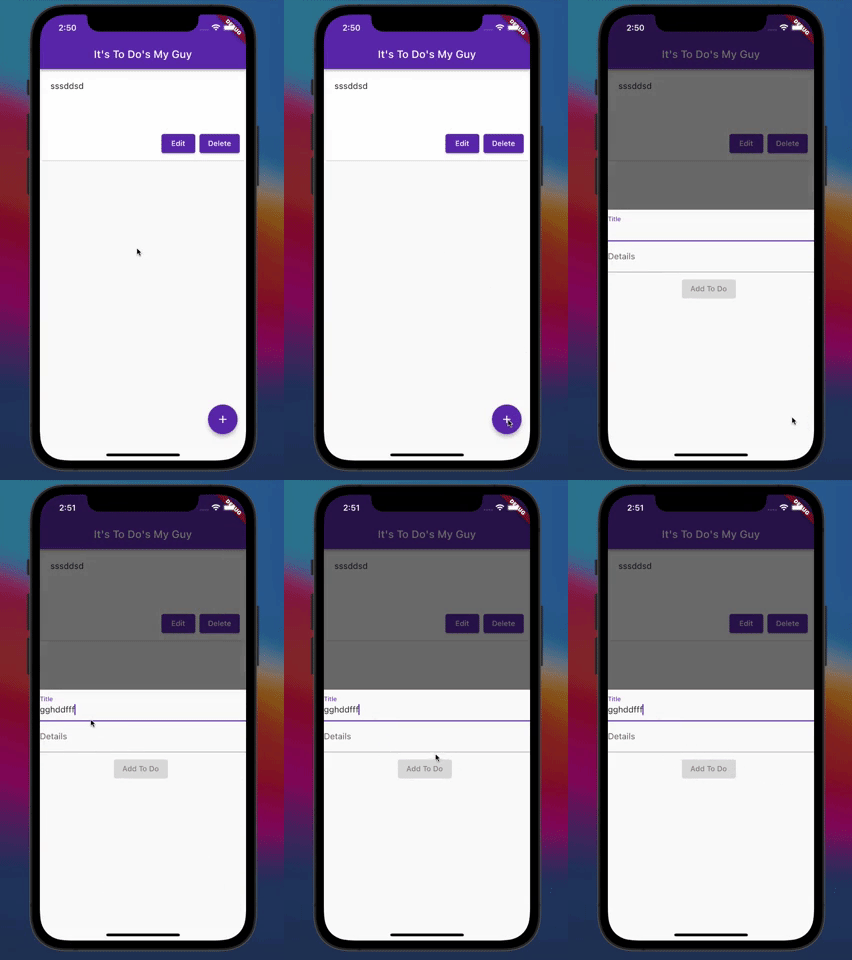
Ideally, when the user types anything into the title field, the “Add To Do” button should be enabled.
The problem I encountered was that the state value for title was managed in the MyApp widget (because I am allowing edit functionality as well and the edit button is not a part of my NewToDo) and for some reason NewToDo wasn’t picking up on the updated state. I asked about it on StackOverflow and got a pretty concise solution.
Here is the code for the FloatingActionButton in MyApp:
floatingActionButton: FloatingActionButton(
  onPressed: () {
    showModalBottomSheet<void>(
      context: context,
      builder: (BuildContext context) {
        return NewToDo(titleController, contentController, _addTodo, _clear, _todo);
      });
    }
  },
  child: const Icon(Icons.add),
  backgroundColor: Colors.deepPurple,
),
So basically what was happening was that NewToDo was able to know when the state changed since it’s being passed down.
I knew this because while the button didn’t enable when you typed something in the title text input, if I typed something, then closed the modal and reopened it, the button would be enabled.
The problem was that NewToDo didn’t know to re-render because it’s wrapped in a showModalBottomSheet’s builder.
The builder is a callback used which basically obtains, or builds, a child widget. You can see this property on many widgets and it can be used to return a child widget without have to import and instantiate a stateless widget.
Since NewToDo is wrapped in another builder and has a different context than the parent widget, NewToDo doesn’t re-build when the state is updated.
So how did I get around this? Well, one thing to mention is that in my NewToDo widget I am using a TextField to capture the title data.
And in my TextField widget, make use of a TextEditingController to keep track of the values being put in the title TextField. This controller is listenable which means it can be used to tell the client that an object is updated (i.e. state).
For more on
TextFieldandTextEditingControllerand state management, check out my previous blog post.
So all I need to do is wrap NewToDo is what is called a ValueListenableBuilder. This means that this builder can rebuild its child (in this case NewToDo) if a value that it is listening to changes.
Here’s how our updated FloatingActionButton looks:
floatingActionButton: FloatingActionButton(
  onPressed: () {
    showModalBottomSheet<void>(
      context: context,
      builder: (BuildContext context) {
        return ValueListenableBuilder(
          valueListenable: titleController,
          builder: (context, _content, child) {
            return NewToDo(titleController, contentController, _addTodo, _clear, _todo);
          });
      });
  },
  child: const Icon(Icons.add),
  backgroundColor: Colors.deepPurple,
),
This updated portion of our FloatingActionButton is wrapping our NewToDo widget in a ValueListenableBuilder, which has titleController as the value for the valueListenable property.
This means that our builder will listen specifically for updates to our titleController, which is the TextEditingController instance assigned to the title TextField.
I also have another builder property, which allows us to build a child widget within ValueListenableBuilder that is wrapped in the listener. In our case, the child widget is NewToDo.
Let’s see how our app works now that I have used a ValueListenableBuilder:
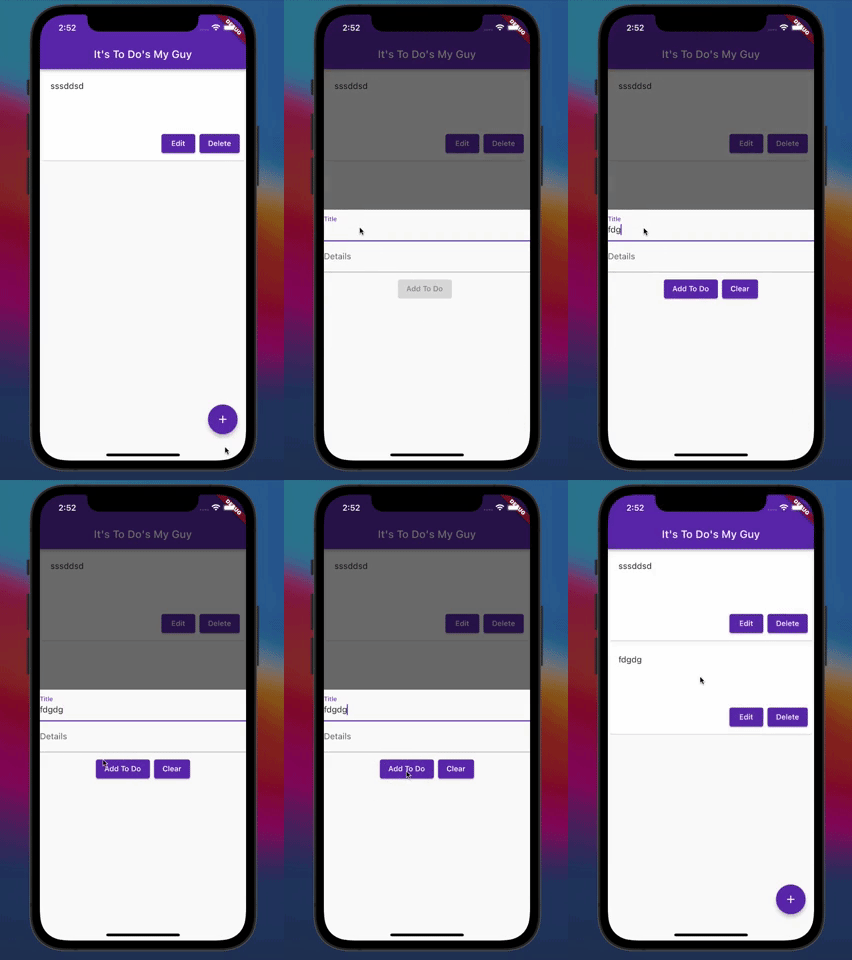
Now we have a builder that is listening for a specific value to be updated and NewToDo updates along with MyApp’s title state value. Perfect!
You saw how I solved one of the problems for the to-do list app. Stay tuned for my next post about some other issues I encountered and how I solved them!
All the code for this tutorial is on GitHub.
Upgrade your free Medium membership and receive unlimited, ad-free, stories from thousands of writers on a wide variety of publications. This is an affiliate link and a portion of your membership helps me be rewarded for the content I create.
You can also subscribe via email and get notified whenever I post something new!
Thank you!


