
How To Update Project Versioning With npm tool
A Step by Step guide for Updating version and releasing With a Sample NodeJS Project
In the DevOps world, Applications are deployed into production very often. Some applications are deployed even on every hour to meet the customer needs. Versioning is very important before you release the app into production since if something happens to the current release all we need to rollback to the previous version of the app.
In this post, We will explore a little bit of SemVer and how we can do versioning with the npm tool for the nodejs projects.
- What is SemVer
- Example Project
- How To Create a Release
- Updating Patch Version
- Updating Minor version
- Updating Major version
- Summary
- Conclusion
What is SemVer
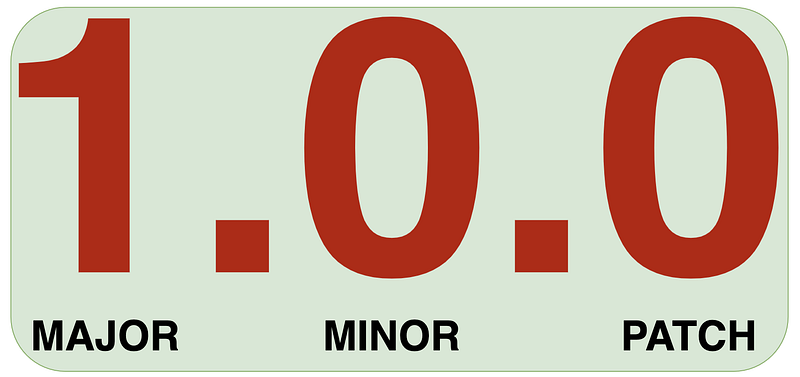
SemVer is versioning standard. It has three numbers separated by a dot and each number has its own meaning. The format for this standard is Major.Minor.Patch. We change the patch version whenever there is a fix in the release, for example, a bug. We change the minor version whenever there are changes in the release but with backward compatibility, for example, when we add methods or some more additional functionality. We change the major version when there are breaking changes without backward compatibility, for example, when we change the existing API or endpoints.
Example Project
Here is an example project for this post. This is just a simple module that calculates the given two numbers.
// clone the project
git clone https://github.com/bbachi/calculate-module-semver.git
// run the module with this command
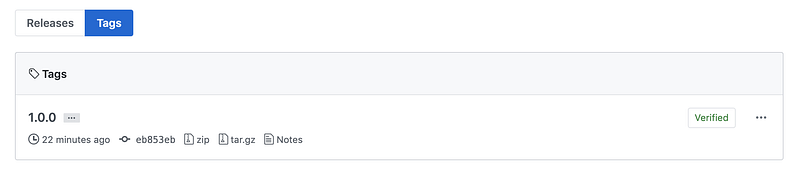
node -p "require('./')(3,4)"-p flag evaluates the expression. This is the first release of the module and tagged this release as 1.0.0 on Github.
How To Create a Release
It’s always best practice to create a release or tag the specific release. This makes it easier to roll back the application to the previous version and debug the specific release. Check this link on how to create releases in GitHub.
Updating Patch Version
If we look at the index.js file there is a mistake in that file. There is a spelling mistake Calclate should be Calculate. Let’s fix this and update the patch version and release it.
var Calclate = function(a, b) { return a + b;}
module.exports = Calclate;All we need to run this command npm version patch. It will output the resulting version.

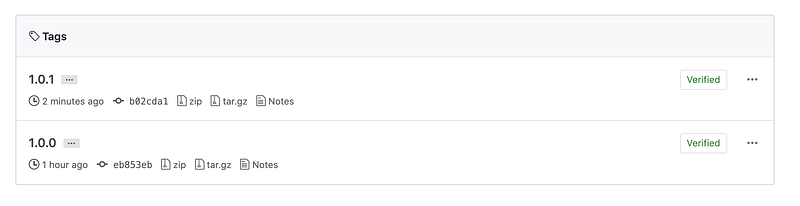
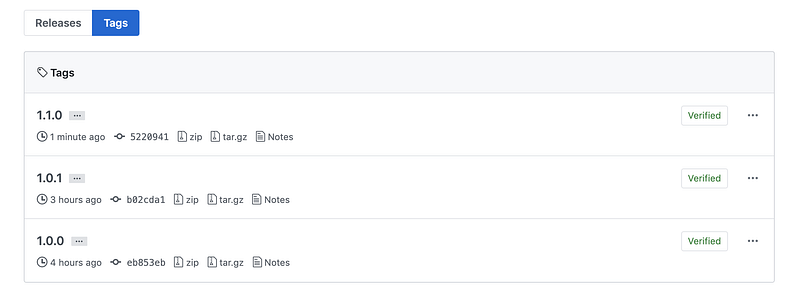
Let’s create a release 1.0.1 in the GitHub. You can see the releases here.
Updating Minor version
We have only one function which adds the given two numbers. Let’s change that to the function which takes the third parameter name of the function such as add, subtract, multiply. It would produce the output result based on the function name.
Let’s update the minor version number since we are not releasing any breaking changes. This works even without functionName because a default would be the addition a + b.
// with new changes
node -p "require('./')(3,6, 'multiply')"
18
// without functionName
node -p "require('./')(3,6)"
9Let’s run this command npm version minor to update the minor version and release it.
Updating Major version
The previous change that we did was not great and error-prone. What happens when we mistype functionName when we call this module, it would always return addition operation. Let’s refactor the code so that we can methods on the module instead of passing parameters and using some latest features of javascript.
Let’s update the major version number since we are releasing it with breaking changes. This release doesn't work with the previous way anymore.
// doesn't work anymore
node -p "require('./')(3,6, 'multiply')"
18
// works with this release
node -p "require('./').multiply(7,3)"
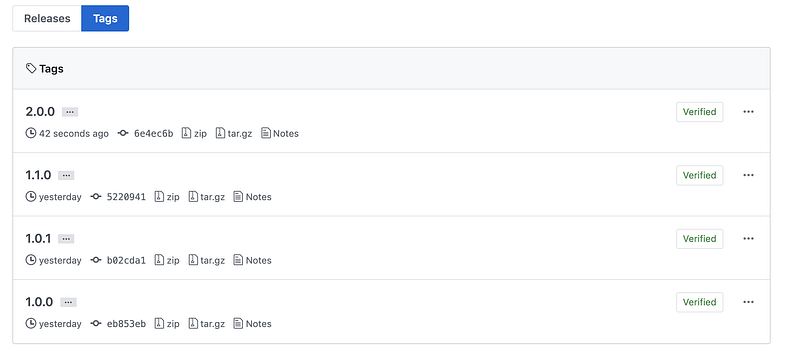
21Let’s run this command npm version major to update the major version and release this version.

Summary
- In the DevOps world, applications are released very often to meet customer needs.
- It’s always best practice to tag the release. Tagging makes it easier to roll back the application to the previous version and debug the specific release.
- SemVer is a versioning tool that consists of three numbers separated by a dot
major.minor.patch - The major version can be updated with
npm version major. - The minor version can be updated with
npm version minor. - The patch version can be updated with
npm version patch.
Conclusion
It’s always best practice to version your project and it makes it easier to update or rollback the deployment


