
Social Media
How to Tweet a Connection Between Your Words & Twitter
The key is to keep it simple

Social media is a great tool to elevate your words and your connections. I know what you’re thinking. “I don’t have time for that!”
Start simple. Twitter.
Trust me, I understand how overwhelming social media is. I’ve been using Twitter since 2009 so I’ve had some time to grow my audience. But I limit most of my social media to Twitter and Instagram.
For Medium writers, I recommend focusing on Twitter account because Medium and Twitter are integrated.
Medium makes it easy to tweet your articles. You can use the share button at the beginning of your Medium article or my favorite the highlight tweet button. When you highlight, you have three options: highlight, comment or share to Twitter. Make sure your Twitter account is connected to your Medium account because your Twitter handle will automatically be displayed with the quote you highlighted.
Twitter Basics
First step, set up an account (if you don’t have one already, of course). Or dust the cobwebs off the account you set up ages ago, but haven’t used.
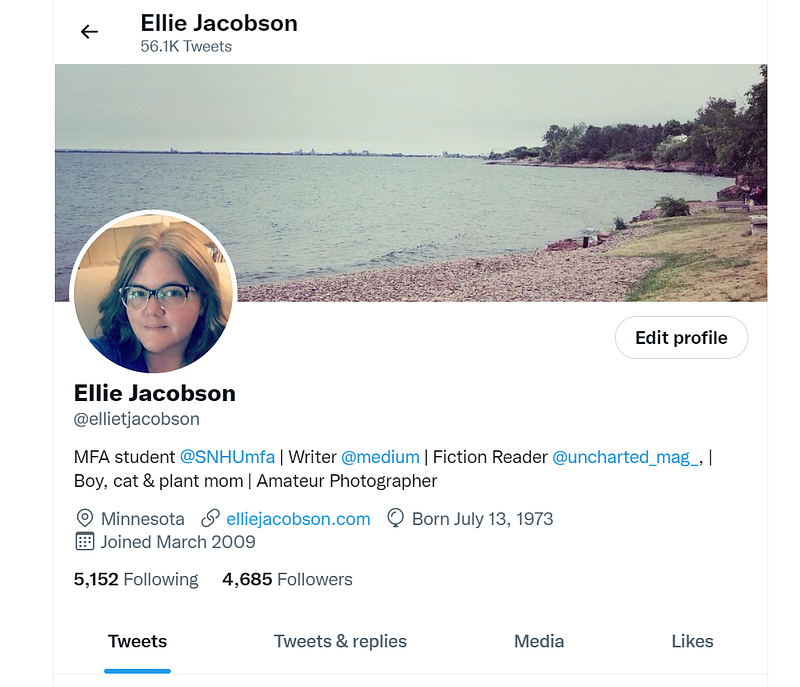
What profile and header pictures will you use? Use Canva to create a 1500 x 500 header photo if you don’t have something that will work. Use the same profile pic across your platforms for easy recognition.
Write a profile. Decide what your focus is; for example, I center my channel around writing, my cat, and parenting.
Link a website. I have a simple website at elliejacobson.com so I use that. You can use your Medium page or a Linktree (more on that in a future post).
Make a connection. Find me here and I’ll follow you back.
Find your Medium community
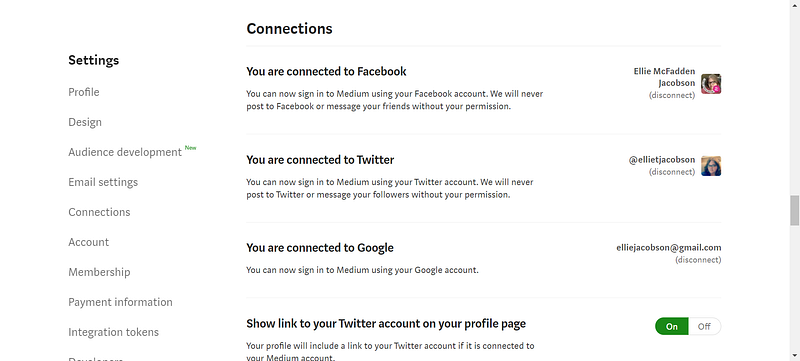
Again, make sure you have your Twitter account linked to your Medium profile. You find that under “Settings” and then “Connections.” Look through profiles of writers who you follow and read each day on Medium and follow them on Twitter.
Write a Tweet
Much like short form on Medium, you are limited on space for your tweet.
280 characters to be exact.
Remember to keep it simple
My tweets are mainly centered on writing. I tweet my Medium articles and other Medium articles throughout the day. (In another article, I’ll expand on how to schedule your tweets to automate the process a little).
Photos
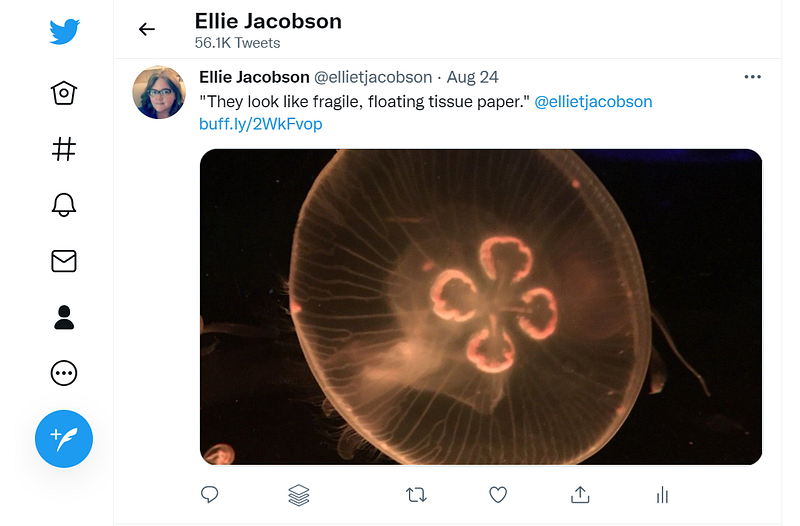
I find Tweets with photos get more of a response than no photo. For example, you tweet “great day in the garden today,” a photo will make that tweet stand out. Add a hashtag at the end. Use the number sign “#.” As you type after the “#” symbol, Twitter will start to autosuggest hashtags. For example, I started typing “#gard,” it suggests “#gardening.” You will find an endless sea of hashtags so the suggestions help to pick a good one.
Best Practices
Don’t use Twitter (or any social media) to spam. As you use Twitter, you will see those accounts that simply tweet ads with no interaction with their audience. I try to mix it up with my Twitter content. Post my articles. Post other Medium articles I find inspiring and interesting. Ask a question. Answer questions.
Support other Twitter users. Just like on Medium, when someone follows me on social media, I check out their account. I usually follow back. You will find users that follow and then unfollow. Personally, I don’t spend too much time focusing on my follower count or who is following or unfollowing me.
Handling retweets. If someone tweets one of my articles (you see that under Twitter notifications), I thank that person and retweet one of their tweets or Medium articles.
Social Media Questions
Do you currently use Twitter? Make sure to share your Twitter handle in the comments below.
Do you have questions on Twitter or Instagram that I can answer in a future post? Feel free to leave your questions or social media article suggestions in the comments. Questions will be answered at the Grande and The Daily Cuppa.
Let’s Connect
I would love to connect with you! Find me on Twitter and Instagram.