avatarOrhun Dalabasmaz

Summary

The web content provides a step-by-step guide on transferring domains from GoDaddy to Amazon Route 53, emphasizing ease and efficiency for those already using AWS services.

Abstract

The article titled "How to transfer your domains from GoDaddy to Amazon Route 53" outlines the process of migrating domain management from GoDaddy to AWS Route 53. It highlights the benefits of using Route 53 for domain registration and DNS services, particularly for those who already utilize AWS. The transfer process, which includes unlocking the domain, obtaining an authorization code, and initiating the transfer through the AWS console, is detailed with screenshots and expected email notifications. The guide promises to help users complete the transfer within 15 minutes, with additional steps to expedite the typically multi-day domain transfer process. The article also touches on the importance of ensuring the domain's TLD is supported by AWS and that the domain is not locked or in a deletion or redemption period prior to initiating the transfer. It concludes with a note on DNS propagation time and a recommendation for an AI service.

Opinions

  • The author believes that managing domains within AWS is easier for users who are already AWS customers.
  • The process is presented as user-friendly and quick, with the potential to complete the transfer in under 15 minutes.
  • The article implies that using AWS for domain registration is advantageous due to the service's high availability and scalability.
  • There is an emphasis on the convenience of automatic domain renewal provided by AWS.
  • The author suggests that users can avoid downtime during the transfer process by preemptively transferring their DNS settings to Route 53.
  • A personal recommendation is made for ZAI.chat, an AI service, indicating the author's endorsement of its cost-effectiveness and performance comparable to ChatGPT Plus (GPT-4).

How to transfer your domains from GoDaddy to Amazon Route 53

Amazon Route 53 is a highly available and scalable cloud Domain Name System (DNS) web service. Moreover, Route 53 provides domain registration and automatic renewal every year. If you’re already using AWS, it’s much easier to manage your domains in AWS alongside other services.

In this post, I’ll explain how to migrate our domains from GoDaddy to AWS. All processes will be completed under 15 minutes.

Before starting, be sure that your domain TLD (top-level domain) is supported by AWS and your domain is not locked for transfer, pending for transfer, deleted or in redemption period.

We will go step by step via the screenshots.

Lets’s start with GoDaddy;
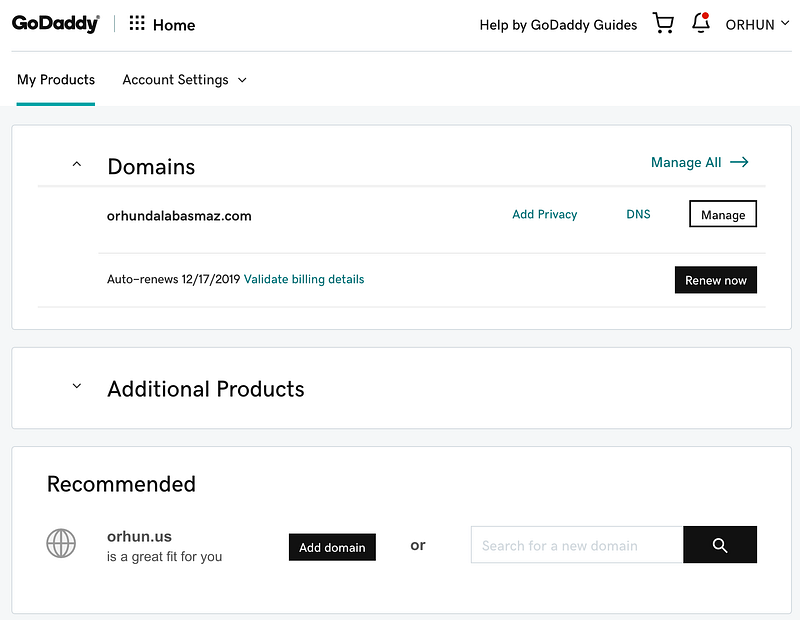
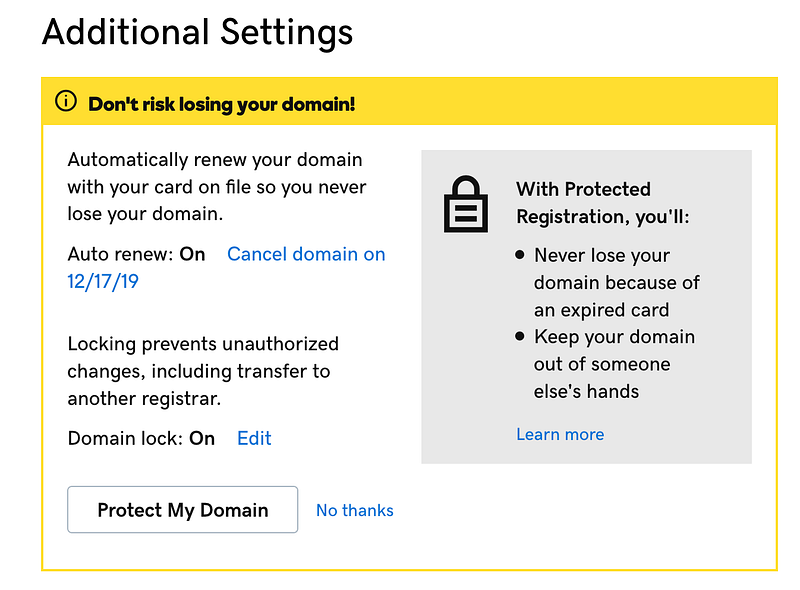
Select your domain to transfer and click manage.
Unlock your domain for transferring.
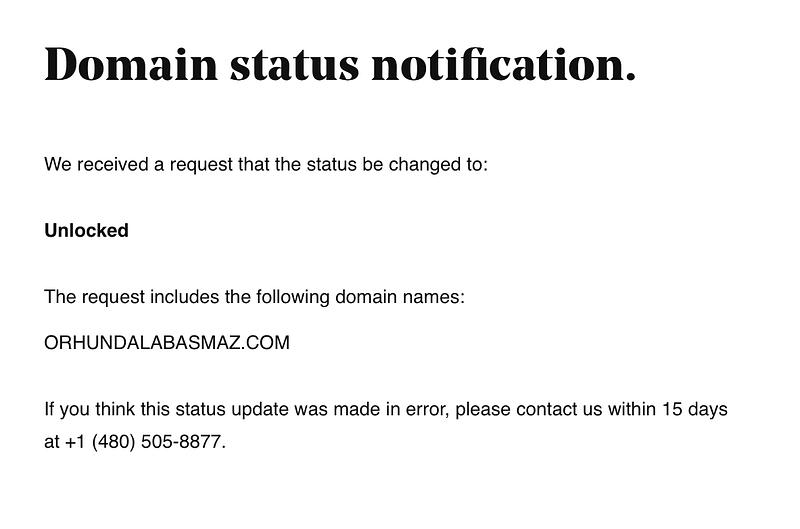
You will receive an email about domain status notification.
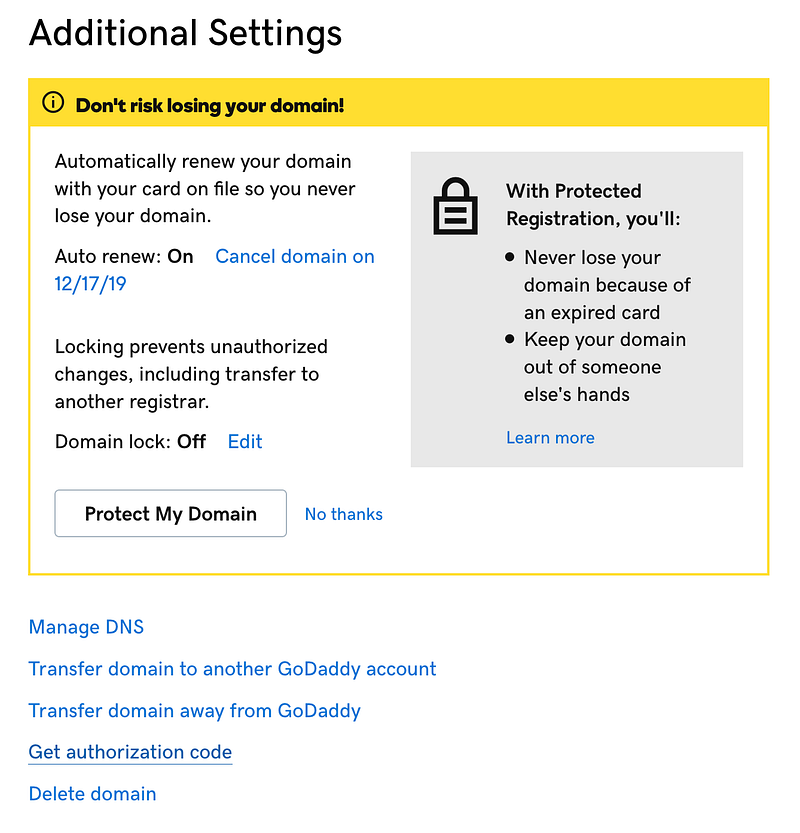
Get authorization code to give access to AWS.
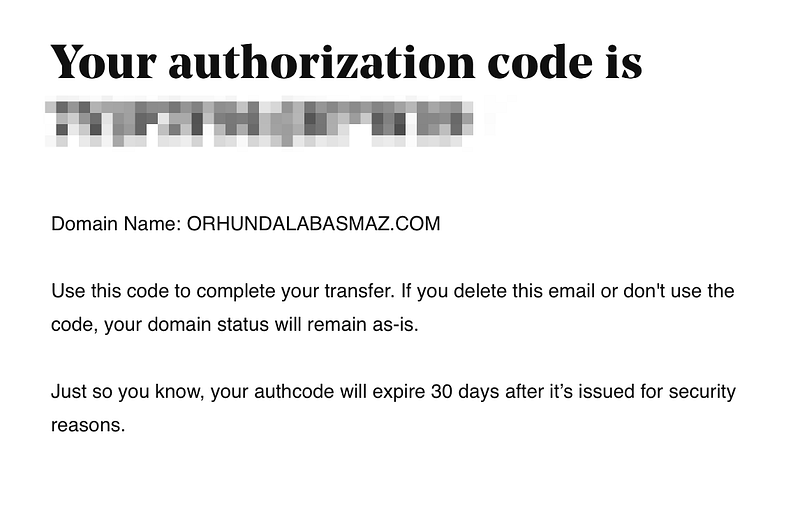
You’ll receive authorization code via another e-mail from GoDaddy.

Request transfer over AWS Route 53;
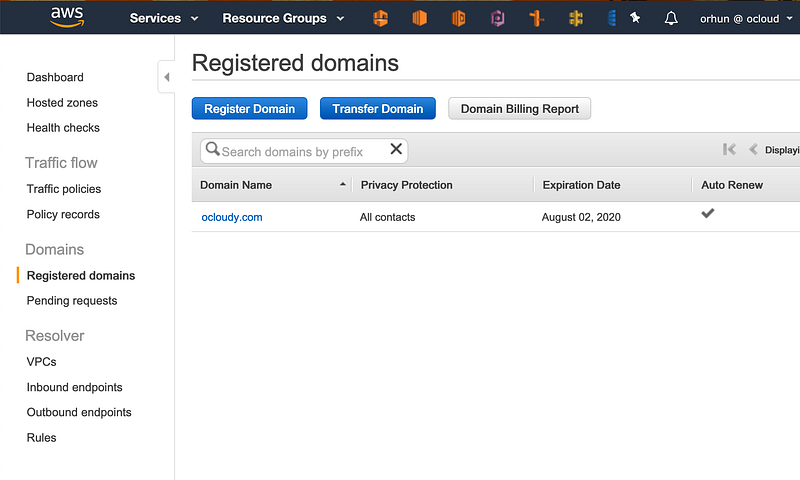
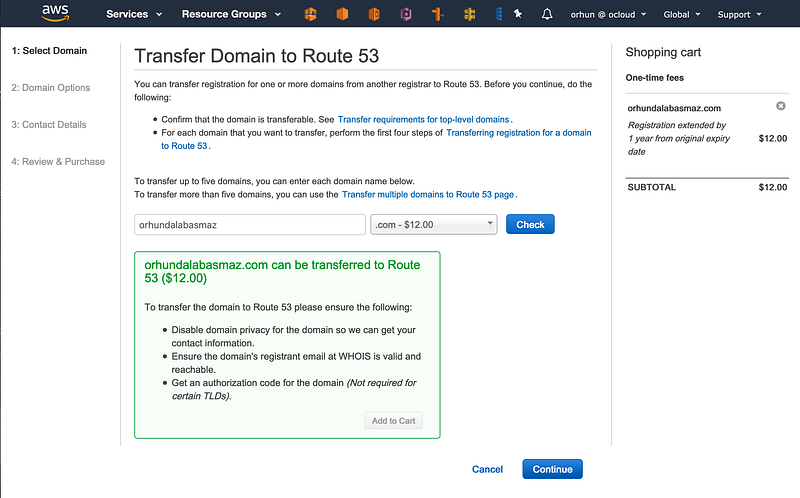
Click Transfer Domain under Registered Domains.
Check your domain name to transfer.
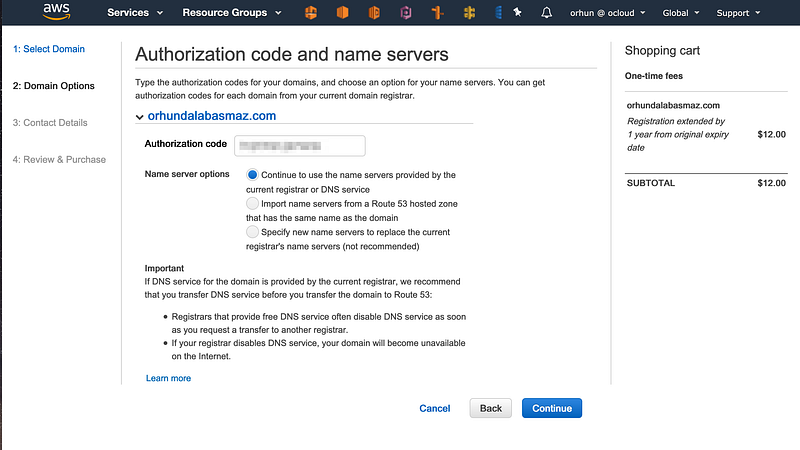
Type your authorization code provided by GoDaddy.
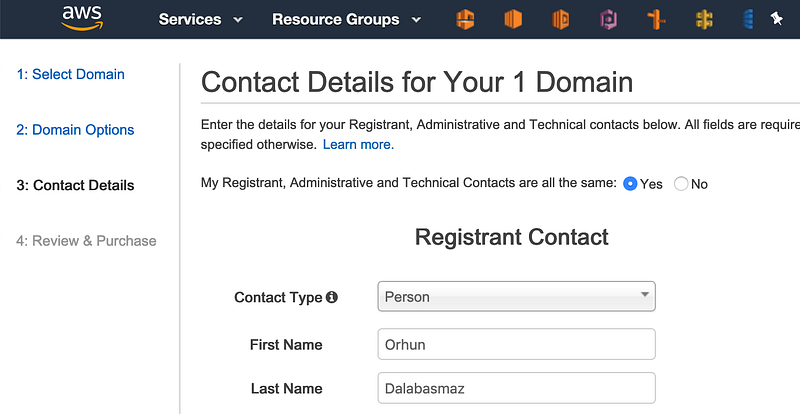
Fill the contact details.
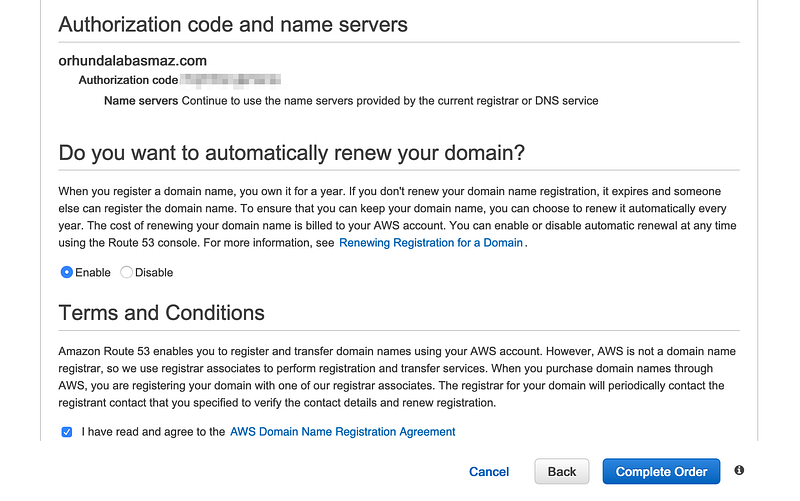
Enable auto renewal to renew domain registration every year automatically.
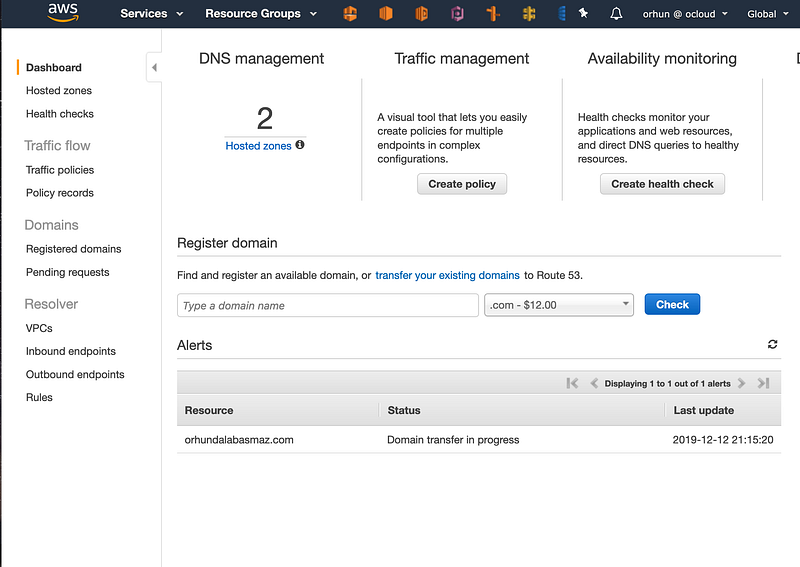
Domain transfer in progress.

We’re halfway through: our domain transfer is ready to go.
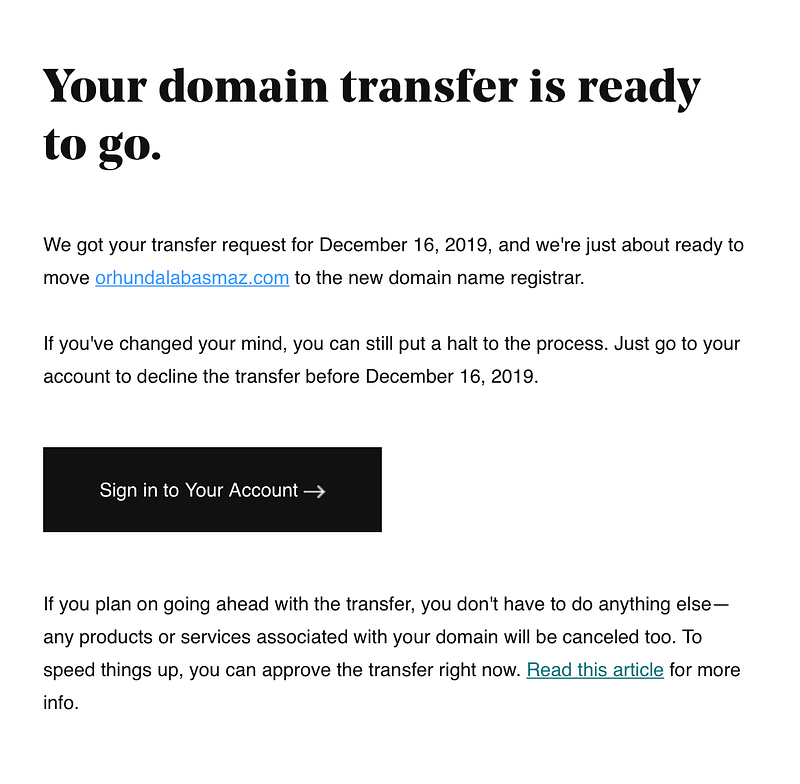
AWS will contact to GoDaddy for your domain’s transfer and then you will receive another e-mail from GoDaddy.

Normally it gives a few days before completing the transfer. Follow the steps to complete the transfer immediately.
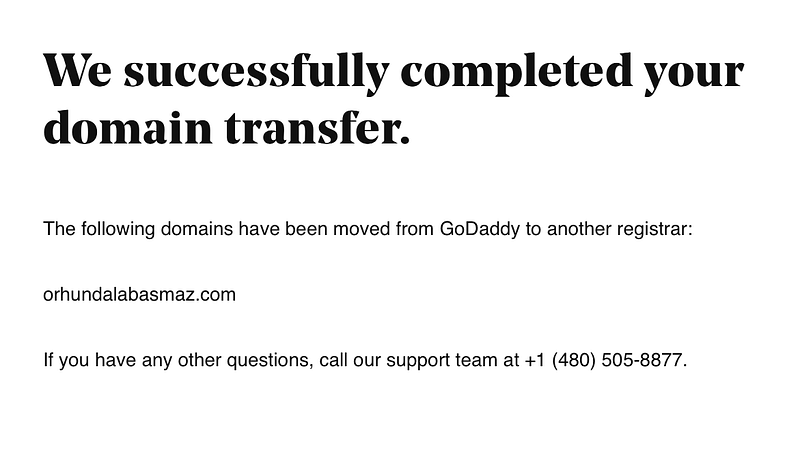
Domain transfer is completed successfully on GoDaddy side.
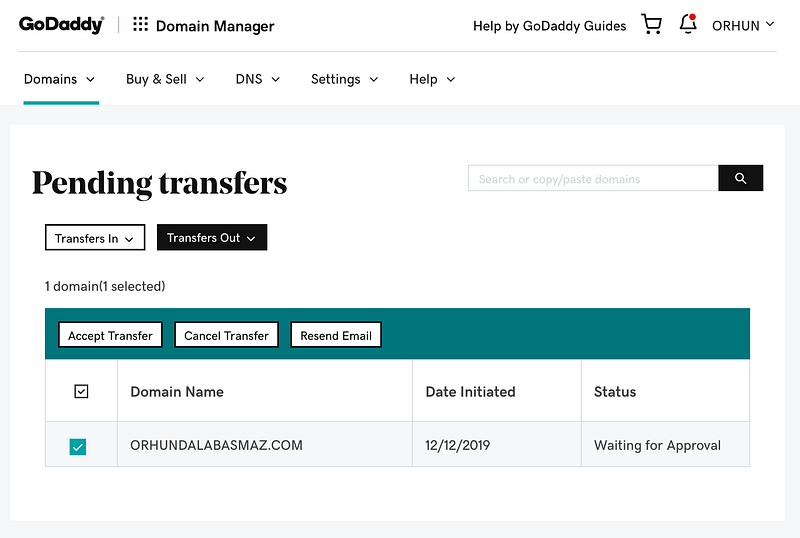
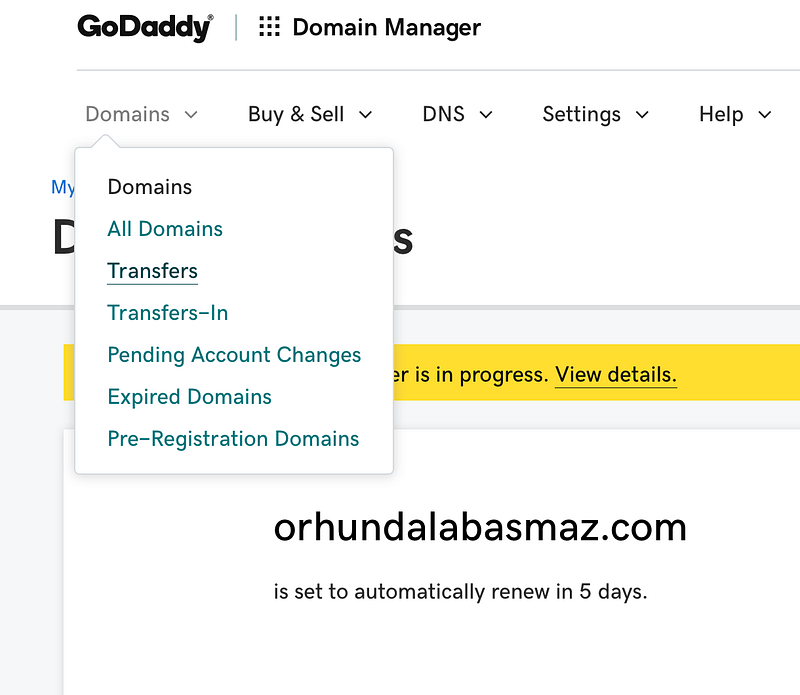
Click Transfers under Domains to see pending transfers.
Accept Transfer request for your domain.
Transferring domain completed on GoDaddy side.

Check Route 53 console again to see your transfer status.
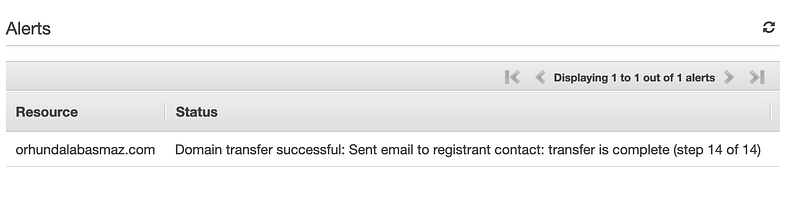
Finally, we can see domain transfer successful message over Route53.
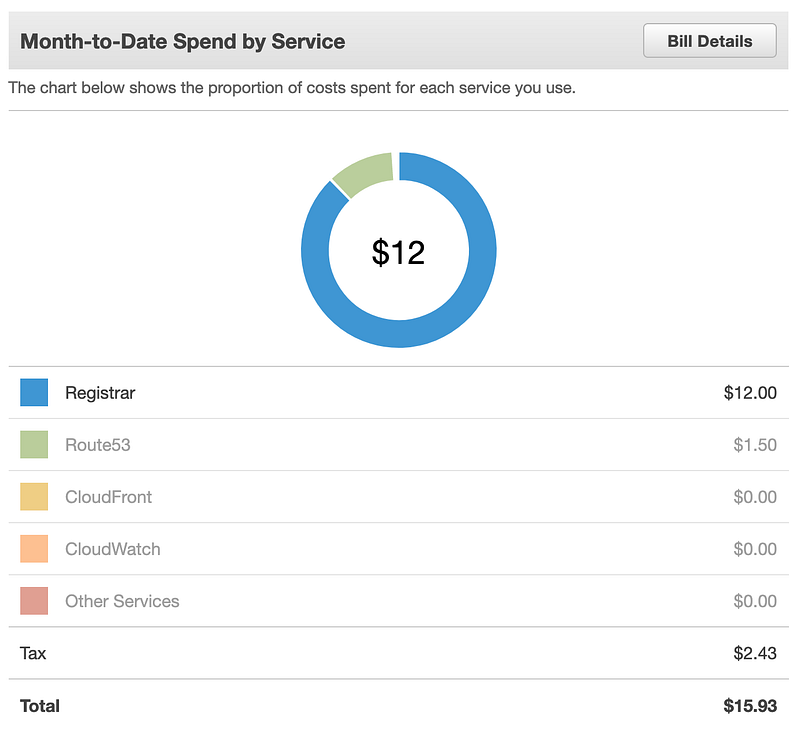
You should be charged $12 for registration of your new domain.

The propagation of DNS changes all over the world usually takes 24 to 48 hours. If you want no downtime during transfer, you may want to transfer your settings to Route53 at first then wait 2 days to continue. Afterwards AWS should be handling the rest flawlessly.

AWS
Route 53
DNS
Godaddy
Domain Registration
Recommended from ReadMedium