
How To Structure React Redux Applications
Keep your code in check

Tech debt can build up quickly when building out an application from scratch. Frameworks like React and Redux provide great patterns to modularly structure code.
And we live in a perfect world, so that’s all we’ll ever need!
Except we don’t, and it isn’t.
When using React and Redux, I always reach a point when I take a step back and think “Wow, when did this get so messy?”. This prompts a reshuffle, and after resolving all the Line x:y: ‘somethingImportant’ is not defined no-undef errors I’m finally satisfied.
Until, of course, it happens again, several weeks later.
Code like this needs constant care. It needs love and affection. Tame the beast whilst making it stronger. Structuring unruly code requires an overarching strategy.
For React & Redux, I use what I like to call IARS. Pronounced “EEEARRRRGHS”.
“EEEARRRRGHS ME HEARTY”
IARS
Say it how you like, IARS stands for Interactions, Actions, Reducers, Selectors.
Here’s a breakdown.
Interactions
This is where the grunt work is done, triggered by user activity. Saving something new? Put the functionality in here and export it so the front end component can access it.
Anything being changed in your application should be kicked off from here. Dispatch actions from interactions.js.
Example: I do a lot of Blockchain DApp development, so Figure 1 is an example of a function in interactions.js loading a player from a game I’m creating.

The only external dependency here is playerDetailsLoaded from actions.js.
tennisPlayer is a Smart Contract instance on the Blockchain. It stores a list of players and exposes a public players array, which is called with the id to retrieve a single player.
Figure 2 shows how it gets called from the component.

Actions
Actions are what the dispatcher uses to interact with the reducers. Your actions.js file will end up looking like Figure 3 after a while.
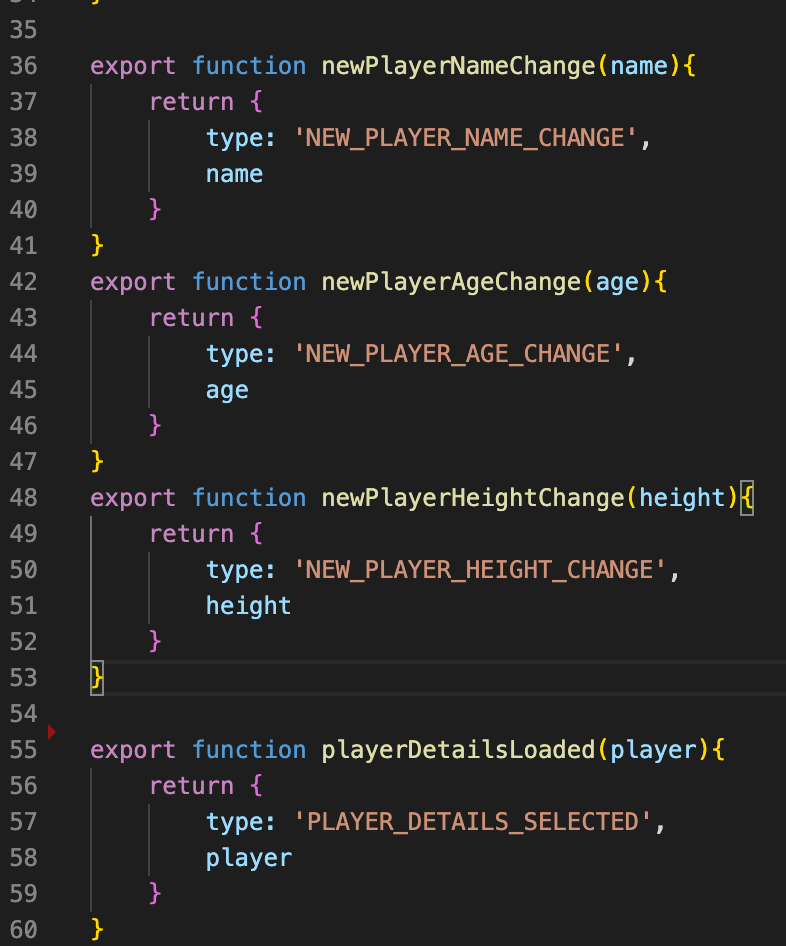
Line 55 shows the playerDetailsLoadedfunction called from the dispatcher in interactions.js.
This file will get large pretty quickly, so it’s wise to turn actions.js into an actions directory and separate the actions logically. More on that later.
Reducers
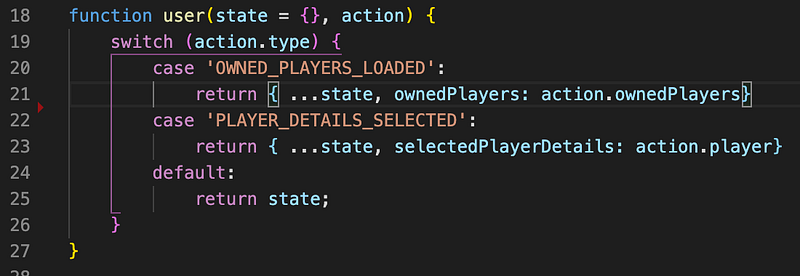
Reducers are what alter data in the redux store. If you’ve used Redux before, you’ll know what these look like. Figure 4 shows an example of our PLAYER_DETAILS_SELECTED reducer on line 22.
Selectors
Selectors are what the components use to access the data in the redux store. I use a combination of lodash and reselect in selectors.js. Figure 5 shows a snippet from selectors.js with the select used to get selectedPlayerDetails from the redux store.

Figure 6 shows how to call it from the component.
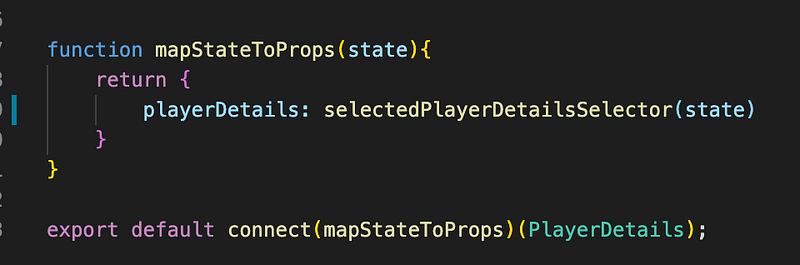
And there we have it! From component to interaction, to action, to reducer, to selector and back to the component.
The great thing about this pattern is that each component need only know about a few interactions and a few selectors, keeping component code clean.
Growing
Start with a redux/ folder with the following files:
- interactions.js
- actions.js
- reducers.js
- selectors.js
As the application grows, and when you feel the files growing too large (perhaps past a few hundred lines each), restructure your redux folder to have a folder for each one. Inside each folder, separate the code into logical files.
“EEEARRRRGHS”