
How to Start a Publication on Medium (with Screenshots)
I just Googled this, and now I‘ll show you as I learn.
I just posted a Road to $5k Per Month Challenge, and one of the things I said I would do is start a publication where I can add updates.
I could just make a list.
That would be easy.
But we’re here to learn how to do new things, and therefore I’m taking the slightly harder path of creating a publication.
I don’t know how to do it, but I’m going to learn and show you as I go.
Medium’s Instructions
Thankfully, Medium’s already done the hard work of doing a step-by-step guide to starting a publication. You can go there and follow their easy instructions.
I’m also going to follow it, but I’ll add screenshots (because I always appreciate guides with screenshots).
Step 1:
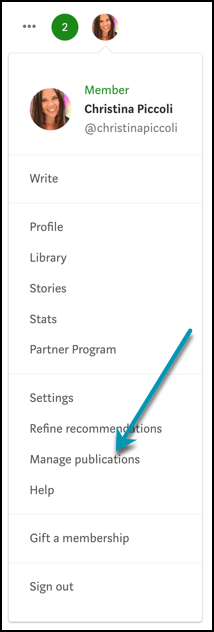
Click on your profile picture photo and choose “Manage Publications” from the menu.
Step 2:
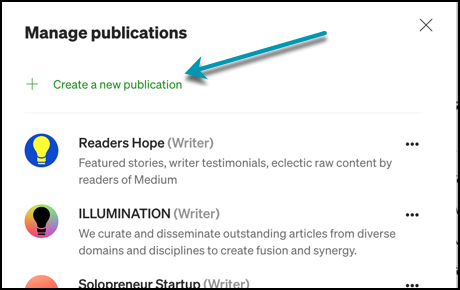
Click on “Create a new publication.”
Step 3:
Fill out your publication’s details. (Name, description, logo, contact info, etc.)
I created a quick avatar design in Canva. I’m not a designer, so don’t come for me!
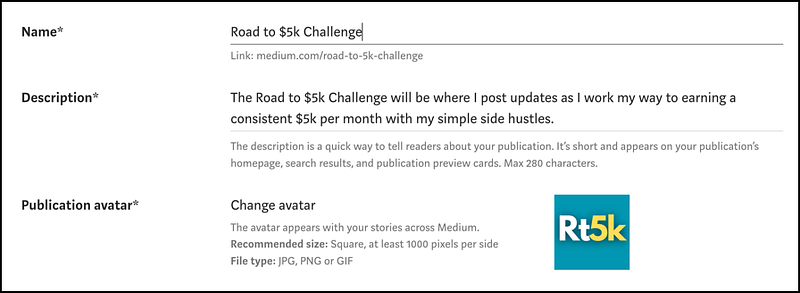
Then I added contact info and a few relevant tags:
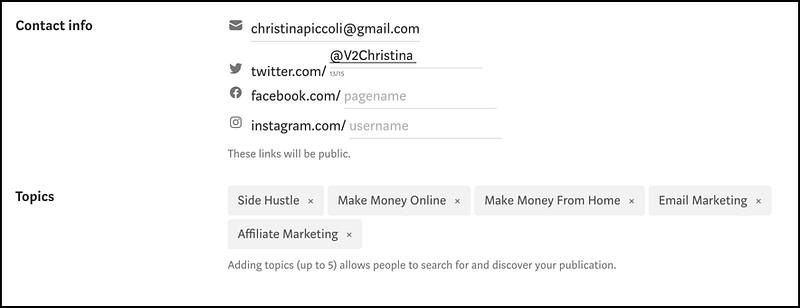
After this, you can add writers and editors if you have any. Mine will just be for my own stories, so I’ll skip this part.
Step 4:
The final step is to choose a layout for your publication.
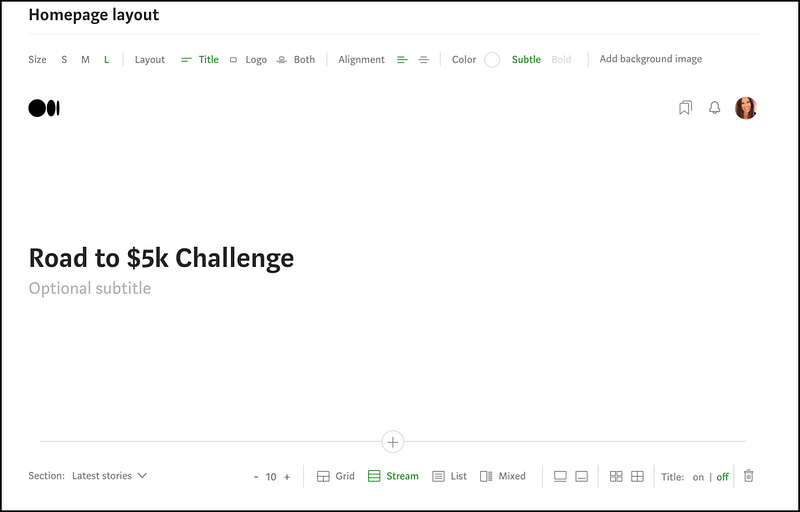
I chose a simple layout and added my first story. (This article you’re reading will be #2.)
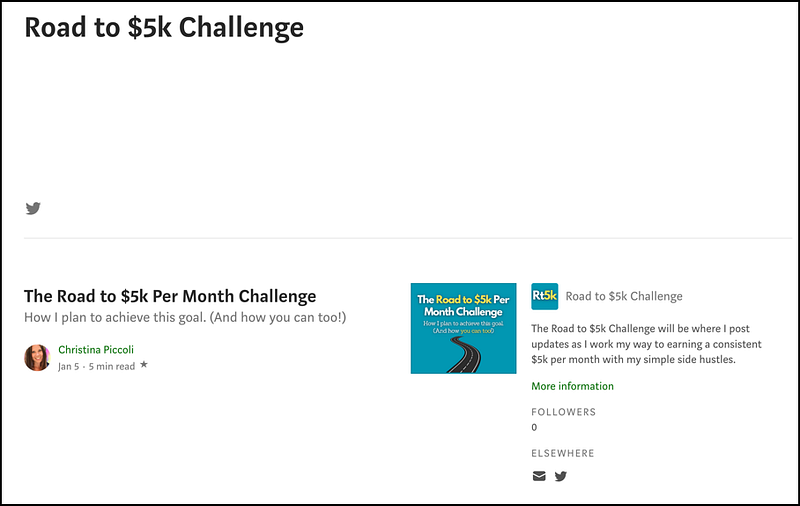
This was extremely simple to set up. (It was almost as easy as creating a list!)
You may be wondering if there are benefits to creating a publication versus a list.
I honestly don’t know, except it may be easier to find. If I come across any other benefits, I’ll let you know.
Here’s the link to the publication if you’d like to follow along with my challenge.
About the Author
Hey! I’m Christina, an introverted book nerd on the outside, and a raging metalhead on the inside. 🤘 I’m a married mom to two teenagers (and 3 cats and a dog). I love Vegas 🎰, the band Chevelle 🎸, and murder mysteries 📖.
I also love creating short, daily lists of resources and ideas to help you boost your online income. 👈 Click that astonishingly long link to sign up for free.


