
How to solve “The subscription is not registered to use namespace” in Azure
Those of you who have been playing around with Microsoft Azure might be familiar with the error “The subscription is not registered to use namespace” when trying to deploy a new service.

The error basically means that the service you are trying to use is not (yet) registered in your Azure subscription. But don’t worry, you can activate the service with just a few clicks. In this article I’ll show you the easy steps to solve this.
Note that you need permissions on the subscription to be able to execute these steps. If you don’t have the correct permissions ask your Azure Admin to do these steps for you.
Steps to solve it
From the portal, select All services.
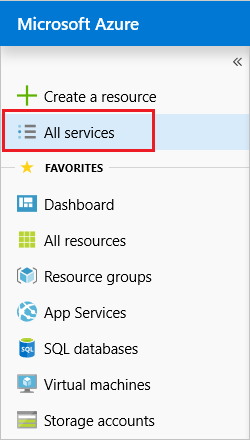
Select Subscriptions.

From the list of subscriptions, select the subscription you want to use for registering the resource provider.

You should now see a list of subscriptions. If you don’t see your subscription double check if you have applied the correct filters.
For your subscription, select Resource providers.

Look at the list of resource providers, and if necessary, select the Register link to register the resource provider of the type you’re trying to deploy.
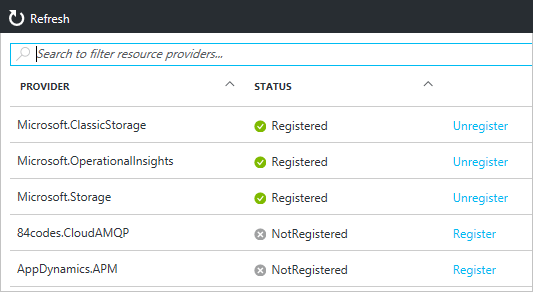
Hit register.

The provider should now be registered and you should be able to use the service in Azure!


