
How to solve GeeTest “slider CAPTCHA” with JS
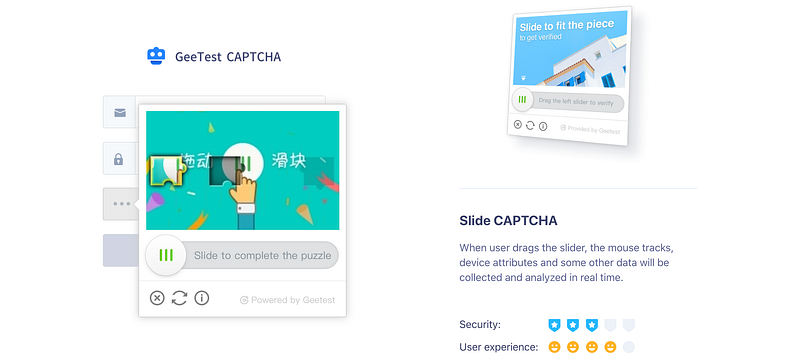
My previous story on this topic was: How to bypass “slider CAPTCHA” with JS and Puppeteer
In this story, I will go further to solve slider captcha with a different technique. This technique will solve the slider captcha faster and more efficiently. My focus will be on GeeTest slider captcha, but you could apply it to any other similar slider captcha. I will show you how to bypass it in a few steps.
1. Get images
Let’s go to the GeeTest website. Our puppeteer script needs to wait a bit for images to load. When everything is loaded, the script will get the images from canvases.
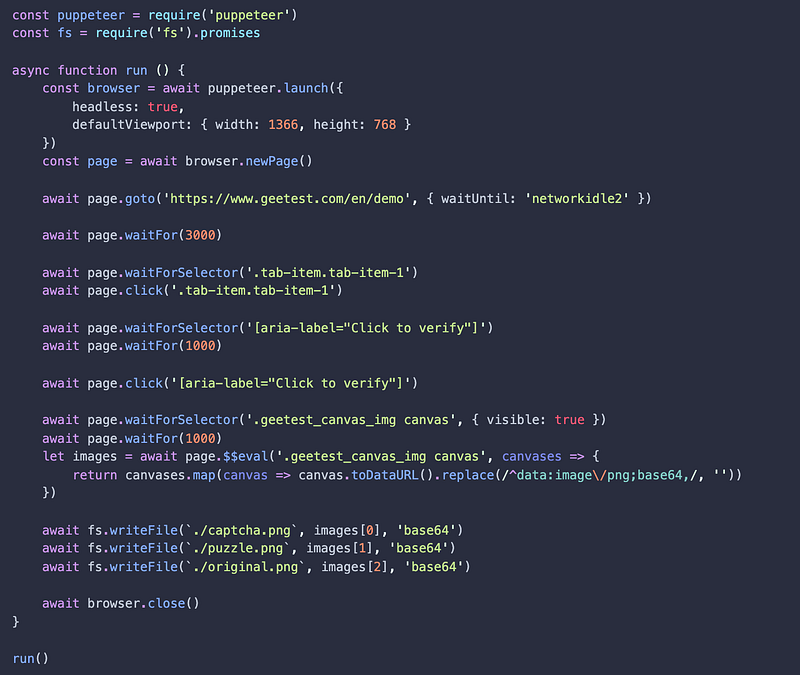
With this code, we get the original image, captcha image and puzzle image. That’s all we need to make a diff and to know exactly where to move the slider.


On the captcha image, there is a subtle shadow puzzle piece. That shadow piece should have some protective purpose. It has no purpose at all. It’s easy to filter it out in our next step.
2. Picture diffing
There are few great js libraries for image processing and diffing. For diffing I used pixelmatch.
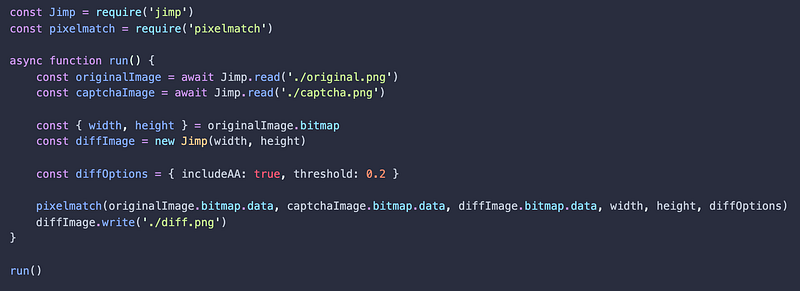
After we run diffing code, we will get the diff image that looks like this:

3. Locate the diff
Now that we have the diff image, we need to locate the x coordinate of the puzzle whole in the diff image. In this step, I will use OpenCV js library for image processing. We have a few options:
- Browser version: opencv.js
- Nodejs bindings for native OpenCV: opencv4nodejs
- Precompiled OpenCV to wasm for Nodejs: opencv-wasm
Since I’m running code in Node and I don’t want to install and compile OpenCV, I decided to use opencv-wasm.
We need to translate that diff image into something better. So let’s apply threshold to eliminate all noise, erode to fill all white gaps and dilate to revert the effects of erosion after filling all the gaps in the image.
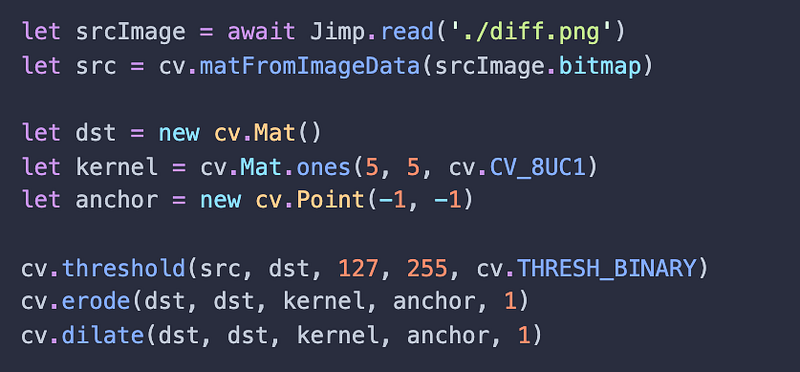


Now it’s time to find the center of that puzzle whole.
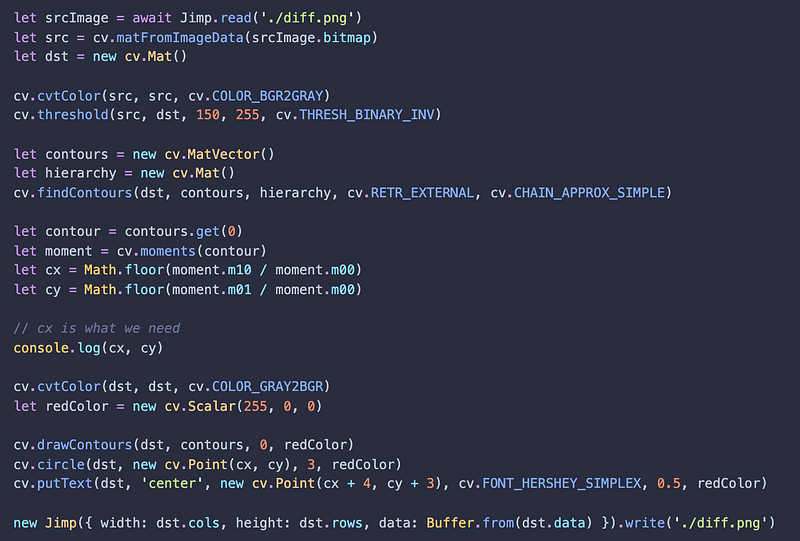

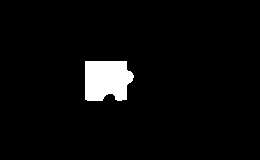
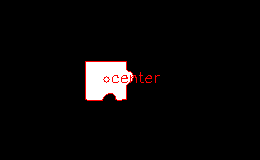
We found the position where we need to move the puzzle piece.
4. Move slider to the position
Moving slider is not easy as it seems. We have one more challenge. Somewhere at the beginning, puzzle jumps with some random offset. It means that the slider position and the puzzle position are not in sync.
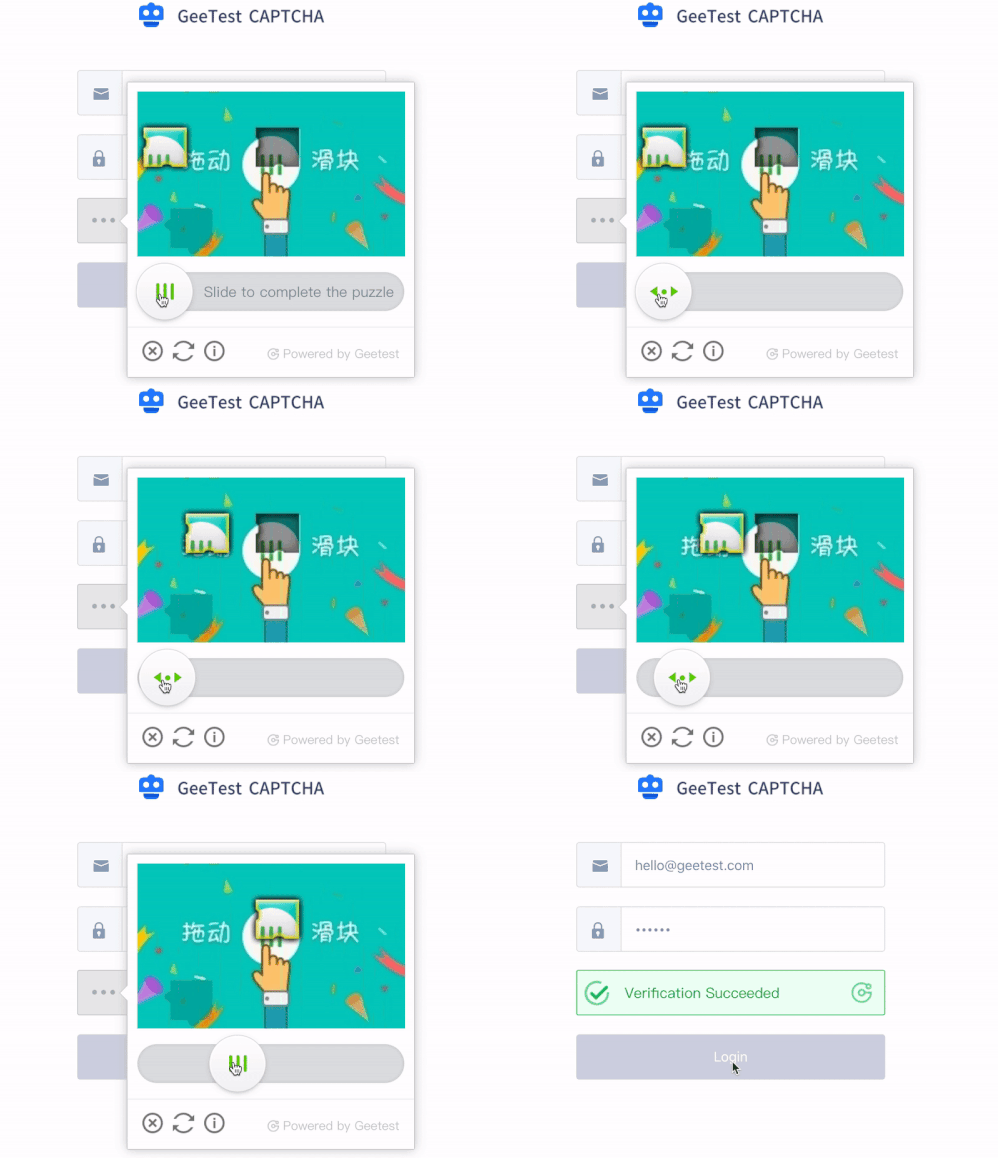
We need to move slider 2 times. The first move will bring the puzzle closer to the final position. Then we calculate the puzzle position and how much we need to move it again. The second move will bring the puzzle exactly where it needs to be in order to solve GeeTest slider captcha.
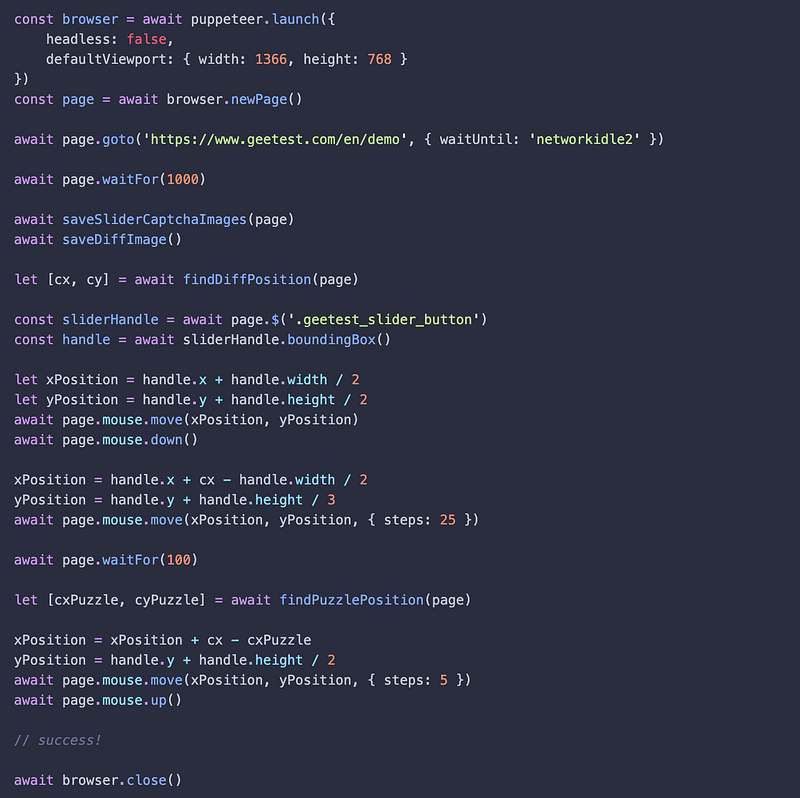
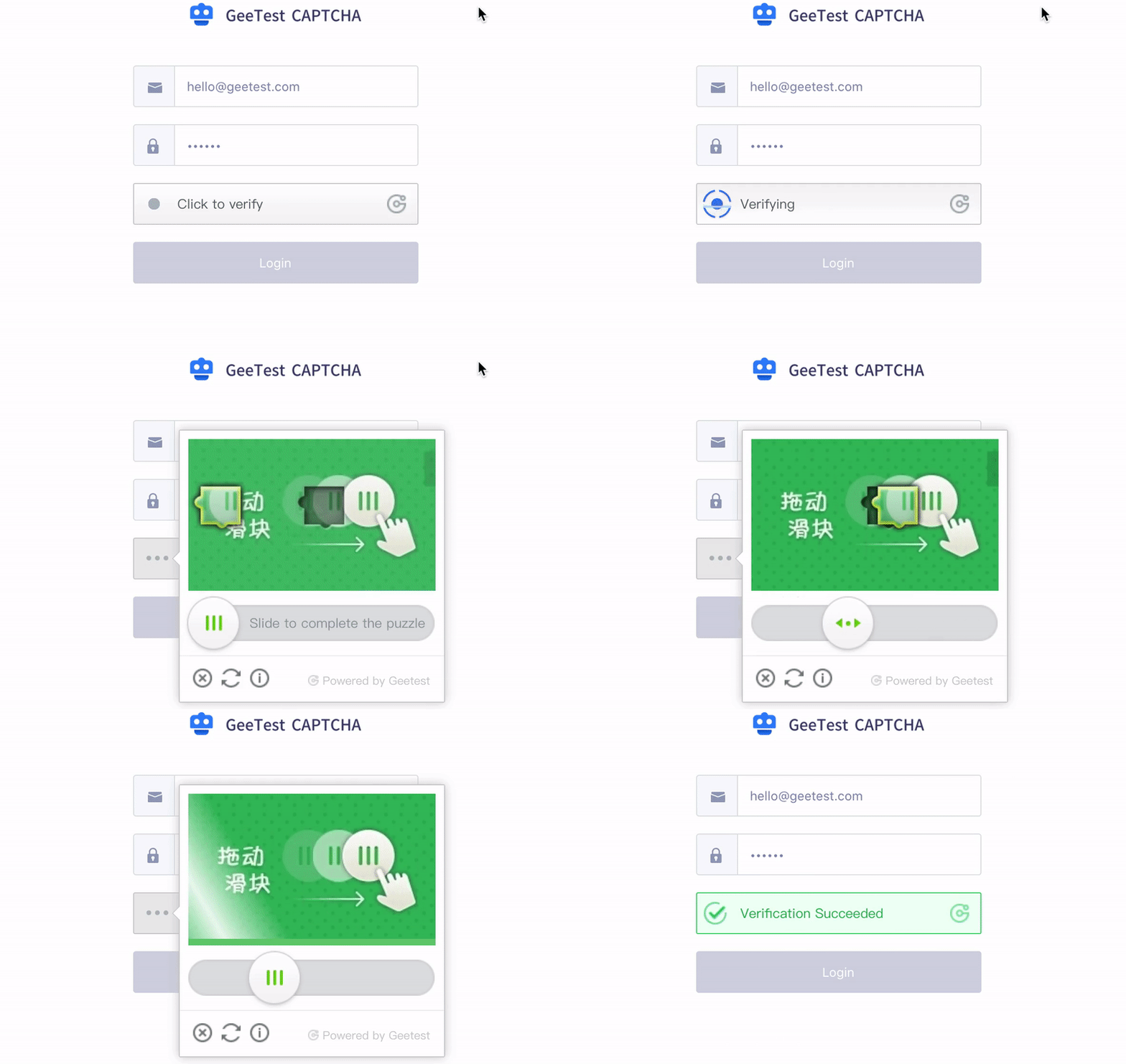
All code for solving GeeTest “slider CAPTCHA” is uploaded to GitHub repo. Feel free to copy anything you like. This is for educational purpose, use Puppeteer responsibly and have fun. If you try to solve captcha too many times it may stop working.
Conclusion
GeeTest will eventually figure out how to make this slider CAPTCHA harder to solve or they will drop this silly slider CAPTCHA because it’s not secure at all.
Thanks for reading! If you like the article, give a clap, or two, or 50👏. Leave a comment below if you have any questions or say hi on Twitter.


