
How To Snap Scrollable Items to the Center Of The Screen In Jetpack Compose
Transitioning from Snapper to SnapFlingBehavior

Last year, we explored a popular use case in Android app development: snapping scrollable items to the center of the screen after a fling gesture.
To achieve this in Jetpack Compose, we utilized the meanwhile archived “Snapper” library. Snapper offered a seamless solution for implementing snapping behavior in scrollable layouts when official framework support was still lacking. If you missed that article, you can read it here.
Since then, Jetpack Compose has evolved, and the good news is that the feature we previously achieved using the Snapper library now has official support in Jetpack Compose with the introduction of SnapFlingBehavior. This new class offers a more comprehensive and efficient solution to centering items in scrollable lists with dynamic content.
In this article, we will revisit the problem we solved in the previous article and demonstrate how to transition from using the Snapper library to the officially supported SnapFlingBehavior. We’ll start by discussing the key differences between the two methods and then provide a step-by-step guide for implementing SnapFlingBehavior in your Jetpack Compose project.
This article is also available as a YouTube video
Transition to SnapFlingBehavior
As a quick refresher, let’s look at the core functionality we achieved with Snapper. The library allowed us to create a dynamic, scrollable list that snapped items to the center of the screen after a fling gesture. It served as a great solution when Jetpack Compose didn’t have an official implementation for this use case.
With the introduction of SnapFlingBehavior, we can now implement this snapping behavior using Jetpack Compose’s official APIs. SnapFlingBehavior offers greater flexibility and customization options compared to the Snapper library.
The SnapFlingBehavior class enables the snapping of items to a given position, distinguishing between short/scroll snapping and long/fling snapping using the shortSnapVelocityThreshold parameter. Besides that, it provides a variety of animation specifications for different scenarios like highVelocityAnimationSpec, lowVelocityAnimationSpec, and snapAnimationSpec.
Now let’s see how we can leverage SnapFlingBehavior to achieve the same functionality we previously implemented using the Snapper library.
Revisiting Our Previous Use Case
In my last article about the Snapper library, we had the following use case of a dynamical list as an example:
@Composable
fun MainContent(
    placeholderItems: List<String>
) {

    Column(
        modifier = Modifier.fillMaxSize(),
        horizontalAlignment = Alignment.CenterHorizontally,
        verticalArrangement = Arrangement.Center
    ) {

        Text(
            modifier = Modifier
                .padding(16.dp)
                .fillMaxWidth(),
            text = "Example Horizontal LazyRow"
        )

        LazyRow(
            modifier = Modifier.fillMaxWidth(),
            contentPadding = PaddingValues(8.dp),
            verticalAlignment = Alignment.CenterVertically
        ) {
            items(items = placeholderItems) { itemMessage: String ->
                PlaceholderCard(itemMessage)
            }
        }
    }
}
The resulting screen looked like the following:
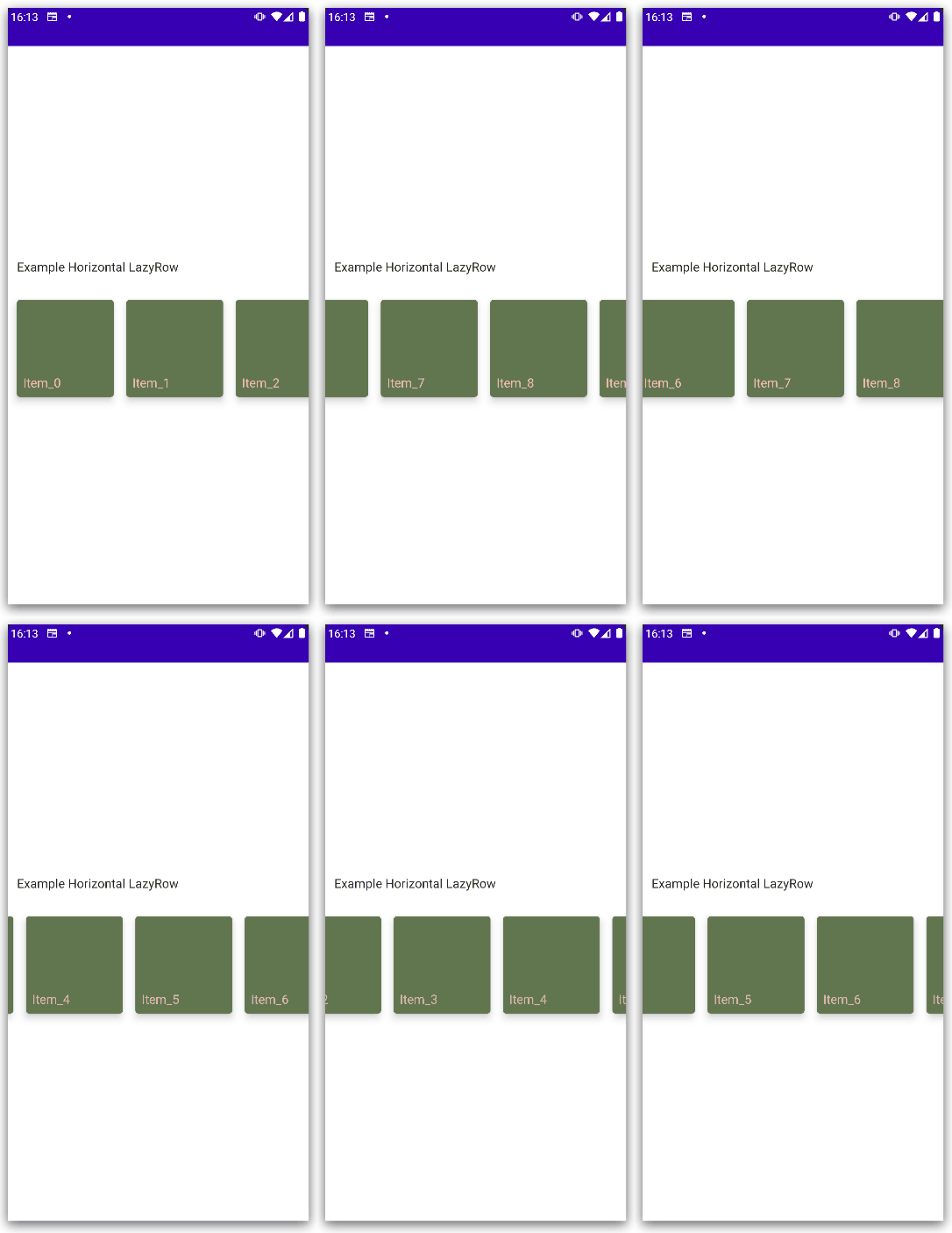
We could achieve the fling behavior using Snapper like the following snippet shows:
  val lazyListState: LazyListState = rememberLazyListState()
  val layoutInfo: LazyListSnapperLayoutInfo = rememberLazyListSnapperLayoutInfo(lazyListState)

  LazyRow(
      modifier = Modifier.fillMaxWidth(),
      state = lazyListState,
      flingBehavior = rememberSnapperFlingBehavior(lazyListState),
      contentPadding = PaddingValues(8.dp),
      verticalAlignment = Alignment.CenterVertically,
  ) {
      items(items = placeholderItems) { itemMessage: String ->
          PlaceholderCard(itemMessage)
      }
  }
Using SnapFlingBehavior
However, to ensure that the visible item scrolls to the center of the screen after performing a fling gesture, we no longer need to rely on external libraries. Instead, we can utilize the previously discussed SnapFlingBehavior.
The following code snippet shows the MainContent with enabled SnapFlingBehavior:
@Composable
fun MainContent(
    placeholderItems: List<String>
) {

    Column(
        modifier = Modifier.fillMaxSize(),
        horizontalAlignment = Alignment.CenterHorizontally,
        verticalArrangement = Arrangement.Center
    ) {

        Text(
            modifier = Modifier
                .padding(16.dp)
                .fillMaxWidth(),
            text = "Example Horizontal LazyRow"
        )

        val listState: LazyListState = rememberLazyListState()

        LazyRow(
            modifier = Modifier.fillMaxWidth(),
            contentPadding = PaddingValues(horizontal = 32.dp),
            verticalAlignment = Alignment.CenterVertically,
            state = listState,
            flingBehavior = rememberSnapFlingBehavior(listState)
        ) {
            items(placeholderItems) { item: String ->
                PlaceholderCard(itemMessage = item)
            }
        }
    }
}
First, we create a LazyListState using the rememberLazyListState() function. This allows us to store and manage the state of our LazyRow component:
val listState: LazyListState = rememberLazyListState()Next, we define the LazyRow component with the following properties:
modifier = Modifier.fillMaxWidth()ensures that the LazyRow spans the entire width of the screen.contentPadding = PaddingValues(horizontal = 32.dp)applies horizontal padding of32.dpto the content inside theLazyRow.verticalAlignment = Alignment.CenterVerticallyaligns the items inside theLazyRowvertically at the center.state = listStatesets the LazyListState we defined earlier as the state for ourLazyRow.flingBehavior = rememberSnapFlingBehavior(listState)assigns theSnapFlingBehaviorto theLazyRowby providing thelistState. This allows the items in the list to snap to the center after a fling gesture and finally achieve the desired behavior.
The final result then looks like the following:
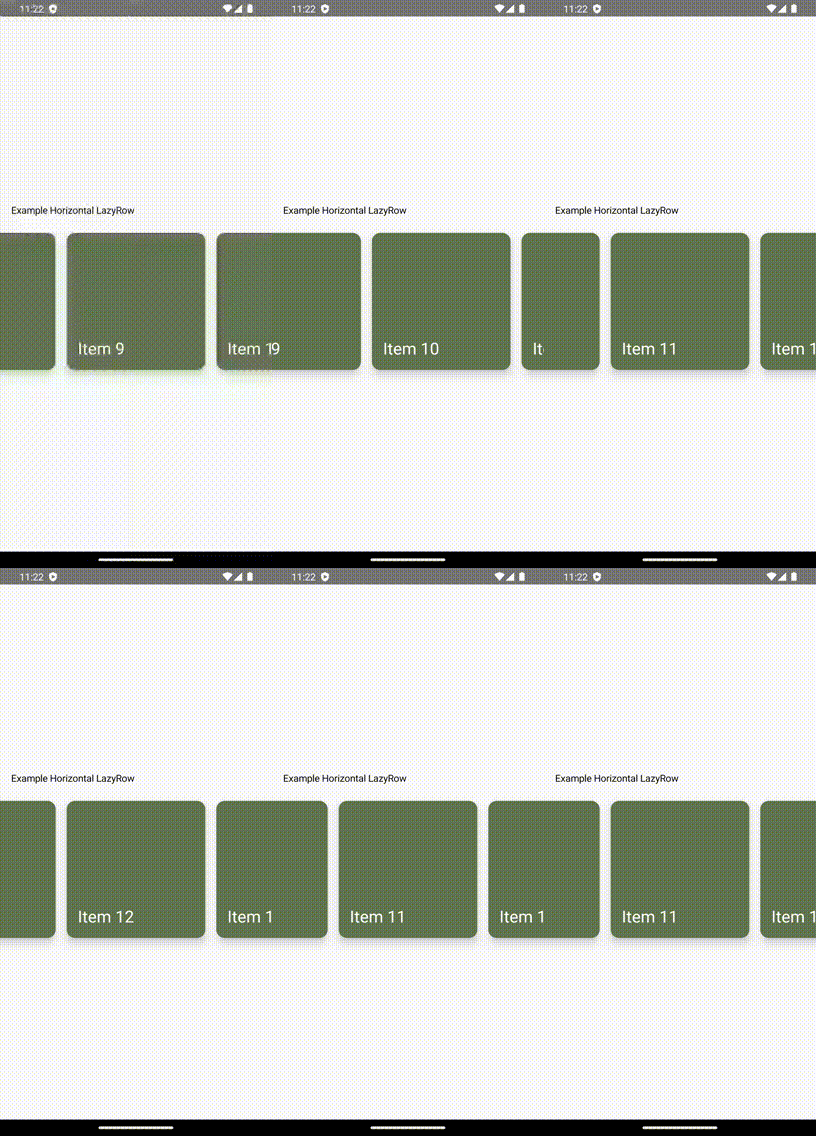
Conclusion
In this article, we revisited the problem of snapping scrollable items to the center of the screen in Jetpack Compose and transitioned from using the Snapper library to the officially supported SnapFlingBehavior.
We first saw how we previously achieved a dynamic, scrollable list that automatically snaps items to the center after a fling gesture. Afterward, we discussed the same approach using the official solution. Finally, we saw that the difference in terms of code length doesn’t differ at all and that the migration process is a very easy task.
I hope you had some takeaways, clap if you liked my article, make sure to subscribe to get notified via e-mail, and follow for more!


