
How to Share Your Obsidian Notes With Others(in less than 30 seconds)
Collaborate or get feedback from others easily
Have you ever tried to share your obsidian notes and struggled? Sharing your notes can be a real pain in the ass with offline note-taking apps like obsidian. But it doesn’t have to be anymore. In this article, I will show you how you can easily share your obsidian notes with your friends or colleagues causally or to get feedback on your work.
Two community plugins can serve us to share our notes.
Sekund
Sekund.io is a perfect plugin for sharing your notes with other friends who also use obsidian. If the person you want to share your notes with doesn’t use obsidian, skip to the second method of this article.
What I like about this plugin is that it allows you to share your notes and instantly gather feedback.
It has a chats feature to have real-time conversations with people you share your notes.
Follow the steps to share your notes using sekund.
Installation & Configuration
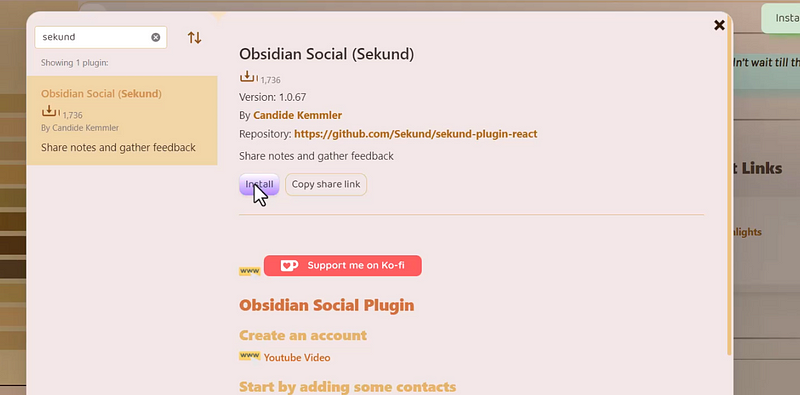
Install sekund from the community plugins section. Enable it and go to the option. You will see an option to choose a folder.
You can either choose an existing folder or create a new one. I suggest you create a new one.
This is the folder that will be used to download notes that are shared with you by other users.
The sidebar will show you an option of sekund icon. Click on that and create a new account from there.
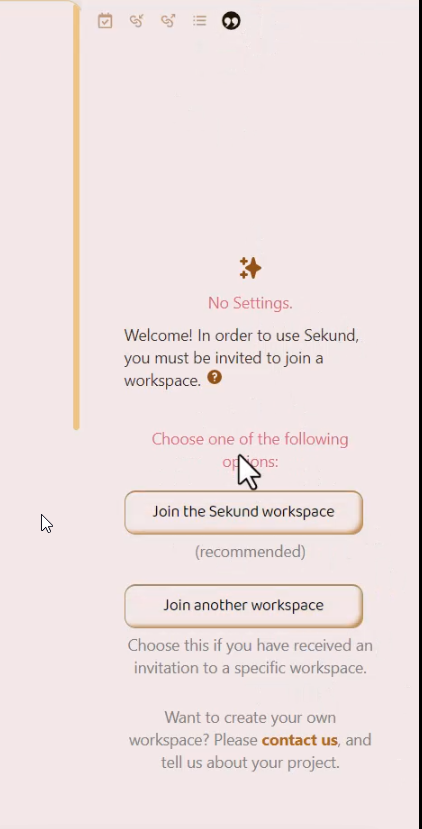
After you have been logged in, you will see an option to create a new group. You have to create a group to share your notes with.
To create a group, the other person must also have a sekund account setup just like this. When you add his email Id, he will get a request, and once he accepts it, a new group will be formed.
Now you can easily share your note with this person and feedback through chat features in obsidian.
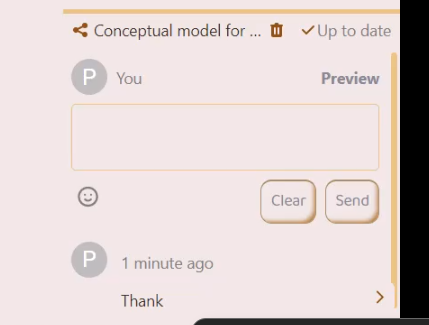
Sharing your note
To share your notes, open the note that you want to share. You will see an upload to sekund on the right sidebar. Click on it and your note will be uploaded to sekund.
Once the note appears on the top section, just below the icons on the right sidebar, click on the note and you will see an option to share your notes.
You can share this note with individual people or groups that you have made.
The other person will receive a notification on his obsidian.
This is one method to share your obsidian notes. It’s a little complicated, I know. And it only works when the other person also uses obsidian.
This second method for sharing your obsidian notes is easy and simple. With the help of quickshare plugin, notes can be shared in the blink of an eye.
Quick share Plugin
Install this community plugin and enable it. Once you have installed it, open the note that you want to share.
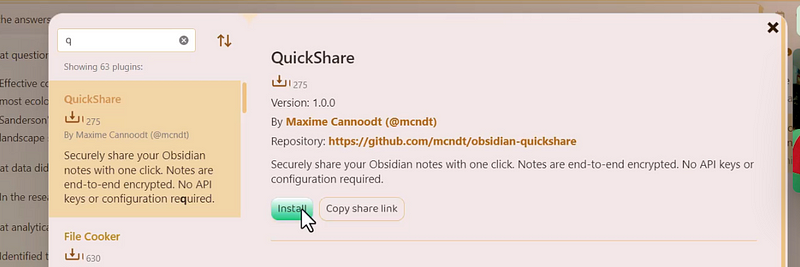
Click on the three dots. You will see a lot of options. Navigate to the end of this list and you will see an option to create a share link.
You will receive a shareable link with quickshare. Copy that link and share it with other people.
Your obsidian note will be shared as a web link. Your note will be embedded on the website noteshare.space.
And it will be available for 31 days as a cache, after which it will disappear. Although there’s a feature in the roadmap that allows you to set a custom expiry date for your shared notes.


