
How To Setup Auto-GPT: The Autonomous GPT-4 AI
Auto-GPT is here. Read this article to setup it up on your local machine
Artificial intelligence has been making quite the buzz because of the advanced capabilities of generative AI models like ChatGPT. This progress has been bolstered by the recent release of an open-source Python application called Auto-GPT, which represents a significant step towards the development of a fully autonomous GPT-4 implementation.
What is Auto-GPT?
Auto-GPT is an experimental, open-source Python application that uses GPT-4 to act autonomously. This means that Auto-GPT can perform a task with little human intervention, and can self-prompt.
It serves as an assistant that can independently make decisions to achieve objectives, obviating the need for explicit instructions from a human operator. Its capabilities include the ability to gather information from the internet, store data, generate text through GPT-4 instances, access various popular websites and platforms, and perform summarization using GPT-3.5.
Who made Auto-GPT?
Auto-GPT was posted on GitHub on March 30, 2023, by developer Significant Gravitas. However, the application is driven by GPT-4 which is OpenAI’s latest and most advanced AI model.
In this article, I will provide you with a comprehensive guide on how to install and execute Auto-GPT on your local machine.
Requirements —
- Git install (You can use GitHub for desktop also)
- Python 3.7 or later
- OpenAI API key
- PineCone API key
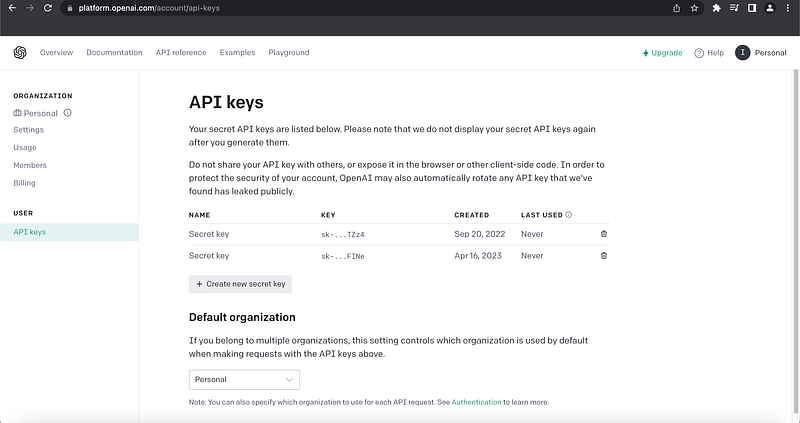
How to get the OpenAI API key?
- Create an OpenAI account here.
- Go to your Accounts page and under the API keys tab, click on “Create a new secret key”.
Note: Keep a copy of this key because you can’t retrieve it from the web interface.
How to get the PineCone API key?
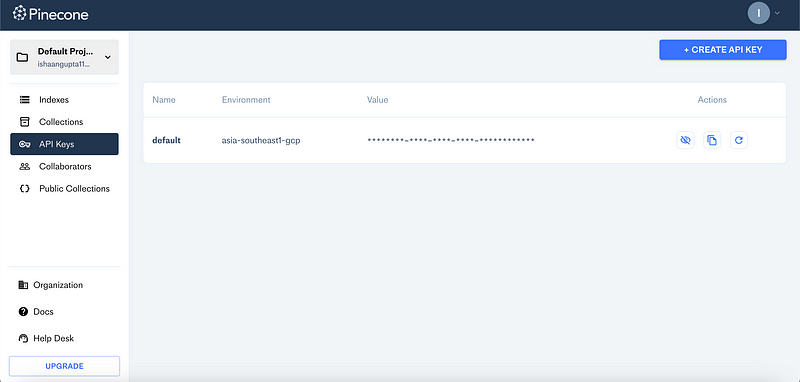
- Firstly, proceed to PineCone and initiate the creation of your account.
- Once done, navigate to the API keys section and duplicate the value and the environment, taking care to store them in a secure location.
Now we are ready to begin setting up our Auto-GPT.
How to Setup Auto-GPT?
1. Clone the Auto-GPT repository
Open the Git Bash or terminal and execute the command below to clone the project on your local machine.
git clone https://github.com/Torantulino/Auto-GPT.git
cd Auto-GPT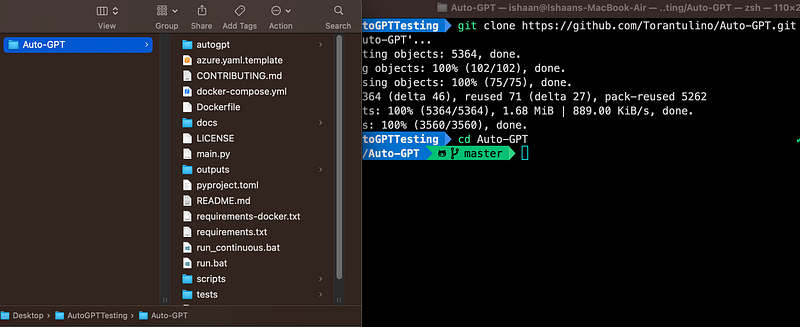
2. Download the dependencies
Now we will install the dependencies.
pip install -r requirements.txtNow, rename .env.template to .env and fill in your OPENAI_API_KEY and the PINECONE_API_KEY and PINECONE_ENV
Note: If you cannot find .env.template file then open the whole folder in vscode or any other editor. You can also enable the ‘Show hidden files option in your folder settings.
3: Test run
Now run the main.py Python script to test Auto-GPT.
python scripts/main.py
Note: If you do not have access to the GPT-4 API, add -- gpt3only at the end of the command.
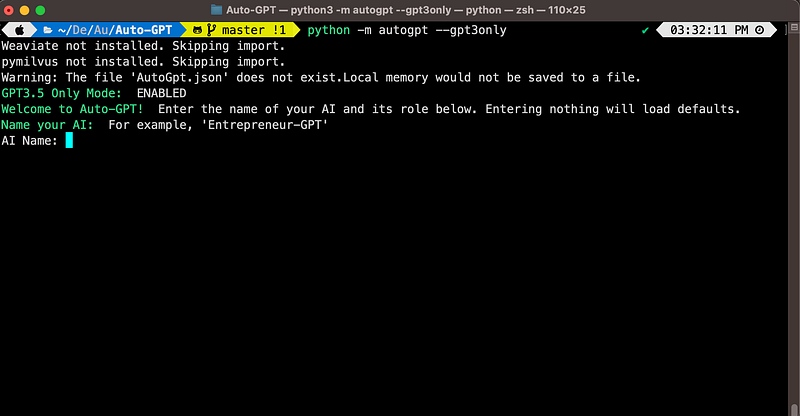
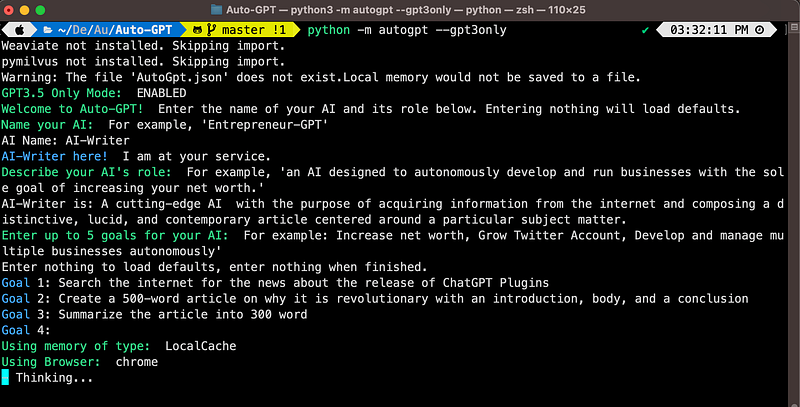
Now we will name our AI. I am naming it: “AI-writer,” since I will ask it to write an article. I also added a little description of what its role is.
A cutting-edge AI acquires information from the internet and composes a distinctive, lucid, and contemporary article centred around a particular subject matter.
Next, we need to specify the steps for what we want to achieve. Here are the three goals of our AI writer as an example:
- Goal 1: Search the internet for news about the release of ChatGPT Plugins.
- Goal 2: Create a 500-word article on why it is revolutionary with an introduction, body, and a conclusion
- Goal 3: Summarize the article into 300 word
Press the enter key, and this will be the response. It will take some time while it is ‘thinking’.
After a few iterations, you should get both the 500-word article and the 300-word summary.
That’s all people. Go crazy now!😅
Final Thoughts
I think Auto-GPT marks a monumental stride in the realm of self-governing AI. It not only simplifies complex tasks but also grants individuals the ability to harness the might of AI with minimal effort. The emergence of the latest inclination of “auto-prompting” is indeed captivating, for it empowers GPT-4 to fabricate prompts that engender novel prompts, thereby, fostering an unprecedented cycle of generation.
If u thought ChatGPT was scary, wait till u use AutoGPT!
Share this awesome article with your tech friends.😄 Till then see you in my next article…


