
How to Set Up Cypress.io on Mac
A guide for installing Cypress on MacOS.

The first step of a new project can be the most intimidating. If you’re about to make the switch to Cypress, don’t worry. Cypress is quicker to install and get up and running than Selenium.
In this article, I’ll walk you through how to install Cypress.io for the first time on a Mac.
Step 1 — Verify that your OS is up to date
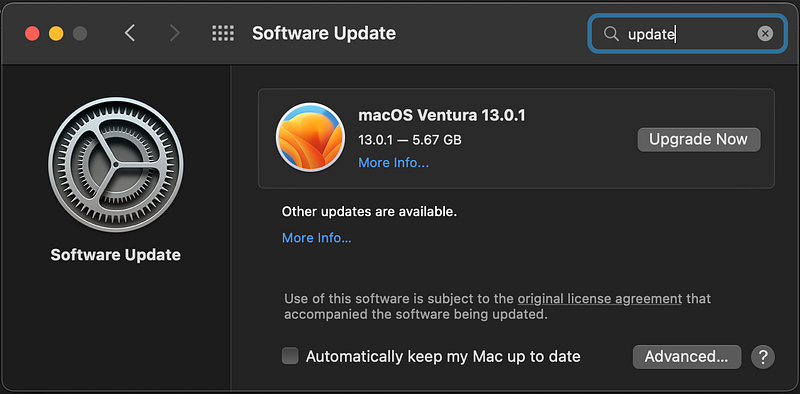
Before installing Cypress, verify that your computer does not require any software updates. By taking this step you make sure that your computer is up to date prior to trying to install new packages that may have dependencies.
Do this by clicking on the apple icon in the upper left corner of the screen > System Preferences > Software Update.
Step 2 — Install Cypress
Open a terminal window and run the following command to install the Cypress CLI (command-line interface): npm install -g cypress
Note: To set up Cypress on a Mac, you will need to have Node.js and npm (the Node.js package manager) installed on your computer.
Step 3— Create a folder for your project
Navigate to the directory where you want to install Cypress. For example, you can create a new directory and navigate to it:
mkdir my-project
cd my-project

Step 4 — Run Cypress
From within the newly created directory, run the following command to initialize a new Cypress project: cypress open

This will create a new directory called cypress in your project, and open the Cypress Test Runner in a new window.
- In the Cypress Test Runner, you can click on the
examplesfolder to see some sample test files. You can use these as a starting point for writing your own tests. - To create a new test file, click on the
Add new testbutton in the Test Runner. This will create a new test file in thecypress/integrationdirectory. You can write your test code using JavaScript and the Cypress API. - To run your tests, click on the
Run all testsbutton in the Test Runner. This will execute all of the test files in thecypress/integrationdirectory.
I hope this helps! Let me know if you have any questions.
- Update OS
- Create a local folder for your Cypress project
- Install Cypress with
npm install cypress --save-devfrom within the newly created folder - From within the newly created directory, run the following command to initialize a new Cypress project:
cypress open
Official Cypress.io documentation: https://docs.cypress.io/guides/getting-started/installing-cypress#What-you-ll-learn
Not a Medium member? Use this link to join. You’ll get access to more Medium content, and help to support articles like this.
Was this article helpful? Buy me a coffee.


