
Easy! How to set up AWS-S3, create buckets, upload, and inexpensive plan (Glacier)
Since we often use AWS in practice, we will explain S3 in this article. S3 has several plans.
S3 Standard For frequently accessed data S3 Standard-IA For long-lived and infrequently accessed data S3 Intelligent-Tiering For long-lived data with variable or unknown access patterns S3 One Zone-IA For long-lived, infrequently accessed, and less critical data S3 Glacier For long-term archived data with acquisition times of a few minutes to a few hours S3 Glacier Deep Archive For long-term archive data with an acquisition time of 12 hours
S3 is the basic plan for corporate use, but if you only want to store S3 Glacier is recommended for storage only!
US — Northern Virginia S3 Standard: 0.023USD/GB (only the first 50TB)
Glacier: 0.004USD/GB
We will start with S3 and show you the steps to create it.
Note that there is a separate S3 Glacier page, but we will not use that one this time.
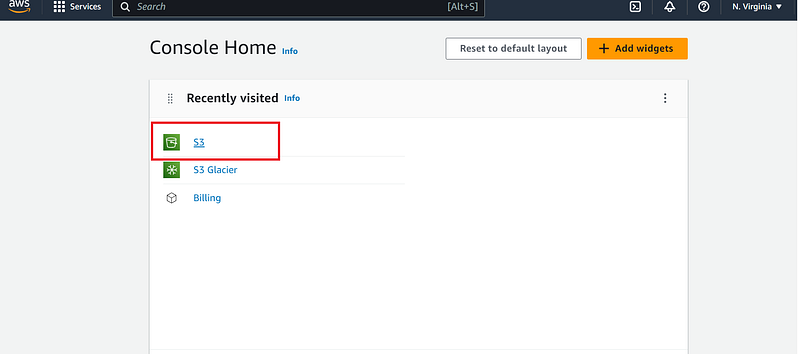
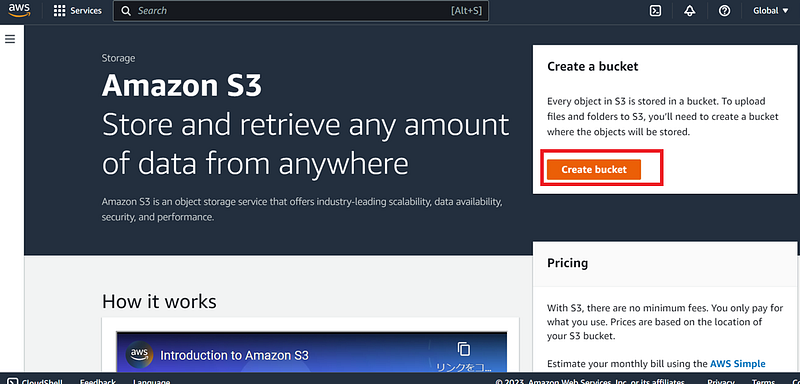
Next, create an bucket.
A bucket is a container (bucket) for any objects (files) stored in Amazon S3.
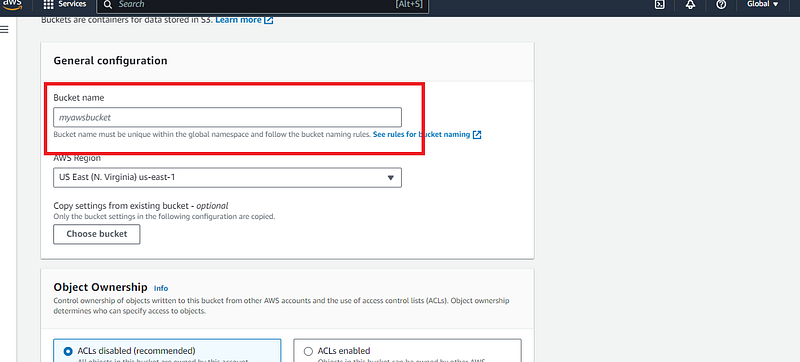
The S3 bucket must be the only name in the world so that a simple term will be rejected.
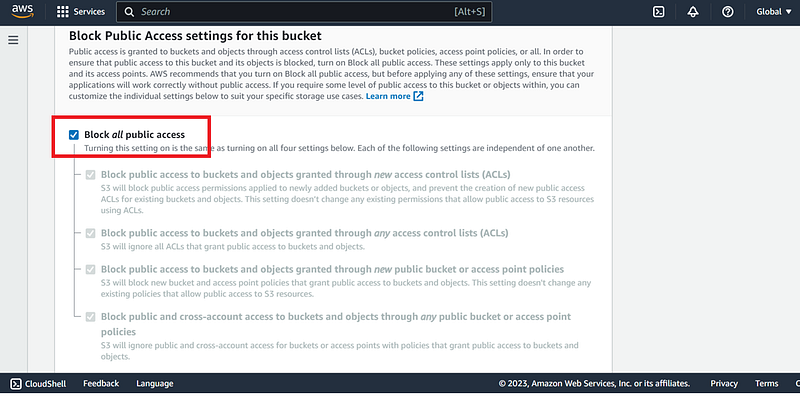
For security reasons, it is OK to block all of them for the time being.
This is in the form of no access from the outside. If a team account is issued to a development member as a group user, it should be usable. We will write a separate explanation of group users and other user-related issues.
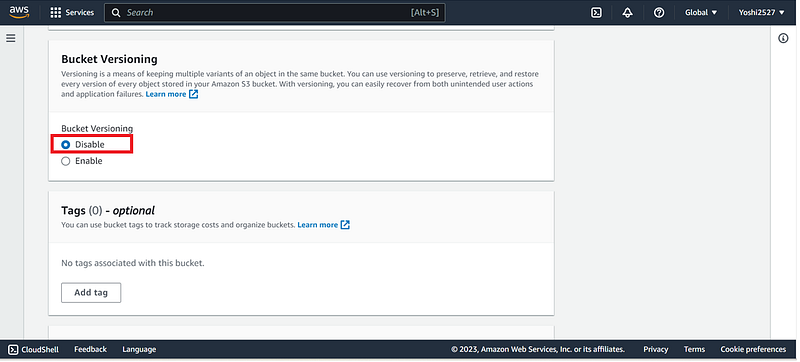
Bucket Versioning is a feature that allows you to restore the original version of a file if it has been accidentally overwritten or deleted.
The versioning feature cannot be disabled once it is ready Versioning-enabled (“enabled”). Therefore, it is OK to disable it once.
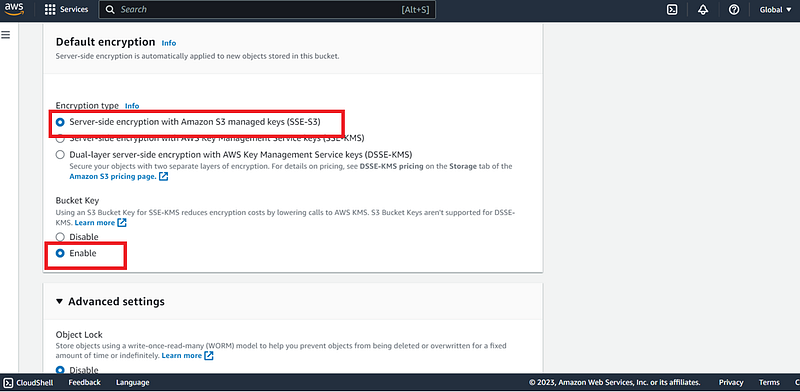
Amazon S3 encryption is a feature that uses encryption to secure data during transfer and storage.
There are two major patterns: server-side (AWS) encryption and client-side encryption. SSE-S3 is a key processed and managed by Amazon S3. Here is the basic plan.
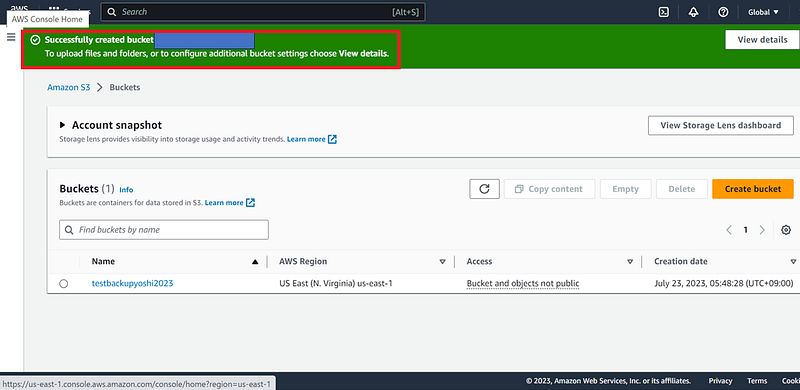
If successful, the bucket is created in the red frame.
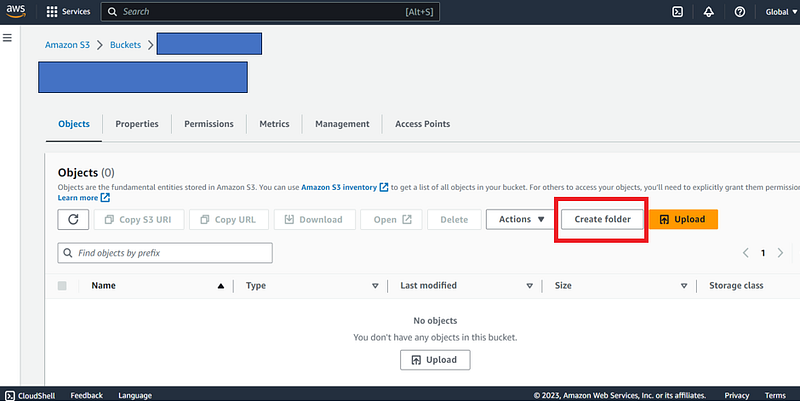
Next, create the destination folder.
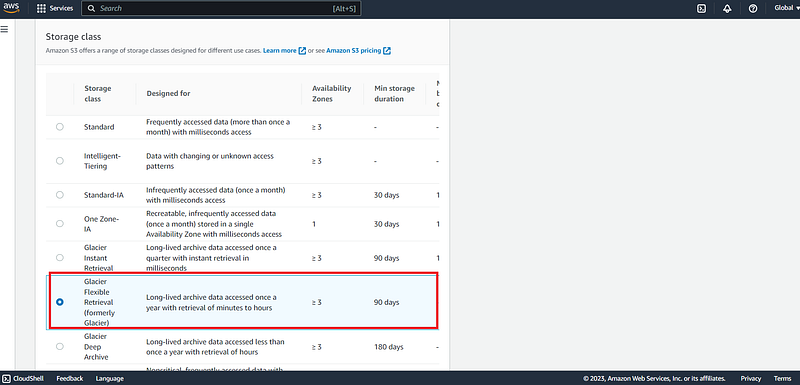
After selecting the file to upload, scroll down and you will see the “Properties” storage class. Select “Glacier Flexible Retrieval” and click “Upload”.
That is all! Using AWS storage, including S3, is easy and I recommend it to everyone!
Thank you for your interest. Thank you very much.


