
How To Schedule, Manage, and Analyze Your Next Reddit Campaign
This free tool will help you run promotions on the feature-limited platform

Have you ever tried to promote any business through Reddit?
If you are a digital marketer or social media marketer, I think the answer should be “yes.”
Reddit is one of the greatest places to promote any business, especially tech startups, to generate traffic or to go viral. 🤪
But, I’m sure that you’ve noticed something lacking when working on Reddit because of its limited features. As I’ve worked on Reddit for the last two years, I’ve found some problems that slow down my plans and tasks.
What are they?
Problems That I’ve Faced When Working on Reddit
No post scheduling features: Reddit doesn’t have any built-in post scheduling features. If I want to post any link or text, I need to wait for a specific time. Really, I didn’t expect that.
No idea about posting time: It’s one of the big problems I’ve faced because different subreddits have different timing to post. And, there is no solution to find the perfect time for posting.
Managing multiple Reddit accounts: If I want to work on different niches, I don’t have any solution for a central dashboard. I must log in to different Reddit accounts for different browsers to manage them.
So, What’s the Solution?
After facing the problems regularly, I’ve searched for a good solution. I’ve searched, searched, and searched again.
And, yes, I’ve found a good solution. 🥳
It’s LaterForReddit.
Let’s see how this web application has solved my problems (and will solve yours too, I hope 😁).
How To Use LaterForReddit
To use this application, we need an active Reddit account. Then, we need to visit the LaterForReddit homepage and log in using Reddit. Here are the steps:
- Click on the green button named Click Here to Schedule a Post!
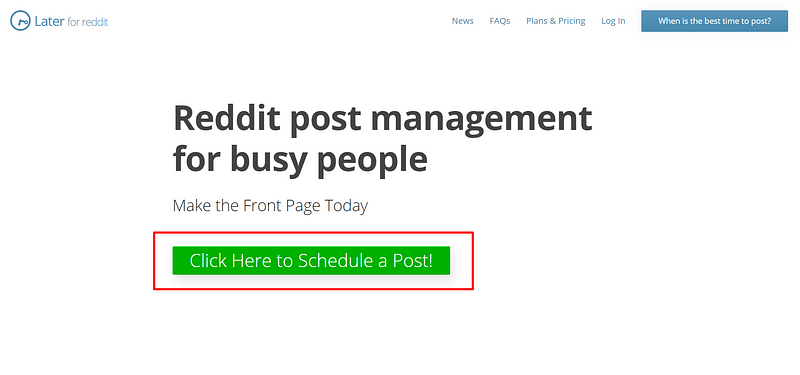
Now it will redirect you to it’s dashboard, like this:
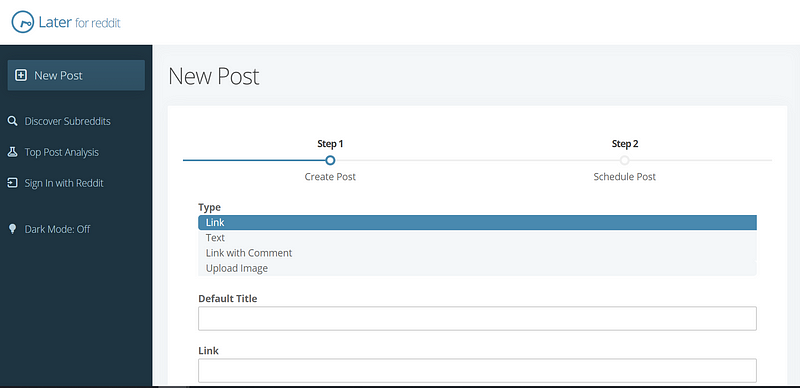
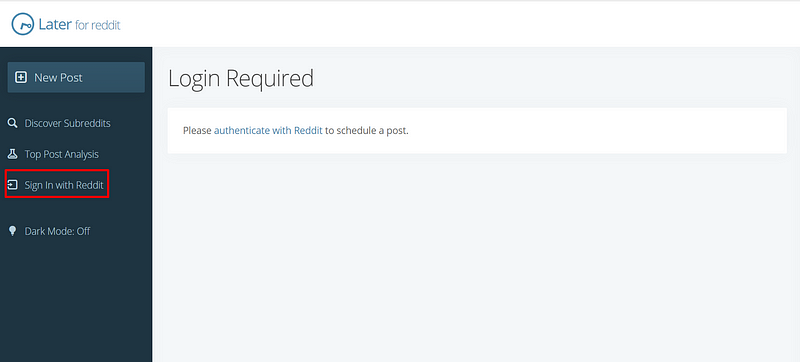
Now click on Sign In with Reddit to log in using your Reddit account.
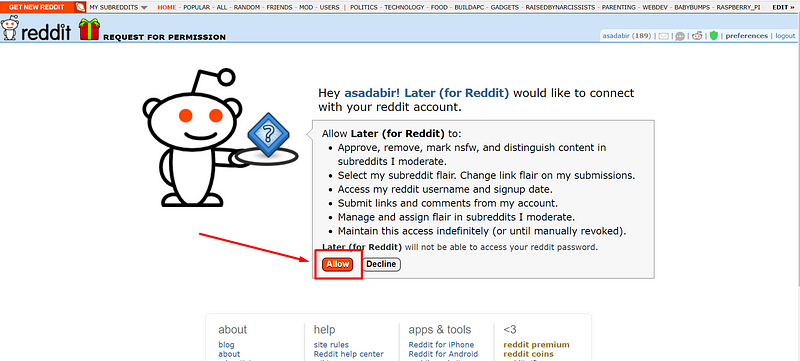
Click on the Allow button to give access to LaterForReddit.
Done. We’ve successfully accessed the dashboard.
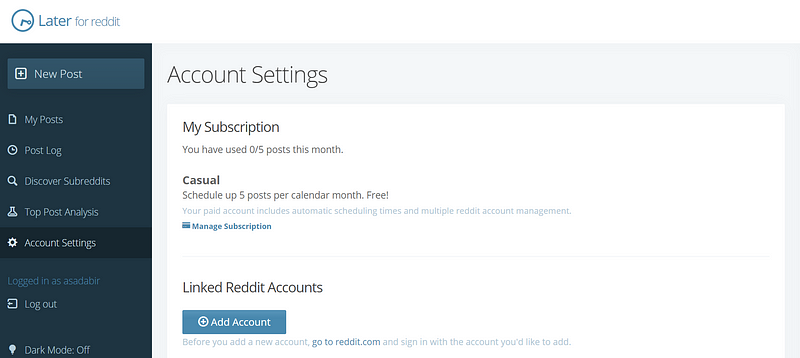
Let’s see what we can do with this awesome tool.
Post Scheduling
To schedule a post, we need to create the post first. Then, we can schedule it. Just follow these steps:
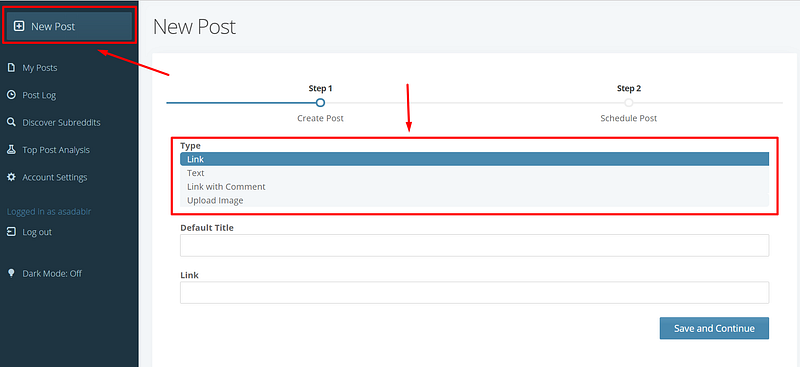
First, click on New Post to create a new post. Choose link or text as the post type. I’ve chosen link.
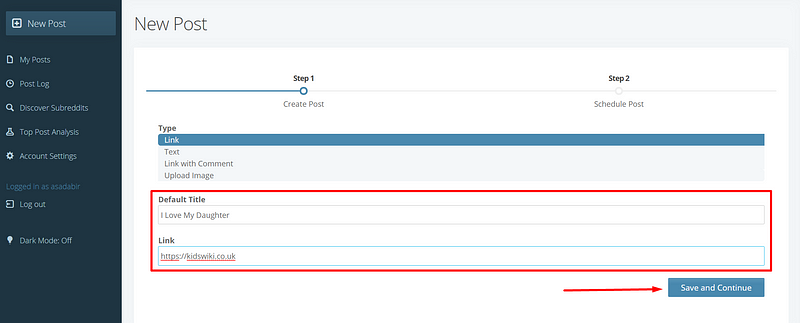
Now, fill-up the Title and Link and click on the Save and Continue button.
Now it’s time to select the subreddit and time. Just write the subreddit name in the Post to /r/ box, select the time and click the Schedule button.
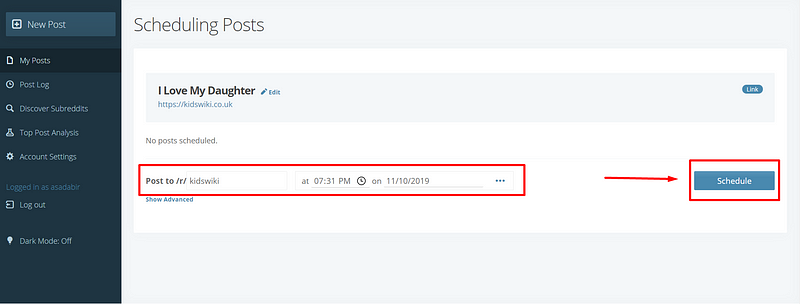
Boom! It’s been published.
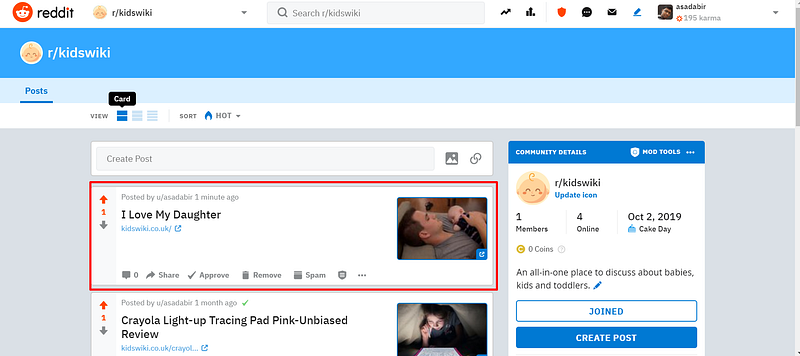
Post Time and Title Analysis
If we want to research post time, titles, etc., we need to use the Top Post Analysis function. Just follow the steps:
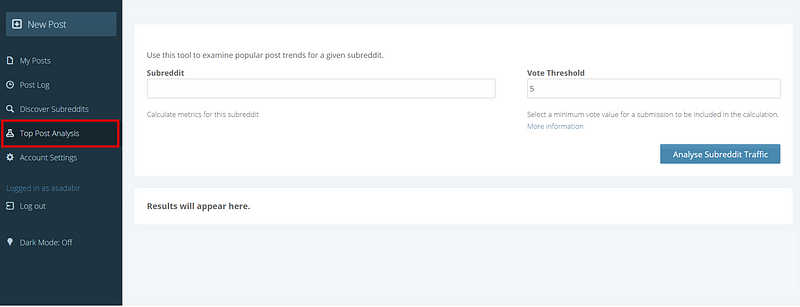
- Click on Top Post Analysis from the left side, and you’ll get a page like this:
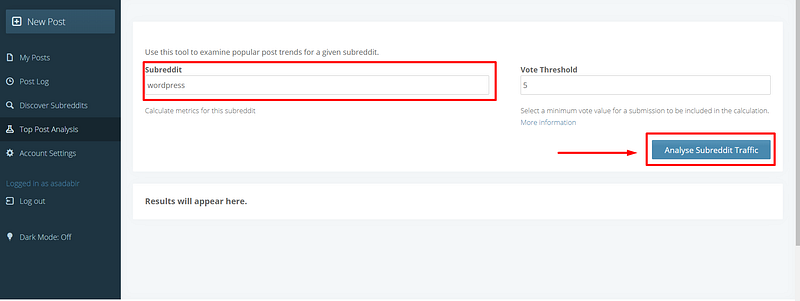
- Now, write a subreddit name in the Subreddit box and hit the Analyse Subreddit Traffic button.
- Awesome. We’ve gotten our result. Please check the screenshot, and you will find that we’ve got the best posting times, the top posts by day, and the top posts by hour of day.
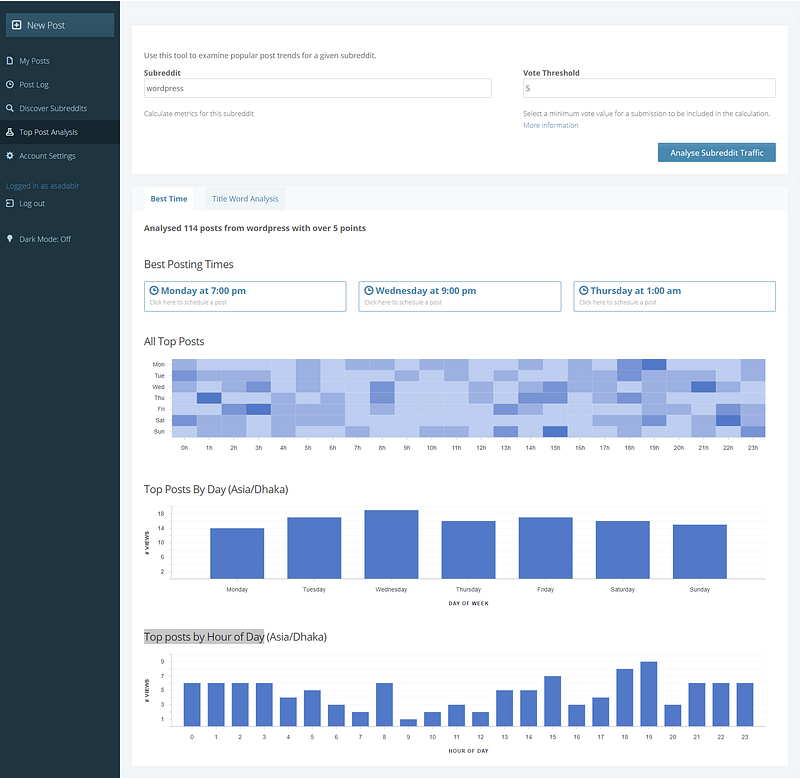
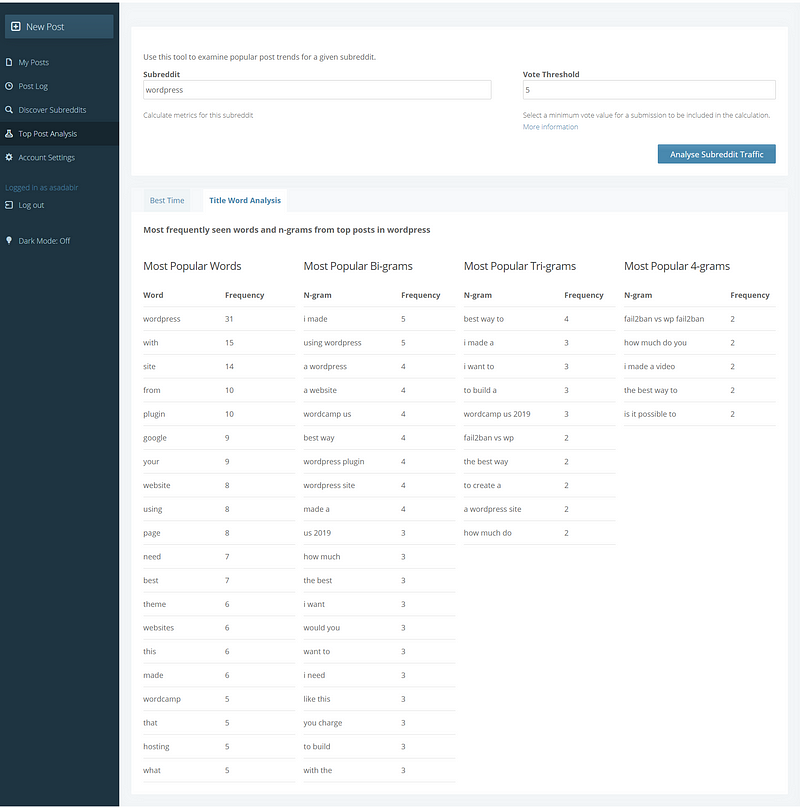
- Also, if you click on Title Word Analysis, you can analyze the title words to create any post. Check out the screenshot:
Final Words
In this small post, I’ve tried to explain how you can more quickly automate your Reddit campaigns. Also, I’ve tried to show how you can analyze the perfect post time and title for any subreddit. I hope all of these tips will help you.


