
How to run Laminas Diagnostics in Symfony
Introduction
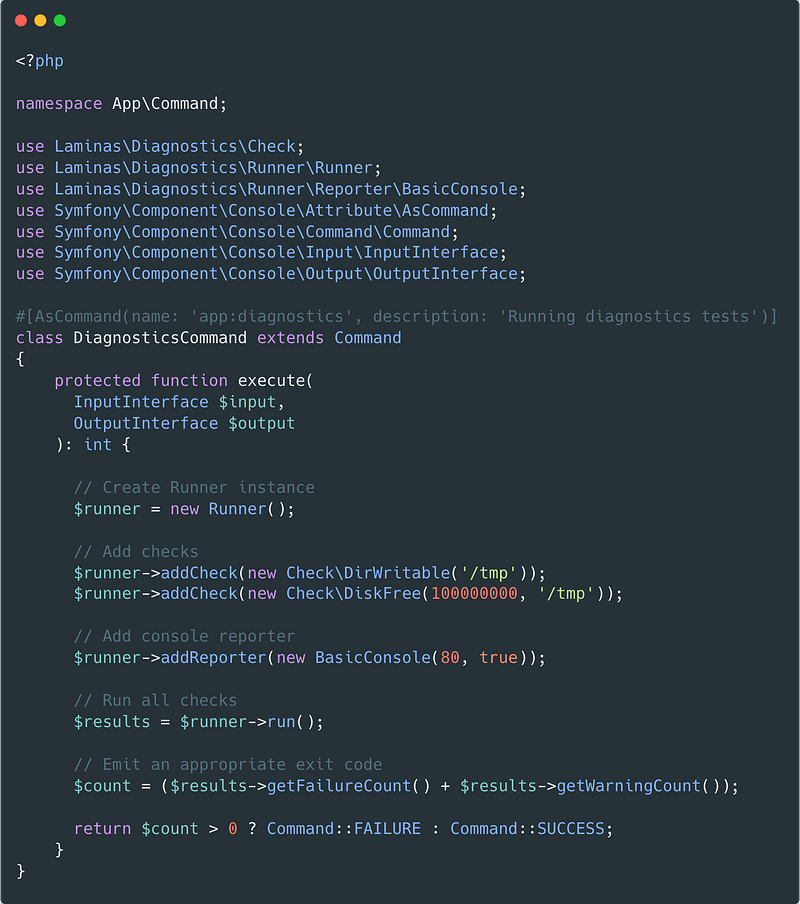
Laminas Diagnostics is a handy standalone component that provides diagnostic tests for real-world PHP applications. It ships with lots of diagnostic checks and you can check if a given unix process is running, the required PHP extensions are installed, configurations exist etc. In this post, I am going to share how the Diagnostics component can be used together with the Symfony framework.
<?php
# diagnostics.php

use Laminas\Diagnostics\Check;
use Laminas\Diagnostics\Runner\Runner;
use Laminas\Diagnostics\Runner\Reporter\BasicConsole;

include 'vendor/autoload.php';

// Create Runner instance
$runner = new Runner();

// Add checks
$runner->addCheck(new Check\DirWritable('/tmp'));
$runner->addCheck(new Check\DiskFree(100000000, '/tmp'));

// Add console reporter
$runner->addReporter(new BasicConsole(80, true));

// Run all checks
$results = $runner->run();

// Emit an appropriate exit code
$status = ($results->getFailureCount() + $results->getWarningCount()) > 0 ? 1 : 0;
exit($status);
Installation
I presume you already have set up your Symfony project, so you can use PHP composer to install the diagnostics components:
composer require laminas/laminas-diagnostics
Usage
The next step is to create a new Symfony command from where we will run our diagnostic tests. Let’s start by checking the installed PHP version:
<?php

namespace App\Command;

use App\Diagnostics\Reporter\SymfonyConsole;
use Laminas\Diagnostics\Check;
use Laminas\Diagnostics\Runner\Runner;
use Laminas\Diagnostics\Runner\Reporter\BasicConsole;

use Symfony\Component\Console\Attribute\AsCommand;
use Symfony\Component\Console\Command\Command;
use Symfony\Component\Console\Input\InputInterface;
use Symfony\Component\Console\Output\OutputInterface;

#[AsCommand(
    name: 'app:diagnostics',
    description: 'Running diagnostics tests'
)]
class DiagnosticsCommand extends Command
{
    protected function execute(
        InputInterface $input,
        OutputInterface $output
    ): int {
        // Create Runner instance
        $runner = new Runner();

        // Add checks
        $runner->addCheck(new Check\PhpVersion('8.1', '>'));

        // Add console reporter
        $runner->addReporter(new BasicConsole(80, true));

        // Run all checks
        $results = $runner->run();

        return ($results->getFailureCount() + $results->getWarningCount()) > 0
            ? Command::FAILURE
            : Command::SUCCESS;
    }
}
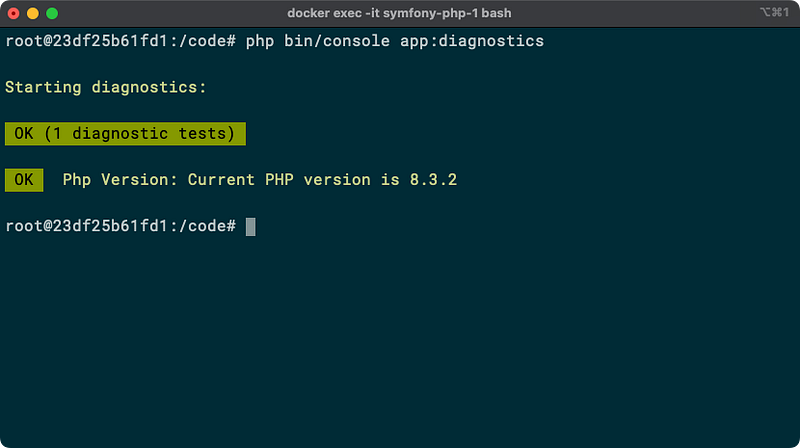
That is all, now our diagnostics command is ready and we can run it:
php bin/console app:diagnostics
and the result should look like:
Laminas Diagnostic is very useful when you use docker containers, so you can check if your infrastructure is up and running:
<?php

namespace App\Command;

#[AsCommand(
    name: 'app:diagnostics',
    description: 'Running diagnostics tests'
)]
class DiagnosticsCommand extends Command
{
    protected function execute(
        InputInterface $input,
        OutputInterface $output
    ): int {
        // Check PHP Extensions
        $runner->addCheck(new Check\ExtensionLoaded([
          'intl',
          'pdo',
          'pdo_pgsql',
          'zip',
          'mongodb'
        ]));


        // Check Nginx
        $nginx = new Check\HttpService('symfony-web-1', 80);
        $nginx->setLabel('Nginx');
        $runner->addCheck($nginx);


        // Check PostgreSQL
        $postgres = new Check\Callback(function () {
            $connection_string = sprintf(
                "host=%s port=%d user=%s password=%s",
                $_ENV['POSTGRES_HOST'],
                $_ENV['POSTGRES_POSR'],
                $_ENV['POSTGRES_USER'],
                $_ENV['POSTGRES_PASSWORD']
            );

            $pgc = \pg_connect($connection_string);
            if ($pgc instanceof \PgSql\Connection) {
                return new Success('Server is working.');
            }
            return new Failure('Can not connect to PostgreSQL');
        });
        $postgres->setLabel('PostgreSQL');
        $runner->addCheck($postgres);
    }
}
and the result:
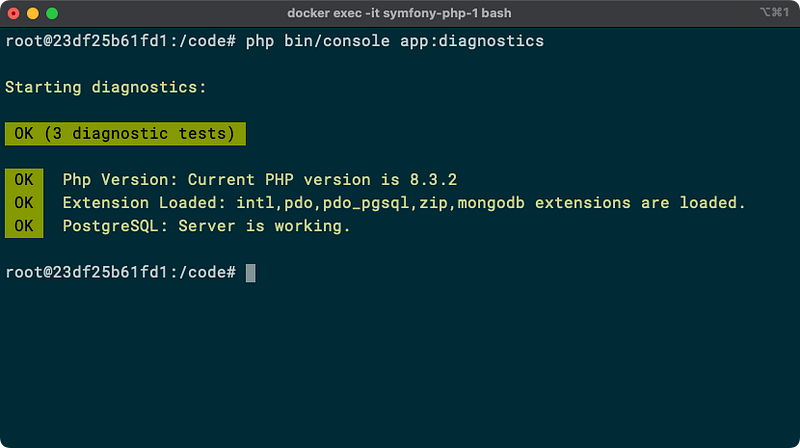
You may have noticed that I’m using the Callback check if PostgreSQL is running. The Callback check is extremely useful when you need to create your project-specific checks.
Conclusion
You can use Laminas Diagnostics as a standalone component, or you can integrate it with your favourite framework. Also, you can add as many checks as you need to ensure that your application has all the dependencies installed, your infrastructure is running, the configuration files exist, etc.
Thanks for reading!


