avatarHarman Bhutani

Summary

The article provides instructions on setting up the iOS Simulator for running Flutter apps within Android Studio.

Abstract

The article guides readers through the process of configuring the Xcode Simulator to run Flutter applications using Android Studio. It begins by acknowledging the lack of awareness about this setup among developers and proceeds to detail the necessary steps. The first step involves installing Xcode on a MacBook, which is a prerequisite for developing Flutter apps for iOS. Next, the article advises configuring the Xcode command-line tools to work with the newly installed version of Xcode. It provides a terminal command for this purpose. The final step is to run the Flutter app using either a terminal command or the run button in Android Studio. The author also shares a personal connection, inviting readers to view a Flutter app they developed and to connect on LinkedIn, while providing a link to the app on Google Play.

Opinions

  • The author believes that the knowledge of setting up the iOS Simulator for Flutter development in Android Studio is not widely known.
  • The author is confident in the utility of their guide, as evidenced by their personal contribution to Flutter app development and the sharing of their own app.
  • The author values community engagement and professional networking, as indicated by the invitation to connect on Linkedin.

How to run iOS Simulator to run Flutter apps using Android Studio

You’ll learn how to set up Xcode Simulator when working with Flutter in Android Studio. I found that many people are not aware of this so I penned down this article!
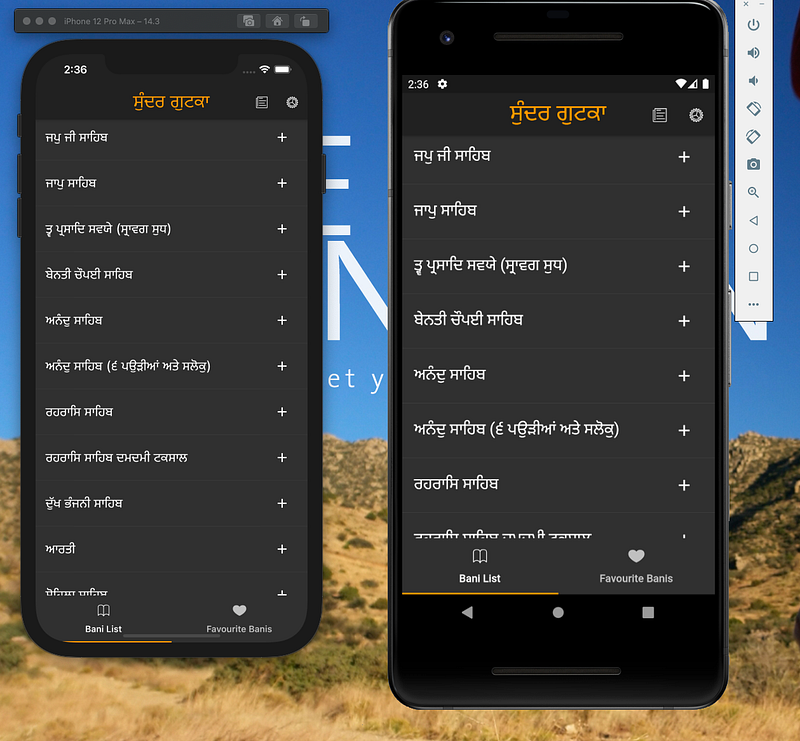
This is the app that I developed using flutter, link for the app is available at end of the article.

iOS setup

Firstly, you have to install Xcode on your MacBook to develop Flutter apps for iOS.

Secondly, you configure the Xcode command-line tools to use the newly-installed version of Xcode by running the following from the command line:

$ sudo xcode-select --switch /Applications/Xcode.app/Contents/Developer

Thirdly, run your flutter app with the below command

open -a Simulator

or you use the Android studio run button.

Thanks for reading my article. You can connect with me on Linkedin.

The link to the above app in the screenshot — Google Play.

Android
iOS
Flutter
Apps
App Development
Recommended from ReadMedium